
Nền trong suốt cho logo
Tách logo khỏi mọi nền và xuất thành tệp PNG trong suốt với độ tinh chỉnh cạnh chính xác đến từng pixel. Mẫu này xử lý logo được chụp trên giấy, quét từ danh thiếp, chụp màn hình từ trang web hoặc xuất từ công cụ thiết kế với nền lộn xộn. Đầu ra đa kích thước bao gồm favicon web, ảnh hồ sơ mạng xã hội, chữ ký email và sử dụng in ấn độ phân giải cao.
Dùng thử mẫu này miễn phíDesign template preview
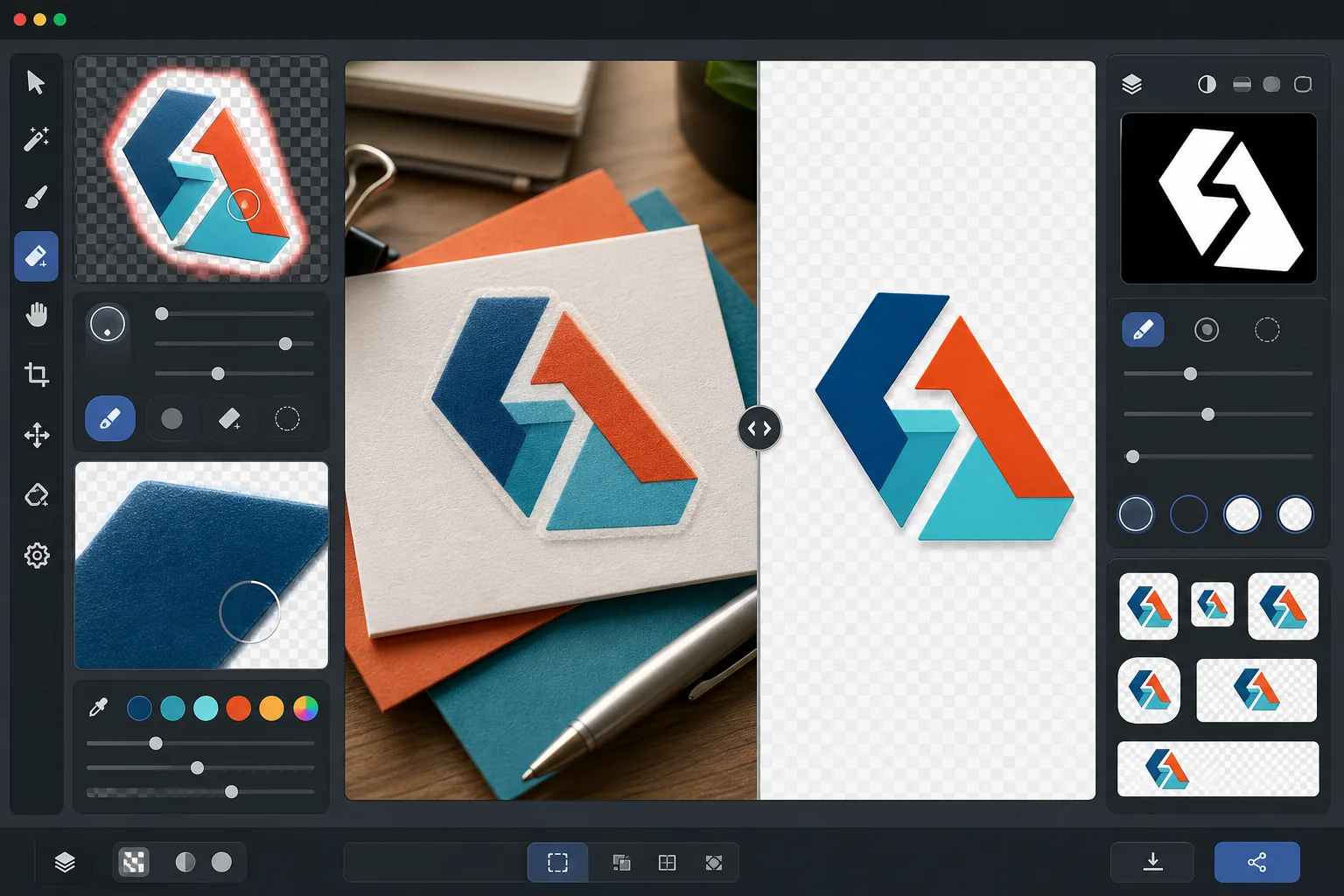
Mẫu này làm gì
Xóa nền khỏi logo và chữ ký thương hiệu để tạo ra các tệp PNG trong suốt, sạch sẽ, sẵn sàng sử dụng trên mọi phương tiện. Background Eraser tách logo khỏi bề mặt gốc của nó — dù đó là bản quét giấy trắng, nền trang web có màu, ảnh chụp biển hiệu cửa hàng hay một tấm danh thiếp đặt trên bàn. AI Enhance tinh chỉnh các cạnh để loại bỏ pixel răng cưa, viền trắng và hiện tượng quầng sáng thường xuất hiện khi việc xóa nền cắt quá mạnh xung quanh kiểu chữ mảnh, đường nét nhỏ và các chi tiết biểu tượng tinh xảo. Đầu ra được xuất ở nhiều kích thước tiêu chuẩn để sử dụng ngay làm favicon web, ảnh hồ sơ mạng xã hội, đồ họa chữ ký email và tài sản thương hiệu độ phân giải in ấn.
Cài đặt mẫu
| Xóa nền | Trong suốt hoàn toàn với cạnh khử răng cưa 1px |
| Tinh chỉnh cạnh | Làm mịn dưới pixel (loại bỏ viền trắng và hiện tượng quầng sáng) |
| Bảo toàn màu sắc | Khớp giá trị hex chính xác (không lệch màu do nền tràn vào) |
| Xuất đa kích thước | 16px, 32px, 180px, 512px, 1024px và độ phân giải gốc |
| Định dạng | PNG-32 với kênh alpha (màu 24-bit + độ trong suốt 8-bit) |
Cách sử dụng mẫu này
Tải lên hình ảnh logo của bạn
Tải logo lên ở bất kỳ định dạng nào — bản xuất thiết kế độ phân giải cao, bản quét danh thiếp, ảnh chụp màn hình từ trang web, hoặc thậm chí ảnh chụp một biển hiệu in. Mẫu này xử lý cả logo kỹ thuật số sắc nét theo dạng vector lẫn các bản chụp thực tế chưa hoàn hảo với bóng đổ, méo phối cảnh và ánh sáng không đều.
Xóa nền
Background Eraser tách logo khỏi bề mặt gốc của nó và tạo một kênh alpha trong suốt. AI phân biệt giữa các thành phần thiết kế có chủ đích của logo và phần nền, xử lý chính xác không gian âm bên trong (như lỗ trong chữ O hoặc A), các đường nét mảnh và chân chữ tinh tế.
Tinh chỉnh cạnh và màu sắc
AI Enhance làm mịn việc khử răng cưa ở cạnh để loại bỏ các pixel bậc thang lởm chởm trên đường cong và đường chéo, xóa mọi viền trắng hoặc viền màu do nền tràn vào, và xác minh rằng màu sắc logo không bị thay đổi trong quá trình tách. Màu thương hiệu được bảo toàn ở giá trị hex gốc.
Xuất ở nhiều kích thước
Tải xuống bộ tệp logo đầy đủ: favicon 16x16px, biểu tượng tab trình duyệt 32x32px, biểu tượng Apple touch 180x180px, mạng xã hội và cửa hàng ứng dụng 512x512px, độ phân giải cao 1024x1024px và toàn bộ độ phân giải gốc. Tất cả các tệp đều là PNG-32 với nền trong suốt.
Mẹo chuyên nghiệp để có kết quả tốt nhất
- ✓Để tách sạch nhất, hãy bắt đầu với phiên bản logo có độ phân giải cao nhất mà bạn có thể tìm được. Một logo rộng 2000px thu nhỏ xuống 512px sẽ có cạnh sạch hơn nhiều so với logo 200px phóng to lên 512px. Nếu bạn chỉ có phiên bản nhỏ, công nghệ phóng to bằng AI sẽ hỗ trợ nhưng không thể sánh được với chất lượng của một nguồn vốn đã lớn.
- ✓Khi chụp ảnh một logo in (trên biển hiệu, sản phẩm hoặc danh thiếp), hãy chụp thẳng góc để giảm thiểu méo phối cảnh. Mẫu này có thể sửa được méo hình thang nhẹ, nhưng một ảnh chụp chính diện sẽ tạo ra đầu ra chính xác về mặt hình học mà không có bất kỳ hiện tượng nhiễu nào do hiệu chỉnh.
- ✓Logo có đường nét rất mảnh hoặc chân chữ tinh tế ở kích thước nhỏ (dưới 32px) có thể mất chi tiết tinh xảo. Để dùng làm favicon, hãy cân nhắc sử dụng phiên bản biểu tượng hoặc dấu hiệu đơn giản hóa của logo thay vì toàn bộ chữ ký thương hiệu. Xuất đa kích thước cho phép bạn kiểm tra khả năng đọc ở từng kích thước mục tiêu trước khi tải xuống.
- ✓Nếu logo của bạn sử dụng các thành phần bán trong suốt như bóng đổ, ánh sáng phát quang hoặc hiệu ứng kính, việc xóa nền sẽ bảo toàn các mức độ trong suốt này trong kênh alpha. Kết quả ghép chính xác lên bất kỳ màu nền mới nào mà không mất đi các hiệu ứng chiều sâu của thiết kế gốc.
Công cụ
Câu hỏi thường gặp
Mẫu này có thể tách logo từ ảnh chụp một biển hiệu không?
+
Có. Mẫu này xử lý các bản chụp thực tế bao gồm ảnh chụp biển hiệu cửa hàng, decal dán xe, bao bì sản phẩm và banner hội chợ thương mại. AI hiệu chỉnh ánh sáng không đều, méo phối cảnh nhẹ và kết cấu bề mặt (như vân vinyl hoặc dệt vải) để tạo ra một tệp logo sạch, phẳng. Kết quả tốt nhất khi ảnh chụp sắc nét và được chụp càng gần chính diện càng tốt.
Màu thương hiệu của tôi có được bảo toàn chính xác không?
+
Thuật toán bảo toàn màu sắc duy trì giá trị hex gốc của màu logo mà không cho phép màu nền tràn vào các cạnh. Đối với logo được tách từ ảnh chụp (khác với tệp kỹ thuật số), độ chính xác màu phụ thuộc vào ánh sáng trong ảnh gốc. Dưới ánh sáng trung tính, màu được tách thường nằm trong khoảng delta-E là 2 so với màu thương hiệu thực.
Sự khác biệt giữa PNG-32 và PNG thông thường là gì?
+
PNG-32 bao gồm kênh alpha 8-bit đầy đủ hỗ trợ 256 mức độ trong suốt cho mỗi pixel, cho phép các cạnh khử răng cưa mượt mà và các hiệu ứng bán trong suốt như bóng đổ và ánh sáng phát quang. PNG-8 thông thường với độ trong suốt chỉ hỗ trợ pixel trong suốt hoàn toàn hoặc đục hoàn toàn, dẫn đến cạnh lởm chởm. Tất cả đầu ra từ mẫu này đều dùng PNG-32 để có chất lượng trong suốt cao nhất.
Chuẩn bị logo của bạn cho mọi nền tảng chỉ với một cú nhấp
Tải lên bất kỳ hình ảnh logo nào và nhận tệp PNG trong suốt ở mọi kích thước bạn cần — từ favicon nhỏ xíu đến tài sản in ấn độ phân giải cao — với các cạnh hoàn toàn sạch sẽ.
Dùng thử miễn phíRelated templates
More design templates for your workflow.
Tạo các mô hình bìa sách thực tế với phối cảnh 3D, kết xuất bóng và nền phong cách sống để tiếp thị tác giả và quảng cáo cho nhà xuất bản.
Thiết kế ảnh bìa podcast đáp ứng các thông số kỹ thuật của Apple Podcasts và Spotify với tính năng thay nền, cách ly chân dung máy chủ và bố cục sẵn sàng cho kiểu chữ.
Chuẩn bị tác phẩm nghệ thuật kỹ thuật số và ảnh để in khổ lớn với tính năng nâng cấp AI, mở rộng canvas, kiểm tra màu sắc chính xác và xuất tệp sẵn sàng in.
Chuẩn bị ảnh để gửi đại lý chứng khoán với việc xóa nhãn hiệu, chỉnh sửa tuân thủ phát hành mô hình, kiểm tra chất lượng kỹ thuật và các yêu cầu về định dạng dành riêng cho đại lý.