
Giải pháp Thay thế remove.bg Làm Được Nhiều Hơn Chỉ Xóa Phông Nền
remove.bg rất giỏi một việc: xóa phông nền. Magic Eraser cũng làm tốt việc đó, cùng với xóa các đối tượng không mong muốn, nâng cao chất lượng hình ảnh, đổ đầy các vùng thiếu bằng AI, và xử lý toàn bộ quy trình chỉnh sửa ảnh của bạn — tất cả trong một nơi.
Last updated
Dùng thử Magic Eraser miễn phíComparison rows are editorial summaries from the latest page review, not a guarantee of current pricing, limits, watermark policy, batch support, speed, or platform availability.
Tổng quan
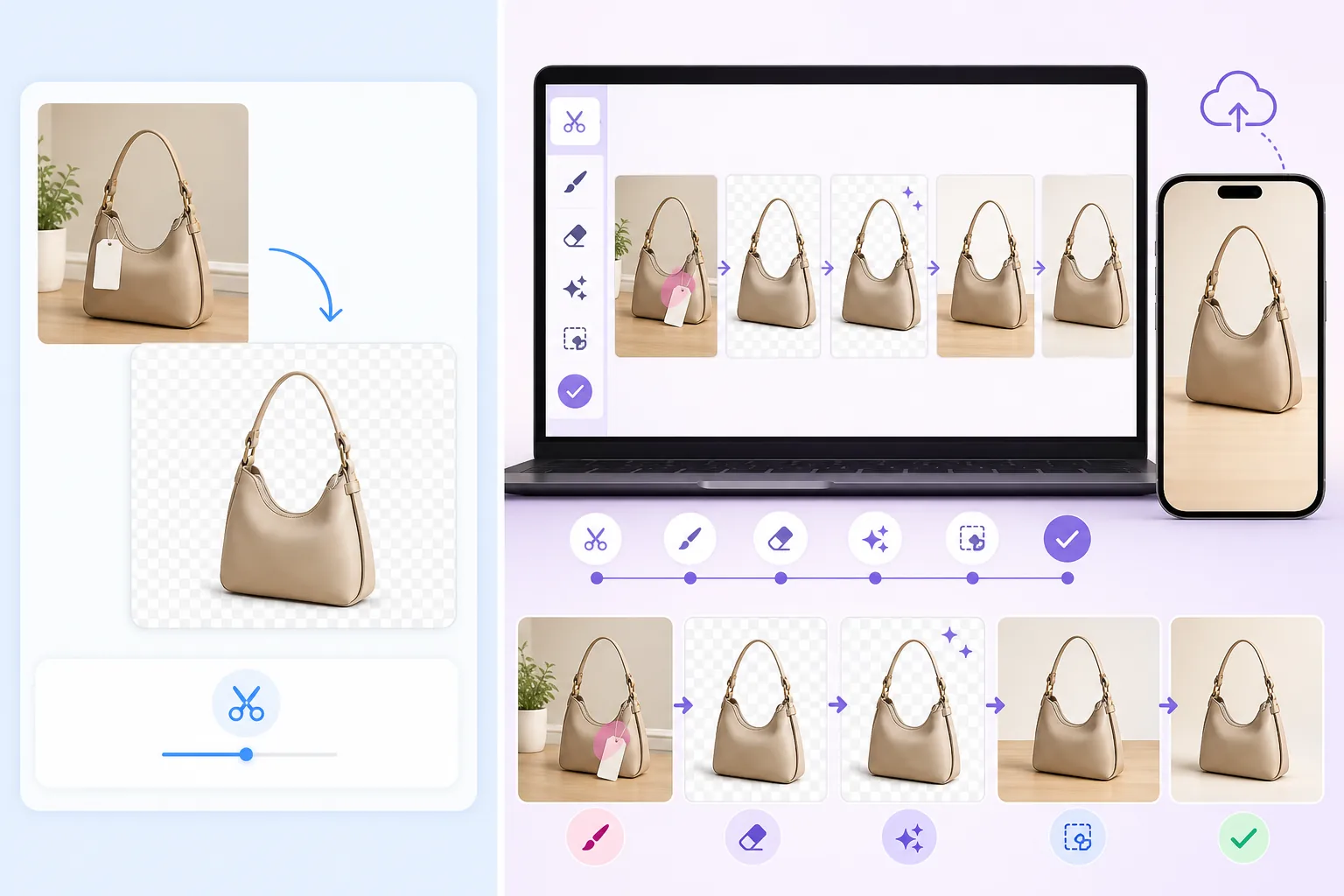
Magic Eraser là một bộ công cụ chỉnh sửa ảnh AI hoàn chỉnh. Xóa phông nền ngay lập tức, xóa các đối tượng không mong muốn khỏi bất kỳ bức ảnh nào, nâng cao và cải thiện chất lượng hình ảnh, và sử dụng đổ đầy tạo sinh để mở rộng hoặc sửa chữa ảnh — tất cả từ web hoặc thiết bị di động.
remove.bg là một dịch vụ xóa phông nền chuyên biệt. Tải ảnh lên, nhận phông nền trong suốt hoặc được thay thế. Dịch vụ này thực hiện tốt một tác vụ duy nhất nhưng không cung cấp tính năng xóa đối tượng, nâng cao chất lượng, hoặc các tính năng chỉnh sửa khác.
So sánh Tính năng
Magic Eraser là một bộ công cụ chỉnh sửa ảnh AI hoàn chỉnh. Xóa phông nền ngay lập tức, xóa các đối tượng không mong muốn khỏi bất kỳ bức ảnh nào, nâng cao và cải thiện chất lượng hình ảnh, và sử dụng đổ đầy tạo sinh để mở rộng hoặc sửa chữa ảnh — tất cả từ web hoặc thiết bị di động.
remove.bg là một dịch vụ xóa phông nền chuyên biệt. Tải ảnh lên, nhận phông nền trong suốt hoặc được thay thế. Dịch vụ này thực hiện tốt một tác vụ duy nhất nhưng không cung cấp tính năng xóa đối tượng, nâng cao chất lượng, hoặc các tính năng chỉnh sửa khác.
| Feature | Magic Eraser | remove.bg |
|---|---|---|
| Xóa phông nền | Có — xóa nền tức thì bằng AI | Có — tính năng cốt lõi |
| Xóa đối tượng | Có — quét để xóa bất kỳ thứ gì | Không |
| Nâng cao chất lượng ảnh bằng AI | Có — nâng cao, làm sắc nét, phục hồi | Không |
| Đổ đầy tạo sinh | Có — vẽ vào ảnh bằng AI | Không |
| Xử lý hàng loạt | Có | Có — qua API |
| Ứng dụng di động | Có — iOS + Android | Không có ứng dụng gốc |
| Thay thế phông nền tùy chỉnh | Có — màu đơn sắc, hình ảnh, hoặc do AI tạo | Có — các mẫu giới hạn |
| Phù hợp nhất cho | Quy trình chỉnh sửa ảnh toàn diện | Chỉ xóa phông nền |
Feature rows summarize visible product positioning and should be rechecked against official product pages before purchase, migration, or compliance decisions.
- Last content review May 8, 2026
- remove.bg source: official product site (https://www.remove.bg/)
- Magic Eraser source: https://magiceraser.live/vi/product/magic-eraser
- Pricing, feature availability, platform support, and limits can change; recheck official sources before relying on a buying decision.
Tại sao Chọn Magic Eraser Thay vì remove.bg
Một công cụ cho toàn bộ quy trình chỉnh sửa của bạn
Thay vì dùng remove.bg cho phông nền rồi chuyển sang công cụ khác để xóa đối tượng, nâng cao chất lượng, hoặc đổ đầy, Magic Eraser xử lý mọi thứ trong một trình chỉnh sửa duy nhất. Ít công cụ hơn đồng nghĩa với quy trình làm việc nhanh hơn, đơn giản hơn.
Xóa nhiều hơn chỉ phông nền
Cần xóa một người khỏi ảnh, xóa chữ khỏi hình ảnh, hoặc dọn dẹp các yếu tố gây xao nhãng? Magic Eraser cho phép bạn quét lên bất kỳ thứ gì không mong muốn và AI sẽ tái tạo lại cảnh — điều mà remove.bg hoàn toàn không thể làm được.
Giá trị tốt hơn trong cùng mức giá
Với Magic Eraser, bạn nhận được xóa phông nền cùng với xóa đối tượng, nâng cao chất lượng bằng AI, đổ đầy tạo sinh, và nhiều công cụ chỉnh sửa khác. remove.bg tính phí tương tự cho mỗi ảnh nhưng chỉ cung cấp xóa phông nền, vì vậy bạn nhận được giá trị tốt hơn đáng kể.
Truy cập đầy đủ trên web và di động
Magic Eraser hoạt động trên mọi trình duyệt và có ứng dụng riêng cho iOS và Android. remove.bg chủ yếu là dịch vụ web không có ứng dụng di động gốc, hạn chế sự linh hoạt cho việc chỉnh sửa khi di chuyển.
Các Câu hỏi Thường gặp
Magic Eraser có tốt bằng remove.bg trong việc xóa phông nền không?
+
Có. Magic Eraser sử dụng các mô hình AI tiên tiến để xóa phông nền, tạo ra những đường cắt sạch sẽ, chính xác tương đương với remove.bg. Nó cũng cho bạn nhiều quyền kiểm soát hơn với các tùy chọn phông nền thay thế như màu đơn sắc, hình ảnh tùy chỉnh, hoặc do AI tạo ra.
Tại sao nên chuyển từ remove.bg sang Magic Eraser?
+
Nếu bạn đã sử dụng remove.bg, chuyển sang Magic Eraser đồng nghĩa với việc bạn nhận được xóa phông nền cùng với một bộ công cụ bổ sung đầy đủ — xóa đối tượng, nâng cao chất lượng ảnh, đổ đầy tạo sinh, và các tính năng thiết kế — mà không phải trả thêm phí hay phải xoay sở nhiều dịch vụ.
Magic Eraser có hỗ trợ xóa phông nền hàng loạt không?
+
Có. Magic Eraser hỗ trợ xử lý hàng loạt để bạn có thể xóa phông nền khỏi nhiều ảnh cùng một lúc, tương tự như khả năng xử lý hàng loạt của remove.bg.
Tôi có thể sử dụng Magic Eraser cho ảnh sản phẩm thương mại điện tử không?
+
Hoàn toàn có thể. Magic Eraser được sử dụng rộng rãi bởi những người bán hàng trực tuyến để xóa phông nền, dọn dẹp ảnh sản phẩm, nâng cao chất lượng hình ảnh, và chuẩn bị ảnh đăng — bao gồm toàn bộ quy trình mà nếu không sẽ cần đến remove.bg cộng thêm các công cụ bổ sung.
Magic Eraser có API như remove.bg không?
+
Magic Eraser tập trung vào việc cung cấp trải nghiệm trình chỉnh sửa trực quan thông qua ứng dụng web và di động. Đối với các quy trình tự động hóa khối lượng lớn, hãy truy cập trang web Magic Eraser để biết thông tin mới nhất về khả năng sẵn có của API và tích hợp.
Nhận nhiều hơn chỉ xóa phông nền
Dùng thử Magic Eraser miễn phí và khám phá trình chỉnh sửa ảnh tất-cả-trong-một xử lý phông nền, xóa đối tượng, nâng cao chất lượng, và đổ đầy tạo sinh trong một công cụ duy nhất.
Dùng thử Magic Eraser miễn phíTrường hợp sử dụng liên quan
Xem cách các chuyên gia sử dụng công cụ này trong quy trình thực tế.
Ảnh tin rao bán lộn xộn đồ cá nhân, xe hơi hay vật liệu xây dựng khiến người mua mất hứng. Magic Eraser dùng AI xoá sạch mọi thứ thừa trong ảnh — không cần biết Photoshop.
Ảnh sản phẩm xấu, phông nền lộn xộn khiến khách hàng lướt qua gian hàng của bạn. Magic Eraser giúp bạn tạo ảnh sản phẩm sạch đẹp, chuyên nghiệp chỉ trong vài giây — không cần biết Photoshop. Upload, xóa chi tiết thừa, đăng bán ngay.
Người lạ phá hỏng ảnh du lịch của bạn? Phông nền lộn xộn làm hỏng ảnh selfie? Đừng tốn hàng giờ với Photoshop nữa. Magic Eraser xóa vật thể thừa, dọn dẹp background và mở rộng ảnh cho mọi định dạng — chỉ với một chạm.
Bài viết liên quan
Khám phá thêm hướng dẫn và nội dung chuyên sâu liên quan đến workflow này.
Tìm hiểu cách dùng Magic Eraser để xóa vật thể, người, chữ và chi tiết gây nhiễu khỏi ảnh với kết quả AI sạch hơn.
Hướng dẫn xóa người khỏi ảnh bằng AI trong vài giây. Áp dụng cho ảnh du lịch, bất động sản và ảnh sản phẩm.
Hướng dẫn từng bước xóa watermark khỏi ảnh của bạn bằng AI. Khi nào nên làm, kỹ thuật tốt nhất, và cách Magic Eraser xử lý.
So sánh khác
Xem Magic Eraser so với các công cụ chỉnh sửa ảnh khác.
Hai trình chỉnh sửa ảnh AI mạnh mẽ với thế mạnh khác nhau. Magic Eraser cung cấp bộ công cụ AI sáng tạo đa dạng hơn, trong khi Photoroom nổi bật với chụp ảnh sản phẩm thương mại điện tử và xử lý hàng loạt. Xem công cụ nào phù hợp với bạn.
Chúng tôi đã thử nghiệm và so sánh các công cụ chỉnh sửa ảnh AI hàng đầu. Từ xóa vật thể đến thay nền, hãy xem công cụ nào cho kết quả tốt nhất cho nhu cầu của bạn.
Pixlr mang đến cho người dùng môi trường chỉnh sửa cổ điển trên trình duyệt với các lớp và hiệu ứng. Magic Eraser tập trung vào dọn dẹp, nâng cao và xử lý nền ưu tiên AI cho người dùng muốn kết quả tinh tế mà không cần một giao diện chỉnh sửa đầy đủ.
Adobe Photoshop rất mạnh mẽ, nhưng hầu hết mọi người chỉ dùng một phần nhỏ các tính năng của nó. Magic Eraser mang đến những công cụ dọn dẹp ảnh mà bạn thực sự cần — xóa vật thể, xóa nền, nâng cao chất lượng bằng AI và tô lấp tạo sinh — trong một giao diện đơn giản hơn, hoạt động trên web và di động.
Tried to remove an object or background and hit a Pro paywall in Canva, Adobe Express/Photoshop, or Fotor? Magic Eraser does the same job — object removal, background removal, watermark cleanup, and enhancement — for free. No subscription, and no watermark stamped on your download.
So sánh Magic Eraser với magic-eraser.io. Xem tính năng, giá cả và trải nghiệm sử dụng bên cạnh nhau. Khám phá vì sao Magic Eraser là lựa chọn tốt hơn cho chỉnh sửa ảnh AI.