
The Free Magic Eraser You Don't Need Pro For
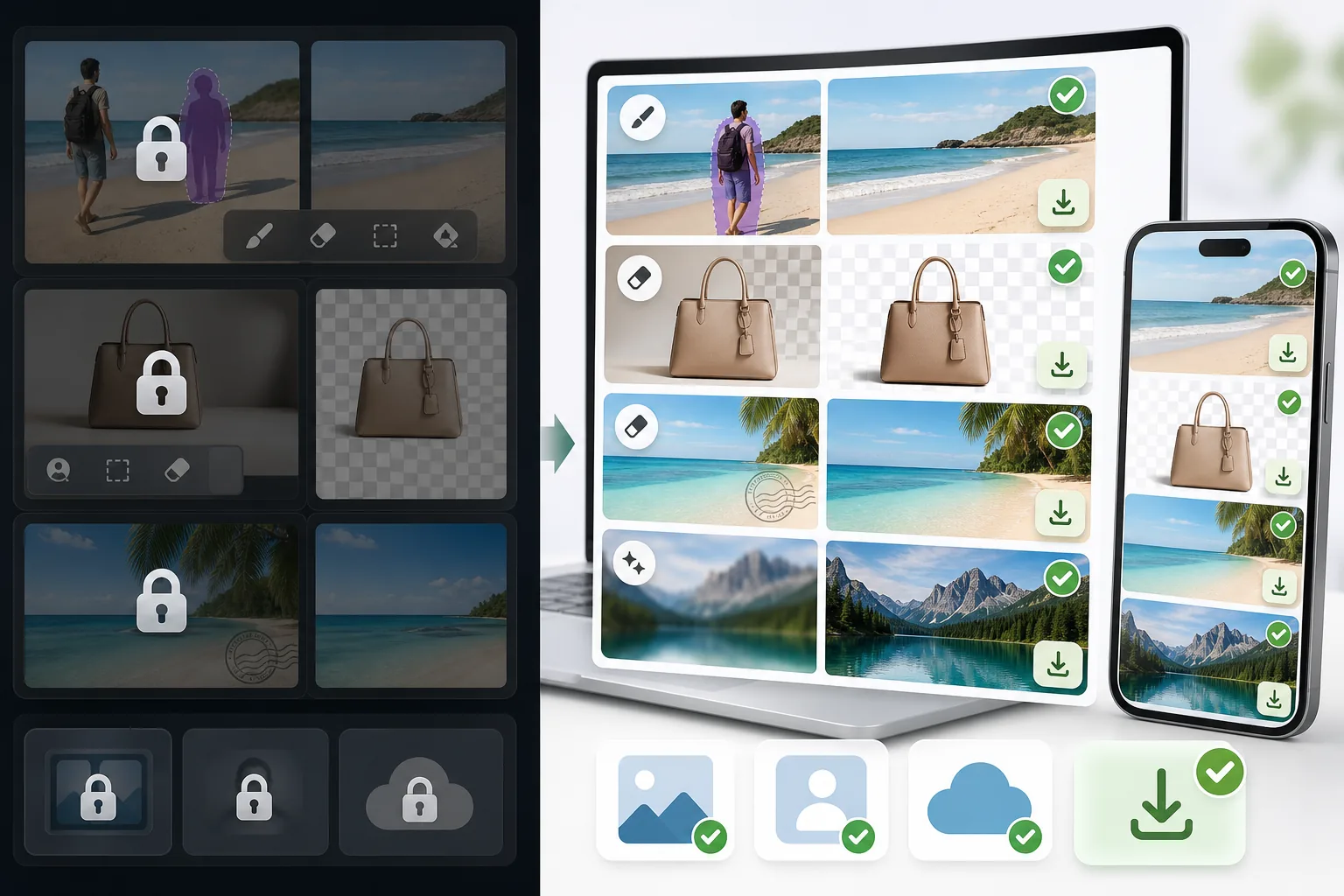
Tried to remove an object or background and hit a Pro paywall in Canva, Adobe Express/Photoshop, or Fotor? Magic Eraser does the same job — object removal, background removal, watermark cleanup, and enhancement — for free. No subscription, and no watermark stamped on your download.
Last updated
Erase free, no ProComparison rows are editorial summaries from the latest page review, not a guarantee of current pricing, limits, watermark policy, batch support, speed, or platform availability.
Overview
Magic Eraser is a dedicated AI photo editor built around cleanup. Object removal, background removal, watermark and emoji removal, and image enhancement include limited free edits on web and mobile after sign-in, with no watermark added to exported images.
Canva, Adobe (Express and Photoshop), and Fotor are powerful, well-made editors. The catch for many people is that their object and background removal — the exact feature you came for — is often placed behind a Pro or paid tier, so the cleanup step triggers an upgrade prompt before you can export.
Magic Eraser vs Pro-Gated Editors
Magic Eraser is a dedicated AI photo editor built around cleanup. Object removal, background removal, watermark and emoji removal, and image enhancement include limited free edits on web and mobile after sign-in, with no watermark added to exported images.
Canva, Adobe (Express and Photoshop), and Fotor are powerful, well-made editors. The catch for many people is that their object and background removal — the exact feature you came for — is often placed behind a Pro or paid tier, so the cleanup step triggers an upgrade prompt before you can export.
| Feature | Magic Eraser | Others |
|---|---|---|
| Object removal | Yes — free, core feature | Yes — but often behind a Pro / paid tier |
| Background removal | Yes — free | Yes — frequently Pro-gated or limited on free |
| Watermark & emoji removal | Yes — free | Limited or Pro-only |
| Watermark on your export | None | Sometimes added on the free tier |
| Signup required | No — start editing instantly | Usually an account is required |
| Image enhancement | Yes — free | Often Pro-gated |
| Task-specific removal tools | 100+ (emoji, watermark, date stamp, person, sky…) | Typically one general brush, Pro-gated |
| Cost to do the cleanup job | Free | Often requires a paid subscription |
| Platform | Web + iOS + Android | Web + iOS + Android |
Feature rows summarize visible product positioning and should be rechecked against official product pages before purchase, migration, or compliance decisions.
- Last content review June 20, 2026
- Pro-gated editors source: official product site (https://www.canva.com/)
- Magic Eraser source: https://magiceraser.live/vi/product/magic-eraser
- Pricing, feature availability, platform support, and limits can change; recheck official sources before relying on a buying decision.
Why Switch When You Hit the Paywall
The cleanup step is free, not the upgrade prompt
In Canva, Adobe Express/Photoshop, and Fotor, the object- or background-removal action is often what triggers an upgrade screen. In Magic Eraser, that same action is the free core of the product — you remove the object, remove the background, or clean a watermark and export, with no Pro tier standing between you and the result.
No watermark on what you download
Some free tiers let you edit but stamp a watermark on the export, which defeats the point. Magic Eraser never adds a watermark to your image — what you erase is what you download, at full usable quality.
Sign in, use free edits, no card
You don't create an account, start a trial, or enter payment details to do the job. Open Magic Eraser, upload your photo, brush over what you want gone, and save. The whole flow is built to skip the friction those tools put in front of cleanup.
100+ purpose-built removal tools
Instead of one general-purpose brush gated behind Pro, Magic Eraser offers task-specific tools — remove emoji, watermark, date stamp, person, glasses, sky, glare, and more — each tuned for that exact job, and each available with limited free edits after sign-in.
Frequently Asked Questions
Is Magic Eraser really free?
+
Yes. Object removal, background removal, watermark and emoji removal, and enhancement include limited free edits after sign-in, with no watermark added to your export. There is an optional paid plan with higher limits and extras, but the core cleanup tasks people hit paywalls for elsewhere are free here.
Can I remove objects or backgrounds without Canva Pro or Adobe's paid plan?
+
Yes. Magic Eraser is a free alternative for exactly that. Canva, Adobe Express/Photoshop, and Fotor are capable tools, but their object and background removal is often behind a Pro or paid tier. Magic Eraser does the same job for free — so you can finish the edit instead of hitting an upgrade screen.
What's the catch?
+
There's no watermark and sign-in required wall on the core tools. The honest caveat is technical, not commercial: like every AI eraser (including the Pro ones), Magic Eraser reconstructs the area behind whatever you remove, so busy textures or complex backgrounds may need a second pass or light touch-up. Most everyday removals are clean in one go.
Do I have to create an account or enter a credit card?
+
No. You can start editing immediately on the web with sign-in required and no payment details. That's the main difference from the paywalled flows — there's nothing to unlock before you export.
Will there be a watermark on my downloaded image?
+
No. Magic Eraser does not stamp a watermark on your exported image. You download the cleaned photo at full usable quality, free.
Skip the Pro paywall — erase it free
Remove the object, clear the background, or wipe a watermark without a subscription, a signup, or a watermark on your download. Open Magic Eraser and finish the edit you came to do.
Erase free, no ProTrường hợp sử dụng liên quan
Xem cách các chuyên gia sử dụng công cụ này trong quy trình thực tế.
Ảnh tin rao bán lộn xộn đồ cá nhân, xe hơi hay vật liệu xây dựng khiến người mua mất hứng. Magic Eraser dùng AI xoá sạch mọi thứ thừa trong ảnh — không cần biết Photoshop.
Ảnh sản phẩm xấu, phông nền lộn xộn khiến khách hàng lướt qua gian hàng của bạn. Magic Eraser giúp bạn tạo ảnh sản phẩm sạch đẹp, chuyên nghiệp chỉ trong vài giây — không cần biết Photoshop. Upload, xóa chi tiết thừa, đăng bán ngay.
Người lạ phá hỏng ảnh du lịch của bạn? Phông nền lộn xộn làm hỏng ảnh selfie? Đừng tốn hàng giờ với Photoshop nữa. Magic Eraser xóa vật thể thừa, dọn dẹp background và mở rộng ảnh cho mọi định dạng — chỉ với một chạm.
Bài viết liên quan
Khám phá thêm hướng dẫn và nội dung chuyên sâu liên quan đến workflow này.
Tìm hiểu cách dùng Magic Eraser để xóa vật thể, người, chữ và chi tiết gây nhiễu khỏi ảnh với kết quả AI sạch hơn.
Hướng dẫn xóa người khỏi ảnh bằng AI trong vài giây. Áp dụng cho ảnh du lịch, bất động sản và ảnh sản phẩm.
Hướng dẫn từng bước xóa watermark khỏi ảnh của bạn bằng AI. Khi nào nên làm, kỹ thuật tốt nhất, và cách Magic Eraser xử lý.
So sánh khác
Xem Magic Eraser so với các công cụ chỉnh sửa ảnh khác.
Chúng tôi đã thử nghiệm và so sánh các công cụ chỉnh sửa ảnh AI hàng đầu. Từ xóa vật thể đến thay nền, hãy xem công cụ nào cho kết quả tốt nhất cho nhu cầu của bạn.
Adobe Photoshop rất mạnh mẽ, nhưng hầu hết mọi người chỉ dùng một phần nhỏ các tính năng của nó. Magic Eraser mang đến những công cụ dọn dẹp ảnh mà bạn thực sự cần — xóa vật thể, xóa nền, nâng cao chất lượng bằng AI và tô lấp tạo sinh — trong một giao diện đơn giản hơn, hoạt động trên web và di động.
So sánh Magic Eraser với magic-eraser.io. Xem tính năng, giá cả và trải nghiệm sử dụng bên cạnh nhau. Khám phá vì sao Magic Eraser là lựa chọn tốt hơn cho chỉnh sửa ảnh AI.
So sánh Magic Eraser với Pixelcut. Xem tính năng, giá cả và trải nghiệm sử dụng bên cạnh nhau. Khám phá vì sao Magic Eraser là lựa chọn tốt hơn cho chỉnh sửa ảnh AI.
Adobe Express gói tính năng chỉnh sửa ảnh bên trong một bộ công cụ thiết kế và sáng tạo nội dung gắn với Adobe Firefly. Magic Eraser được xây dựng chuyên biệt cho việc dọn dẹp ảnh bằng AI: xóa vật thể, thay nền, tạo sinh lấp đầy và nâng cao chất lượng. So sánh này cho thấy mỗi công cụ phù hợp nhất ở đâu.
Magic Eraser và Pixelcut đều cung cấp khả năng chỉnh sửa ảnh bằng AI trên web, iOS và Android với các gói miễn phí và gói Pro trả phí. Pixelcut nghiêng mạnh về ảnh sản phẩm thương mại điện tử với các mẫu có sẵn. Magic Eraser được thiết kế chuyên biệt cho các tác vụ dọn dẹp bằng AI trên toàn bộ phạm vi công việc chỉnh sửa ảnh. So sánh này cho thấy mỗi công cụ thắng thế ở đâu.