
Альтернатива PhotoRoom с более широким набором AI-инструментов для редактирования
PhotoRoom ориентирован на удаление фона и шаблоны для съёмки товаров. Magic Eraser обладает теми же возможностями и добавляет мощные AI-инструменты для удаления объектов, улучшения изображений, генеративной заливки и креативного дизайна — давая вам больше возможностей для редактирования в вебе и на мобильных устройствах.
Last updated
Попробовать Magic Eraser бесплатноComparison rows are editorial summaries from the latest page review, not a guarantee of current pricing, limits, watermark policy, batch support, speed, or platform availability.
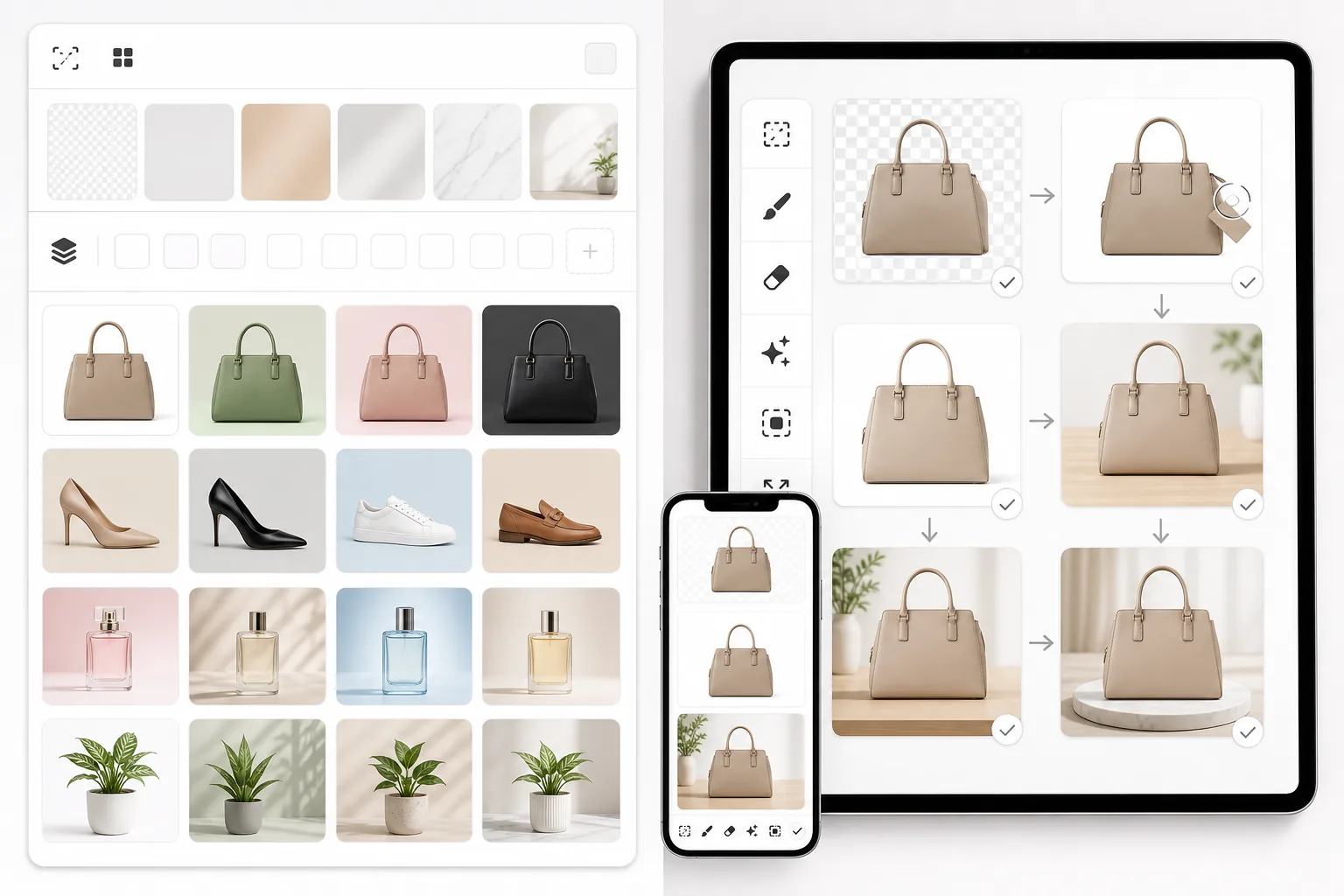
Обзор
Magic Eraser — это AI-фоторедактор с восемью специализированными инструментами: удаление объектов, удаление фона, улучшение изображений, генеративная заливка, создание изображений с помощью AI, восстановление фотографий, расширение изображений и инструменты дизайна. Он работает в вебе, на iOS и Android.
PhotoRoom — это фоторедактор с приоритетом для мобильных устройств, ориентированный на удаление фона, съёмку товаров и дизайн на основе шаблонов. Он популярен среди продавцов e-commerce и авторов контента для соцсетей для создания эффектных изображений товаров.
Сравнение функций
Magic Eraser — это AI-фоторедактор с восемью специализированными инструментами: удаление объектов, удаление фона, улучшение изображений, генеративная заливка, создание изображений с помощью AI, восстановление фотографий, расширение изображений и инструменты дизайна. Он работает в вебе, на iOS и Android.
PhotoRoom — это фоторедактор с приоритетом для мобильных устройств, ориентированный на удаление фона, съёмку товаров и дизайн на основе шаблонов. Он популярен среди продавцов e-commerce и авторов контента для соцсетей для создания эффектных изображений товаров.
| Feature | Magic Eraser | PhotoRoom |
|---|---|---|
| Удаление фона | Да — мгновенно с AI | Да — основная функция |
| Удаление объектов | Да — AI-кисть для стирания | Ограниченно — базовая ретушь |
| AI-улучшение изображений | Да — апскейл, повышение резкости, восстановление | Ограниченно |
| Генеративная заливка | Да — AI-заливка по запросу | Нет |
| Количество AI-инструментов | 8 специализированных инструментов | Ориентирован на фоны и шаблоны |
| Веб-редактор | Да — полнофункциональный | Да — ограниченный по сравнению с мобильным |
| Библиотека шаблонов | Да — с инструментами дизайна | Да — обширная |
| Лучше всего подходит для | Полноценного AI-редактирования фото | Фото товаров и соцсетей |
Feature rows summarize visible product positioning and should be rechecked against official product pages before purchase, migration, or compliance decisions.
- Last content review May 8, 2026
- PhotoRoom source: official product site (https://www.photoroom.com/)
- Magic Eraser source: https://magiceraser.live/ru/product/magic-eraser
- Pricing, feature availability, platform support, and limits can change; recheck official sources before relying on a buying decision.
Почему стоит выбрать Magic Eraser вместо PhotoRoom
Больше AI-инструментов для каждой задачи редактирования
PhotoRoom превосходно справляется с фонами и шаблонами, но Magic Eraser даёт вам восемь специально созданных AI-инструментов. Удаляйте объекты, улучшайте размытые изображения, генерируйте недостающее содержимое, восстанавливайте старые фотографии и расширяйте изображения — всё это задачи, которые выходят за рамки возможностей PhotoRoom.
Более мощные возможности удаления объектов
Нужно убрать человека, вывеску, провод или любой нежелательный элемент с фотографии? AI-удаление объектов — одна из ключевых сильных сторон Magic Eraser, тогда как инструменты ретуши PhotoRoom более базовые и ограничены по возможностям.
Полнофункциональная работа в вебе и на мобильных устройствах
Оба инструмента работают на мобильных устройствах, но Magic Eraser обеспечивает столь же мощный опыт в браузере. Вы получаете тот же полный набор AI-инструментов, редактируете ли вы на телефоне или за рабочим столом.
Конкурентная цена с большим набором включённых функций
Magic Eraser предлагает больше инструментов для редактирования по конкурентным ценам. Вместо того чтобы платить за PhotoRoom, а затем нуждаться в отдельных инструментах для удаления объектов или улучшения изображений, вы получаете всё в одной подписке.
Инструменты
Часто задаваемые вопросы
Как Magic Eraser сравнивается с PhotoRoom по удалению фона?
+
Оба инструмента обеспечивают высококачественное удаление фона с помощью AI. Главное отличие в том, что Magic Eraser включает удаление фона как один из восьми AI-инструментов, тогда как PhotoRoom строит свой опыт вокруг удаления фона и шаблонов для товаров.
Лучше ли Magic Eraser, чем PhotoRoom, для съёмки товаров?
+
Для чистых шаблонов фото товаров и пакетного удаления фона у PhotoRoom отличный рабочий процесс. Magic Eraser — лучший выбор, когда вам также нужны удаление объектов, улучшение изображений и генеративная заливка как часть рабочего процесса съёмки товаров.
Работает ли Magic Eraser на мобильных устройствах, как PhotoRoom?
+
Да. У Magic Eraser есть нативные приложения как для iOS, так и для Android, как и у PhotoRoom. Вы также получаете полнофункциональный веб-редактор, поэтому можете переключаться между устройствами, не теряя функциональности.
Могу ли я создавать дизайны с помощью Magic Eraser?
+
Да. Magic Eraser включает инструменты дизайна и функции создания изображений с помощью AI, которые позволяют создавать графику для соцсетей, маркетинговые материалы и визуальные изображения товаров наряду с работой по редактированию фото.
Какой инструмент предлагает лучшее соотношение цены и качества?
+
Magic Eraser, как правило, предлагает большую ценность, потому что вы получаете более широкий набор AI-инструментов для редактирования — удаление объектов, улучшение, генеративную заливку, восстановление и расширение — в дополнение к удалению фона и функциям дизайна, и всё это в рамках одного плана.
Чем инструмент Magic Eraser в PhotoRoom отличается от приложения Magic Eraser?
+
В PhotoRoom есть свой инструмент удаления объектов в стиле magic eraser, встроенный в набор для дизайна и работы с каталогом, и он хорошо справляется с быстрой чисткой кадра, пока вы готовите фото товаров. Отдельное приложение Magic Eraser создано именно для удаления, поэтому на сложных сценах — объекты с тенями, насыщенный фон, люди целиком — оно обычно восстанавливает область аккуратнее, а на бесплатном тарифе сохраняет результат в полном разрешении. Выбирайте PhotoRoom, если вам нужно удаление вместе с шаблонами и инструментами для каталога; выбирайте Magic Eraser, если главная задача — чистое удаление.
Какая альтернатива PhotoRoom лучше для массовой обработки фото товаров?
+
PhotoRoom и сам силён для каталогов в e-commerce: есть шаблоны и пакетная обработка фона. Если нужна альтернатива, Magic Eraser справляется с пакетным удалением фона и чисткой объектов в полном разрешении и с бесплатным тарифом, а Remove.bg (через API) быстрее всего меняет простой фон в больших объёмах. Именно для работы с каталогом на основе шаблонов PhotoRoom по-прежнему трудно превзойти; а для гибкого удаления и редактирования по всей партии ближе всего к замене стоит Magic Eraser.
Ищете больше, чем предлагает PhotoRoom?
Попробуйте Magic Eraser бесплатно и получите доступ к восьми AI-инструментам для редактирования фото — удаление фона, удаление объектов, улучшение, генеративная заливка и многое другое — в вебе и на мобильных устройствах.
Попробовать Magic Eraser бесплатноСвязанные сценарии использования
Узнайте, как профессионалы используют эти инструменты в реальных рабочих процессах.
Фотографии объявлений, заваленные личными вещами, припаркованными машинами или стройматериалами, отпугивают покупателей. Magic Eraser использует ИИ для мгновенной очистки ваших фото — навыки Photoshop не нужны.
Грязный фон и неопрятные фотографии товаров каждый день стоят вам продаж. Magic Eraser помогает создавать чистые, профессиональные изображения за секунды — без навыков Photoshop. Загрузите фото, удалите всё лишнее и размещайте с уверенностью.
Случайные прохожие портят ваши фото из путешествий? Беспорядок на фоне убивает ваши селфи? Хватит тратить часы в Фотошопе. Magic Eraser удаляет всё лишнее, очищает фон и адаптирует фото под любой формат — в одно касание.
Похожие руководства
Изучите другие руководства и редакционный контент, связанные с этим сценарием.
Узнайте, как ИИ меняет бизнес-операции: от автоматизации до анализа данных и более персонализированного клиентского опыта.
Узнайте, как с помощью Magic Eraser удалять объекты, людей, текст и отвлекающие детали с фото и получать более чистый результат ИИ.
Узнайте, как использовать переводческий плагин для Figma, чтобы быстрее локализовать макеты и при этом контролировать layout.
Другие сравнения
Узнайте, как Magic Eraser сравнивается с другими инструментами для редактирования фото.
Canva — это универсальная платформа для дизайна, но её инструменты редактирования фотографий вторичны по отношению к её дизайнерской направленности. Magic Eraser создан специально для редактирования фотографий на основе ИИ, обеспечивая лучшее удаление объектов, удаление фона, улучшение изображений и генеративную заливку для пользователей, которым нужны специализированные инструменты для очистки фотографий.
Два мощных AI-фоторедактора с разными сильными сторонами. Magic Eraser предлагает более широкий набор генеративных AI-инструментов, а Photoroom отлично подходит для фотографии товаров и пакетной обработки. Узнайте, что лучше подойдёт для вашего рабочего процесса.
Мы протестировали и сравнили лучшие инструменты для AI-редактирования фото. От удаления объектов до замены фона — узнайте, какой редактор лучше всего подходит для вашей работы.
Canva отлично подходит для макетов и графики для соцсетей, но многим пользователям нужны более быстрое удаление объектов, более чистое редактирование фона и более мощные инструменты для фото с AI. Это сравнение показывает, где Magic Eraser лучше подходит для рабочих процессов, ориентированных на изображения.
Мы протестировали ведущие AI-генераторы фона по качеству удаления, вариантам замены, творческой гибкости и простоте использования. Узнайте, какой инструмент проще всего справляется с удалением, заменой и генерацией нового фона для ваших фотографий.
Мы протестировали лучшие генераторы AI-портретов по качеству, реалистичности, возможностям настройки и выгодности. Нужны ли вам портреты для LinkedIn, фото команды или профессиональные снимки — узнайте, какой инструмент даёт лучшие результаты.