
Instagram投稿の正方形トリミング
あらゆる写真をInstagramの正方形グリッド形式に、ちょうど1080×1080pxの解像度で最適化します。鮮やかな色、きれいな背景、そして混み合ったフィードの中でエンゲージメントを獲得する視覚的なインパクトを実現します。
このテンプレートを無料で試すSocial Media template preview
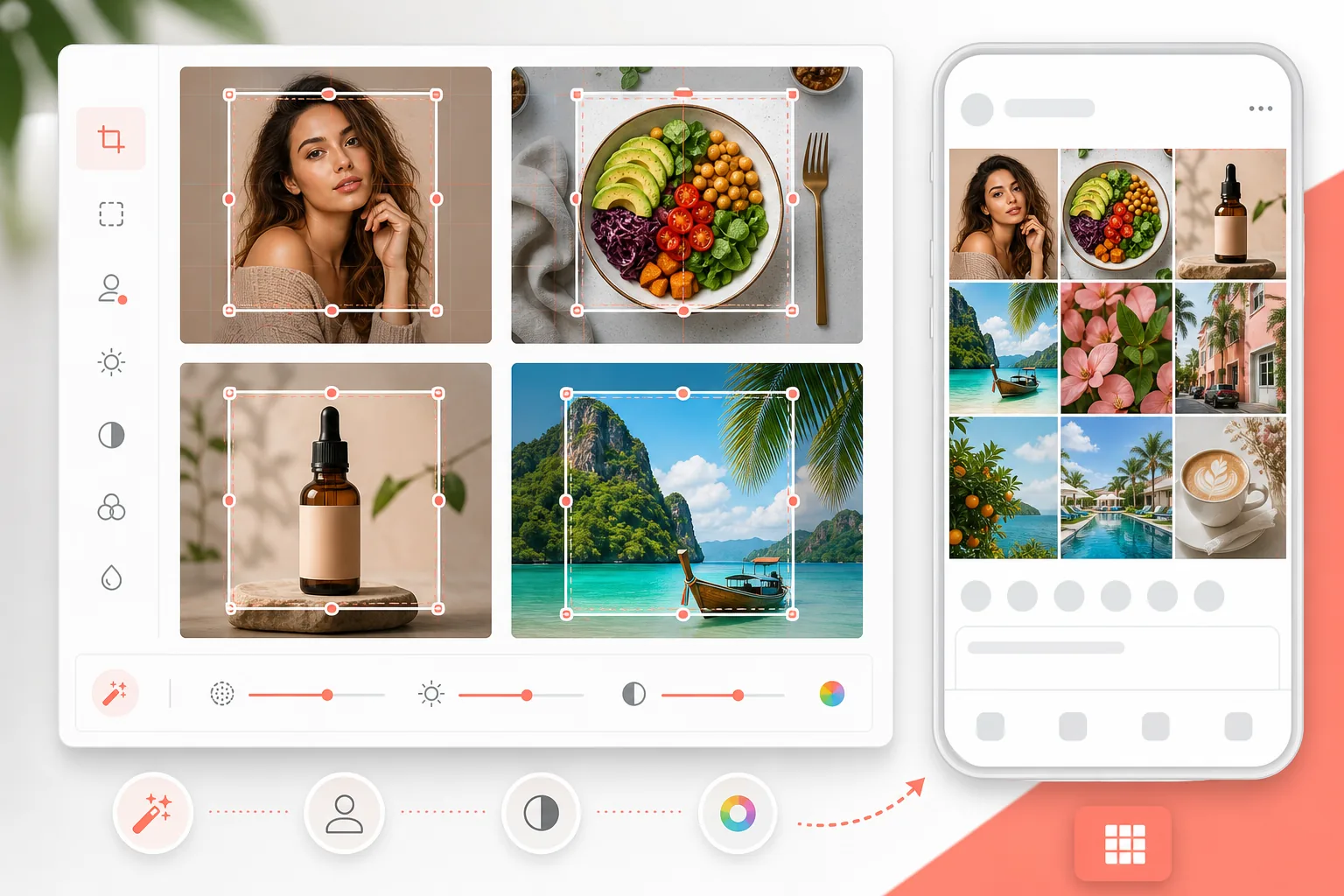
このテンプレートでできること
写真をInstagramに最適な1080×1080pxの正方形フォーマットにトリミング・リサイズし、モバイル画面で映える鮮やかさに色を強調し、プロフェッショナルなグリッドの美しさのために背景をきれいに整えます。商品写真、ポートレート、フード、ライフスタイルコンテンツに対応します。
テンプレート設定
| 出力サイズ | 1080×1080px(Instagram正方形) |
| ファイル形式 | JPEG(品質95%) |
| 彩度 | +15%(モバイル画面に最適化) |
| シャープ化 | 中(モバイル表示に最適化) |
| カラープロファイル | sRGB |
このテンプレートの使い方
写真をアップロード
どのアスペクト比でも大丈夫です。テンプレートが完璧な正方形へのトリミングをサポートします。縦長、横長、すでに正方形の写真、すべて使えます。
トリミング範囲を選択
画像の中で最もインパクトのある正方形の部分を選びます。ポートレートなら顔を中心に、商品なら商品を中心に、風景なら最もドラマチックな部分を選びましょう。
クリーンアップして強調
Magic Eraserで背景の余計なものを取り除き、その後AI Enhanceがモバイル画面での閲覧に特化して彩度とシャープさを向上させます。Instagramコンテンツの95%はモバイルで消費されています。
1080×1080で書き出し
Instagramに最適な解像度でダウンロードします。ファイルは高速アップロードできるサイズに調整されつつ、スマホとタブレットの両方の画面で最高品質を維持します。
最良の結果を得るためのプロのコツ
- ✓被写体の周りに余白を残しましょう。Instagramは余白を追加するため、ぎっしり詰まったトリミング画像はフィードで窮屈に見えます。
- ✓やや暖かみのあるトーン(ゴールデンアワーのような雰囲気)は、Instagramのエンゲージメント指標で一貫してクールなトーンを上回ります。
- ✓グリッドの配色に一貫性がある場合は、背景と強調を既存の美的スタイルに合わせましょう。
- ✓正方形のトリミングがサムネイルサイズ(グリッド表示)でどう見えるかを確認しましょう。第一印象のほとんどはそこで決まります。
よくある質問
1080×1080は今でもInstagramに最適なサイズですか?
+
はい。Instagramはフィード投稿を幅1080pxで表示します。正方形(1080×1080)はグリッド表示で最も広い画面スペースを確保できます。単独のフィード投稿では、1080×1350(縦長)がスクロール中のフィードでより多くの画面を占めますが、正方形はグリッドの一貫性に理想的です。
トリミングで画質は影響を受けますか?
+
元画像が低解像度の場合のみです。12MP(4000×3000)のスマホ写真なら、画像のどの部分からでも1080×1080にトリミングするのに十分すぎる解像度があります。元画像が小さい場合はAIによるアップスケーリングも利用できます。
Instagramリールのカバーに使えますか?
+
リールのカバーは1080×1920(縦)を使用します。このテンプレートは正方形のフィード投稿とグリッドの美しさに特化しています。リールのカバーには別の縦長テンプレートが必要です。
Related templates
More social media templates for your workflow.
セーフ ゾーン ガイド付きの 2560 × 1440 ピクセルの YouTube バナー テンプレート。クリエイターの写真の背景をきれいに削除し、デバイスに応じたレイアウト、ブランドと一貫したチャネル アートを実現します。
Facebook のカバー写真テンプレート (デスクトップ用は 820×312px、モバイルは 640×360px)。プロフィール写真のオーバーラップと CTA ボタンの配置に適切な安全ゾーンを設けたクリーンなブランド イメージ。
正確な 1500×500 ピクセルのサイズで本格的な Twitter/X ヘッダー画像を作成します。プロフィール写真の重なりを考慮し、ダーク モードとライト モードの両方で機能します。
自然な肌のスムージング、背景のクリーンアップ、照明補正、フィルター処理されていない本物に見える微妙なカラー グレーディングを使用して、デート プロフィール写真を強化します。
きれいな背景、最適な 2:3 の垂直サイズ、鮮やかな色の強調、ピンに対応した構成を備えた、スクロールを止める Pinterest ピン画像を作成します。
きれいな背景、大胆な被写体のフレーミング、プロファイル グリッドの一貫性を保つために最適化された 9:16 の垂直寸法を備えた、人目を引く TikTok ビデオ カバー写真を作成します。