
L'alternativa a Photoshop più veloce per il fotoritocco quotidiano
Adobe Photoshop è potente, ma la maggior parte delle persone ne usa solo una piccola parte delle funzioni. Magic Eraser offre gli strumenti di pulizia delle foto di cui hai davvero bisogno — rimozione di oggetti, rimozione dello sfondo, miglioramento con AI e riempimento generativo — in un'interfaccia più semplice che funziona su web e dispositivi mobili, senza abbonamento richiesto per iniziare.
Last updated
Prova Magic Eraser gratisComparison rows are editorial summaries from the latest page review, not a guarantee of current pricing, limits, watermark policy, batch support, speed, or platform availability.
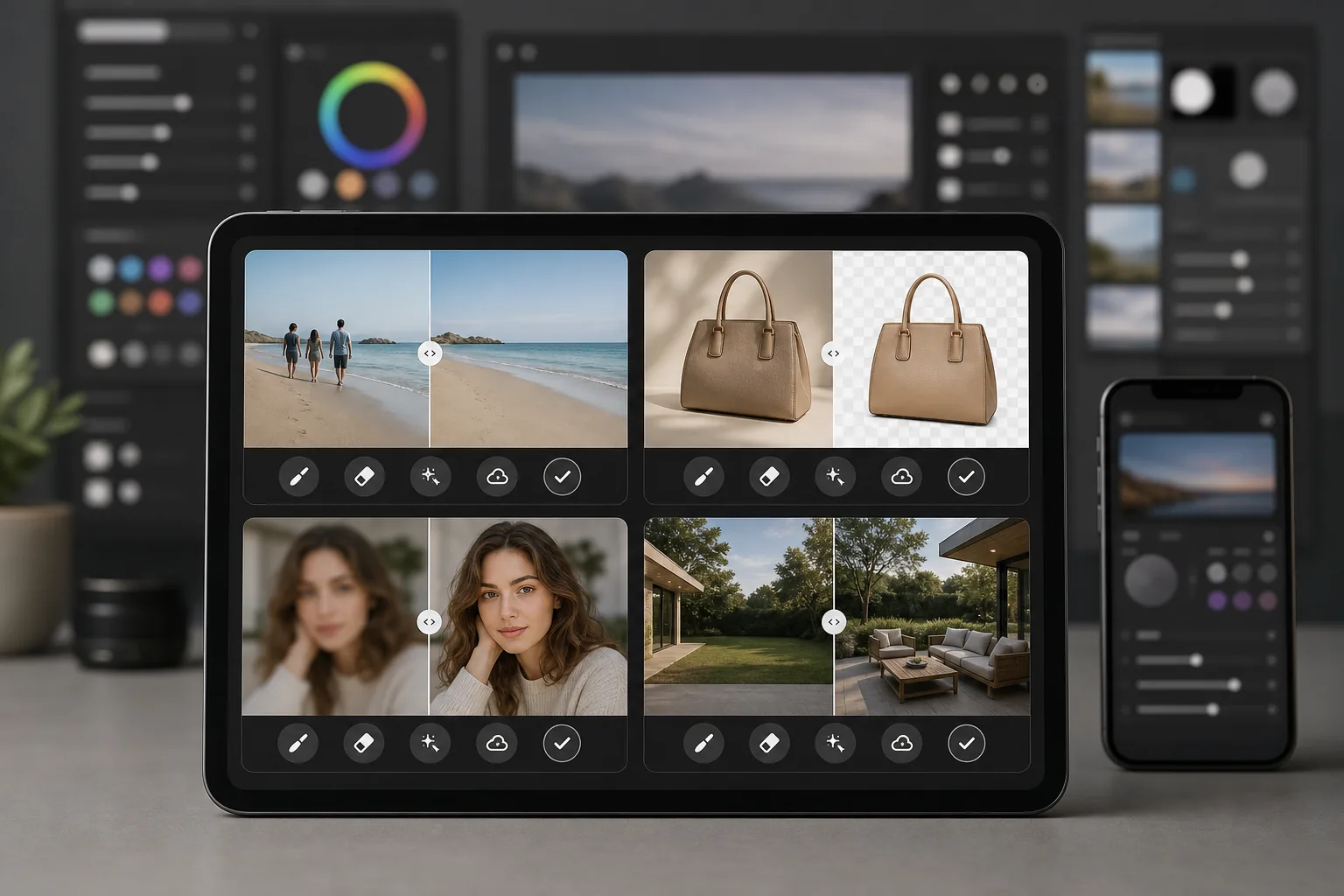
Panoramica
Magic Eraser è un editor di foto basato sull'AI, progettato appositamente per una pulizia delle foto rapida e pratica. Rimuovi oggetti, cancella sfondi, migliora la qualità delle immagini e riempi le aree mancanti — tutto dal tuo browser o telefono, senza installare software desktop pesanti.
Adobe Photoshop è la suite professionale di editing di immagini standard del settore, con livelli, maschere, compositing, ritocco e strumenti di AI generativa. Richiede un abbonamento a Creative Cloud e un notevole investimento di tempo per essere appreso.
Confronto delle funzionalità
Magic Eraser è un editor di foto basato sull'AI, progettato appositamente per una pulizia delle foto rapida e pratica. Rimuovi oggetti, cancella sfondi, migliora la qualità delle immagini e riempi le aree mancanti — tutto dal tuo browser o telefono, senza installare software desktop pesanti.
Adobe Photoshop è la suite professionale di editing di immagini standard del settore, con livelli, maschere, compositing, ritocco e strumenti di AI generativa. Richiede un abbonamento a Creative Cloud e un notevole investimento di tempo per essere appreso.
| Feature | Magic Eraser | Adobe Photoshop |
|---|---|---|
| Rimozione di oggetti | Sì — basata su AI, una sola pennellata | Sì — riempimento basato sul contenuto, mascheratura manuale |
| Rimozione dello sfondo | Sì — istantanea con un clic | Sì — selezione del soggetto + perfezionamento manuale |
| Miglioramento con AI | Sì — upscaling e nitidezza automatici | Sì — filtri neurali |
| Riempimento generativo | Sì — semplice e basato su prompt | Sì — avanzato con controllo dei livelli |
| Curva di apprendimento | Si impara in pochi minuti | Da settimane a mesi |
| Piattaforma | Web + iOS + Android | Desktop + iPad + web (beta) |
| Prezzo per iniziare | Prova gratuita, nessun abbonamento | Abbonamento mensile richiesto |
| Ideale per | Pulizia e miglioramento rapidi delle foto | Produzione creativa professionale |
Feature rows summarize visible product positioning and should be rechecked against official product pages before purchase, migration, or compliance decisions.
- Last content review May 8, 2026
- Adobe Photoshop source: official product site (https://www.adobe.com/products/photoshop.html)
- Magic Eraser source: https://magiceraser.live/it/product/magic-eraser
- Pricing, feature availability, platform support, and limits can change; recheck official sources before relying on a buying decision.
Perché scegliere Magic Eraser invece di Photoshop
Ottieni risultati in secondi, non in ore
Magic Eraser elimina la complessità. Passa il pennello su un oggetto per rimuoverlo, fai clic per cancellare uno sfondo o tocca per migliorare la qualità. Niente livelli, niente maschere, nessun pannello da configurare — solo risultati rapidi grazie all'AI che si occupa del lavoro più difficile.
Nessun abbonamento richiesto per iniziare
Photoshop richiede un abbonamento a Creative Cloud prima ancora di poter aprire un file. Magic Eraser ti permette di provare ogni strumento gratuitamente, così puoi vedere i risultati prima di impegnarti, e i prezzi restano semplici quando decidi di passare alla versione superiore.
Funziona su qualsiasi dispositivo, ovunque
Modifica le foto dal tuo browser, iPhone o dispositivo Android con gli stessi strumenti completi. Non c'è software pesante da installare né requisiti hardware desktop da soddisfare, il che lo rende ideale per modificare le foto in movimento.
Tutti gli strumenti di pulizia in un unico posto
Magic Eraser riunisce rimozione di oggetti, rimozione dello sfondo, miglioramento con AI, riempimento generativo e altro ancora in un unico editor mirato. Ottieni gli strumenti quotidiani di cui hai bisogno senza pagare per un'intera suite creativa che non userai mai del tutto.
Domande frequenti
Magic Eraser può davvero sostituire Photoshop?
+
Per le attività quotidiane di pulizia delle foto come la rimozione di oggetti, la rimozione dello sfondo e il miglioramento delle immagini, sì. Se hai bisogno di compositing avanzato, ritocco dettagliato basato sui livelli o strumenti specializzati per la produzione di stampe, Photoshop offre ancora maggiore profondità.
Magic Eraser è più facile da usare di Photoshop?
+
Notevolmente più facile. Magic Eraser è progettato in modo che chiunque possa ottenere risultati dall'aspetto professionale in pochi secondi. Non c'è curva di apprendimento per le attività di base — pennella per rimuovere, fai clic per migliorare, fatto.
Devo installare qualcosa per usare Magic Eraser?
+
No. Magic Eraser funziona direttamente nel tuo browser web ed è disponibile anche come app mobile per iOS e Android. Non c'è alcun software desktop da scaricare o aggiornare.
Come si confronta il prezzo di Magic Eraser con quello di Photoshop?
+
Magic Eraser ti permette di iniziare gratuitamente senza bisogno di carta di credito. Photoshop richiede un abbonamento a Creative Cloud a partire da circa $22.99 per month, che si traduce in costi annuali considerevoli anche se hai bisogno solo delle funzioni di editing di base.
Posso usare Magic Eraser per la fotografia di prodotto?
+
Sì. Magic Eraser è ampiamente utilizzato per le foto di prodotti e-commerce. Puoi rimuovere gli sfondi, eliminare gli elementi di distrazione, migliorare la qualità delle immagini ed elaborare lotti di foto molto più velocemente rispetto allo stesso lavoro in Photoshop.
Pronto per un'alternativa più semplice a Photoshop?
Prova Magic Eraser gratis e scopri quanto può essere veloce il fotoritocco basato sull'AI. Rimuovi oggetti, cancella sfondi e migliora le immagini in pochi secondi — nessun abbonamento, nessuna curva di apprendimento.
Prova Magic Eraser gratisCasi d'uso correlati
Scopri come i professionisti utilizzano questi strumenti nei flussi di lavoro reali.
Le foto degli annunci piene di oggetti personali, auto parcheggiate o materiali di cantiere allontanano gli acquirenti. Magic Eraser usa l'IA per ripulire le foto dei tuoi immobili all'istante — senza bisogno di Photoshop.
Sfondi disordinati e foto prodotto trascurate ti costano vendite ogni giorno. Magic Eraser ti aiuta a creare immagini prodotto professionali in pochi secondi — senza competenze di Photoshop. Carica, cancella le distrazioni e pubblica con sicurezza.
Sconosciuti che rovinano le tue foto di viaggio? Sfondi disordinati che uccidono i tuoi selfie? Basta sprecare ore su Photoshop. Magic Eraser rimuove le distrazioni, pulisce le immagini e adatta le foto a qualsiasi formato — tutto con un tocco.
Guide correlate
Esplora altre guide e contenuti editoriali relativi a questo flusso di lavoro.
Scopri come usare Magic Eraser per rimuovere oggetti, persone, testo e distrazioni dalle foto con risultati AI più puliti.
Scopri come rimuovere persone dalle foto con l'IA in pochi secondi. Guida per foto di viaggio, immobiliari e prodotti.
Guida passo passo per rimuovere filigrane dalle tue foto con l'IA. Quando è appropriato, tecniche e consigli.
Altri confronti
Scopri come Magic Eraser si confronta con altri strumenti di editing fotografico.
Abbiamo testato e confrontato i migliori strumenti di editing foto AI per te. Dalla rimozione di oggetti alla sostituzione dello sfondo, scopri quale editor offre i risultati migliori per il tuo flusso di lavoro.
Tried to remove an object or background and hit a Pro paywall in Canva, Adobe Express/Photoshop, or Fotor? Magic Eraser does the same job — object removal, background removal, watermark cleanup, and enhancement — for free. No subscription, and no watermark stamped on your download.
Confronta Magic Eraser con magic-eraser.io. Scopri funzionalità, prezzi e facilità d'uso a confronto. Scopri perché Magic Eraser è la scelta migliore per il fotoritocco AI.
Confronta Magic Eraser con Pixelcut. Scopri funzionalità, prezzi e facilità d'uso a confronto. Scopri perché Magic Eraser è la scelta migliore per il fotoritocco AI.
Adobe Express integra l'editing fotografico in una suite di design e creazione di contenuti collegata ad Adobe Firefly. Magic Eraser è progettato appositamente per la pulizia fotografica con AI: rimozione di oggetti, sostituzione dello sfondo, riempimento generativo e miglioramento. Questo confronto mostra dove ogni strumento si adatta meglio.
Magic Eraser e Pixelcut offrono entrambi editing fotografico basato su AI su web, iOS e Android con piani gratuiti e piani Pro a pagamento. Pixelcut si concentra fortemente sulle foto di prodotto per l'e-commerce con i template. Magic Eraser è creato appositamente per attività di pulizia con AI su tutta la gamma del lavoro fotografico. Questo confronto mostra dove ciascuno strumento vince.