
The Free Magic Eraser You Don't Need Pro For
Tried to remove an object or background and hit a Pro paywall in Canva, Adobe Express/Photoshop, or Fotor? Magic Eraser does the same job — object removal, background removal, watermark cleanup, and enhancement — for free. No subscription, and no watermark stamped on your download.
Last updated
Erase free, no ProComparison rows are editorial summaries from the latest page review, not a guarantee of current pricing, limits, watermark policy, batch support, speed, or platform availability.
Overview
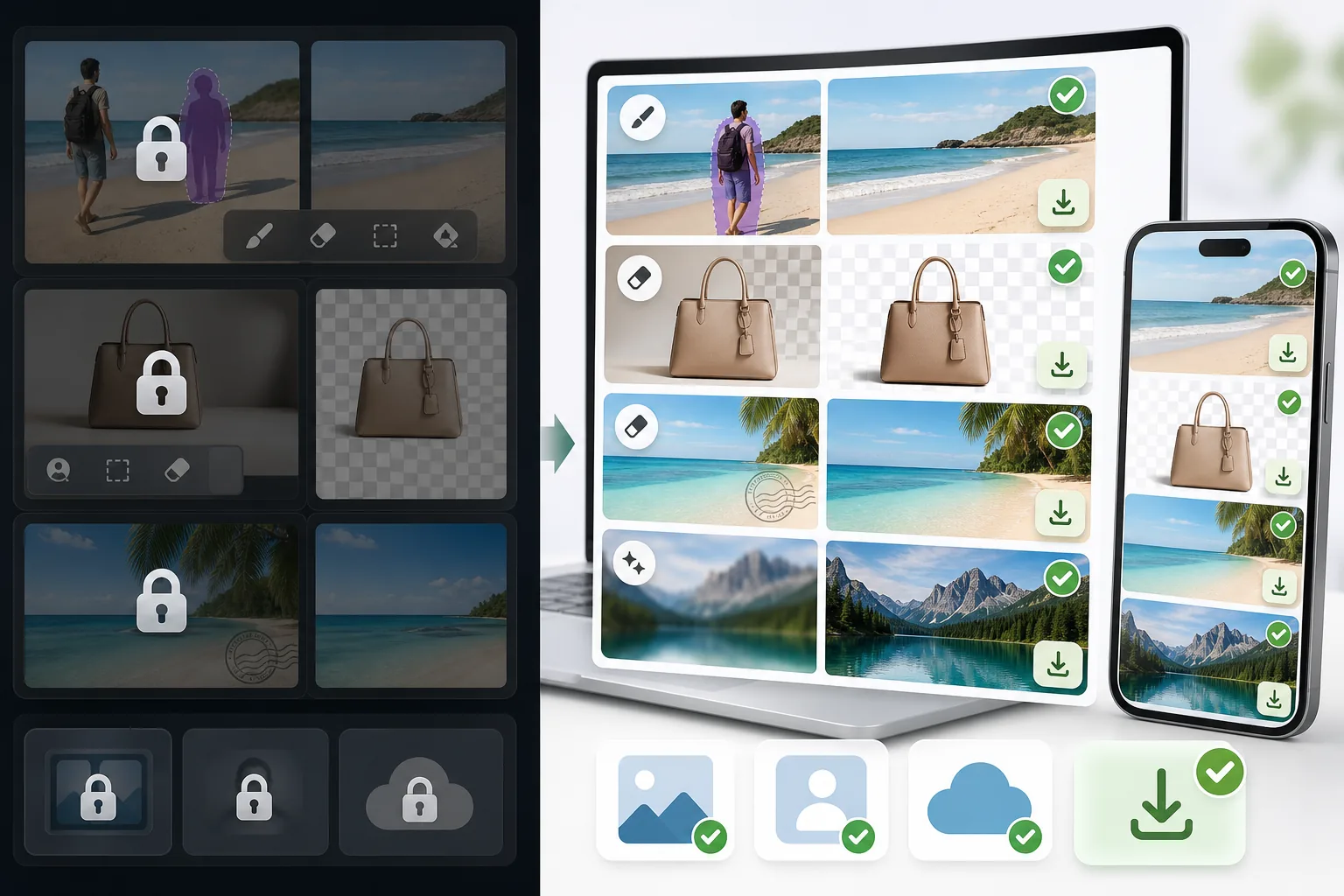
Magic Eraser is a dedicated AI photo editor built around cleanup. Object removal, background removal, watermark and emoji removal, and image enhancement include limited free edits on web and mobile after sign-in, with no watermark added to exported images.
Canva, Adobe (Express and Photoshop), and Fotor are powerful, well-made editors. The catch for many people is that their object and background removal — the exact feature you came for — is often placed behind a Pro or paid tier, so the cleanup step triggers an upgrade prompt before you can export.
Magic Eraser vs Pro-Gated Editors
Magic Eraser is a dedicated AI photo editor built around cleanup. Object removal, background removal, watermark and emoji removal, and image enhancement include limited free edits on web and mobile after sign-in, with no watermark added to exported images.
Canva, Adobe (Express and Photoshop), and Fotor are powerful, well-made editors. The catch for many people is that their object and background removal — the exact feature you came for — is often placed behind a Pro or paid tier, so the cleanup step triggers an upgrade prompt before you can export.
| Feature | Magic Eraser | Others |
|---|---|---|
| Object removal | Yes — free, core feature | Yes — but often behind a Pro / paid tier |
| Background removal | Yes — free | Yes — frequently Pro-gated or limited on free |
| Watermark & emoji removal | Yes — free | Limited or Pro-only |
| Watermark on your export | None | Sometimes added on the free tier |
| Signup required | No — start editing instantly | Usually an account is required |
| Image enhancement | Yes — free | Often Pro-gated |
| Task-specific removal tools | 100+ (emoji, watermark, date stamp, person, sky…) | Typically one general brush, Pro-gated |
| Cost to do the cleanup job | Free | Often requires a paid subscription |
| Platform | Web + iOS + Android | Web + iOS + Android |
Feature rows summarize visible product positioning and should be rechecked against official product pages before purchase, migration, or compliance decisions.
- Last content review June 20, 2026
- Pro-gated editors source: official product site (https://www.canva.com/)
- Magic Eraser source: https://magiceraser.live/it/product/magic-eraser
- Pricing, feature availability, platform support, and limits can change; recheck official sources before relying on a buying decision.
Why Switch When You Hit the Paywall
The cleanup step is free, not the upgrade prompt
In Canva, Adobe Express/Photoshop, and Fotor, the object- or background-removal action is often what triggers an upgrade screen. In Magic Eraser, that same action is the free core of the product — you remove the object, remove the background, or clean a watermark and export, with no Pro tier standing between you and the result.
No watermark on what you download
Some free tiers let you edit but stamp a watermark on the export, which defeats the point. Magic Eraser never adds a watermark to your image — what you erase is what you download, at full usable quality.
Sign in, use free edits, no card
You don't create an account, start a trial, or enter payment details to do the job. Open Magic Eraser, upload your photo, brush over what you want gone, and save. The whole flow is built to skip the friction those tools put in front of cleanup.
100+ purpose-built removal tools
Instead of one general-purpose brush gated behind Pro, Magic Eraser offers task-specific tools — remove emoji, watermark, date stamp, person, glasses, sky, glare, and more — each tuned for that exact job, and each available with limited free edits after sign-in.
Frequently Asked Questions
Is Magic Eraser really free?
+
Yes. Object removal, background removal, watermark and emoji removal, and enhancement include limited free edits after sign-in, with no watermark added to your export. There is an optional paid plan with higher limits and extras, but the core cleanup tasks people hit paywalls for elsewhere are free here.
Can I remove objects or backgrounds without Canva Pro or Adobe's paid plan?
+
Yes. Magic Eraser is a free alternative for exactly that. Canva, Adobe Express/Photoshop, and Fotor are capable tools, but their object and background removal is often behind a Pro or paid tier. Magic Eraser does the same job for free — so you can finish the edit instead of hitting an upgrade screen.
What's the catch?
+
There's no watermark and sign-in required wall on the core tools. The honest caveat is technical, not commercial: like every AI eraser (including the Pro ones), Magic Eraser reconstructs the area behind whatever you remove, so busy textures or complex backgrounds may need a second pass or light touch-up. Most everyday removals are clean in one go.
Do I have to create an account or enter a credit card?
+
No. You can start editing immediately on the web with sign-in required and no payment details. That's the main difference from the paywalled flows — there's nothing to unlock before you export.
Will there be a watermark on my downloaded image?
+
No. Magic Eraser does not stamp a watermark on your exported image. You download the cleaned photo at full usable quality, free.
Skip the Pro paywall — erase it free
Remove the object, clear the background, or wipe a watermark without a subscription, a signup, or a watermark on your download. Open Magic Eraser and finish the edit you came to do.
Erase free, no ProCasi d'uso correlati
Scopri come i professionisti utilizzano questi strumenti nei flussi di lavoro reali.
Le foto degli annunci piene di oggetti personali, auto parcheggiate o materiali di cantiere allontanano gli acquirenti. Magic Eraser usa l'IA per ripulire le foto dei tuoi immobili all'istante — senza bisogno di Photoshop.
Sfondi disordinati e foto prodotto trascurate ti costano vendite ogni giorno. Magic Eraser ti aiuta a creare immagini prodotto professionali in pochi secondi — senza competenze di Photoshop. Carica, cancella le distrazioni e pubblica con sicurezza.
Sconosciuti che rovinano le tue foto di viaggio? Sfondi disordinati che uccidono i tuoi selfie? Basta sprecare ore su Photoshop. Magic Eraser rimuove le distrazioni, pulisce le immagini e adatta le foto a qualsiasi formato — tutto con un tocco.
Guide correlate
Esplora altre guide e contenuti editoriali relativi a questo flusso di lavoro.
Scopri come usare Magic Eraser per rimuovere oggetti, persone, testo e distrazioni dalle foto con risultati AI più puliti.
Scopri come rimuovere persone dalle foto con l'IA in pochi secondi. Guida per foto di viaggio, immobiliari e prodotti.
Guida passo passo per rimuovere filigrane dalle tue foto con l'IA. Quando è appropriato, tecniche e consigli.
Altri confronti
Scopri come Magic Eraser si confronta con altri strumenti di editing fotografico.
Abbiamo testato e confrontato i migliori strumenti di editing foto AI per te. Dalla rimozione di oggetti alla sostituzione dello sfondo, scopri quale editor offre i risultati migliori per il tuo flusso di lavoro.
Adobe Photoshop è potente, ma la maggior parte delle persone ne usa solo una piccola parte delle funzioni. Magic Eraser offre gli strumenti di pulizia delle foto di cui hai davvero bisogno — rimozione di oggetti, rimozione dello sfondo, miglioramento con AI e riempimento generativo — in un'interfaccia più semplice che funziona su web e dispositivi mobili, senza abbonamento richiesto per iniziare.
Confronta Magic Eraser con magic-eraser.io. Scopri funzionalità, prezzi e facilità d'uso a confronto. Scopri perché Magic Eraser è la scelta migliore per il fotoritocco AI.
Confronta Magic Eraser con Pixelcut. Scopri funzionalità, prezzi e facilità d'uso a confronto. Scopri perché Magic Eraser è la scelta migliore per il fotoritocco AI.
Adobe Express integra l'editing fotografico in una suite di design e creazione di contenuti collegata ad Adobe Firefly. Magic Eraser è progettato appositamente per la pulizia fotografica con AI: rimozione di oggetti, sostituzione dello sfondo, riempimento generativo e miglioramento. Questo confronto mostra dove ogni strumento si adatta meglio.
Magic Eraser e Pixelcut offrono entrambi editing fotografico basato su AI su web, iOS e Android con piani gratuiti e piani Pro a pagamento. Pixelcut si concentra fortemente sulle foto di prodotto per l'e-commerce con i template. Magic Eraser è creato appositamente per attività di pulizia con AI su tutta la gamma del lavoro fotografico. Questo confronto mostra dove ciascuno strumento vince.