
Hapus objek latar belakang dari foto
Hapus objek latar belakang dari foto Anda dalam hitungan detik dengan Magic Eraser. AI secara otomatis membangun ulang latar belakang. Gratis di iOS, Android, dan web.
Terakhir diperbarui
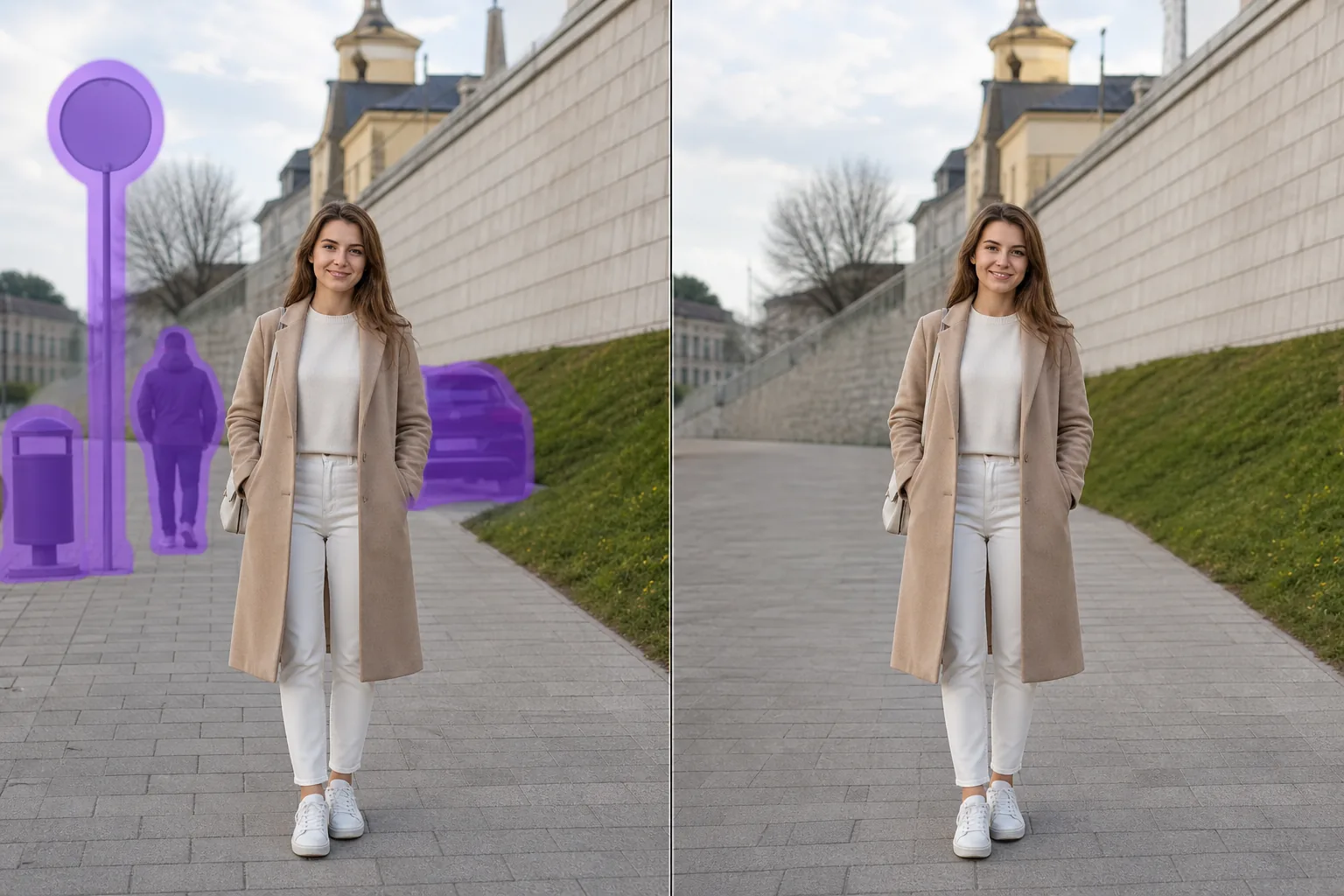
Cara kerja AI menghapus objek latar belakang
Hapus objek latar belakang dari foto Anda dalam hitungan detik dengan Magic Eraser. AI secara otomatis membangun ulang latar belakang. Gratis di iOS, Android, dan web. Buka Magic Eraser di web, iOS, atau Android dan unggah foto yang berisi objek latar belakang yang ingin dihapus. Mendukung JPEG, PNG, dan WebP. Sapukan kuas di atas objek latar belakang yang ingin dihapus. Gunakan kuas sedikit lebih besar dari objek agar AI membuat tepi yang lebih bersih. AI membangun ulang latar belakang dalam hitungan detik. Periksa hasilnya, perbaiki jika perlu, lalu ekspor dalam resolusi penuh.
Instruksi langkah demi langkah
- 1
Unggah foto Anda
Buka Magic Eraser di web, iOS, atau Android dan unggah foto yang berisi objek latar belakang yang ingin dihapus. Mendukung JPEG, PNG, dan WebP.
- 2
Sapukan di area yang diinginkan
Sapukan kuas di atas objek latar belakang yang ingin dihapus. Gunakan kuas sedikit lebih besar dari objek agar AI membuat tepi yang lebih bersih.
- 3
Hapus dan unduh
AI membangun ulang latar belakang dalam hitungan detik. Periksa hasilnya, perbaiki jika perlu, lalu ekspor dalam resolusi penuh.
Paling cocok untuk
- Buka Magic Eraser di web, iOS, atau Android dan unggah foto yang berisi objek latar belakang yang ingin dihapus. Mendukung JPEG, PNG, dan WebP.
- Sapukan kuas di atas objek latar belakang yang ingin dihapus. Gunakan kuas sedikit lebih besar dari objek agar AI membuat tepi yang lebih bersih.
- AI membangun ulang latar belakang dalam hitungan detik. Periksa hasilnya, perbaiki jika perlu, lalu ekspor dalam resolusi penuh.
- Apakah gratis menghapus objek latar belakang dari foto?
- Berapa lama waktu untuk menghapus objek latar belakang?
- Apakah berfungsi di ponsel?
- Apakah kualitas gambar tetap terjaga?
Catatan penting
Biasanya hanya beberapa detik. AI memproses area yang disapukan dan membangun ulang latar belakang hampir seketika. Tidak. AI menjaga resolusi dan kualitas asli foto Anda. Area yang dibangun ulang menyesuaikan dengan pencahayaan, warna, dan tekstur sekitar.
Pertanyaan yang sering diajukan
- Apakah gratis menghapus objek latar belakang dari foto?
- Ya. Paket gratis Magic Eraser mencakup penghapusan objek latar belakang dengan batas penggunaan harian. Premium ($29,99/tahun) menghapus batas dan membuka ekspor resolusi tinggi.
- Berapa lama waktu untuk menghapus objek latar belakang?
- Biasanya hanya beberapa detik. AI memproses area yang disapukan dan membangun ulang latar belakang hampir seketika.
- Apakah berfungsi di ponsel?
- Ya. Magic Eraser berfungsi di iOS, Android, dan browser web. Anda dapat menghapus objek latar belakang dari perangkat apa pun.
- Apakah kualitas gambar tetap terjaga?
- Tidak. AI menjaga resolusi dan kualitas asli foto Anda. Area yang dibangun ulang menyesuaikan dengan pencahayaan, warna, dan tekstur sekitar.