
Filtros de fotos de Halloween y ediciones creativas: trucos de IA para contenido de la temporada del terror
El contenido de Halloween recibe dos semanas de atención en los feeds sociales y se agota el 1 de noviembre. Ediciones de fotos con IA — gradación de color, atmósfera, viaje en el tiempo vintage, composición de utilería — que se entregan en menos de 10 minutos por publicación y no parecen un filtro de Instagram que todo el mundo ya usó.

Growth Marketing
Índice
- Por qué la IA supera a los filtros de Snapchat e Instagram para el contenido de Halloween
- Paletas de color de Halloween: cinematográfica frente a vintage apagado
- Atmósfera: niebla, brillo de vela y luz de luna con AI Fill
- El truco del viaje en el tiempo vintage: AI Filters + Magic Eraser
- Especificaciones de exportación por plataforma y qué castiga cada una
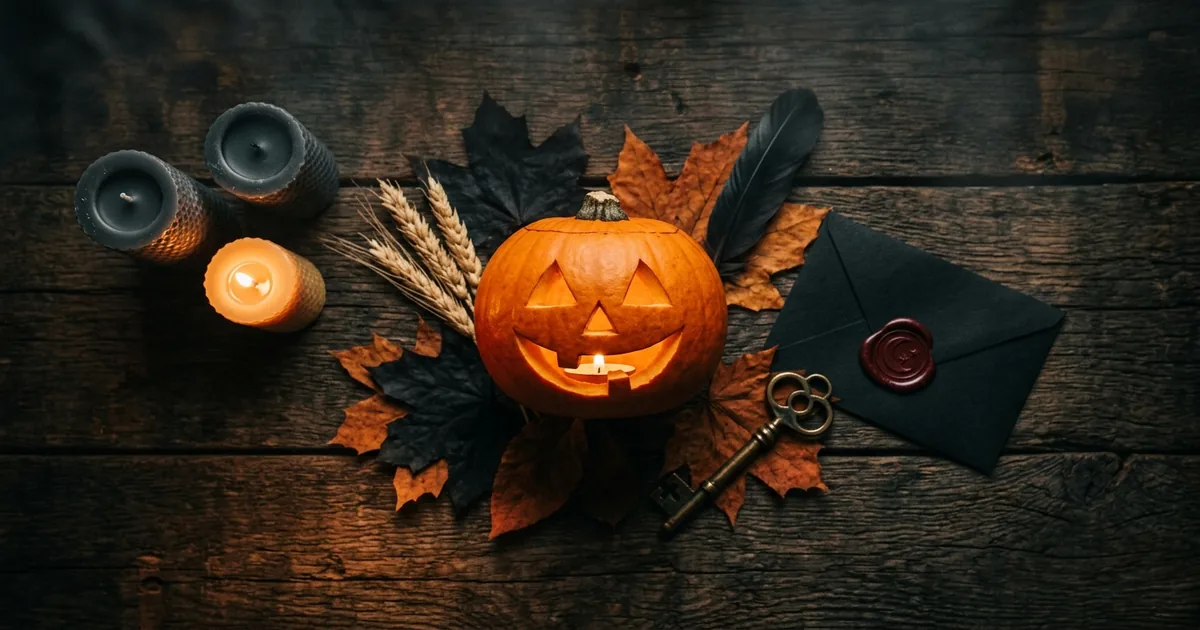
El contenido de Halloween recibe cada año unas dos semanas de atención real en los feeds sociales, empezando alrededor del 15 de octubre y agotándose para el 1 de noviembre. Las marcas y creadores que aciertan en esa ventana tienen sus recursos visuales listos para mediados de septiembre y publican con un calendario apretado durante las dos últimas semanas. Quienes se apresuran a hacer publicaciones de Halloween en la última semana entregan selfies filtrados de poco esfuerzo que obtienen la misma interacción que cualquier otro selfie. El premio estacional va para quien estaba preparado.
La edición de fotos con IA reduce la ventana de preparación de un ciclo de captura y edición de una semana a unos 10 minutos por publicación. Las cuatro herramientas que importan para el contenido de Halloween: AI Filters (coherencia de la paleta de color en toda una campaña), AI Fill (elementos de ambiente como niebla y luz de luna, además de la composición de utilería de temporada sin montaje físico), Magic Eraser (eliminación de objetos modernos para la estética del viaje en el tiempo vintage). AI Enhance (grano y textura para una calidez analógica). Usadas en secuencia, producen publicaciones de Halloween que se leen como estilizadas en lugar de filtradas. Es la diferencia entre el contenido que funciona y el que se hunde en un feed lleno del selfie de calabaza de todas las demás marcas.
Este artículo es el flujo de trabajo de IA para Halloween dirigido a responsables de redes sociales, creadores de contenido y pequeñas marcas que publican por temporada. El orden: elegir una foto base con composición limpia, graduar el color para la paleta de Halloween elegida (naranja/verde azulado cinematográfico o vintage apagado), añadir atmósfera con AI Fill, eliminar distracciones modernas para el aspecto vintage, componer utilería de temporada con moderación, subir el grano y la textura con AI Enhance. Exportar con las especificaciones correctas para cada plataforma de destino. Tiempo total por publicación terminada: 8-12 minutos una vez fijada la decisión de paleta.
- El contenido social de Halloween tiene una ventana de atención de unas 2 semanas (15 oct. – 1 nov.). Las marcas que se preparan para mediados de septiembre aciertan en la ventana; quienes lo dejan para la última semana, no.
- La edición de fotos con IA reduce el tiempo de preparación a unos 10 minutos por publicación: cuatro herramientas (AI Filters, AI Fill, Magic Eraser, AI Enhance) usadas en secuencia.
- Elige una foto base limpia. Los efectos amplifican el desorden: elimina primero las distracciones y luego superpón la atmósfera de Halloween.
- La coherencia de la paleta de color en una campaña importa más que la elección de la paleta. Naranja/verde azulado cinematográfico O vintage apagado; elige una y mantente con ella.
- Atmósfera (niebla, brillo de vela, luz de luna) con AI Fill e indicaciones específicas: 'niebla baja rodando por el césped', 'brillo de vela iluminando el rostro desde abajo'.
- Truco vintage de Halloween: borra los objetos modernos (cámaras de seguridad, luces LED, timbres con WiFi, autos modernos) con Magic Eraser. La luz y las sombras se limpian automáticamente.
- Utilería con moderación: 1-2 calabazas, murciélagos o lápidas se leen como estilizados; 5 o más se leen como compuestos.
- Grano/textura +20-30 % por encima del neutro empuja las fotos de teléfono modernas a la estética vintage de Halloween. Por encima del 50 % se lee como ruido.
- Especificaciones por plataforma: IG cuadrado 1080×1080, Stories/Reels 1080×1920, vertical 1080×1350, FB 1200×630, X 1200×675. Exporta JPEG 90-95 %; por debajo del 85 % aparece banding en los fondos oscuros de Halloween.
Por qué la IA supera a los filtros de Snapchat e Instagram para el contenido de Halloween
Los filtros nativos de las plataformas hacen una sola cosa: aplicar un único aspecto a una sola foto, optimizado para la velocidad. Funcionan para publicaciones personales informales y fallan para el contenido de marca o de creador por tres razones. Primero, se comparten con millones de otros usuarios. Cuando cada publicación de Halloween del feed tiene el mismo tinte naranja del mismo filtro, ninguna destaca. Segundo, se aplican de forma global, sin control sobre qué partes de la foto reciben el efecto. Un filtro de niebla que oscurece el rostro del sujeto junto con el fondo es peor que no usar filtro. Tercero, no se superponen bien. Un filtro de color más un filtro de partículas más una capa vintage producen rápidamente un resultado embarrado.
La edición de fotos con IA reemplaza los filtros por pasos discretos y controlables. La gradación de color ocurre con AI Filters, donde puedes regular la intensidad por foto. La atmósfera ocurre con AI Fill mediante una indicación específica para cada región de la imagen. La eliminación de objetos modernos ocurre con Magic Eraser sobre los elementos que realmente quieres quitar. El grano ocurre con AI Enhance a la fuerza que especifiques. Cada paso es reversible, apilable y produce un resultado que no parece un filtro de catálogo, porque ningún otro creador tomó las mismas cinco decisiones en el mismo orden.
El coste es de unos 10 minutos por publicación frente a 30 segundos de un filtro de plataforma. Para campañas de alto rendimiento, esa inversión de tiempo 10 veces mayor se recupera mediante la interacción: las publicaciones de campaña que parecen estilizadas en lugar de filtradas siempre rinden de 2 a 4 veces mejor en plataformas visuales porque señalan esfuerzo. Es una moneda social en sí misma. La cuenta es sencilla: una marca que publica 12 posts de Halloween en la ventana de dos semanas invierte unas 2 horas de edición y obtiene el salto de calidad visual para toda la campaña.
- Filtros de plataforma: un aspecto, compartido con millones, aplicado de forma global, no se superponen. Bien para lo informal; débil para el contenido de marca/creador.
- Edición con IA: pasos discretos (color, atmósfera, eliminación, grano), cada uno controlable y reversible. El resultado no parece un filtro de catálogo.
- 10 minutos por publicación frente a 30 segundos. Unas 2 horas en total para una campaña de 12 posts; la calidad visual estilizada-no-filtrada se recupera de 2 a 4 veces en interacción.
Paletas de color de Halloween: cinematográfica frente a vintage apagado
Dos direcciones de paleta cubren cerca del 90 % del contenido eficaz de Halloween. La primera es el naranja/verde azulado cinematográfico: luces naranjas cálidas en el sujeto, sombras frías de verde azulado en el fondo, negros profundos y aplastados, contraste llevado a niveles casi de cartel de cine. Esta paleta se lee como un 'fotograma de película de terror' y funciona para tomas de producto, revelaciones de disfraz, fotografía de escena con ambiente. Cualquier contenido que quiera proyectar pulcritud. AI Filters la expone como un preajuste 'verde azulado-naranja cinematográfico' o 'cine negro' en la mayoría de las herramientas de fotos modernas. Ajusta la intensidad al 60-75 % para contenido social (la fuerza al 100 % se lee como sobregraduada en pantallas móviles pequeñas).
La segunda es el vintage apagado: baja saturación en toda la imagen, ligero viraje de color hacia el magenta o el amarillo cálido (imitando las películas Kodak de los años 70 y 80), bajo contraste, luces suaves, grano de película visible en las sombras. Esta paleta se lee como un 'viejo recuerdo de Halloween' y funciona para contenido familiar nostálgico, fotos de disfraz pensadas para parecer atemporales. Contenido de marcas pequeñas donde la pulcritud quedaría fuera de lugar. AI Filters la expone como preajustes de 'película vintage' o 'analógico cálido'. Combínala con el paso del grano (tratado más adelante) para empujar la foto de lleno a la zona vintage.
La elección entre las dos es una decisión de marca, no una decisión por publicación. Elige una paleta en la etapa de planificación de la campaña y aplícala a cada publicación de la campaña. La coherencia visual es lo que hace que un feed se lea como un momento estacional deliberado en lugar de una serie de experimentos de filtro puntuales. Los datos del Sprout Social Index sobre la interacción con contenido visual muestran que las campañas con paleta coherente en más de 8 publicaciones superan a las campañas con paletas mezcladas por un margen significativo. El feed en sí se convierte en un activo de marca en lugar de una serie de imágenes inconexas.
- Naranja/verde azulado cinematográfico: sujeto cálido, fondo frío, negros profundos. 'Fotograma de película de terror' — pulido, seguro para la marca. Ajusta al 60-75 % de intensidad para lo social.
- Vintage apagado: baja saturación, ligero viraje magenta/amarillo, bajo contraste, grano visible. 'Viejo recuerdo de Halloween' — nostálgico, informal.
- La paleta es una decisión de marca, no por publicación. Fíjala en la planificación de la campaña; la coherencia visual en más de 8 publicaciones supera a las paletas mezcladas.
Atmósfera: niebla, brillo de vela y luz de luna con AI Fill
La atmósfera es el efecto de Halloween de mayor palanca porque convierte la foto del registro de una cosa en una escena con ambiente. La niebla es la más usada porque funciona con cualquier sujeto (disfraz, decoración del porche, toma de producto, foto de grupo) y la IA la maneja con limpieza en composiciones sencillas. Enmascara el tercio o la mitad inferior de la imagen e indícale a AI Fill con una frase específica: 'niebla baja rodando por el césped desde el lado derecho hacia el espectador', o 'niebla densa a ras de suelo que oculta la parte baja de las lápidas, iluminada en parte por una luz cálida del porche desde la derecha'. Las indicaciones vagas producen niebla vaga. Las indicaciones específicas producen niebla que se integra con la dirección de la luz de la escena existente.
El brillo de vela es el segundo efecto más útil porque añade luz cálida direccional a un rostro o producto sin necesitar una vela real en el set. Enmascara la zona alrededor del rostro o producto e indica: 'brillo cálido de vela que ilumina el rostro desde abajo a la izquierda, proyectando una sombra suave hacia arriba en el lado derecho del rostro'. La IA representa la ubicación de la fuente de luz y la dirección de la sombra proyectada en una sola pasada. El resultado es dramático sin parecer compuesto porque la física de la sombra coincide con la dirección de la luz indicada. Úsalo para primeros planos de disfraces, tomas de producto de artículos de temporada. Cualquier contenido donde una sola luz cálida direccional fuerte cuente la historia.
La luz de luna es el tercer efecto de atmósfera y el más delicado porque la luna como fuente de luz exige que el resto de la iluminación de la foto coincida. Si la foto base se tomó a la luz del día, AI Fill puede producir una luna en el cielo, pero el resto de la escena se lee como diurna, lo que rompe la ilusión. La solución es empujar primero la gradación de color general de la foto hacia sombras azuladas y negros aplastados (una pasada rápida de AI Filter) y luego añadir la luna con AI Fill. El resultado combinado se lee como una escena nocturna iluminada por la luna; cualquiera de los pasos por sí solo se lee como inconsistente.
- Niebla: efecto de Halloween de mayor palanca, funciona con cualquier sujeto. Las indicaciones específicas ('niebla baja rodando desde la derecha, iluminada en parte por la luz del porche') superan a las vagas.
- Brillo de vela: luz cálida direccional sin una vela real en el set. Indica la fuente de luz Y la dirección de la sombra proyectada para lograr realismo en una sola pasada.
- Luz de luna: requiere primero graduar el color de la foto base hacia el azul/oscuro y luego añadir la luna con AI Fill. Cualquiera de los pasos por sí solo se lee como iluminación inconsistente.
El truco del viaje en el tiempo vintage: AI Filters + Magic Eraser
El contenido vintage de Halloween — las imágenes que la gente asocia con la festividad de forma positiva para la marca — casi siempre remite a la estética de los años 70 y 80: paletas de color apagadas, grano de película visible, disfraces clásicos (brujas con escoba, esqueletos de plástico, calabazas talladas a mano). Y, crucialmente, ninguno de los marcadores visuales de la vida moderna. Una foto de teléfono de 2026 con autos modernos en la entrada, cámaras de seguridad sobre la puerta. Las luces LED a lo largo del porche se leen como modernas sin importar el filtro que apliques encima. La solución es eliminar los marcadores modernos antes de aplicar la paleta vintage.
Magic Eraser maneja cada objeto moderno en segundos. Pasa el pincel sobre las cámaras de seguridad (a menudo lo bastante pequeñas para que un solo trazo las cubra). Pasa el pincel sobre los timbres con WiFi. Pasa el pincel sobre los autos modernos visibles por ventanas o en entradas. Pasa el pincel sobre las luces LED y reemplázalas por una sola bombilla cálida de porche con AI Fill si la escena necesita una fuente de luz. Cada eliminación es rápida por sí sola; el efecto acumulado es dramático. Una foto con tres marcadores modernos eliminados y la paleta vintage apagada aplicada se lee como un recuerdo de Halloween de antes de que naciera el espectador. Ese es el registro emocional al que apunta la mayoría del contenido vintage de Halloween.
La disciplina es eliminar solo lo que habría quedado fuera de lugar en 1985. Autos modernos sí, hardware domótico sí, todo lo LED sí, pero no la barandilla del porche, el césped, los árboles, los rasgos arquitectónicos básicos. Eliminar de más hace que la foto parezca compuesta y rompe la ilusión vintage de una forma distinta a eliminar de menos. La prueba visual: si una persona que vivió en 1985 mirara la foto y pensara 'esto parece una foto de mi época', la eliminación fue correcta. Si pensara 'esto parece un decorado vacío', la eliminación fue demasiado lejos.
- Estética vintage de Halloween = color de los años 70/80 + grano de película + cero marcadores visuales modernos. El filtro por sí solo no te lleva ahí; elimina primero los objetos modernos.
- Marcadores modernos a eliminar: cámaras de seguridad, timbres con WiFi, autos modernos, luces LED, concentradores domóticos. Reemplaza los LED por una sola bombilla cálida de porche con AI Fill si la escena necesita luz.
- Disciplina: elimina lo que parece fuera de lugar en 1985, conserva el resto. Prueba visual: un espectador de 1985 debería pensar 'esto es de mi época', no 'esto es un decorado vacío'.
Especificaciones de exportación por plataforma y qué castiga cada una
Cada plataforma social comprime de forma agresiva las imágenes subidas. La compresión de cada plataforma tiene un modo de fallo distinto al que el contenido de Halloween es especialmente vulnerable. El feed de Instagram comprime a unos 1080 píxeles de ancho y premia las imágenes contrastadas y saturadas. Las paletas vintage planas y de bajo contraste se aplastan con más dureza que las paletas cinematográficas vibrantes. Es parte del motivo por el que tantas marcas optan por defecto por la dirección naranja/verde azulado en Instagram, incluso cuando el vintage le sienta mejor a la marca. Exporta en 1080×1080 (cuadrado) o 1080×1350 (vertical) con calidad JPEG del 90-95 %.
Las Stories y Reels de Instagram esperan 1080×1920 vertical con una zona segura arriba (elementos de la interfaz, foto de perfil, barra de progreso de la historia) y abajo (pie de foto, indicación de deslizar hacia arriba, campo de respuesta). La colocación del sujeto debe quedar en el 60 % central del encuadre vertical. Cualquier cosa en los 200 píxeles superiores o inferiores corre el riesgo de quedar cubierta por la interfaz de la plataforma. TikTok comparte esta restricción con una zona segura algo mayor. Mantén los elementos visuales críticos en el 60 % central para evitar el problema de la 'cara cortada por el botón de comentarios' que arruina contenido que de otro modo sería bueno.
El feed de Facebook y Twitter/X prefieren ambos las orientaciones horizontales para la visibilidad en escritorio (1200×630 y 1200×675 respectivamente), aunque Facebook también acepta el formato cuadrado de Instagram. La calidad JPEG importa más en estas plataformas que en Instagram porque su compresión es más suave. Exportar con calidad del 95-100 % conserva más de la gradación cinematográfica que la propia compresión de la plataforma. Por debajo del 85 % aparece banding en los fondos oscuros de Halloween (los negros profundos se convierten en degradados posterizados). La compresión de la plataforma luego los amplifica en artefactos visibles que ninguna edición previa corrige.
- Feed de Instagram: 1080×1080 o 1080×1350, JPEG 90-95 %. Premia las paletas vibrantes y saturadas; castiga el vintage plano y de bajo contraste.
- Stories/Reels/TikTok: 1080×1920 vertical, zona segura en el 60 % central. Los 200 px superiores/inferiores corren el riesgo de que la interfaz cubra al sujeto.
- Facebook 1200×630, X 1200×675. Calidad JPEG 95-100 %; por debajo del 85 % aparece banding en los fondos oscuros de Halloween (negros profundos posterizados).
Fuentes
- Halloween Consumer Spending Data — National Retail Federation
- Sprout Social Index — Social Media Trends — Sprout Social