
Diseña imágenes más rápido con un editor online para texto, capas, fondos y cambio de tamaño
Utilice el editor de diseño de Magic Eraser para crear publicaciones en redes sociales, miniaturas, pancartas, carteles, imágenes de productos y recursos de marketing más rápidamente dentro de un lienzo en línea.
Magic Eraser Design es un editor de lienzo en línea para crear publicaciones, pancartas, miniaturas y recursos de marketing en redes sociales. Combina texto, formas, imágenes y composición en capas con cambio de tamaño con un solo clic para múltiples plataformas, comúnmente utilizado por especialistas en marketing, vendedores y creadores de contenido que necesitan diseños visuales rápidos sin un software de diseño dedicado.

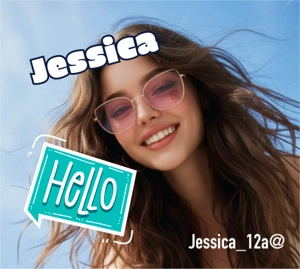
Cree imágenes listas para la campaña a partir de un lienzo en línea
Utilice el editor de diseño para combinar imágenes, texto, formas y estilos de fondo sin reconstruir el recurso en herramientas independientes. Funciona bien para diseños promocionales rápidos, contenido de comercio electrónico y trabajo diario de diseño social.
Comienza tu prueba gratuita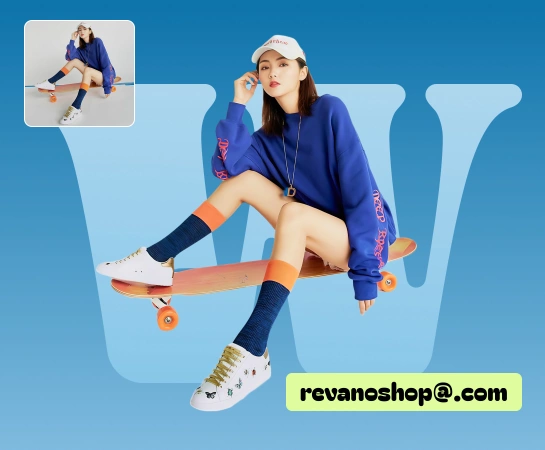
Pase de la imagen de origen al recurso terminado sin saltar entre múltiples herramientas
Cuando los equipos necesitan agregar titulares, intercambiar fondos, organizar capas, cambiar el tamaño de los diseños o preparar variaciones de campaña, el editor de diseño mantiene todo en un solo lugar y reduce el cambio de herramientas.
Comienza tu prueba gratuita
Utilice Diseño para publicaciones en redes sociales, anuncios, miniaturas, pancartas y contenido de productos.
Desde imágenes de productos y publicaciones en redes sociales hasta pancartas destacadas y elementos visuales de campañas, el editor de diseño lo ayuda a crear diseños más rápido con texto, formas, imágenes, fondos y ajustes preestablecidos de cambio de tamaño.
Comienza tu prueba gratuita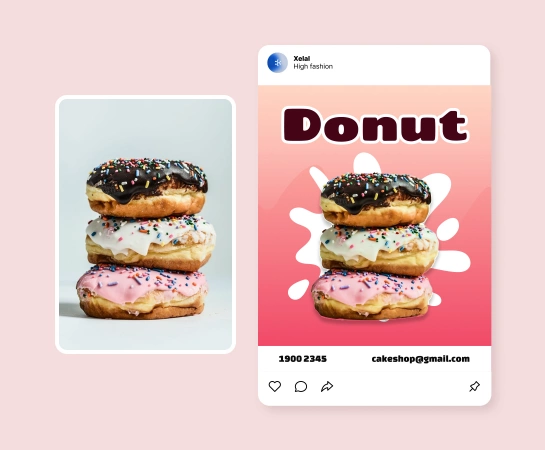
Combine el trabajo de diseño con el resto del conjunto de herramientas de IA Magic Eraser
Una vez que la imagen esté dentro del editor, puede continuar con la eliminación del fondo, la limpieza de objetos, la mejora, la expansión o las imágenes generadas por IA para terminar el recurso dentro de una pila conectada.
Comienza tu prueba gratuita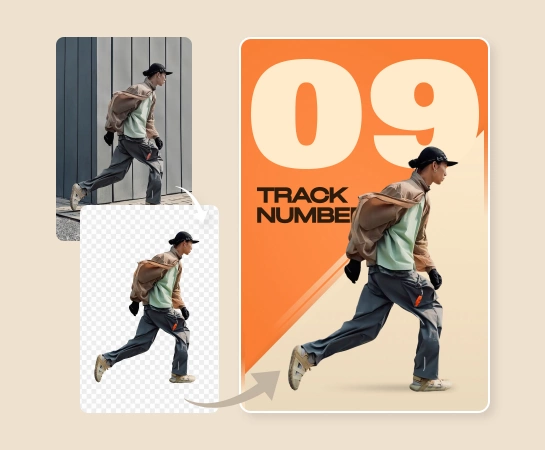
Cómo diseñar imágenes dentro de Magic Eraser
Comience con una imagen o un lienzo en blanco
Cargue una imagen de origen o abra el editor y comience a crear el diseño desde un lienzo limpio.
Agregue texto, formas y elementos de diseño
Cree la composición con capas, estilos de texto, formas, opciones de fondo y ajustes visuales.
Cambiar el tamaño y perfeccionar el diseño
Adapte el diseño al formato que necesite, ajuste el espaciado y prepare múltiples variaciones para diferentes canales.
Descargue o continúe editando con herramientas de IA
Exporte el activo final o pase a flujos de trabajo de IA como Eliminar fondo, AI Enhance, Filtro AI o Crear AI.
Todas las herramientas de edición de imágenes con IA que necesitas
Explore las principales capacidades de edición disponibles actualmente en Magic Eraser Web, desde la limpieza y mejora hasta la generación y el diseño.

editor de diseño
Cree diseños pulidos con texto, formas, imágenes, capas y fondos dentro de un editor basado en navegador.

Cambiar el tamaño de los ajustes preestablecidos
Cambie entre formatos de salida comunes más rápido cuando necesite versiones para publicaciones sociales, anuncios, pancartas y más.

Texto y formas
Agregue titulares, textos de respaldo, insignias y elementos gráficos simples sin salir del lienzo.

Ajustes de imagen
Ajuste cómo se ubican las imágenes dentro del diseño antes de exportar el recurso final.

Quitar fondo
Pase a flujos de trabajo de recorte cuando la composición necesite un sujeto más limpio o un recurso transparente.

Crear IA
Genere imágenes nuevas e incorpórelas directamente al flujo de trabajo de diseño para una exploración creativa más rápida.

Filtro IA
Aplique looks estilísticos a las imágenes antes o después de colocarlas dentro de la composición.

IA Ampliar
Cree más espacio en el lienzo alrededor de una imagen cuando el marco actual sea demasiado ajustado para el diseño.
Preguntas frecuentes
El editor de diseño es útil para publicaciones en redes sociales, creatividades de anuncios, miniaturas, pancartas, carteles, imágenes de productos y otros recursos cotidianos de marketing o creadores que necesitan control de diseño.
Sí. El editor está construido alrededor de un lienzo en capas donde puedes agregar texto, formas, imágenes y fondos, y luego organizarlos y perfeccionarlos dentro de un flujo de trabajo.
Sí. Las herramientas de cambio de tamaño y los controles de diseño lo ayudan a adaptar la misma idea visual en varios formatos, lo cual es útil para publicaciones en redes sociales, anuncios, gráficos de mercado y pancartas.
Sí. El editor de diseño encaja en un flujo de trabajo más amplio que puede incluir Eliminar fondo, AI Enhance, AI Create, AI Filter, AI Expand y otras herramientas según las necesidades del activo.
Un flujo común es comenzar con una imagen o un lienzo en blanco, crear la composición con texto y elementos visuales, cambiar su tamaño para el formato de destino y luego exportar o continuar con herramientas de edición basadas en IA.