
Edición de fotos con IA para dentistas: Mejores fotos clínicas, más confianza del paciente
Utilice la edición de fotos con IA para mejorar las imágenes de su consultorio dental. Limpie las fotos clínicas de antes y después, mejore las imágenes del consultorio, elimine el desorden del fondo. Genere confianza en los pacientes a través de su sitio web y redes sociales.

Content Lead
Revisado por Magic Eraser Editorial ·
Índice
- Por qué la fotografía dental es particularmente desafiante
- Fotos de antes y después: el activo de marketing dental de mayor impacto
- Fotografía del consultorio y del entorno
- Fotos del equipo y del personal
- Consideraciones de HIPAA para la edición de fotos dentales
- Publicación de fotos dentales en todos los canales de marketing
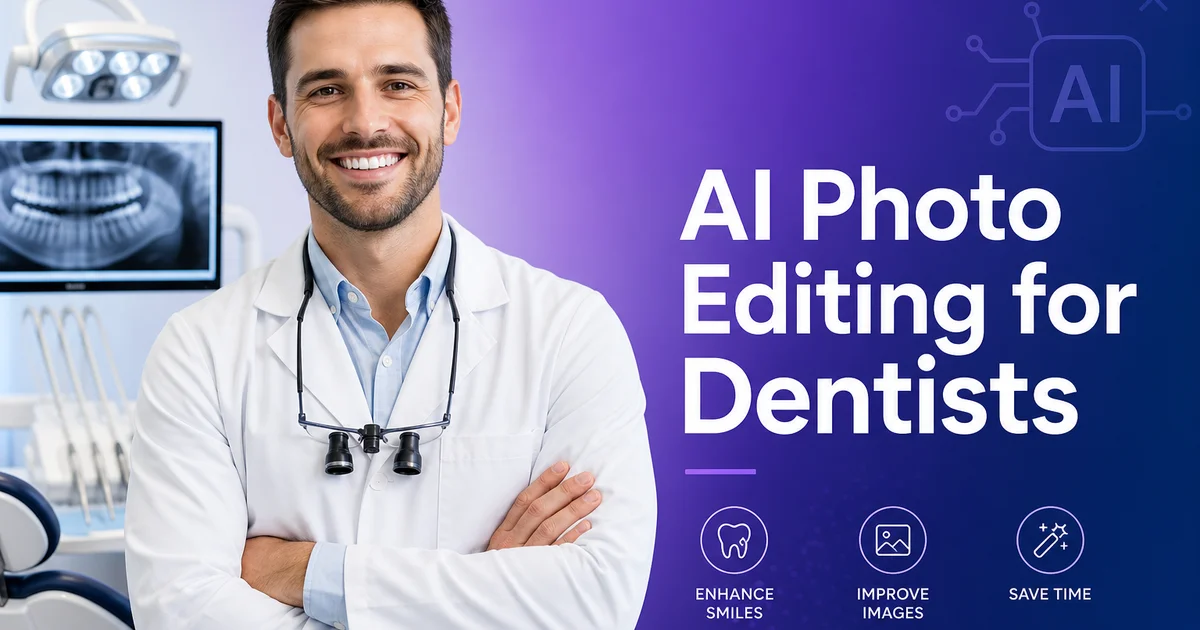
Los pacientes dentales juzgan su consultorio antes siquiera de sentarse en el sillón. Investigaciones de la American Dental Association demuestran que la presencia en línea —incluyendo las fotos— es uno de los factores más importantes en la elección de un nuevo dentista. Las fotos clínicas de antes y después, las imágenes del consultorio y las fotos del equipo transmiten en conjunto competencia, limpieza y profesionalismo. Cuando esas fotos tienen mala iluminación, están llenas de distracciones en el fondo o son inconsistentes en calidad, socavan la confianza que usted intenta construir.
La mayoría de los consultorios dentales no cuentan con un fotógrafo dedicado ni con un estudio fotográfico. Las tomas clínicas se realizan junto al sillón con una cámara intraoral o un teléfono inteligente entre paciente y paciente. Las fotos del consultorio se toman durante una tarde tranquila con la iluminación que haya en ese momento. Las fotos del equipo se hacen contra una pared del pasillo. El resultado es una colección de imágenes que varían enormemente en calidad, color y composición. Y esa inconsistencia se nota en su sitio web y en su Google Business Profile.
La edición de fotos con IA resuelve estos problemas sin necesidad de conocimientos de fotografía ni equipos costosos. Lo que antes requería horas de retoque en Photoshop —eliminar el desorden del fondo de las fotos clínicas, corregir la iluminación del consultorio, crear fotos de equipo uniformes— ahora se puede hacer en minutos. Esta guía repasa los desafíos fotográficos específicos que enfrentan los consultorios dentales y los flujos de trabajo con IA que los resuelven.
- Las fotos clínicas de antes y después son el activo de marketing más persuasivo que tiene un consultorio dental —la edición con IA les da un aspecto profesional sin necesidad de un estudio fotográfico.
- La eliminación del fondo elimina el desorden del consultorio para que las transformaciones de sonrisas sean el punto focal.
- La corrección de color con IA arregla el tono azul-blanco de las luces LED dentales y el amarillo cálido de la iluminación de la sala de espera.
- Las fotos de equipo uniformes con fondos limpios generan confianza en el paciente antes de la primera visita.
- Los flujos de trabajo de fotos compatibles con HIPAA comienzan con cómo captura y almacena las imágenes —la edición es el pulido final.
- Las fotos profesionales del consultorio en Google Business Profile y su sitio web influyen en la adquisición de nuevos pacientes más de lo que la mayoría de los consultorios cree.
Por qué la fotografía dental es particularmente desafiante
La fotografía clínica dental opera bajo limitaciones que la mayoría de las industrias no enfrentan. El sujeto —dientes y encías— es pequeño, húmedo, reflectante y está ubicado dentro de una cavidad oral naturalmente sombreada que bloquea la luz ambiental. Las cámaras intraorales y los equipos DSLR dentales con flash anular resuelven el problema de iluminación, pero introducen sus propios artefactos: reflejos especulares intensos en el esmalte húmedo, sombras profundas en la cavidad oral, una temperatura de color azul-blanco de las luces LED del consultorio que hace que los dientes se vean más fríos de lo que son en persona.
Más allá de las tomas clínicas, los consultorios dentales necesitan fotos de sus instalaciones, equipos, salas de espera y personal. Estas fotos tienen un propósito diferente —ayudan a los pacientes ansiosos a visualizar la experiencia antes de reservar una cita. Pero los consultorios son espacios funcionales llenos de monitores, mangueras, bandejas de instrumentos y carros de suministros que se ven mal en las fotos. Las salas de espera a menudo tienen iluminación mixta de luces fluorescentes del techo y luz natural de las ventanas. Las fotos del equipo tomadas contra diferentes paredes en diferentes días producen una galería inconsistente.
El resultado es que la mayoría de los sitios web de consultorios dentales muestran una mezcla de fotos de archivo y originales inconsistentes que no representan con precisión el consultorio. Los pacientes notan la desconexión, y esto erosiona la confianza que la excelencia clínica debería estar construyendo.
- La fotografía intraoral produce reflejos especulares en el esmalte húmedo y sombras profundas en la cavidad oral.
- Las luces LED del consultorio crean un tono azul-blanco que altera la percepción del color dental.
- Los consultorios son espacios funcionales abarrotados que se ven mal en fotos sin edición.
- La iluminación mixta entre distintas habitaciones produce color y exposición inconsistentes en las fotos del recorrido.
Fotos de antes y después: el activo de marketing dental de mayor impacto
Las fotos clínicas de antes y después son especialmente poderosas porque muestran resultados medibles. Un paciente que esté considerando carillas, Invisalign o blanqueamiento puede ver exactamente cómo se ve el resultado en una persona real. La orientación de marketing dental suele considerar que las galerías sólidas de antes y después son más persuasivas que las descripciones de texto por sí solas, porque muestran resultados visibles del tratamiento.
El desafío es que las fotos clínicas sin editar rara vez se ven presentables. Una foto de antes puede mostrar rollos de algodón, un retractor labial, saliva y el techo del consultorio reflejado en los ojos del paciente. Una foto de después tomada con iluminación diferente puede hacer que el mismo tono de porcelana se vea como un color completamente distinto. Una al lado de la otra, estas fotos sin editar confunden más de lo que convencen.
Magic Eraser se encarga de la limpieza. Pinte sobre rollos de algodón, bordes de retractores, acumulaciones de saliva e instrumentos del fondo. La IA reconstruye tejido gingival limpio y superficies dentales para que el cambio clínico sea visible de inmediato. Luego pase ambas imágenes, la de antes y la de después, por AI Enhance con la misma configuración para que la temperatura de color, la exposición y el contraste coincidan, asegurando una comparación justa y una lectura precisa de la mejora del tono.
- Elimine rollos de algodón, retractores labiales y artefactos de saliva de las fotos clínicas con Magic Eraser.
- Empareje la temperatura de color entre las tomas de antes y después con AI Enhance para que las comparaciones de tonos sean precisas.
- Los pares de antes y después limpios convierten significativamente más solicitudes de consulta que las descripciones textuales solas.
Fotografía del consultorio y del entorno
Los pacientes con ansiedad dental —estimada en un 36 por ciento de la población según la ADA— utilizan las fotos del consultorio para evaluar si este se siente acogedor y moderno antes de reservar. Una sala de espera limpia y luminosa con asientos cómodos transmite una experiencia diferente a la de un pasillo oscuro con decoración anticuada. Sus fotos deben capturar la mejor versión de su espacio real.
Comience con tomas amplias de la sala de espera, la recepción y los consultorios. Luego use Magic Eraser para eliminar distracciones visuales: cables enredados detrás de los monitores, cajas de suministros apiladas en las esquinas, objetos personales dejados en mostradores y letreros temporales pegados a las paredes. Estos elementos son invisibles para el personal que los ve a diario, pero en las fotos se notan de inmediato.
Use Background Eraser para las tomas de detalle de los equipos. Aísle su máquina CEREC, escáner 3D o cámara intraoral sobre un fondo blanco limpio para su página de tecnología. Esta presentación tipo estudio indica inversión en atención moderna sin necesidad de un estudio fotográfico real.
Fotos del equipo y del personal
Los pacientes quieren ver quién los va a tratar. Una página de equipo con retratos profesionales y uniformes hace que su consultorio se sienta establecido y digno de confianza. Pero coordinar una sesión fotográfica profesional para todo un equipo dental —higienistas, asistentes, personal administrativo y dentistas— es logísticamente difícil y costoso de repetir cuando hay rotación de personal.
La edición con IA le permite crear retratos uniformes a partir de fotos tomadas una por una a lo largo del tiempo. Tome una foto de cada miembro del equipo con un teléfono inteligente contra la mejor pared disponible. Luego use Background Eraser para aislar a cada persona y colocarla sobre un fondo uniforme —blanco limpio, su color de marca o un degradado suave. AI Enhance corrige los tonos de piel distorsionados por las luces fluorescentes del techo y afina los detalles. El resultado es una página de equipo donde cada foto parece tomada en la misma sesión, incluso si se tomaron con meses de diferencia.
- Use Background Eraser para colocar todas las fotos del equipo sobre un fondo de marca uniforme.
- AI Enhance corrige los cambios de tono de piel causados por fluorescentes y equilibra la exposición entre fotos tomadas en diferentes momentos.
- Actualizar los retratos de nuevos empleados toma minutos en lugar de programar otra sesión fotográfica.
Consideraciones de HIPAA para la edición de fotos dentales
Cualquier foto que pueda identificar a un paciente es información de salud protegida según HIPAA. Esto incluye fotos de rostro completo, fotos que muestren tatuajes o joyas distintivas, e incluso fotos de sonrisas si se combinan con otra información identificativa. Antes de usar cualquier foto de paciente con fines de marketing, obtenga un consentimiento por escrito utilizando un formulario de autorización de fotos compatible con HIPAA que especifique cómo se usará la imagen.
La edición de fotos con IA puede apoyar el cumplimiento de HIPAA cuando se usa de manera reflexiva. Background Eraser elimina los entornos del consultorio que podrían incluir historiales de pacientes, pantallas de citas o números de habitación identificables visibles en el fondo. Magic Eraser puede eliminar etiquetas con nombres, portaexpedientes y otros elementos identificables de las fotos clínicas. Sin embargo, la edición en sí misma debe realizarse en sistemas conformes. Use herramientas que procesen imágenes localmente o confirme que el procesamiento en la nube cumple con los requisitos de BAA.
El enfoque más seguro para el marketing de antes y después es fotografiar solo el área clínica —dientes y encías en primer plano— de modo que no se capturen rasgos identificativos en primer lugar. La edición con IA se concentra entonces únicamente en limpiar los artefactos clínicos y emparejar el color, sin preocupaciones de HIPAA sobre la identidad del sujeto.
- Obtenga un consentimiento escrito compatible con HIPAA antes de usar cualquier foto de paciente para marketing.
- Use tomas clínicas en primer plano que excluyan rasgos faciales identificativos siempre que sea posible.
- Background Eraser elimina detalles del consultorio que podrían incluir información visible del paciente.
Publicación de fotos dentales en todos los canales de marketing
Los consultorios dentales se promocionan a través de múltiples canales: sitio web, Google Business Profile, Instagram, Facebook, boletines para pacientes y cada vez más TikTok —y cada canal tiene diferentes necesidades de imagen y expectativas del público. Su sitio web necesita galerías clínicas de alta resolución y fotos del recorrido del consultorio. Google Business Profile recompensa a los consultorios que suben fotos nuevas regularmente con mejor visibilidad en búsqueda local. Instagram exige publicaciones de antes y después visualmente consistentes y miniaturas de video corto.
La edición con IA permite que una sola sesión de fotos sirva para todos estos canales. Edite la imagen maestra en resolución completa, luego exporte recortes y tamaños para cada plataforma. Una foto clínica de antes y después se convierte en una entrada de galería del sitio web, una publicación de carrusel de Instagram, una actualización de Google Business Profile y una ilustración para el boletín de pacientes, todo desde la misma imagen fuente con calidad consistente.
La consistencia importa más que la perfección. Un consultorio dental que publica tres fotos bien editadas por semana en sus canales genera más confianza en los pacientes y visibilidad en los motores de búsqueda que uno que publica veinte fotos sin editar tomadas con teléfono inteligente. La edición con IA hace que el estándar de tres fotos por semana sea alcanzable para un gerente de consultorio que maneja el marketing junto con la programación de citas, la facturación y la comunicación con los pacientes.
- Google Business Profile recompensa las subidas regulares de fotos con mejor visibilidad en búsqueda local.
- Edite en resolución completa y exporte recortes específicos para cada plataforma desde la misma imagen maestra.
- Tres fotos bien editadas por semana generan más confianza que veinte fotos sin editar tomadas con teléfono inteligente.
How to do it
- 1
Capture clinical and office photos with proper lighting
Take before-and-after clinical photos using a dental camera or high-resolution smartphone with a ring light. Capture the operatory, waiting room, team headshots, and exterior signage. Consistent lighting reduces editing time and produces better AI results.
- 2
Remove background distractions from clinical photos
Open clinical before-and-after photos in Magic Eraser and brush over stray instruments, suction hoses, bib clips, and background clutter visible behind the patient. The AI reconstructs clean tooth and gum surfaces so the clinical result is the focal point.
- 3
Isolate smile shots with a clean background
Use Background Eraser to remove the operatory background from smile close-ups and replace it with a neutral white or soft gradient. This makes before-and-after comparisons look expert on your website and social media without revealing identifiable clinical surroundings.
- 4
Enhance lighting and color accuracy
Run each photo through AI Enhance to correct the blue-white cast from dental operatory LEDs, balance warm waiting-room lighting, and sharpen tooth detail. Accurate color is critical — patients expect the shade of their veneers or whitening result to match what they see in your photos.
- 5
Clean up office and team photos
Use Magic Eraser on office tour photos to remove visible cords, supply boxes, misplaced personal items, and temporary signage. For team headshots, erase badge lanyards, stray hairs, and background clutter so every staff photo looks polished and consistent.
- 6
Export and publish across marketing channels
Save edited images at full resolution and upload them to your practice website, Google Business Profile, Instagram, and patient education materials. Consistent, expert dental photography builds trust before the first appointment.
Fuentes
- Consumer Survey: How Patients Choose a Dentist — American Dental Association
- The Role of Before-and-After Photos in Dental Marketing — Dental Economics
- HIPAA Compliance for Dental Photography — U.S. Department of Health & Human Services