
Menu Board Design
Build professional menu board graphics from your own food photography. This template isolates individual dishes from table settings and cluttered backgrounds, standardizes the look across all items for a cohesive menu, and exports layout-ready images optimized for digital menu boards, printed menus, and delivery platform listings like DoorDash, Uber Eats, and Grubhub.
Try this template freeFood template preview
What this template does
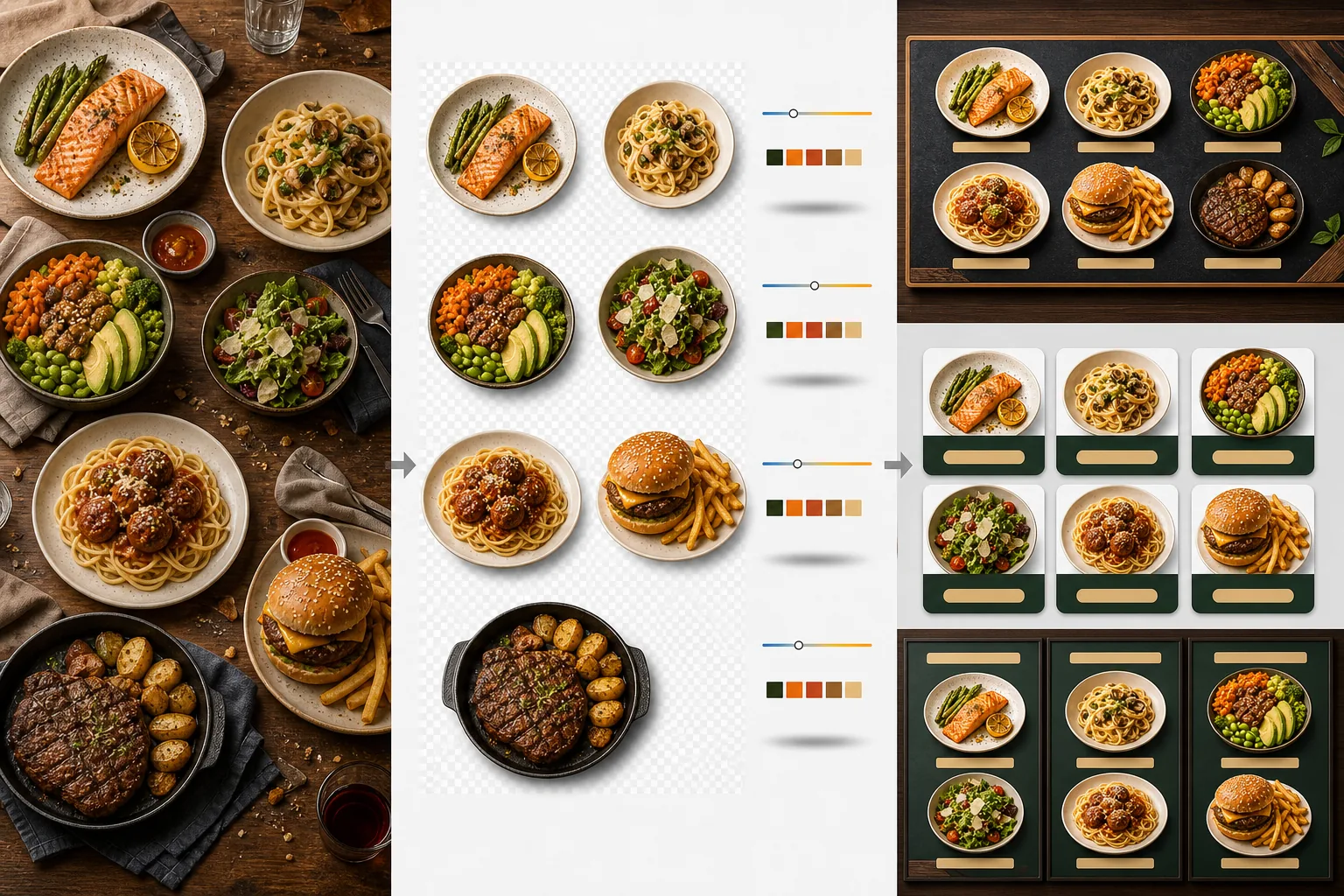
Transforms inconsistent food photos taken at different times, in different lighting, and on different tables into a unified set of menu-ready images. Background Eraser isolates each dish — plate, bowl, or packaging — from its original table setting and replaces the background with a consistent color or texture that matches your restaurant branding. Color temperature is normalized across all items so photos taken under warm tungsten light, cool LED panels, and natural window light all appear consistent. Food colors are enhanced to look appetizing without crossing into unrealistic territory — greens are vibrant, meats are warm and juicy, and sauces are glossy. The result is a set of images that functions as a unified visual menu system rather than a random collection of phone photos.
Template settings
| Background | Solid color (brand-matched), wood texture, slate, or transparent |
| Color temperature normalization | Match all items to 5000K daylight white balance |
| Food color enhancement | Appetizing boost (warm proteins, vibrant greens, glossy sauces) |
| Shadow style | Subtle drop shadow for depth on solid backgrounds |
| Output sizes | 1200×1200px (delivery platforms), 800×600px (digital menu boards), custom |
How to use this template
Upload food photos
Upload photos of individual menu items. Phone photos taken during service, formal food photography shoots, and delivery platform listing photos all work. The template processes each dish separately for consistent results across your entire menu.
Isolate dishes from backgrounds
Background Eraser separates each dish from its table, placemat, or counter surface. The edge detection follows the plate rim, bowl edge, or packaging outline precisely. Garnishes and toppings that extend beyond the plate edge — a sprig of parsley, a drizzle of sauce — are preserved.
Standardize color and style
Color temperature is normalized so all dishes appear under the same consistent lighting. Food colors are enhanced for appetite appeal. A subtle shadow is added beneath each dish for a grounded, three-dimensional look on the new background.
Export for menus and platforms
Download at 1200×1200px for DoorDash, Uber Eats, and Grubhub listings. Export at 800×600px for digital menu boards and TV displays. Transparent PNG exports are available for graphic designers building custom printed menus and signage.
Pro tips for best results
- ✓Photograph dishes from directly above (flat lay) or at a 45-degree angle. These two angles produce the cleanest background removal because the plate outline is fully visible and the AI can separate dish from table with precision.
- ✓Wipe the plate rim clean before photographing. Sauce smears and crumbs on the plate edge become part of the isolated image and look untidy against the new clean background.
- ✓Process all menu items in a single batch with the same settings. Consistency across every dish photo is what makes a menu look professional — mismatched color temperatures and background shades make even great food look amateurish.
Common questions
Can I use this for drinks and beverages?
+
Yes. Glasses, cups, bottles, and cocktails are isolated with the same precision as plated dishes. Transparent drinks like water, wine, and clear cocktails preserve their see-through quality against the new background.
Will the food look artificially enhanced?
+
The color enhancement is calibrated to make food look its appetizing best without crossing into unrealistic territory. Think of it as the difference between food photographed under harsh fluorescent light versus food photographed in natural daylight — the template makes every dish look like it was shot under ideal conditions.
Does this work for delivery platform menu photos?
+
Yes. The 1200×1200px square output meets the image requirements for DoorDash, Uber Eats, Grubhub, and Postmates. Restaurants with professional-looking menu photos on delivery platforms consistently receive higher order rates than those with unprocessed phone snapshots.
Build a menu that makes every dish look irresistible
Upload food photos and get consistent, appetizing menu images ready for digital boards, print menus, and delivery platforms.
Try it freeRelated templates
More food templates for your workflow.
Create appetizing food delivery menu photos with color vibrancy enhancement, clean backgrounds, steam and freshness effects, and platform-optimized dimensions.
Enhance recipe photos for cookbooks and food blogs with print-quality sharpening, ingredient color accuracy, styled scene cleanup, and high-resolution output.