
Remove raindrops from photos
Wipe away the out-of-focus blobs a wet lens or rain-spattered window leaves on your photo. Magic Eraser targets each droplet, removes the smeared bright spot, and reconstructs the sharp scene behind it so the frame looks like the glass was dry.
Last updated
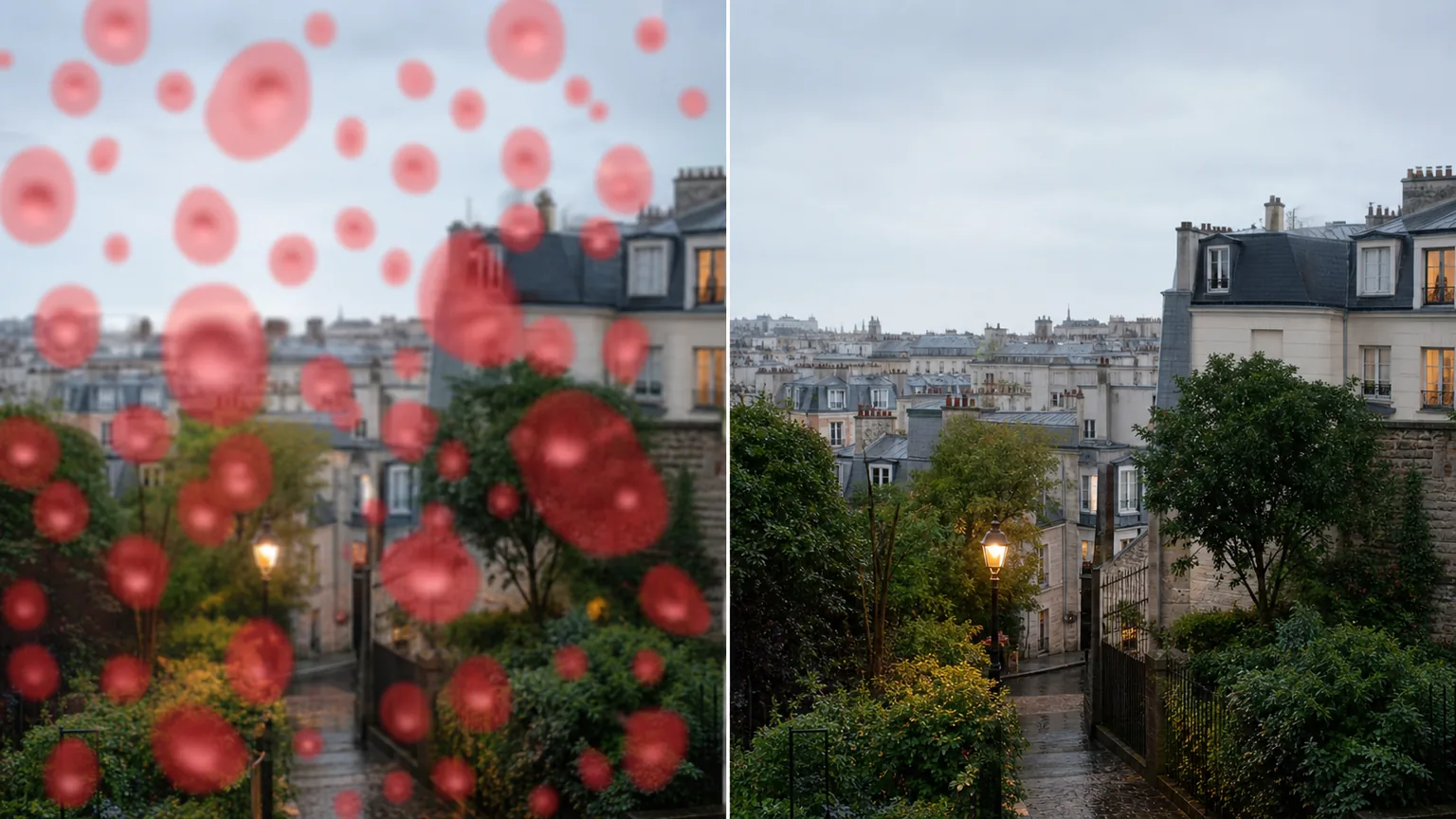
Why raindrops ruin an otherwise good shot
A raindrop on the lens or windowpane is not part of the scene — it is a tiny lens of its own, sitting in front of the camera and bending light into a soft, bright blob that smears whatever sat behind it. Shoot in a drizzle, lean a phone against a rainy car window, or pull a camera out of a pocket on a damp day and you get the same result: discrete circular spots scattered across the frame, each one out of focus and slightly glowing because the droplet catches stray light. Unlike falling rain, which streaks through the actual scene, these drops are stuck to the glass, so they stay in exactly the same spot and quietly destroy detail — a face, a sign, a skyline — right where you wanted it sharp. Magic Eraser treats each drop as a local defect: you mark the blob, and the AI removes it and rebuilds the texture, edges, and tone that the droplet was hiding, drawing on the clean pixels around it so the patch matches the rest of the image.
Remove raindrops in three steps
- 1
Upload the spotted photo
Open Magic Eraser on the web, iOS, or Android and upload the shot with droplets on it. It works whether the drops are on the lens, a window, or a phone case over the camera.
- 2
Brush over each droplet
Paint across the blurry water blobs and their bright spots. Cover the whole soft halo, not just the center, so the AI knows the full extent of what to rebuild — work drop by drop, or sweep over a tight cluster at once.
- 3
Erase and check the detail
Tap Erase and the AI removes the drops and reconstructs the scene underneath. Look closely at edges and text where a drop sat, redo any spot that came back soft, then export the cleaned-up photo.
Best for
- Lifting water droplets off the lens after shooting in light rain
- Cleaning rain spots on photos taken through a car or train window
- Removing the bright blurry blobs a damp phone camera leaves
- Saving a one-of-a-kind shot you can't reshoot in dry weather
- Clearing scattered drops from landscape and street photos
- Tidying condensation and splash spots on the glass
- Recovering a face or sign hidden behind a single drop
- Fixing droplet spotting on action and travel snapshots
What to expect from raindrop removal
Raindrop removal works best on small to mid-size drops that sit over busy-but-readable texture — leaves, pavement, fabric, sky — where the AI has plenty of surrounding detail to copy from. A drop over a flat, even area fills in almost invisibly. The harder cases are large drops, dense clusters that overlap, and drops sitting on top of fine detail the droplet completely destroyed: if the water fully blurred a face or a line of text, the AI reconstructs a plausible version of what was likely there, not the exact pixels, since that information was never recorded. Brush the entire soft halo around each drop, not just the bright core, or a faint ring can remain. Very heavy spotting where drops cover most of the frame is closer to a wet-lens picture than a few defects, and may not fully recover. Treat this as cleanup of glass-and-lens artifacts — it restores the look of a dry shot, but it cannot invent detail that the droplet erased.
Frequently asked questions
- What's the difference between this and removing rain?
- Raindrops are discrete water blobs stuck on the lens or window glass — out-of-focus spots that blur one patch of the frame. Falling rain is streaks in the actual scene. This tool targets the drops on the glass, marking and rebuilding each blurry blob rather than the weather in the background.
- Can it recover what was behind a big drop?
- Partly. A drop over textured areas like grass or sky fills in cleanly. But if a large drop fully blurred fine detail — small text, a distant face — the AI reconstructs a believable version, not the exact original, because that detail was never captured through the water.
- Do I need to brush each drop separately?
- Not always. You can paint over a tight cluster in one pass, but cover each drop's full soft halo, not just the bright center. For scattered drops, going one at a time gives the AI the cleanest surrounding pixels to rebuild from.
- Is raindrop removal free?
- Yes. Magic Eraser's free tier handles raindrop and water-spot cleanup on web, iOS, and Android. Upload the photo, brush the drops, and export the cleared result at no cost.