
Remove a lamppost from photos
Erase lampposts, street lights, cobra-head poles, and decorative lantern posts from street scenes, real-estate exteriors, and travel shots. Magic Eraser removes the whole pole — base, shaft, arm, and lamp head — and reconstructs the sky, building, or street surface behind it so the frame reads clean and uncluttered.
Last updated
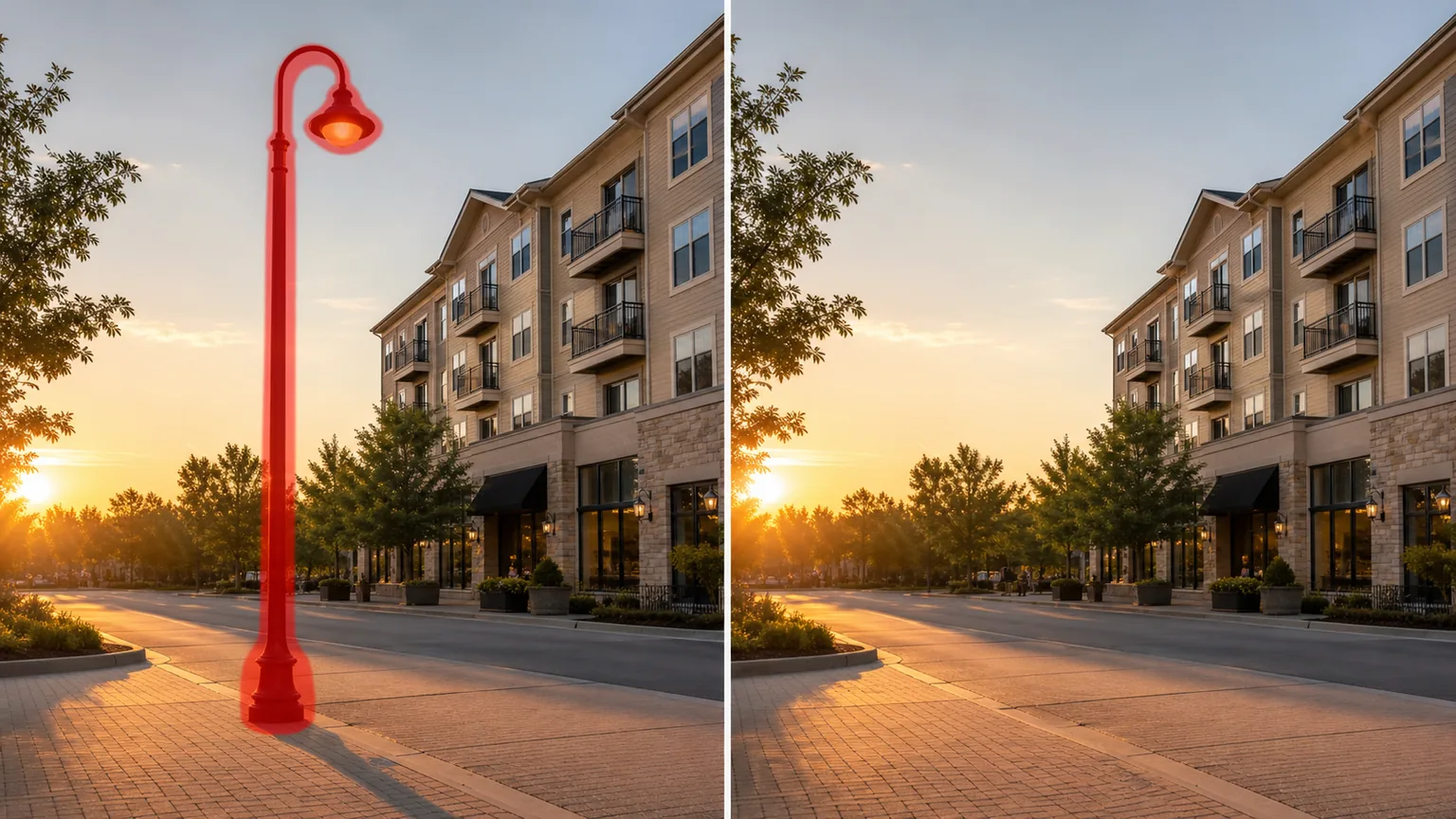
Why a lamppost ends up in the wrong place
Street lighting is built for the road, not the photograph, so a lamppost almost always lands somewhere inconvenient: sprouting from the roofline in a real-estate exterior, slicing through a sunset over a plaza, or planting a tall vertical bar right beside the subject in a travel shot. Unlike a utility pole, a lamppost carries no crossarms or transformers — it is a single clean column with a lamp head and sometimes a curved arm or hanging lantern — but that simple silhouette is exactly what the eye snags on against an open sky. Decorative posts make it worse: ornate cast-iron bases and globe lanterns read as a deliberate element, so the viewer keeps returning to them. Magic Eraser treats the lamppost as a vertical object: brush the full height of the pole and its lamp, and the AI removes it and rebuilds whatever sits behind — sky gradient, building facade, tree line, or paved street — so the spot where the pole stood looks like it was never there.
Remove a lamppost in three steps
- 1
Upload your photo
Open Magic Eraser on the web, iOS, or Android and upload the street, property, or travel photo with the lamppost you want gone. JPEG, PNG, HEIC, and WebP are all supported.
- 2
Brush the whole pole and lamp
Paint over the entire lamppost from its base on the ground to the lamp head at the top, including any curved arm, globe, or hanging lantern. Cover the cast-iron base and the pole's shadow on the pavement if they fall in frame. Keep the brush a touch wider than the pole so dark edges and the bright lamp glow are fully inside the mask.
- 3
Erase and review
Tap Erase and Magic Eraser removes the pole and reconstructs the sky, building, or street behind it. Zoom to 100% to check that the sky gradient is smooth, brick or siding lines stay continuous across the gap, and the pavement texture matches where the base used to be. Run a quick second pass on any leftover shadow or lamp glow, then export at full resolution.
Best for
- Real-estate exteriors where a street light pole appears to grow out of the roof or block the facade
- Street and architecture shots where a lamppost bisects an open sky or plaza
- Travel photos where modern street lighting breaks the timeless feel of a historic street
- Decluttering wide streetscapes with a row of repeating cobra-head poles
- Removing a decorative lantern post that pulls focus from the main subject
- Cleaning up dusk and sunset frames where a lit lamp head flares against the sky
- Tidying the foreground of cityscape and skyline compositions
- Erasing a lamppost beside a portrait subject in an outdoor or travel shoot
What to expect from lamppost removal
A lamppost is a clean vertical object, which makes it one of the more forgiving removals — but a few details decide whether the fill looks invisible. Backgrounds matter most: a pole against plain sky or a flat wall reconstructs almost perfectly, while a pole crossing brick courses, window frames, railings, or a tree canopy asks the AI to continue a pattern, so check those seams at full zoom. Include the lamp head fully — the bright bulb or globe casts a soft glow and the glass can throw a halo, and leaving any of it behind reads as a smudge. Don't forget the base and the ground shadow; the cast-iron foot and the long shadow it drops across pavement are easy to miss and give the edit away. For a row of identical street lights, remove them one at a time starting with the nearest, so the AI has clean context for each fill rather than guessing at several overlapping poles at once. As with all generative removal, the tool paints a plausible reconstruction of the hidden background rather than revealing what was truly there — busy or repeating backgrounds may need a touch-up pass.
Frequently asked questions
- How is this different from removing a utility pole?
- A lamppost is street lighting — a single column with a lamp head, sometimes a curved arm or lantern, and no wires. A utility pole carries power infrastructure: crossarms, transformers, and lines. For a lamppost you just brush the pole and lamp; if your photo also has overhead wires or a power pole, use the utility-pole or power-lines tools for those.
- Will the lamp's glow leave a mark?
- Not if you brush it fully. A lit lamp head casts a soft halo onto the surrounding sky or wall, so extend your mask a little past the globe to capture the glow. Magic Eraser then rebuilds the clean background underneath instead of leaving a bright smudge.
- Can it remove a whole row of street lights?
- Yes. Remove them one at a time, starting with the closest pole, so the AI has clean surrounding context for each fill. Working through repeating poles individually gives a more natural result than masking the entire row in one pass.
- Is lamppost removal free?
- Yes. Magic Eraser's free tier handles lamppost and street-light removal on web, iOS, and Android. Upload your photo, brush the pole and lamp, and export the result at no cost.