
A Free Canva Magic Eraser Alternative — No Pro Needed
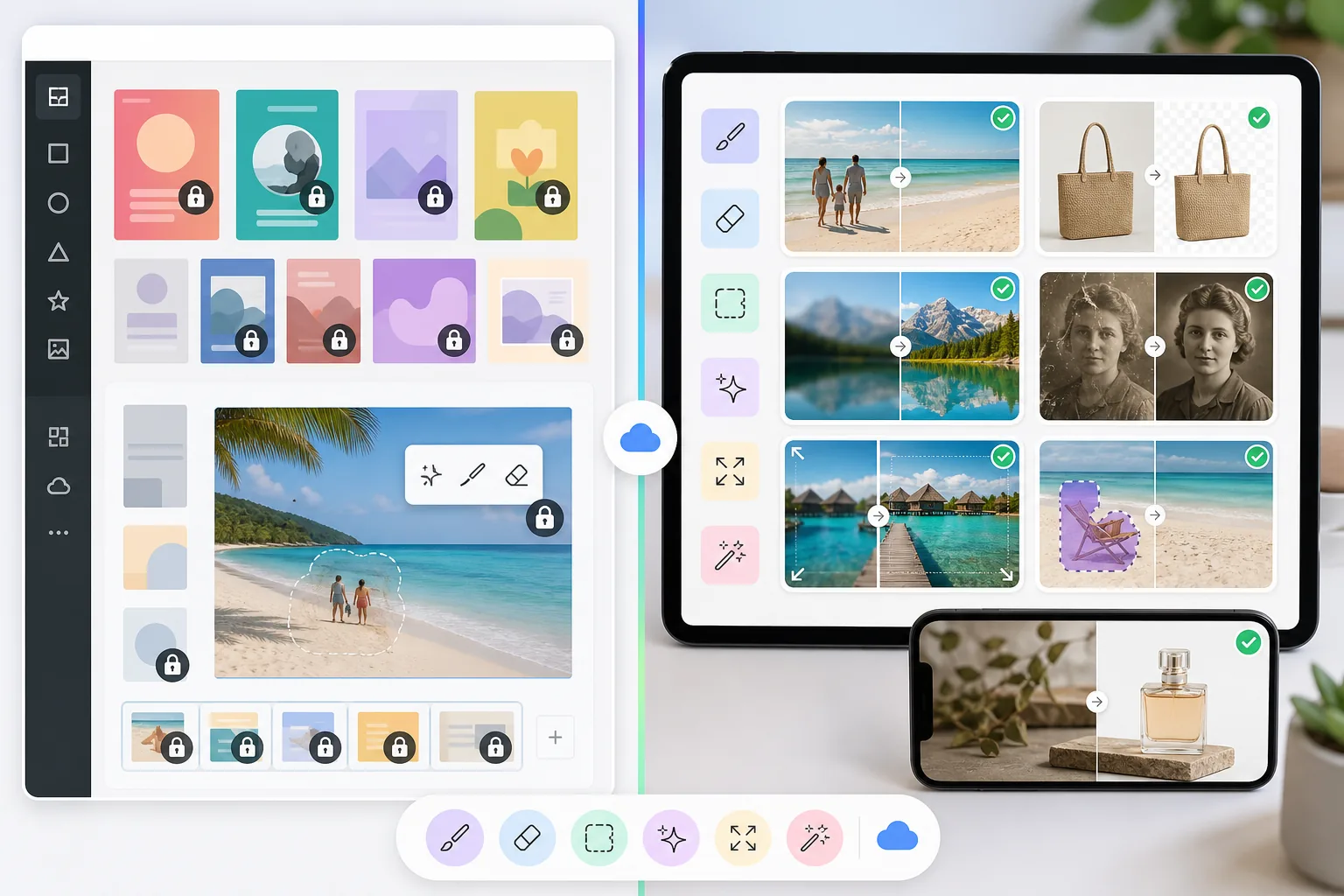
Canva's object removal (its own "Magic Eraser") and one-tap background removal are powerful — but gated behind Canva Pro. Magic Eraser does the same cleanup for free, with no Pro tier, no watermark on your export, and to start. Use it as your Canva alternative when you just need the photo cleaned, not a design canvas.
Last updated
Try Magic Eraser freeComparison rows are editorial summaries from the latest page review, not a guarantee of current pricing, limits, watermark policy, batch support, speed, or platform availability.
Overview
Magic Eraser is a dedicated AI photo editor specializing in object removal, background removal, image enhancement, generative fill, image expansion, and photo restoration. Every tool is optimized for producing clean, professional photo edits quickly.
Canva is a broad online design platform for creating presentations, social media graphics, videos, documents, and marketing materials. It includes basic photo editing features like background removal, but these are part of a larger design-focused product.
Feature Comparison
Magic Eraser is a dedicated AI photo editor specializing in object removal, background removal, image enhancement, generative fill, image expansion, and photo restoration. Every tool is optimized for producing clean, professional photo edits quickly.
Canva is a broad online design platform for creating presentations, social media graphics, videos, documents, and marketing materials. It includes basic photo editing features like background removal, but these are part of a larger design-focused product.
| Feature | Magic Eraser | Canva |
|---|---|---|
| Object removal | Yes — dedicated AI brush tool | Yes — Magic Eraser tool (Pro) |
| Background removal | Yes — instant, high precision | Yes — BG Remover (Pro) |
| AI image enhancement | Yes — upscale, sharpen, denoise | Limited — basic adjustments |
| Generative fill | Yes — AI-powered inpainting | Yes — Magic Edit (basic) |
| Photo restoration | Yes — repair old or damaged photos | No |
| Image expansion | Yes — AI extends canvas naturally | No |
| Design templates | Yes — focused templates | Yes — extensive library |
| Best for | AI photo editing and cleanup | Graphic design and presentations |
Feature rows summarize visible product positioning and should be rechecked against official product pages before purchase, migration, or compliance decisions.
- Last content review May 8, 2026
- Canva source: official product site (https://www.canva.com/)
- Magic Eraser source: https://magiceraser.live/en/product/magic-eraser
- Pricing, feature availability, platform support, and limits can change; recheck official sources before relying on a buying decision.
Why Choose Magic Eraser over Canva for Photo Editing
Purpose-built AI for photo editing
Every tool in Magic Eraser is designed and trained for photo editing tasks. While Canva adds photo features as extras within a design platform, Magic Eraser's AI models are specialized for object removal, background precision, and image quality enhancement.
Better results for object removal and cleanup
Magic Eraser's object removal tool is a core product strength with AI trained specifically for this task. Canva's Magic Eraser feature is a secondary tool that works for simple cases but struggles with complex removals, reflections, and detailed reconstructions.
Advanced capabilities Canva lacks
Magic Eraser offers photo restoration for damaged images, AI-powered image expansion to extend canvases naturally, and professional-grade upscaling — features that Canva does not include even in its Pro plan.
Complementary to your Canva workflow
Magic Eraser and Canva work well together. Use Magic Eraser to clean up, enhance, and perfect your photos, then bring the polished images into Canva for your design projects. Get the best of both tools.
Frequently Asked Questions
Is Magic Eraser a replacement for Canva?
+
Not exactly — they serve different primary purposes. Canva excels at graphic design, presentations, and marketing materials. Magic Eraser excels at AI photo editing and cleanup. Many users get the best results by using both tools together.
Does Canva have object removal?
+
Yes, Canva Pro includes a Magic Eraser tool for basic object removal. However, it is not as capable as a dedicated tool. Magic Eraser produces cleaner results on complex removals, handles reflections and shadows better, and offers more control over the editing process.
Why not just use Canva for everything?
+
Canva is a generalist design tool. When you need high-quality photo editing — removing complex objects, enhancing image resolution, restoring old photos, or extending images with AI — a specialized tool like Magic Eraser delivers significantly better results.
Can I use Magic Eraser with Canva?
+
Yes. A popular workflow is to edit and clean up photos in Magic Eraser first, then import the polished images into Canva for design layouts, adding text, branding, and other design elements.
Which tool is more affordable for photo editing?
+
For photo editing specifically, Magic Eraser offers better value because every feature is focused on photo editing. Canva Pro costs more and bundles photo editing with design features you may not need if your primary goal is photo cleanup and enhancement.
Need better photo editing than Canva offers?
Try Magic Eraser free for AI-powered object removal, background removal, image enhancement, and generative fill. Use it alongside Canva or on its own for professional photo results.
Try Magic Eraser freeRelated use cases
See how professionals use these tools in real-world workflows.
Listing photos cluttered with personal items, parked cars, or construction equipment can turn buyers away. Magic Eraser uses AI to clean up your property photos instantly — no Photoshop skills required.
Product listings need clear images before shoppers can judge the item. Magic Eraser helps sellers remove messy backgrounds, table edges, labels, props, glare, and other distractions so each product photo is easier to review before publishing.
Photobombers ruining your travel pics? Messy backgrounds killing your selfie game? Stop wasting hours in Photoshop. Magic Eraser removes distractions, cleans up cluttered shots, and expands your photos to fit any platform format — all in one tap.
Related guides
Explore more guides and editorial content related to this workflow.
Explore how AI is reshaping business operations, from automation to data analysis and more personalized customer experiences.
Learn how to use Magic Eraser to remove objects, people, text, and distractions from photos with cleaner AI editing results.
Learn how to use a Figma translate plugin to localize design files faster while keeping layout changes under control.
Other comparisons
See how Magic Eraser compares to other photo editing tools.
PhotoRoom focuses on background removal and product photography templates. Magic Eraser matches those capabilities and adds powerful AI tools for object removal, image enhancement, generative fill, and creative design — giving you more editing power on web and mobile.
Two powerful AI photo editors with different strengths. Magic Eraser offers a broader set of generative AI tools for creative editing, while Photoroom excels at e-commerce product photography and batch processing. See which fits your workflow.
We tested and compared the top AI photo editing tools so you don't have to. From object removal to background replacement, see which editor delivers the best results for your workflow.
Canva is a design platform that bundles some photo editing; object removal is a side feature, often Pro-gated. Magic Eraser is a dedicated AI photo editor with 100+ task-specific removal tools. This comparison shows when you need cleanup-first power vs a design canvas.
We tested the leading AI background generators for removal quality, replacement options, creative flexibility, and ease of use. See which tool makes it easiest to remove, replace, and generate new backgrounds for your photos.
We tested the top AI headshot generators for quality, realism, customization, and value. Whether you need LinkedIn headshots, team photos, or professional portraits, see which tool delivers the best results.