
Best AI Headshot Generators in 2026 — Compared
We tested the top AI headshot generators for quality, realism, customization, and value. Whether you need LinkedIn headshots, team photos, or professional portraits, see which tool delivers the best results.
Last updated
Try Magic Eraser FreeComparison rows are editorial summaries from the latest page review, not a guarantee of current pricing, limits, watermark policy, batch support, speed, or platform availability.
How We Picked the Best AI Headshot Generators
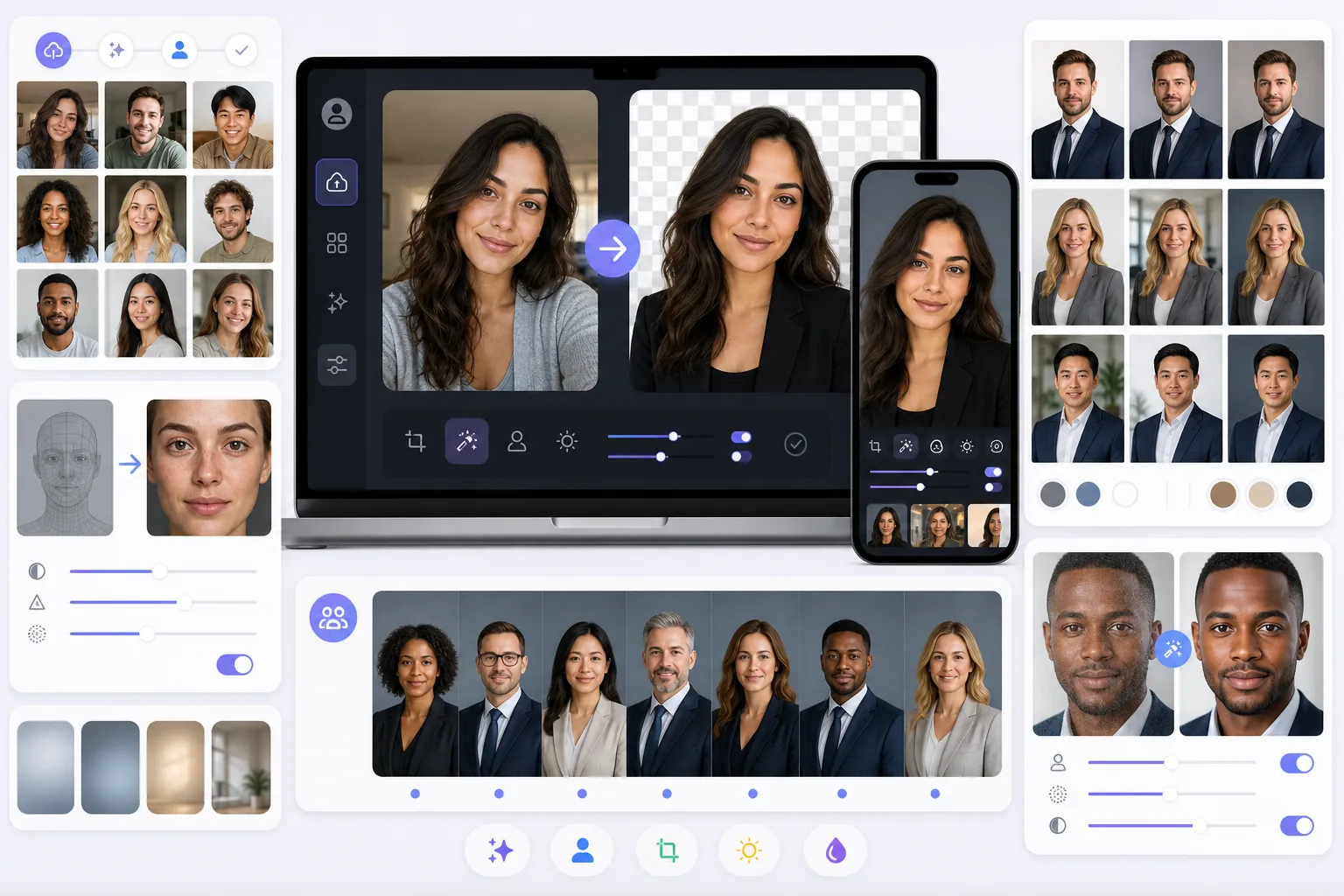
Magic Eraser stands out in the headshot space by combining AI background removal, portrait enhancement, and creative generation tools. Instead of generating a synthetic face, it helps you turn existing photos into professional-quality headshots by removing backgrounds, enhancing quality, and applying studio-style improvements.
The AI headshot category includes HeadshotPro (AI-generated corporate headshots), Aragon AI (professional headshots from selfies), Try It On AI (LinkedIn headshot generation), Remini (AI face enhancement), and Secta AI (batch headshot generation). These tools typically generate entirely new images from uploaded selfies using AI models.
Magic Eraser vs the Category
Magic Eraser stands out in the headshot space by combining AI background removal, portrait enhancement, and creative generation tools. Instead of generating a synthetic face, it helps you turn existing photos into professional-quality headshots by removing backgrounds, enhancing quality, and applying studio-style improvements.
The AI headshot category includes HeadshotPro (AI-generated corporate headshots), Aragon AI (professional headshots from selfies), Try It On AI (LinkedIn headshot generation), Remini (AI face enhancement), and Secta AI (batch headshot generation). These tools typically generate entirely new images from uploaded selfies using AI models.
| Feature | Magic Eraser | Others |
|---|---|---|
| Background removal/replacement | Yes — instant, precise | Included in generation |
| Portrait enhancement | Yes — AI sharpen, denoise | Built into AI generation |
| AI headshot generation | Yes — via AI create | Yes — core feature |
| Object removal from photos | Yes | No |
| Uses your actual photos | Yes — enhances real photos | Generates new images |
| Additional editing tools | 8 AI tools total | Headshots only |
| Free tier | Yes — sign-in required | Rare — most require payment |
| Platform | Web + iOS + Android | Varies |
Feature rows summarize visible product positioning and should be rechecked against official product pages before purchase, migration, or compliance decisions.
- Last content review May 17, 2026
- Magic Eraser source: https://magiceraser.live/en/product/magic-eraser
- Pricing, feature availability, platform support, and limits can change; recheck official sources before relying on a buying decision.
Why Magic Eraser Leads for Professional Headshots
Enhance real photos instead of AI-generated faces
Magic Eraser improves your actual photos — removing distracting backgrounds, enhancing sharpness, and cleaning up the image. Many AI headshot generators create synthetic faces that may not look exactly like you.
More versatile beyond headshots
After creating your headshot, Magic Eraser's 8 AI tools are available for any other photo editing need — product photos, social media content, real estate images, and more.
Free to start, affordable to continue
Most dedicated AI headshot generators charge $15-50+ per batch of headshots. Magic Eraser's subscription gives unlimited access to all tools, making it far more cost-effective for ongoing use.
Studio-quality backgrounds
Magic Eraser can remove your current background and replace it with a clean, professional backdrop or generate an AI-powered studio setting — giving you the polished look of a professional headshot.
Frequently Asked Questions
What is the best AI headshot generator in 2026?
+
It depends on your needs. For generating entirely new headshot images from selfies, HeadshotPro and Aragon AI are strong options. For enhancing and polishing your existing photos into professional headshots, Magic Eraser delivers excellent results with more flexibility and lower cost.
Do AI headshot generators look realistic?
+
Quality varies significantly. The best generators produce convincing results, but they create synthetic images that may not perfectly capture your likeness. Magic Eraser's approach of enhancing your actual photo often produces more authentic-looking results.
How much do AI headshot generators cost?
+
Dedicated AI headshot generators typically charge $15-50+ per session or batch. Magic Eraser's monthly subscription ($9.99/mo; pricing as of 2026) gives unlimited access to background removal, enhancement, and all other editing tools.
Can I make a professional headshot from a selfie?
+
Yes. With Magic Eraser, you can take a well-lit selfie, remove the background, replace it with a professional backdrop, enhance the image quality, and produce a polished headshot suitable for LinkedIn and corporate use.
Which tool is best for team headshots?
+
For consistent team headshots, Magic Eraser's background removal and replacement tools ensure every team member has the same professional backdrop. Dedicated generators like HeadshotPro also offer batch processing for teams.
Ready to Create Professional Headshots?
Try Magic Eraser free to transform your photos into polished, professional headshots with AI background removal, enhancement, and creative tools. Sign-in required for free edits.
Try Magic Eraser FreeRelated use cases
See how professionals use these tools in real-world workflows.
Listing photos cluttered with personal items, parked cars, or construction equipment can turn buyers away. Magic Eraser uses AI to clean up your property photos instantly — no Photoshop skills required.
Product listings need clear images before shoppers can judge the item. Magic Eraser helps sellers remove messy backgrounds, table edges, labels, props, glare, and other distractions so each product photo is easier to review before publishing.
Photobombers ruining your travel pics? Messy backgrounds killing your selfie game? Stop wasting hours in Photoshop. Magic Eraser removes distractions, cleans up cluttered shots, and expands your photos to fit any platform format — all in one tap.
Related guides
Explore more guides and editorial content related to this workflow.
Explore how AI is reshaping business operations, from automation to data analysis and more personalized customer experiences.
Learn how to use Magic Eraser to remove objects, people, text, and distractions from photos with cleaner AI editing results.
Learn how to remove people from photos using AI in seconds. Step-by-step guide for travel photos, real estate shots, and product images.
Other comparisons
See how Magic Eraser compares to other photo editing tools.
We tested and compared the top AI photo editing tools so you don't have to. From object removal to background replacement, see which editor delivers the best results for your workflow.
Two powerful AI photo editors with different strengths. Magic Eraser offers a broader set of generative AI tools for creative editing, while Photoroom excels at e-commerce product photography and batch processing. See which fits your workflow.
Canva is a design platform that bundles some photo editing; object removal is a side feature, often Pro-gated. Magic Eraser is a dedicated AI photo editor with 100+ task-specific removal tools. This comparison shows when you need cleanup-first power vs a design canvas.
Pixlr gives users a classic browser-based editing environment with layers and effects. Magic Eraser focuses on AI-first cleanup, enhancement, and background work for users who want polished results without a full editing interface.
Adobe Photoshop is powerful, but most people only use a fraction of its features. Magic Eraser delivers the photo cleanup tools you actually need — object removal, background removal, AI enhancement, and generative fill — in a simpler interface that works on web and mobile with no subscription required to start.
remove.bg is great at one thing: removing backgrounds. Magic Eraser does that just as well, plus it removes unwanted objects, enhances image quality, fills missing areas with AI, and handles your full photo editing workflow — all in one place.