
Optimizing Photos for Sharing and Upload
Export and resize your edited photos correctly for different social media platforms, messaging apps, and web destinations.
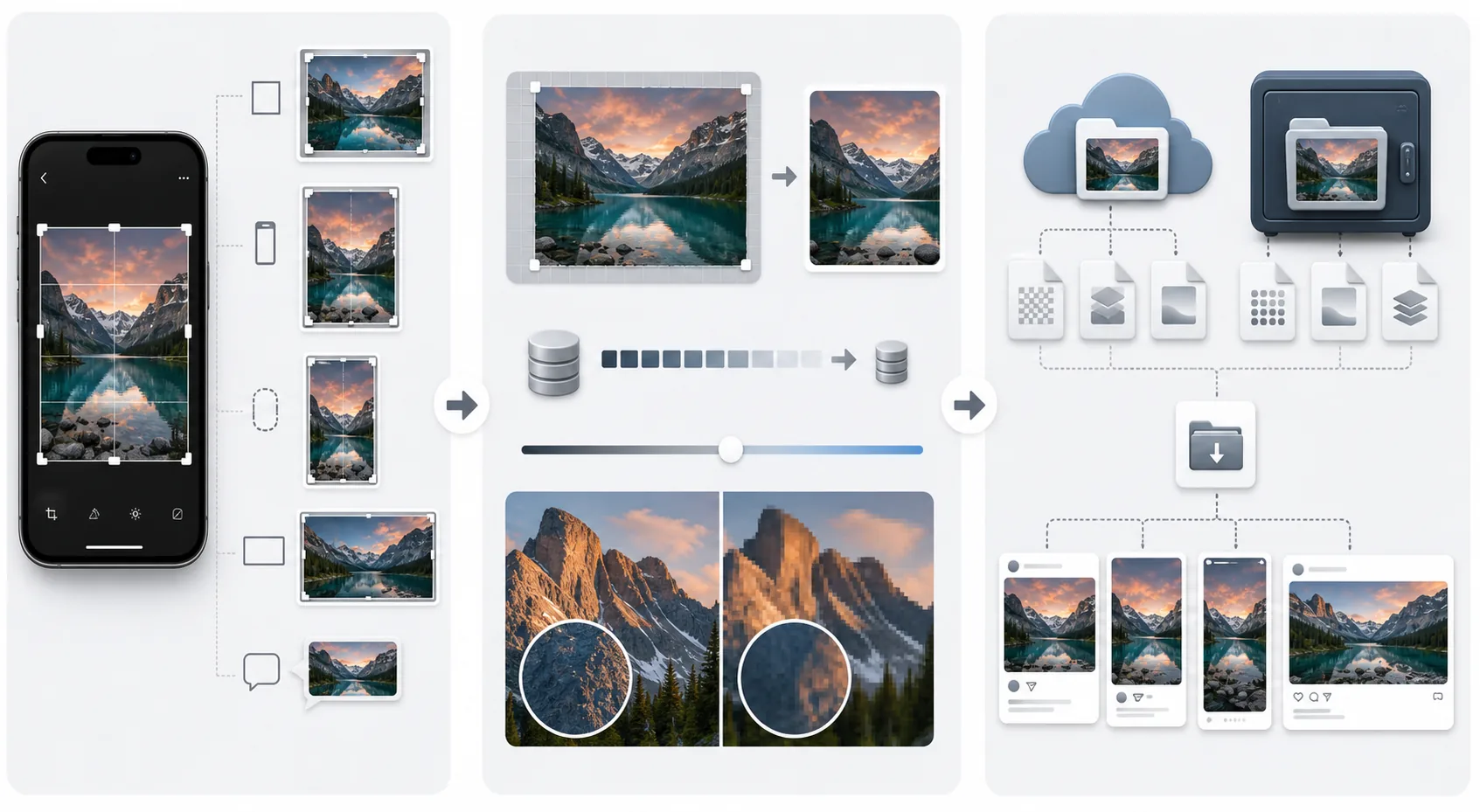
Lesson context before the long read
Review the result preview above, then scan the learning objectives below before reading the full lesson. Updated 2026-05-17.
Example visual uses an existing public asset: /content-images/mobile-sharing-optimized-images-academy.webp.
Learning Objectives
- 1Understand how different platforms compress uploaded images and how to minimize quality loss
- 2Export photos at the optimal resolution and aspect ratio for each major social media platform
- 3Choose the right file format and quality setting for sharing versus archiving
Platform-specific export settings
Every social media platform compresses uploaded images to save bandwidth and storage. Instagram recompresses JPEGs to approximately 70% quality and downscales images larger than 1080 pixels wide. Facebook applies heavy compression that degrades detailed textures and fine text. Messaging apps like WhatsApp and iMessage compress images aggressively unless you explicitly send them as files rather than as photos. Understanding how each platform handles your uploads lets you optimize your exports to minimize the visible quality loss after their compression is applied on top.
Maintaining quality across social platforms
The key strategy is to upload images at exactly the dimensions the platform will display them, rather than uploading massive files that get downscaled and recompressed. For Instagram feed posts, export at 1080x1350 pixels for portrait or 1080x1080 for square. For stories, use 1080x1920 pixels. For Facebook, 2048 pixels on the longest edge is the sweet spot. Export as JPEG at 85-95% quality; higher than 95% adds file size without visible improvement, and the platform's compression will undo any benefit of maximum quality export.
Adapting one image for multiple formats
When you need to preserve full quality, such as for a client delivery, portfolio backup, or print preparation, export as a PNG or TIFF without compression and share through a file transfer service rather than a social media platform. Cloud storage services like Google Drive and iCloud preserve the exact file you upload without recompression. For your personal photo archive, keep the highest quality version exported from your editing app alongside the original capture. This two-file system, original plus edited master, protects you from ever losing quality in a chain of compression, re-editing, and re-compression that degrades images over time.
Key Takeaways
- ✓Upload at the exact display dimensions for each platform to avoid quality loss from downscaling plus compression
- ✓Export social media images as JPEG at 85-95% quality for the best size-to-quality balance
- ✓Archive full-quality PNG or TIFF versions alongside originals through cloud storage, not social media