
Подготовка стоковых фотографий
Добейтесь, чтобы ваши фотографии приняли стоковые агентства с первой подачи. Этот шаблон удаляет товарные знаки, логотипы и брендовые элементы, вызывающие отклонение, устраняет технические дефекты, не проходящие проверку качества, и экспортирует файлы в точных спецификациях, которые требуют Shutterstock, Adobe Stock, Getty и iStock, — устраняя самые распространённые причины отклонения фотографий стоковыми библиотеками.
Попробовать этот шаблон бесплатноDesign template preview
Что делает этот шаблон
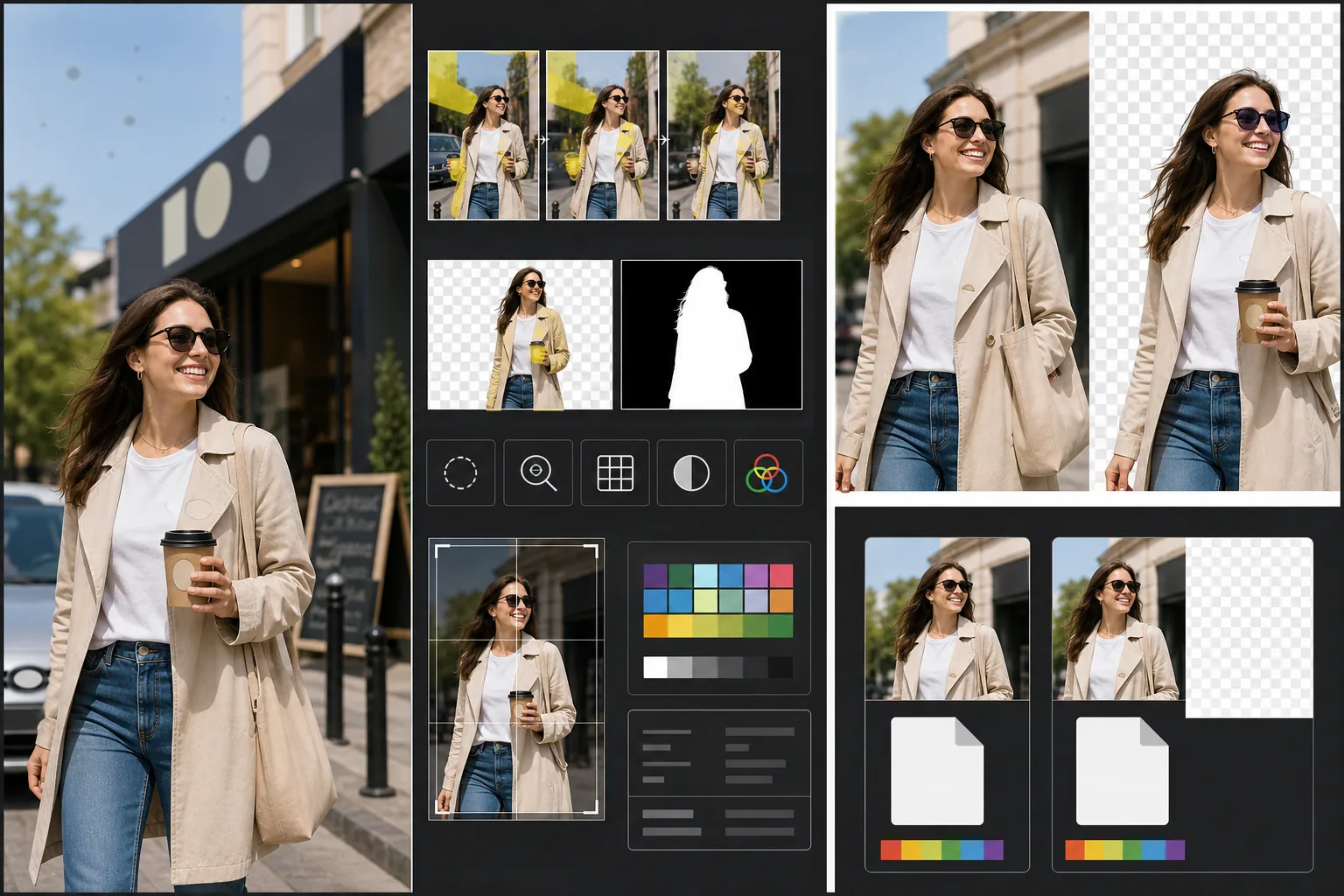
Решает конкретные технические и юридические требования, из-за которых стоковые фотографии отклоняют. Magic Eraser обнаруживает и удаляет видимые товарные знаки, логотипы брендов, этикетки товаров и брендовые вывески, которые потребовали бы разрешений на использование собственности или привели бы к прямому отклонению. Сюда входят логотипы на одежде, эмблемы автомобилей, вывески магазинов и названия брендов на упаковке. Background Eraser обеспечивает чистое выделение для изображений, предназначенных для вырезания, создавая как изображение RGB, так и отдельную альфа-маску, которую требуют стоковые агентства. Проверка технического качества выявляет уровень шума, резкость, хроматические аберрации и пятна пыли на сенсоре — все распространённые причины отклонения, — и ИИ исправляет то, что может, отмечая проблемы, требующие повторной съёмки. Итоговый экспорт соответствует спецификациям агентства по формату файла, цветовому профилю, разрешению и встраиванию метаданных.
Настройки шаблона
| Обнаружение товарных знаков | Автоматическое обнаружение и удаление видимых логотипов, названий брендов и этикеток товаров |
| Проверка технического качества | Проверка шума, резкости, хроматической аберрации и пыли на сенсоре |
| Маска выделения | Создание альфа-канала для вырезанных изображений (PNG с прозрачностью) |
| Цветовой профиль | sRGB (требуется большинством стоковых агентств) |
| Метаданные | Встраивание полей IPTC для названия, описания и ключевых слов |
| Формат вывода | JPEG максимального качества (уровень 12) или TIFF (без потерь, предпочтительно для Getty) |
Как использовать этот шаблон
Загрузите свою фотографию
Загрузите фотографию, которую хотите отправить в стоковые агентства. Шаблон принимает файлы RAW, JPEG, TIFF и PNG. Загружайте версию максимально высокого качества — стоковые агентства оценивают техническое качество в полном разрешении и отклоняют изображения с артефактами сжатия из-за многократного сохранения.
Удалите товарные знаки и бренды
Magic Eraser сканирует изображение на наличие видимых товарных знаков, логотипов, названий брендов и этикеток товаров. Обнаруженные элементы выделяются для проверки. Одобренные удаления выполняются с реконструкцией ИИ поверхности за каждым товарным знаком — переплетение ткани под логотипом на одежде, кузов автомобиля под эмблемой, поверхность стены под вывеской магазина.
Запустите проверку технического качества
Шаблон анализирует изображение на наличие технических проблем, которые обычно приводят к отклонению стоковыми агентствами: шум в теневых областях, недостаточная резкость, хроматическая аберрация на контрастных краях, пятна пыли на сенсоре и ошибки баланса белого. Исправимые проблемы устраняются автоматически. Неисправимые проблемы (например, сильное смазывание от движения) отмечаются, чтобы вы знали о них до отправки.
Экспортируйте с метаданными агентства
Выберите целевое агентство, и шаблон экспортирует в предпочитаемом этим агентством формате и спецификациях. Поля метаданных IPTC для названия, описания и ключевых слов можно встроить перед экспортом. Файл готов к прямой загрузке на порталы для авторов Shutterstock, Adobe Stock, Getty/iStock или Alamy.
Профессиональные советы для лучших результатов
- ✓Думайте о товарных знаках с самого начала съёмки. Хотя ИИ эффективно удаляет логотипы, сцены с меньшим количеством брендовых элементов требуют меньше дорисовки и выглядят естественнее. Выворачивайте этикетки на одежде внутрь, выбирайте реквизит без брендов и располагайте камеру так, чтобы по возможности исключить вывески магазинов.
- ✓Отправляйте в максимальном разрешении, которое создаёт ваша камера. Стоковые агентства частично ранжируют результаты поиска по разрешению — изображение в 50 мегапикселей отображается выше изображения в 12 мегапикселей по одному и тому же запросу, потому что покупатели предпочитают файлы большего размера для гибкого кадрирования и крупноформатного использования.
- ✓По возможности включайте людей в свои стоковые фотографии. Изображения с узнаваемыми людьми (с разрешениями модели) стабильно приносят больше дохода, чем похожие сцены без людей. Ретушь кожи в шаблоне настроена на минимальный уровень, что стоковые агентства предпочитают сильно отредактированной коже.
Инструменты
Частые вопросы
Будет ли удаление эмблемы автомобиля выглядеть естественно?
+
Да. ИИ реконструирует кузов автомобиля за эмблемой, подбирая цвет краски, отражение и кривизну поверхности. Для распространённых мест эмблем (передняя решётка, багажник, центры колёс) реконструкция получается очень чистой. Необычные расположения или очень большие эмблемы могут потребовать быстрой ручной правки по краям.
Может ли он создавать ключевые слова для моей подачи?
+
Шаблон встраивает поля метаданных IPTC, в которые можно ввести название, описание и ключевые слова. Он не создаёт ключевые слова автоматически — оптимизация стоковых ключевых слов является специализированным навыком, который зависит от вашего понимания того, как ищут покупатели, и автоматически созданные ключевые слова часто упускают коммерческие концепции, стимулирующие продажи.
Какие агентства поддерживаются?
+
Предустановки экспорта охватывают Shutterstock, Adobe Stock, Getty Images, iStock, Alamy, Dreamstime и 500px. Каждая предустановка настраивает правильный формат файла, цветовой профиль, максимальный размер файла и встраивание метаданных для требований к подаче конкретного агентства.
Добейтесь, чтобы ваши фотографии приняли с первой подачи
Загрузите фотографии и получите готовые для стоковых агентств файлы с удалёнными товарными знаками, проверенным качеством и соблюдёнными требованиями к формату.
Попробовать бесплатноRelated templates
More design templates for your workflow.
Создавайте прозрачные логотипы PNG с четкими краями и экспортируйте их в разные размеры для веб-сайтов, печати, социальных сетей и значков приложений. Работает с фотографиями напечатанных логотипов и цифровыми файлами.
Создавайте реалистичные макеты обложек книг с трехмерной перспективой, теневой визуализацией и фоном образа жизни для авторского маркетинга и рекламных акций издателей.
Создавайте обложки подкастов, соответствующие спецификациям Apple Podcasts и Spotify, с заменой фона, изоляцией портрета хоста и готовыми к типографике макетами.
Подготовьте цифровые произведения искусства и фотографии к широкоформатной печати с помощью масштабирования AI, расширения холста, цветопробы и экспорта файлов, готовых к печати.