
Remove Water Reflections From a Photo
Узнайте, как Remove Water Reflections From a Photo с Magic Eraser. Простое пошаговое руководство с бесплатным AI-инструментом. Работает в браузере, на iOS и Android.
Last updated
Попробовать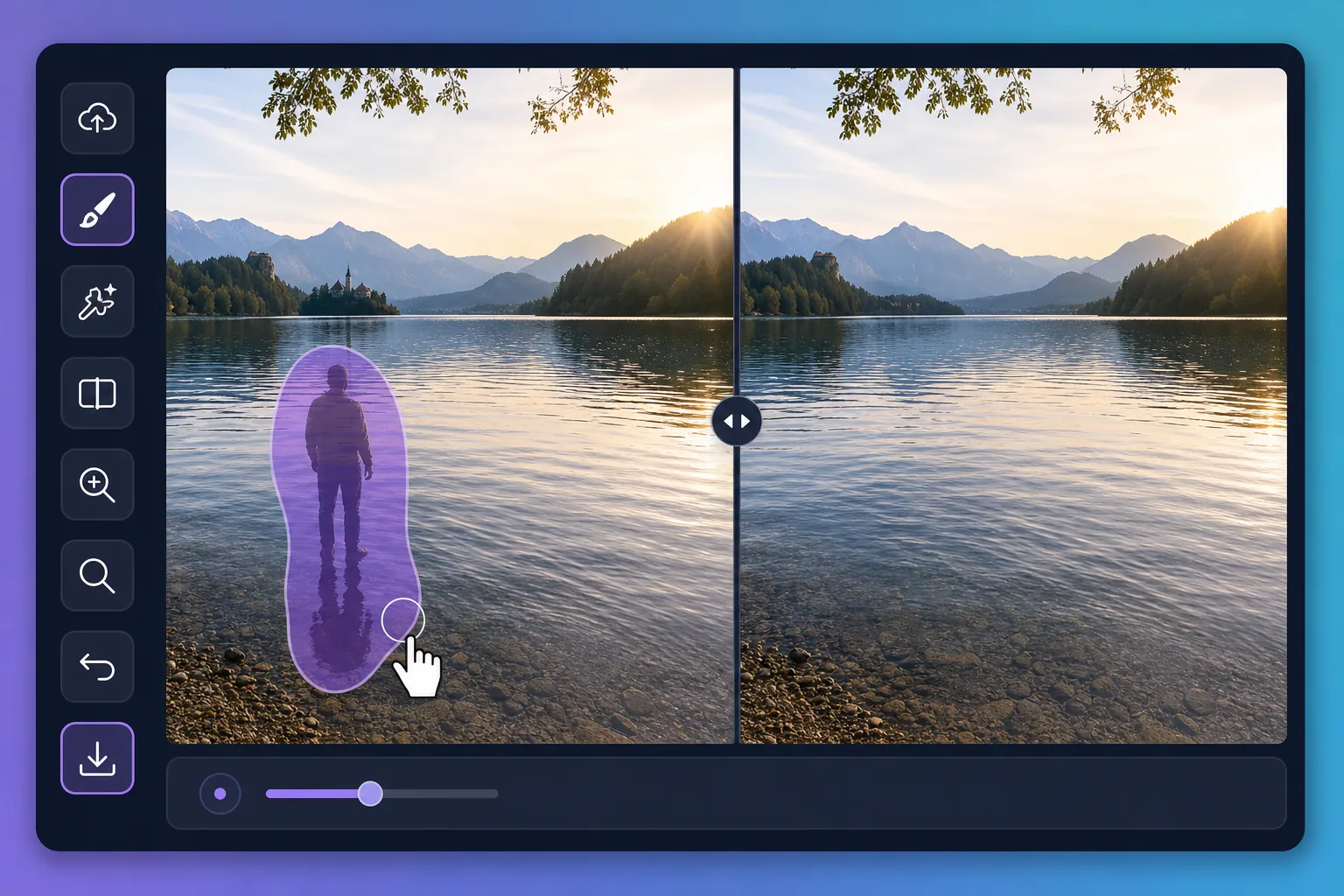
Why water reflections are tricky to edit — Magic Eraser
Water is a mirror that never holds still. A perfect dawn over a lake can be spoiled by the reflection of a power line, a parked car, or a stranger standing at the shore. Puddles after rain pick up neon signs, scaffolding, and harsh sky glare that pull attention away from your subject. Painting these out by hand is slow because the editor has to match ripples, color gradients, and the soft way reflections fade with distance. Magic Eraser handles that for you: brush over the unwanted reflection and its AI inpainting reconstructs a plausible stretch of water in its place — matching the surrounding tone and texture rather than leaving a flat smudge. It does not recover the literal scene that was hidden behind the reflection; it synthesizes a believable replacement that blends with the rest of the surface, which is exactly what you want for a clean travel or landscape shot.
Before you start
Пошаговая инструкция
Start with загрузите фото. The result preview above and tips below use this guide's existing content; no separate before-and-after proof is assumed.
- 1
Загрузите фото
Откройте Magic Eraser в браузере, на iOS или Android. Перетащите фото в формате JPEG, PNG, HEIC или WebP. Аккаунт не нужен.
- 2
Выберите инструмент и область
Выберите подходящий инструмент и укажите область обработки. AI автоматически проанализирует и применит изменения за секунды.
- 3
Скачайте результат
Просмотрите результат и скачайте отредактированное фото. Экспорт в высококачественном PNG или JPEG.
Лучше всего подходит для
- Wiping a reflected power line, crane, or building off a calm lake at sunrise
- Cleaning neon, signage, and headlight glare out of rain puddles in street shots
- Removing a stray person or parked car mirrored along a pond's far shore
- Softening harsh sun glare patches that blow out a glassy water surface
- Tidying reflections in fountains and reflecting pools for cleaner travel photos
Советы для лучших результатов
Work in small sections rather than one giant brush stroke — water has subtle gradients and ripples that the AI rebuilds more convincingly across a smaller area. Keep your brush just inside the reflection so you preserve the genuine ripples around it. For mirror-still water, erasing a large reflection can leave the surface looking too uniform; brushing in a few short passes helps the reconstruction vary naturally. Remember the result is a synthesized surface, not the real scene beneath the reflection, so zoom in to confirm the edges blend before you export.
Часто задаваемые вопросы
- Функция Remove Water Reflections From a Photo бесплатна?
- Да, Magic Eraser позволяет Remove Water Reflections From a Photo бесплатно с ежедневными лимитами. Перейдите на Pro для безлимитной обработки и экспорта в высоком разрешении.
- Сколько времени занимает Remove Water Reflections From a Photo?
- Всего несколько секунд. AI Magic Eraser обрабатывает фото быстро — большинство результатов доступны сразу после загрузки.
- Можно ли использовать на телефоне?
- Да, Magic Eraser работает на iOS, Android и во всех веб-браузерах. Вы можете свободно переключаться между устройствами.
- Ухудшается ли качество изображения?
- Нет, Magic Eraser сохраняет исходное качество фото. AI обрабатывает интеллектуально, сохраняя детали и резкость.