
Альтернатива remove.bg, которая делает больше, чем просто удаление фона
remove.bg отлично справляется с одной задачей: удалением фона. Magic Eraser делает это не хуже, а также удаляет ненужные объекты, улучшает качество изображения, заполняет недостающие области с помощью ИИ и берет на себя весь рабочий процесс редактирования фотографий — и все в одном месте.
Last updated
Попробовать Magic Eraser бесплатноComparison rows are editorial summaries from the latest page review, not a guarantee of current pricing, limits, watermark policy, batch support, speed, or platform availability.
Обзор
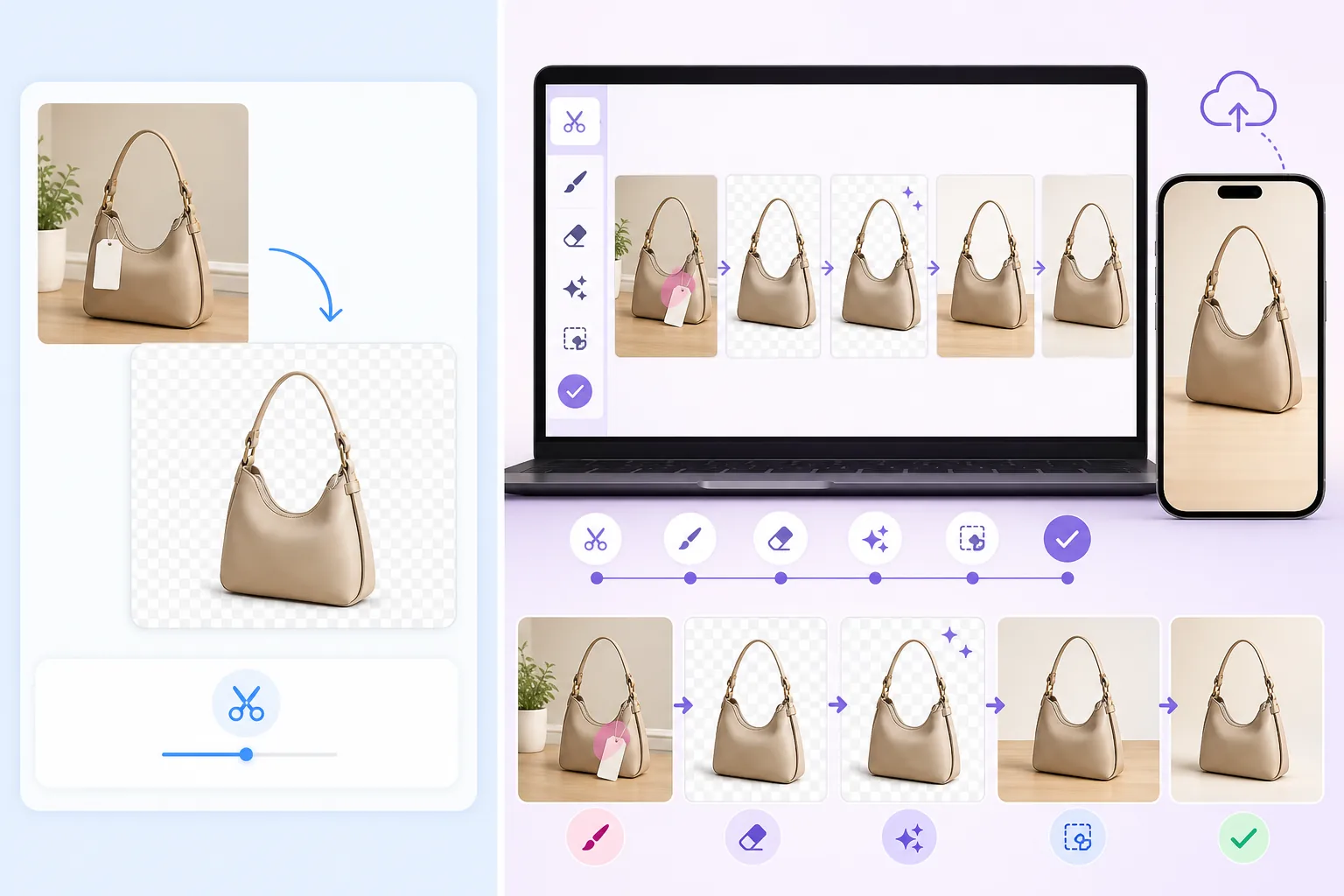
Magic Eraser — это полный набор инструментов для редактирования фотографий с помощью ИИ. Мгновенно удаляйте фон, стирайте ненужные объекты с любых фотографий, повышайте разрешение и улучшайте качество изображений, используйте генеративную заливку для расширения или восстановления снимков — все это в веб-версии или на мобильных устройствах.
remove.bg — это специализированный сервис для удаления фона. Загрузите фотографию и получите прозрачный или замененный фон. Он хорошо справляется с этой единственной задачей, но не предлагает удаления объектов, улучшения или других функций редактирования.
Сравнение функций
Magic Eraser — это полный набор инструментов для редактирования фотографий с помощью ИИ. Мгновенно удаляйте фон, стирайте ненужные объекты с любых фотографий, повышайте разрешение и улучшайте качество изображений, используйте генеративную заливку для расширения или восстановления снимков — все это в веб-версии или на мобильных устройствах.
remove.bg — это специализированный сервис для удаления фона. Загрузите фотографию и получите прозрачный или замененный фон. Он хорошо справляется с этой единственной задачей, но не предлагает удаления объектов, улучшения или других функций редактирования.
| Feature | Magic Eraser | remove.bg |
|---|---|---|
| Удаление фона | Да — мгновенно с помощью ИИ | Да — основная функция |
| Удаление объектов | Да — кисть для удаления чего угодно | Нет |
| Улучшение изображений с помощью ИИ | Да — повышение разрешения, повышение резкости, восстановление | Нет |
| Генеративная заливка | Да — закрашивание с помощью ИИ | Нет |
| Пакетная обработка | Да | Да — через API |
| Мобильное приложение | Да — iOS + Android | Нет нативного приложения |
| Замена фона на свой | Да — однотонный цвет, изображение или сгенерированный ИИ | Да — ограниченные пресеты |
| Лучше всего подходит для | Полного рабочего процесса редактирования фото | Только удаления фона |
Feature rows summarize visible product positioning and should be rechecked against official product pages before purchase, migration, or compliance decisions.
- Last content review May 8, 2026
- remove.bg source: official product site (https://www.remove.bg/)
- Magic Eraser source: https://magiceraser.live/ru/product/magic-eraser
- Pricing, feature availability, platform support, and limits can change; recheck official sources before relying on a buying decision.
Почему стоит выбрать Magic Eraser вместо remove.bg
Один инструмент для всего рабочего процесса редактирования
Вместо того чтобы использовать remove.bg для фона, а затем переключаться на другой инструмент для удаления объектов, улучшения или заливки, Magic Eraser делает все в одном редакторе. Меньше инструментов — значит более быстрый и простой рабочий процесс.
Удаляйте больше, чем просто фон
Нужно стереть человека с фотографии, удалить текст с изображения или убрать отвлекающие элементы? Magic Eraser позволяет закрасить любые ненужные объекты, а ИИ восстанавливает сцену — то, что remove.bg вообще не умеет.
Лучшее соотношение цены и качества
С Magic Eraser вы получаете удаление фона плюс удаление объектов, улучшение с помощью ИИ, генеративную заливку и другие инструменты редактирования. remove.bg взимает аналогичную плату за изображение, но предлагает только удаление фона, поэтому вы получаете значительно больше возможностей.
Полный доступ с мобильных устройств и веб-версии
Magic Eraser работает в любом браузере и имеет специальные приложения для iOS и Android. remove.bg — это в основном веб-сервис без нативного мобильного приложения, что ограничивает гибкость редактирования на ходу.
Инструменты
Часто задаваемые вопросы
Так ли хорош Magic Eraser для удаления фона, как remove.bg?
+
Да. Magic Eraser использует передовые модели ИИ для удаления фона, которые дают чистые и точные результаты, сравнимые с remove.bg. Он также предоставляет больше возможностей с помощью опций замены фона на однотонный цвет, произвольное изображение или сгенерированный ИИ.
Зачем переходить с remove.bg на Magic Eraser?
+
Если вы уже пользуетесь remove.bg, переход на Magic Eraser означает, что вы получаете удаление фона плюс полный набор дополнительных инструментов — удаление объектов, улучшение изображений, генеративную заливку и функции дизайна — без дополнительной платы и необходимости переключаться между несколькими сервисами.
Поддерживает ли Magic Eraser пакетное удаление фона?
+
Да. Magic Eraser поддерживает пакетную обработку, поэтому вы можете удалять фон с нескольких изображений одновременно, аналогично возможности массовой обработки в remove.bg.
Можно ли использовать Magic Eraser для товарных изображений в интернет-магазине?
+
Конечно. Magic Eraser широко используется продавцами в интернете для удаления фона, очистки фотографий товаров, улучшения качества изображений и подготовки снимков для витрины — охватывая весь рабочий процесс, для которого иначе потребовались бы remove.bg и дополнительные инструменты.
Есть ли у Magic Eraser API, как у remove.bg?
+
Magic Eraser сосредоточен на предоставлении интуитивно понятного редактора через веб-версию и мобильные приложения. Для автоматизированных рабочих процессов с большими объемами проверьте сайт Magic Eraser на предмет актуальной информации о доступности API и интеграциях.
Получите больше, чем просто удаление фона
Попробуйте Magic Eraser бесплатно и откройте для себя многофункциональный фоторедактор, который работает с фоном, удалением объектов, улучшением и генеративной заливкой в одном инструменте.
Попробовать Magic Eraser бесплатноСвязанные сценарии использования
Узнайте, как профессионалы используют эти инструменты в реальных рабочих процессах.
Фотографии объявлений, заваленные личными вещами, припаркованными машинами или стройматериалами, отпугивают покупателей. Magic Eraser использует ИИ для мгновенной очистки ваших фото — навыки Photoshop не нужны.
Грязный фон и неопрятные фотографии товаров каждый день стоят вам продаж. Magic Eraser помогает создавать чистые, профессиональные изображения за секунды — без навыков Photoshop. Загрузите фото, удалите всё лишнее и размещайте с уверенностью.
Случайные прохожие портят ваши фото из путешествий? Беспорядок на фоне убивает ваши селфи? Хватит тратить часы в Фотошопе. Magic Eraser удаляет всё лишнее, очищает фон и адаптирует фото под любой формат — в одно касание.
Похожие руководства
Изучите другие руководства и редакционный контент, связанные с этим сценарием.
Узнайте, как с помощью Magic Eraser удалять объекты, людей, текст и отвлекающие детали с фото и получать более чистый результат ИИ.
Узнайте, как убрать людей с фото с помощью ИИ за секунды. Руководство для тревел-фото, недвижимости и товаров.
Пошаговое руководство по удалению водяных знаков с собственных фото с помощью ИИ. Когда это уместно, техники и советы.
Другие сравнения
Узнайте, как Magic Eraser сравнивается с другими инструментами для редактирования фото.
Два мощных AI-фоторедактора с разными сильными сторонами. Magic Eraser предлагает более широкий набор генеративных AI-инструментов, а Photoroom отлично подходит для фотографии товаров и пакетной обработки. Узнайте, что лучше подойдёт для вашего рабочего процесса.
Мы протестировали и сравнили лучшие инструменты для AI-редактирования фото. От удаления объектов до замены фона — узнайте, какой редактор лучше всего подходит для вашей работы.
Pixlr предоставляет пользователям классическую браузерную среду редактирования со слоями и эффектами. Magic Eraser ориентирован прежде всего на ИИ-очистку, улучшение и работу с фоном для тех, кому нужны качественные результаты без полноценного интерфейса редактирования.
Adobe Photoshop — мощный инструмент, но большинство людей используют лишь малую часть его возможностей. Magic Eraser предоставляет именно те инструменты обработки фото, которые вам действительно нужны — удаление объектов, удаление фона, улучшение с помощью AI и генеративную заливку — в более простом интерфейсе, который работает в вебе и на мобильных устройствах и не требует подписки для начала работы.
Tried to remove an object or background and hit a Pro paywall in Canva, Adobe Express/Photoshop, or Fotor? Magic Eraser does the same job — object removal, background removal, watermark cleanup, and enhancement — for free. No subscription, and no watermark stamped on your download.
Сравните Magic Eraser с magic-eraser.io. Смотрите функции, цены и удобство использования бок о бок. Узнайте, почему Magic Eraser — лучший выбор для AI-обработки фото.