
ロゴの透明な背景
あらゆる背景からロゴを抽出し、ピクセル単位で正確なエッジ調整を施した透明な PNG として書き出します。このテンプレートは、紙に撮影されたロゴ、名刺からスキャンされたロゴ、ウェブサイトからスクリーンショットされたロゴ、または雑然とした背景のデザインツールから書き出されたロゴを処理します。マルチサイズ出力は、ウェブ用ファビコン、ソーシャルメディアのプロフィール、メール署名、高解像度の印刷用途をカバーします。
このテンプレートを無料で試すDesign template preview
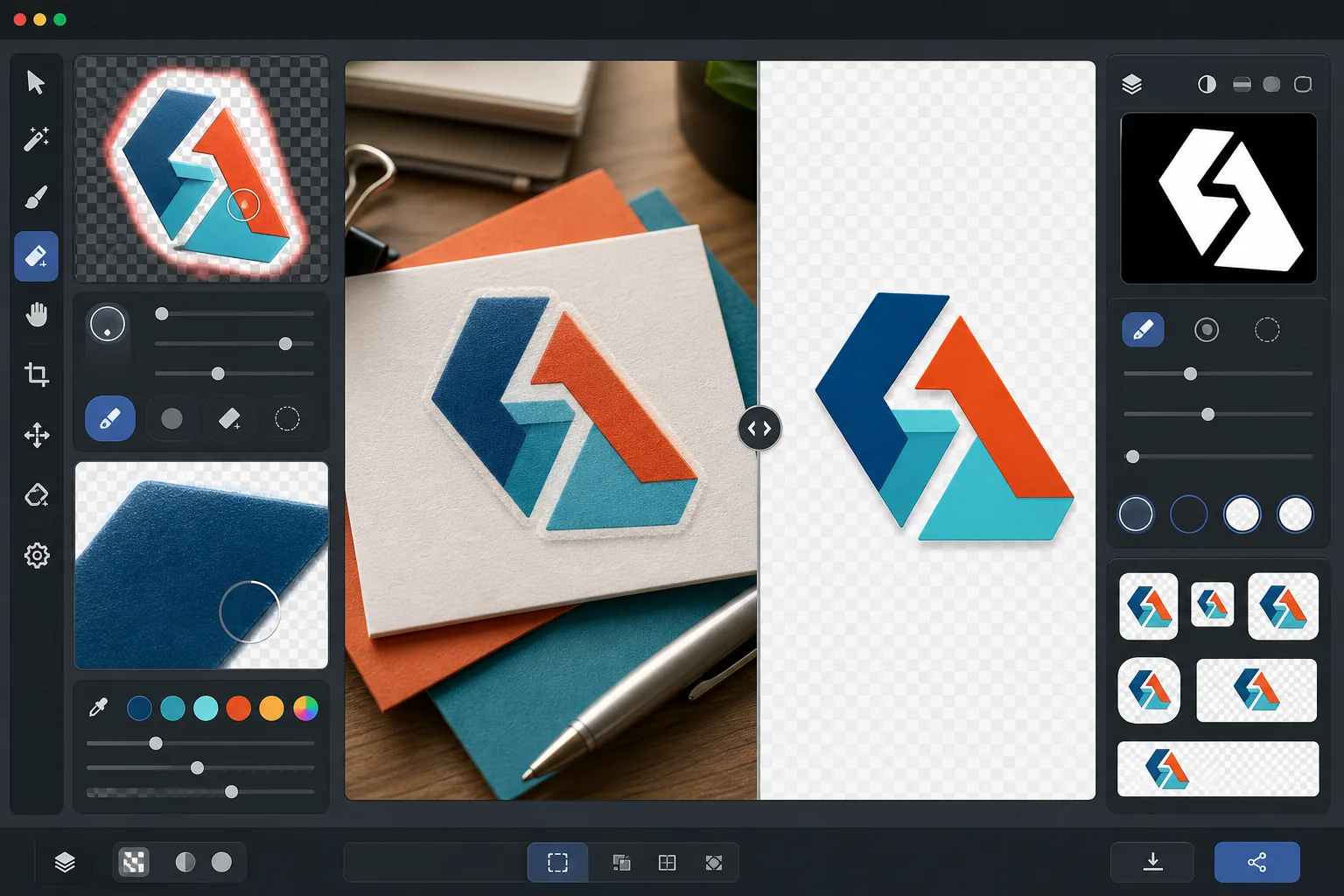
このテンプレートの機能
ロゴやワードマークから背景を除去し、あらゆるメディアで使用できるクリーンで透明な PNG ファイルを生成します。Background Eraser は、白い紙のスキャン、色付きのウェブサイト背景、店頭看板の写真、机の上の名刺など、元の表面からロゴを切り離します。AI Enhance はエッジを調整し、細い書体、薄い線、詳細なアイコン要素の周囲で背景除去が過度に切り込んだ際によく現れるギザギザのピクセル、白い縁取り、ハロー(光の輪)アーティファクトを除去します。出力は複数の標準サイズで書き出され、ウェブ用ファビコン、ソーシャルプロフィール画像、メール署名グラフィック、印刷解像度のブランド素材としてすぐに使用できます。
テンプレート設定
| 背景除去 | 1px のアンチエイリアスエッジ付きの完全な透明化 |
| エッジ調整 | サブピクセルのスムージング(白い縁取りとハローアーティファクトを除去) |
| 色の保持 | 正確な16進数値の一致(背景のにじみによる色ずれなし) |
| マルチサイズ書き出し | 16px、32px、180px、512px、1024px、および元の解像度 |
| 形式 | アルファチャンネル付き PNG-32(24ビットカラー + 8ビット透明度) |
このテンプレートの使い方
ロゴ画像をアップロード
ロゴをあらゆる形式でアップロードできます — 高解像度のデザイン書き出し、名刺のスキャン、ウェブサイトからのスクリーンショット、さらには印刷された看板の写真でも構いません。このテンプレートは、ベクターのように鮮明なデジタルロゴと、影、遠近のゆがみ、不均一な照明を含む不完全な実世界の撮影画像の両方を処理します。
背景を除去
Background Eraser は元の表面からロゴを切り離し、透明なアルファチャンネルを作成します。AI はロゴの意図的なデザイン要素と背景を区別し、内部の余白(O や A の中の穴など)、細い線、繊細なセリフを正しく処理します。
エッジと色を調整
AI Enhance はエッジのアンチエイリアスをスムージングし、曲線や対角線上のギザギザした階段状のピクセルを除去し、背景のにじみによる白や色付きの縁取りを取り除き、抽出中にロゴの色が変化していないことを確認します。ブランドカラーは元の16進数値で保持されます。
複数サイズで書き出し
ロゴファイルの完全なセットをダウンロードできます:16x16px のファビコン、32x32px のブラウザタブアイコン、180x180px の Apple タッチアイコン、512x512px のソーシャルメディアおよびアプリストア用、1024x1024px の高解像度、そして完全な元の解像度。すべてのファイルは透明な背景の PNG-32 です。
最良の結果を得るためのプロのヒント
- ✓最もクリーンに抽出するには、入手できる最高解像度のロゴから始めてください。2000px 幅のロゴを 512px に縮小したものは、200px のロゴを 512px に拡大したものよりもはるかにクリーンなエッジになります。小さいバージョンしかない場合、AI のアップスケーリングが役立ちますが、元々大きいソースの品質には及びません。
- ✓印刷されたロゴ(看板、製品、名刺上)を撮影する際は、遠近のゆがみを最小限に抑えるために正面から撮影してください。このテンプレートは軽度の台形ゆがみを補正できますが、正面からの撮影は補正アーティファクトのない幾何学的に正確な出力を生み出します。
- ✓非常に細い線や繊細なセリフを持つロゴは、小さいサイズ(32px 未満)では細部が失われることがあります。ファビコン用途には、ワードマーク全体ではなく、ロゴの簡略化されたマークやアイコンバージョンの使用を検討してください。マルチサイズ書き出しにより、ダウンロード前に各ターゲットサイズで読みやすさを確認できます。
- ✓ロゴに影、グロー、ガラス効果などの半透明の要素が使われている場合、背景除去はこれらの透明度レベルをアルファチャンネルに保持します。その結果、元のデザインの立体的な効果を失うことなく、あらゆる新しい背景色の上に正しく合成されます。
よくある質問
看板の写真からロゴを抽出できますか?
+
はい。このテンプレートは、店頭看板、車両ラッピング、製品パッケージ、展示会のバナーなどの写真を含む実世界の撮影画像を処理します。AI は不均一な照明、軽度の遠近のゆがみ、表面のテクスチャ(ビニールの目地や布の織りなど)を補正し、クリーンでフラットなロゴファイルを生成します。写真が鮮明で、できるだけ正面に近い角度から撮影されている場合に最良の結果が得られます。
ブランドカラーは正確に保持されますか?
+
色の保持アルゴリズムは、背景色がエッジににじむのを防ぎながら、ロゴカラーの元の16進数値を維持します。(デジタルファイルではなく)写真から抽出されたロゴの場合、色の精度は元の写真の照明に依存します。中性的な照明下では、抽出された色は通常、真のブランドカラーから delta-E で 2 以内に収まります。
PNG-32 と通常の PNG の違いは何ですか?
+
PNG-32 には、ピクセルごとに256段階の透明度をサポートする完全な8ビットアルファチャンネルが含まれており、滑らかなアンチエイリアスのエッジや、ドロップシャドウやグローなどの半透明効果を可能にします。透明度付きの通常の PNG-8 は、完全に透明または完全に不透明なピクセルのみをサポートするため、ギザギザのエッジになります。このテンプレートのすべての出力は、最高品質の透明度を得るために PNG-32 を使用します。
ワンクリックで、あらゆるプラットフォーム向けにロゴを準備
任意のロゴ画像をアップロードすると、必要なあらゆるサイズの透明な PNG ファイルが手に入ります — 小さなファビコンから高解像度の印刷用素材まで — 完璧にクリーンなエッジで。
無料で試すRelated templates
More design templates for your workflow.
著者のマーケティングや出版社のプロモーション用に、3D パースペクティブ、シャドウ レンダリング、ライフスタイルの背景を使用してリアルな本の表紙のモックアップを生成します。
背景の置き換え、ホストのポートレートの分離、タイポグラフィ対応のレイアウトを備えた Apple Podcast と Spotify の仕様を満たすポッドキャスト カバー アートをデザインします。
AI アップスケーリング、キャンバス拡張、色の正確な校正、印刷可能なファイルのエクスポートを使用して、デジタル アートや写真を大判印刷用に準備します。
商標の削除、モデルリリース準拠の編集、技術的品質チェック、および代理店固有の形式要件を備えた、証券代理店への提出用の写真を準備します。