
待ち時間なしですぐに公開できる画像
締め切りは修正を待ってくれるわけではありません。 Magic Eraser は、出版社、編集者、書籍デザイナーが表紙写真をクリーンアップし、エディトリアル画像を修正し、印刷可能なビジュアルを数秒で準備するのに役立ちます。Photoshop の専門知識は必要ありません。
Last updated
出版専門家がMagic Eraserを選ぶ理由
本の表紙から雑誌の見開きに至るまで、出版は締め切りまでに届けられる印象的な画像にかかっています。 Magic Eraser を使用すると、編集者やデザイナーは、レタッチャーを待つことなく、邪魔な要素を削除し、背景を交換し、写真の品質を向上させることができます。制作を継続し、ビジュアル基準を高く保ちます。出版において、画質はコンテンツの信頼性に対する読者の認識に直接影響します。ストック写真の調達、著者の投稿の処理、アーカイブ資料の強化など、編集チームには、制作スケジュールを中断することなく画像を出版基準にまで引き上げる、高速で信頼性の高いツールが必要です。
印刷と出版の主な利点
専門的な編集基準を満たす、出版用の画像を作成します。
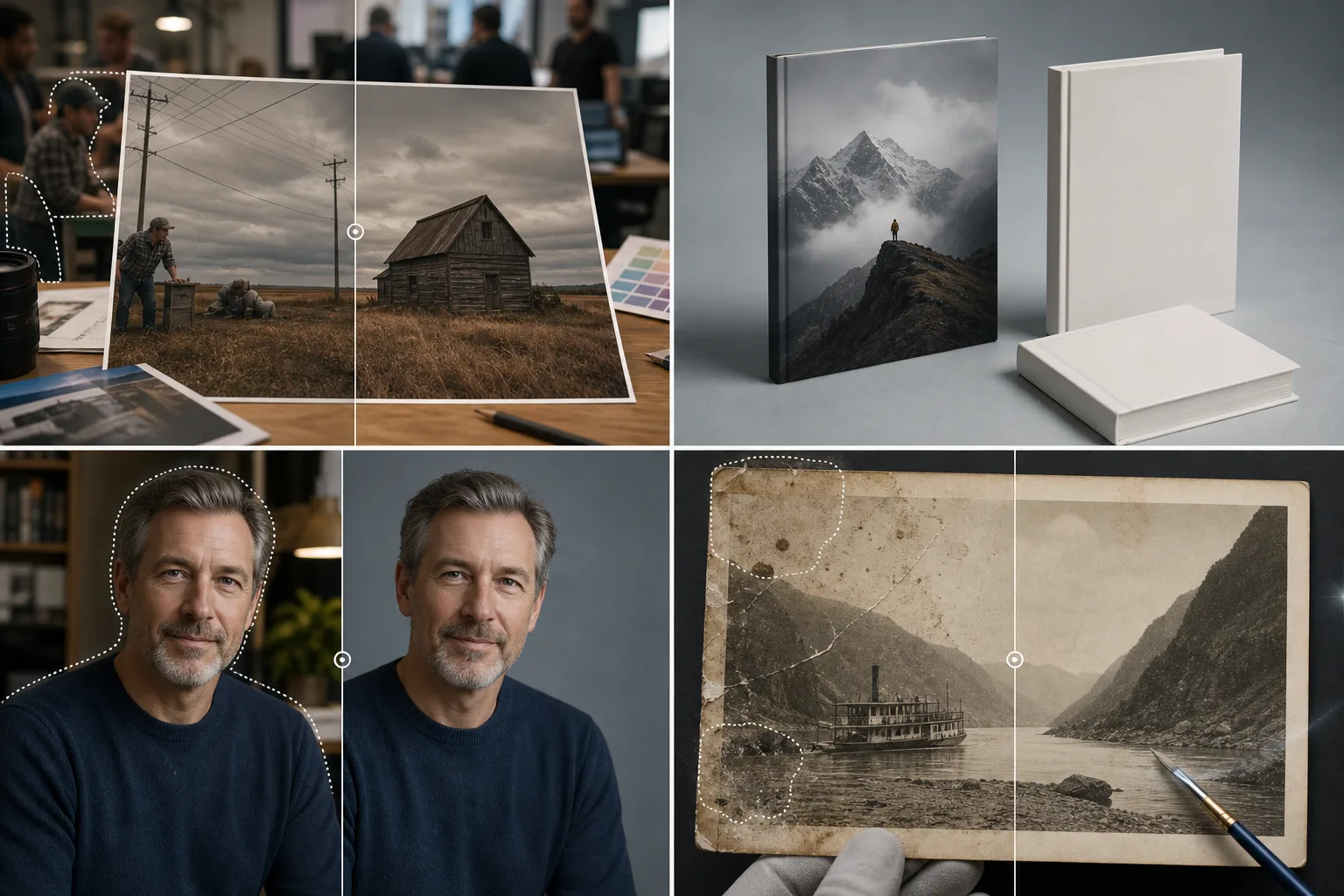
エディトリアル画像のクリーンアップ
新しい撮影をやり直すことなく、編集用写真から透かし、アーティファクト、気を散らす要素を削除して、印刷品質基準を満たすことができます。
著者および寄稿者の肖像
著者の顔写真と寄稿者の写真をきれいな背景と改善された照明で強化し、一貫した署名欄と略歴のプレゼンテーションを実現します。
表紙とレイアウトの写真撮影
背景を削除し、被写体を分離することで、本の表紙、雑誌のレイアウト、カタログのデザイン用のきれいなベース画像を準備します。
アーカイブ画像の復元
スキャンした歴史的な写真やアーカイブ資料を、再公開に備えて損傷マーク、汚れ、経年劣化したアーティファクトを除去してクリーンアップします。
広告クリエイティブ制作
キャンペーンごとに専用の写真撮影を行わなくても、印刷広告、折り込み広告、販促資料用にクリーンな製品やライフスタイルの画像を作成できます。
複数タイトルのブランドの一貫性
統一されたプロフェッショナルなプレゼンテーションのために、複数の出版物、印刷物、またはカタログのラインにわたって一貫した画質基準を維持します。
一般的な使用例
ブックカバーのデザイン
ストック写真または依頼された写真から被写体を分離して、魅力的な表紙の構成を作成します。タイトルの配置やタイポグラフィと競合する不要な要素を削除します。
雑誌のレイアウトの準備
ブランドのロゴ、傍観者、背景の乱雑さを削除してエディトリアル写真をクリーンアップし、画像がページ レイアウトやスプレッドにシームレスに統合されるようにします。
新聞とデジタルニュースの画像
編集上の整合性と核となる主題を維持しながら、ニュース写真から機密性の高い、または無関係な背景の詳細をすばやく削除します。
著者および寄稿者の肖像
一貫性のない背景を削除し、統一されたブランドの背景に置き換えることにより、寄稿者ページと著者の略歴の顔写真を標準化します。
デジタル版と電子書籍のグラフィックス
解像度を強化し、アーティファクトをクリーンアップし、すべてのプラットフォームと読み取りデバイスにわたって一貫した品質を確保することで、デジタル出版用の画像を最適化します。
Magic Eraser 公開用ツール
| Tool | How It Helps |
|---|---|
| オブジェクトの削除 | エディトリアル画像やストック画像から透かし、ブランドロゴ、電線、背景の人物を消去します。 |
| Background Eraser | 本の表紙、雑誌の特集、著者の顔写真の被写体を透明または単色の背景に分離します。 |
| AIフィル | 画像の端を延長したり、削除された領域をリアルなテクスチャで埋めたりして、フルブリード レイアウトやカバー ラップを実現します。 |
| イメージエンハンサー | 低解像度の報道写真やアーカイブ画像を補正し、印刷前にレイアウトアプリで画像サイズとPPIを確認します。 |
仕組み
アップロード
エディトリアル写真、ストック画像、または著者の顔写真を標準形式でアップロードします。
編集
ロゴ、邪魔な背景、不要なオブジェクトをブラシで取り除きます。 AI がそれらを削除し、シーンを再構築します。
輸出
InDesign、印刷制作、またはデジタル出版プラットフォームで使用できる高解像度ファイルをダウンロードします。
よくある質問
出力品質はオフセット印刷に十分ですか?
+
はい。 Magic Eraser はソースの解像度を維持し、300 DPI オフセットおよびデジタル印刷出力に適したきれいな結果を生成します。
フルブリードのブックカバー用に画像を拡張できますか?
+
AI 塗りつぶしは、空、テクスチャ、グラデーションなどのエッジをインテリジェントに拡張して、カバー ラップやフル スプレッド レイアウトに必要な裁ち落とし領域を追加できます。
CMYK色空間画像は扱えますか?
+
Magic Eraser は RGB で動作します。 CMYK ワークフローの場合、編集後に変換します。色の忠実度は維持され、残りは業界標準の色変換ツールで処理されます。
Magic Eraser はスキャンした画像を処理できますか?
+
はい。レイアウト ソフトウェアにインポートする前に、スキャンした写真やイラストをスキャン アーティファクト、ゴミマーク、色の劣化を除去してクリーンアップします。
CMYKの色の精度は維持されていますか?
+
Magic Eraser は RGB カラー空間で動作します。印刷出力の場合は、編集後にレイアウト アプリケーションで色変換を実行します。強化されたイメージは、クリーンで正確な開始点を提供します。
印刷用とデジタル用の画像を同時に編集できますか?
+
はい。一度編集すれば、同じ洗練されたソース画像からさまざまな解像度 (印刷用の高解像度とデジタル出版用の Web 最適化) でエクスポートできます。
より良い画像であらゆる締め切りを守る
Magic Eraser を使用して、制作を遅らせることなく、洗練された本の表紙、エディトリアル写真、印刷レイアウトを提供する出版社や編集者に加わりましょう。
Magic Eraser を無料でお試しくださいMore Industries
See how Magic Eraser helps professionals in other industries.
写真家はポストプロダクションに何時間もかけて、気を散らすものを取り除き、ポートレートをレタッチし、背景を完璧に仕上げます。 Magic Eraser は編集ワークフローを高速化するため、品質を犠牲にすることなく洗練された画像をより迅速にクライアントに提供できます。
Magic Eraserは、不動産業者や写真家が気になる物や視覚的な散らかりを取り除き、物件写真を整えるのに役立ちます。画像が物件を正確に表すよう、各編集を確認し、地域の掲載サイトの開示ルールに従ってください。
オンライン買い物客は画像で商品を判断します。 Magic Eraser は、乱雑な背景を削除し、気を散らす要素を消去し、購入者の信頼を築き、コンバージョン率を高める市場ですぐに使える製品写真を作成します。
ソーシャル メディアの動きは速く、ビジュアルもそれに追いつく必要があります。 Magic Eraser は、クリエイター、マーケティング担当者、ブランドが気を散らすものを取り除き、背景を交換し、画像を磨き上げるのに役立ちます。これにより、Instagram、TikTok、Twitter の混雑したフィードの中ですべての投稿が目立つようになります。
食欲をそそる画像は注文と客足を促進します。 Magic Eraser は、レストラン、カフェ、食品ブランドが料理の写真を整理し、テーブルの乱雑さを取り除き、メニュー、配達アプリ、ソーシャル メディア マーケティングの料理のプレゼンテーションを強化するのに役立ちます。
ルックブックから商品ページに至るまで、ファッション ブランドには大規模な完璧なビジュアルが必要です。 Magic Eraser は、デザイナー、スタイリスト、ファッション マーケティング担当者が背景を削除し、モデルの写真をレタッチし、すべての衣服を最高の状態で見せる洗練されたフラット レイを作成するのに役立ちます。
旅行マーケティングの命はイメージによって決まります。 Magic Eraser は、ホテル、ツアー オペレーター、目的地のマーケティング担当者がランドマークから群衆を排除し、物件の写真をクリーンアップし、ブラウザーを予約者に変える風景写真を強化するのに役立ちます。
卒業アルバムのポートレートからキャンパスのマーケティングまで、教育機関にはクリーンでプロフェッショナルな画像が必要です。 Magic Eraser は、学校、大学、e ラーニング プラットフォームが写真から気を散らすものを取り除き、キャンパスのイメージを強化し、あらゆる視聴者向けに洗練されたビジュアルを作成するのに役立ちます。