
公共コミュニケーション用のプロフェッショナルな画像
政府機関は、ID バッジ、対外的なコミュニケーション、施設の文書化、およびコミュニティへの活動に、クリーンでプロフェッショナルなビジュアルを必要としています。 Magic Eraser は、公共部門のチームが専門のソフトウェアや設計スタッフなしで洗練された画像を作成できるようにします。
Last updated
政府機関がMagic Eraserを選ぶ理由
公共部門の組織は、従業員バッジ、施設の写真、イベントの文書、支援資料など、何千もの画像を作成します。予算の制約により、プロによるレタッチは現実的ではありません。 Magic Eraser を使用すると、スタッフは誰でも、政府の通信標準を満たすクリーンな標準化されたイメージを作成できます。政府機関は多様なコミュニティにサービスを提供しており、複数のチャネルにわたって効果的にコミュニケーションする必要があります。 Web サイトのバナーからソーシャル メディアの投稿、印刷物に至るまで、公共コミュニケーションにおけるプロフェッショナルな画像は、コミュニティの信頼を築き、公共リソースが責任を持って管理されていることを示します。
政府機関にとっての主なメリット
コミュニティの信頼を築く、プロフェッショナルな公開画像を作成します。
施設およびインフラストラクチャに関するドキュメント
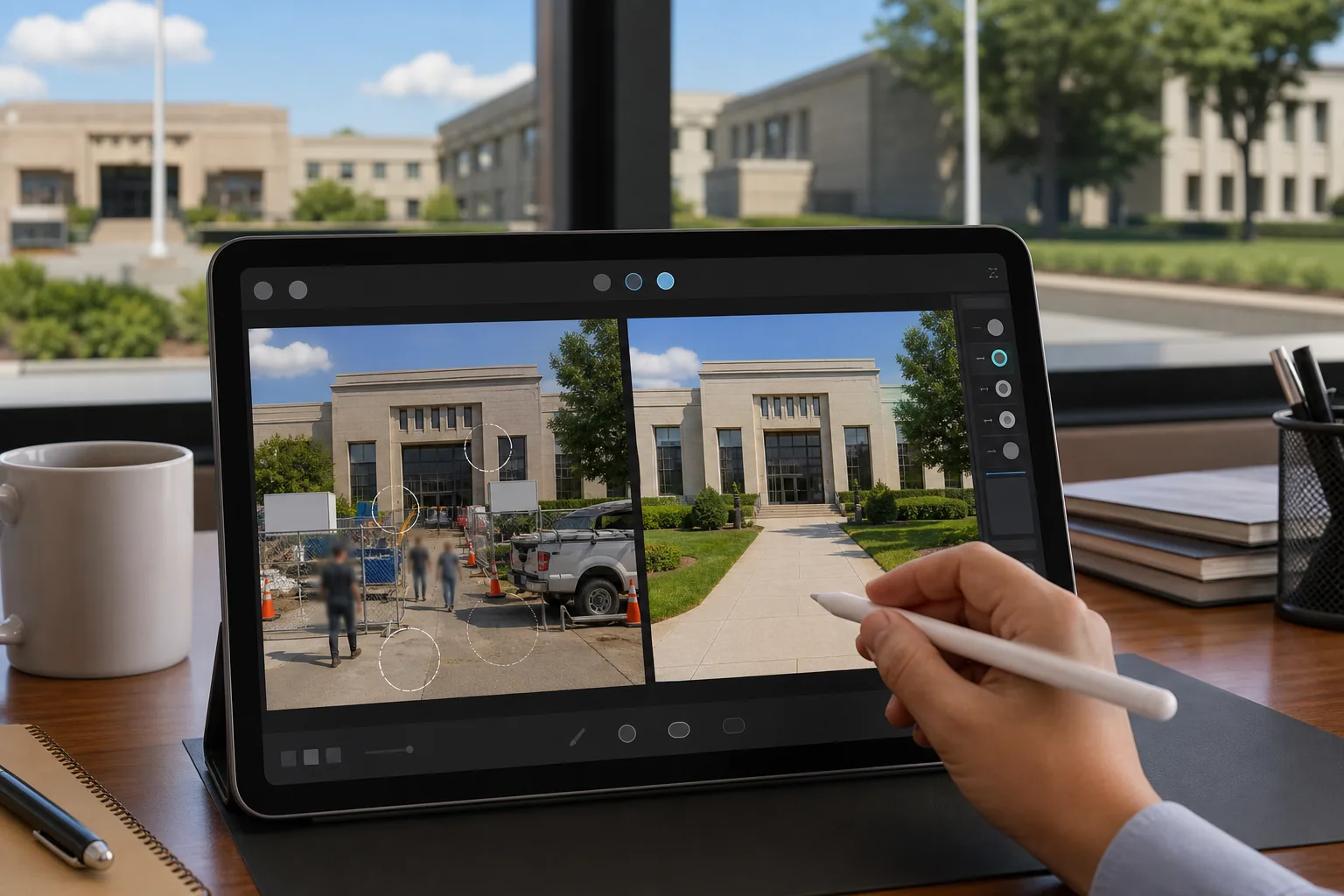
公共の建物、公園、インフラ プロジェクトの写真を、一時的な障壁、建設資材、視覚的に乱雑なものを削除して整理します。
広報資料
専用の写真予算をかけずに、広報、コミュニティニュースレター、政府 Web サイトのコンテンツ用に洗練されたビジュアルを作成します。
イベントおよびセレモニーの写真撮影
公開式典、起工式、コミュニティ イベントの写真をプレス リリース、ソーシャル メディア、アーカイブ記録用に強化します。
スタッフと公式ポートレート
新入社員ごとにカメラマンを予約することなく、公式ディレクトリ、ID バッジ、一般向けのスタッフ ページ用に一貫したプロの顔写真を作成できます。
プライバシーに配慮した画像編集
公共のコミュニケーションで使用される写真から、コミュニティ メンバー、ナンバー プレート、および機密情報の特定の詳細を削除または不明瞭にします。
部門を超えたブランド基準
すべての部門や機関にわたって一貫した画質を維持し、統一されたプロフェッショナルな公共プレゼンスを実現します。
一般的な使用例
IDとバッジの写真
一貫性のない背景を削除し、統一識別資格情報に必要な単色の背景に置き換えることにより、従業員と訪問者のバッジの写真を標準化します。
広報とレポート
政府施設の画像から雑然としたもの、建設上の障壁、無許可の看板を削除して、プレス リリース、年次報告書、一般公開 Web サイト用の写真をクリーンアップします。
施設とインフラストラクチャのドキュメント
公共の建物、公園、インフラストラクチャーの写真から車両、歩行者、仮設構造物を削除して、きれいなアーカイブ記録と計画文書を作成します。
コミュニティ活動とイベント
邪魔な演出装置、一時的な障壁、背景の乱雑さを除去して、ニュースレター、ソーシャル メディア、コミュニティ速報用のイベント写真を磨きます。
緊急時対応通信
緊急管理計画、災害対策ガイド、公共安全通信のための洗練されたビジュアルを作成し、画像の明瞭さが効果的な情報配信をサポートします。
Magic Eraser 政府向けツール
| Tool | How It Helps |
|---|---|
| オブジェクトの削除 | 公共施設の写真から車両、仮設柵、工事用フェンス、無許可の標識を削除します。 |
| Background Eraser | 従業員の顔写真から、統一された単色の背景を持つ標準化されたバッジおよび ID 写真を作成します。 |
| AIフィル | 削除されたオブジェクトを、自然に見える施設の文書化のために、一致する建物のファサード、景観、または舗装に置き換えます。 |
| イメージエンハンサー | オフィスの蛍光灯照明や屋外の厳しい条件下で撮影された写真の鮮明さと色の精度が向上します。 |
仕組み
アップロード
従業員の顔写真、施設の写真、イベント画像を任意のデバイスやカメラからアップロードします。
編集
背景、雑然としたもの、または無許可の看板をブラシで覆います。 AI がそれらをきれいに除去し、自然に埋めます。
輸出
バッジ、公開レポート、Web サイト、またはコミュニティ通信用に標準化された画像をダウンロードします。
よくある質問
すべての従業員バッジに統一した背景を作成できますか?
+
はい。 Background Eraser は、顔写真を単色の背景に標準化し、専用の写真スタジオを持たずに部門間で一貫したバッジ写真を保証します。
Magic Eraser は政府の公式文書に適していますか?
+
Magic Eraser は、コミュニケーションおよびマーケティング資料に最適です。公式証拠または法的文書については、常に所属機関の画像整合性ポリシーに従ってください。
技術者以外のスタッフでも効果的に使用できますか?
+
ブラウザベースのインターフェイスには設計トレーニングは必要ありません。スタッフは不要な要素をブラシで取り除くだけで、残りは AI が処理します。ソフトウェアのインストールや学習の必要はありません。
Magic Eraser は政府の公式コミュニケーションに適していますか?
+
はい。編集ツールは、専門のデザイン スタッフがいなくても、政府の Web サイト、プレス リリース、広報資料用のプロフェッショナルな画像を作成するのに役立ちます。
公安キャンペーン用に写真を編集できますか?
+
絶対に。緊急時への備えの資料、公衆衛生キャンペーン、地域の安全に関するコミュニケーションのために写真をクリーンアップして強化します。
公園やレクリエーション施設の写真にも使えますか?
+
はい。公園やレクリエーション施設の写真から季節の瓦礫、建設機械、仮設柵を取り除き、公共スペースを最高の状態で紹介します。
代理店の画像ワークフローを合理化
Magic Eraser を使用して、プロフェッショナルなバッジの写真、施設の画像、コミュニケーション資料を効率的に作成する公共部門の組織に参加してください。
Magic Eraser を無料でお試しくださいMore Industries
See how Magic Eraser helps professionals in other industries.
写真家はポストプロダクションに何時間もかけて、気を散らすものを取り除き、ポートレートをレタッチし、背景を完璧に仕上げます。 Magic Eraser は編集ワークフローを高速化するため、品質を犠牲にすることなく洗練された画像をより迅速にクライアントに提供できます。
Magic Eraserは、不動産業者や写真家が気になる物や視覚的な散らかりを取り除き、物件写真を整えるのに役立ちます。画像が物件を正確に表すよう、各編集を確認し、地域の掲載サイトの開示ルールに従ってください。
オンライン買い物客は画像で商品を判断します。 Magic Eraser は、乱雑な背景を削除し、気を散らす要素を消去し、購入者の信頼を築き、コンバージョン率を高める市場ですぐに使える製品写真を作成します。
ソーシャル メディアの動きは速く、ビジュアルもそれに追いつく必要があります。 Magic Eraser は、クリエイター、マーケティング担当者、ブランドが気を散らすものを取り除き、背景を交換し、画像を磨き上げるのに役立ちます。これにより、Instagram、TikTok、Twitter の混雑したフィードの中ですべての投稿が目立つようになります。
食欲をそそる画像は注文と客足を促進します。 Magic Eraser は、レストラン、カフェ、食品ブランドが料理の写真を整理し、テーブルの乱雑さを取り除き、メニュー、配達アプリ、ソーシャル メディア マーケティングの料理のプレゼンテーションを強化するのに役立ちます。
ルックブックから商品ページに至るまで、ファッション ブランドには大規模な完璧なビジュアルが必要です。 Magic Eraser は、デザイナー、スタイリスト、ファッション マーケティング担当者が背景を削除し、モデルの写真をレタッチし、すべての衣服を最高の状態で見せる洗練されたフラット レイを作成するのに役立ちます。
旅行マーケティングの命はイメージによって決まります。 Magic Eraser は、ホテル、ツアー オペレーター、目的地のマーケティング担当者がランドマークから群衆を排除し、物件の写真をクリーンアップし、ブラウザーを予約者に変える風景写真を強化するのに役立ちます。
卒業アルバムのポートレートからキャンパスのマーケティングまで、教育機関にはクリーンでプロフェッショナルな画像が必要です。 Magic Eraser は、学校、大学、e ラーニング プラットフォームが写真から気を散らすものを取り除き、キャンパスのイメージを強化し、あらゆる視聴者向けに洗練されたビジュアルを作成するのに役立ちます。