
Remove a Watermark in Adobe Photoshop — or Skip Straight to 1-Click
Magic EraserでRemove a Watermark in Adobe Photoshop — or Skip Straight to 1-Clickする方法を学びましょう。無料のAIツールを使ったシンプルなステップバイステップガイド。Web、iOS、Androidで利用可能。
Last updated
今すぐ試す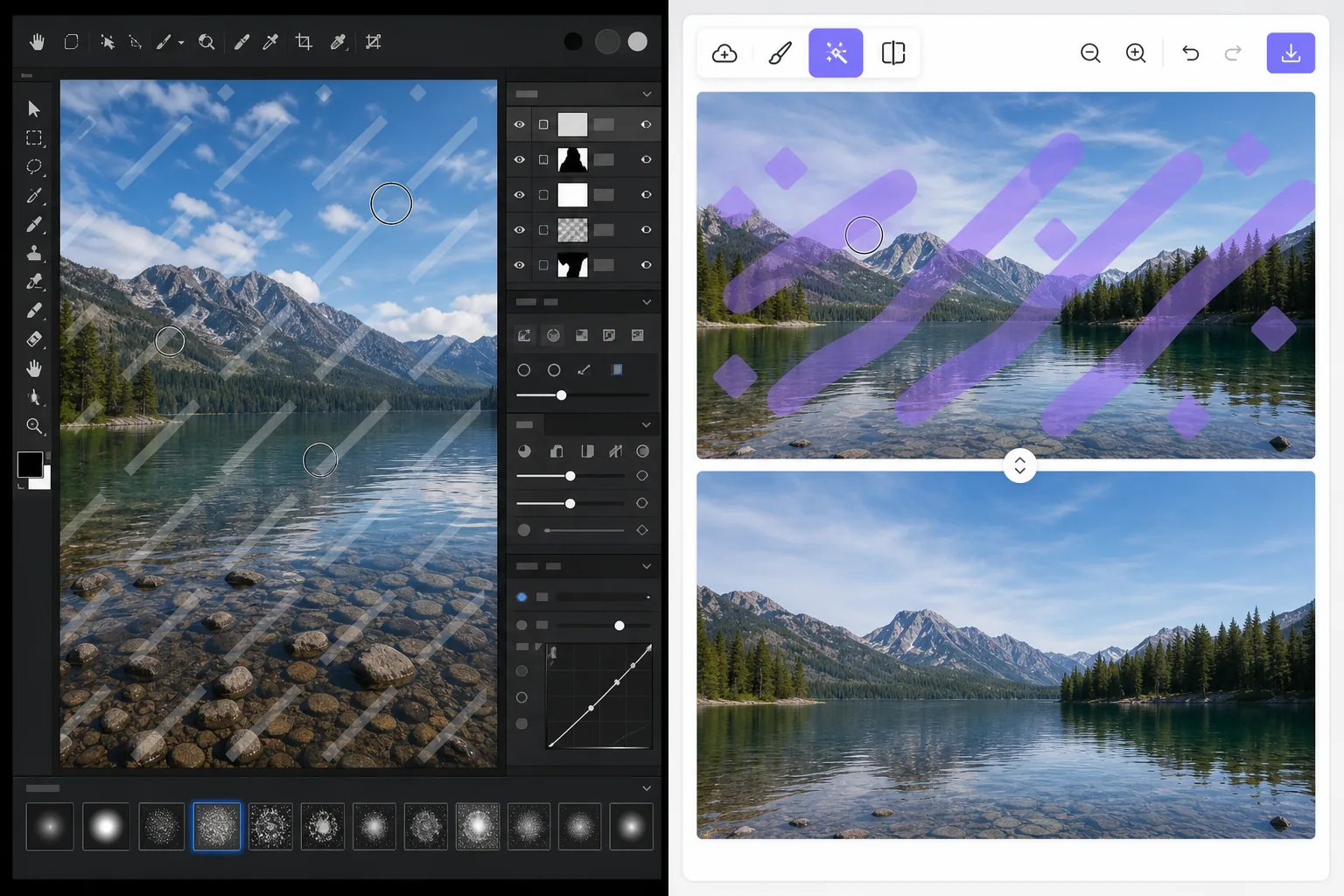
Two ways to remove a watermark — Magic Eraser
Searching for how to remove a watermark in Adobe Photoshop usually lands you on a clone-and-heal tutorial. That method is real and it works: Photoshop is a professional-grade editor with precise Clone Stamp, Healing Brush, and Content-Aware Fill tools that give you pixel-level control. The catch is time and skill. You select the watermark, sample clean pixels, brush carefully, and often repeat across complex backgrounds. For a single quick fix that is a lot of steps. Magic Eraser takes the same goal and compresses it to one click. You brush over the watermark and AI inpainting reconstructs a plausible fill for the area. Honest caveat: it does not recover the literal pixels hidden underneath — no tool can — it generates a believable replacement. For most photos that result is clean enough to use immediately, with no install, no subscription, and no learning curve.
Before you start
ステップバイステップ手順
Start with 写真をアップロード. The result preview above and tips below use this guide's existing content; no separate before-and-after proof is assumed.
- 1
写真をアップロード
Web、iOS、またはAndroidでMagic Eraserを開きます。JPEG、PNG、HEIC、WebP形式の写真をドラッグ&ドロップ。アカウント不要で始められます。
- 2
ツールと範囲を選択
適切なツールを選択し、処理する範囲を指定します。AIが自動的に分析し、数秒で変更を適用します。
- 3
結果をダウンロード
結果をプレビューして、編集済みの写真をダウンロード。高品質のPNGまたはJPEGでエクスポートできます。
こんな方におすすめ
- Quick one-off fixes where firing up Adobe Photoshop is overkill
- People without a Photoshop subscription or editing experience
- Removing watermarks on your own photos from a phone (iOS/Android) or browser
- Batch-style cleanups where speed matters more than pixel-perfect retouching
- Anyone who finds clone/heal tutorials too fiddly or time-consuming
ベストな結果を得るコツ
Only remove watermarks from images you own or are licensed to edit. Watermarks often mark copyrighted or paid-license work, and stripping them from images you do not have rights to can violate copyright and terms of use. When in doubt, license the image or get permission first. For best results on busy backgrounds, brush a little wider than the watermark so the AI has clean surrounding context to reconstruct from.
よくある質問
- Remove a Watermark in Adobe Photoshop — or Skip Straight to 1-Click機能は無料ですか?
- はい、Magic Eraserでは毎日の無料枠内でRemove a Watermark in Adobe Photoshop — or Skip Straight to 1-Clickが可能です。Pro にアップグレードすると無制限に処理でき、高解像度でエクスポートできます。
- Remove a Watermark in Adobe Photoshop — or Skip Straight to 1-Clickにはどのくらい時間がかかりますか?
- ほんの数秒です。Magic EraserのAIは写真を高速処理し、ほとんどの場合アップロード直後に結果が得られます。
- スマートフォンでも使えますか?
- はい、Magic EraserはiOS、Android、およびすべてのWebブラウザで利用できます。デバイス間で自由に切り替え可能です。
- 画質は低下しますか?
- いいえ、Magic Eraserは元の写真の品質を維持します。AIがスマートに処理し、ディテールとシャープネスを保ちます。