
Remove Screen Glare From Photos
Magic EraserでRemove Screen Glare From Photosする方法を学びましょう。無料のAIツールを使ったシンプルなステップバイステップガイド。Web、iOS、Androidで利用可能。
Last updated
今すぐ試す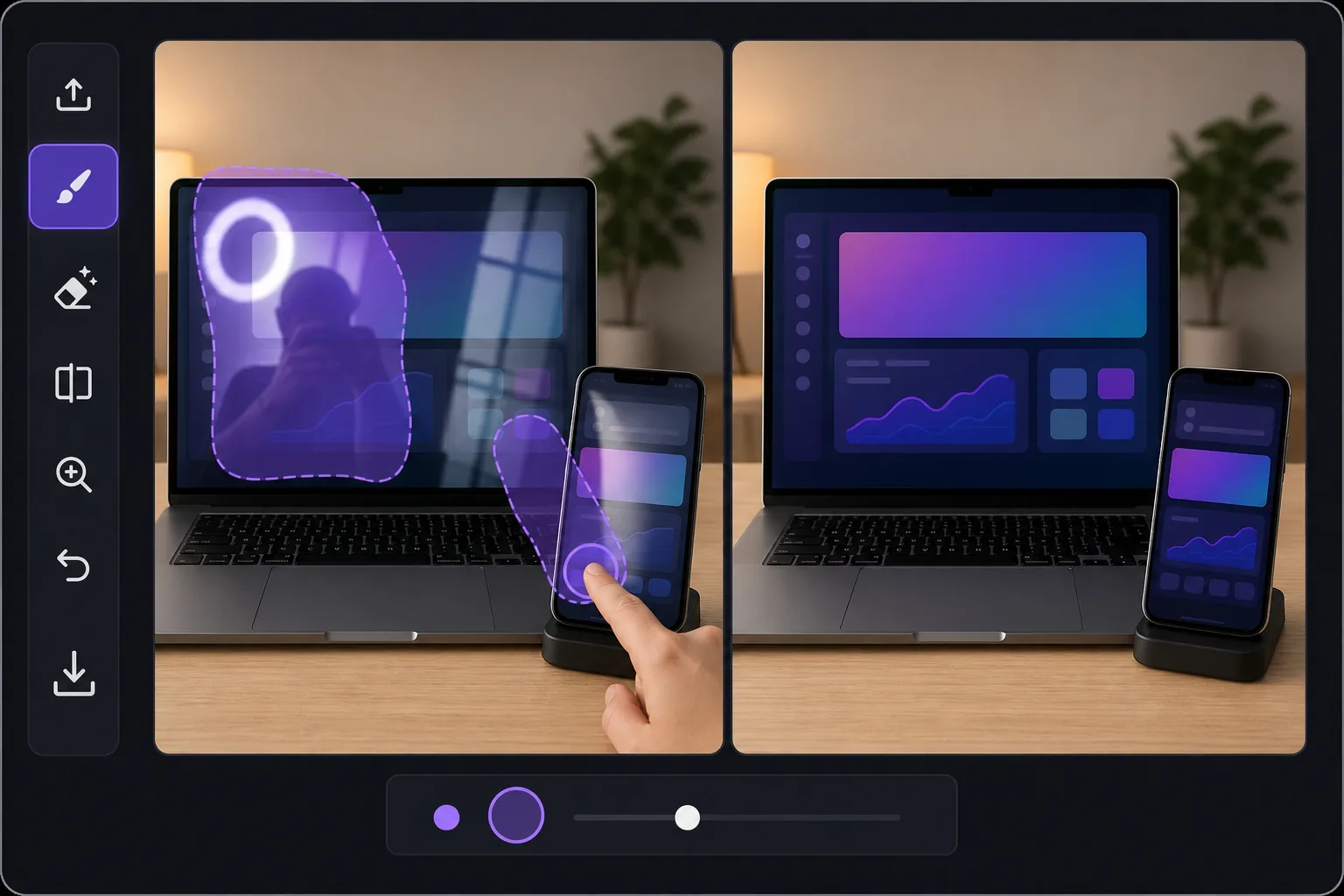
Why screen glare is harder than ordinary glare — Magic Eraser
Glare on a glossy display is a special problem. Phones, laptops, tablets, monitors and TVs are mirrors when they are dark, and they blow out to pure white when light hits them at the wrong angle. In product shots and how-to tutorials, that hotspot or reflection sits directly over the UI, the app screen, or the thing you are trying to show — so a viewer can't read the interface or see the demo. Reshooting means re-staging the device, dimming lights, and chasing the reflection around the room. Magic Eraser skips all of that. Brush over the bright streak, the reflected window, or even your own silhouette caught in the screen, and the AI removes it. Because this is inpainting, it does not recover the literal pixels that were hidden under the glare — it synthesizes a plausible, glare-free continuation of the surrounding screen, bezel and on-screen content. For a uniform wallpaper, a solid app background, or a simple gradient that looks seamless. For dense, specific UI text buried under a full white-out, treat it as a believable clean-up rather than a perfect copy of what was there.
Before you start
ステップバイステップ手順
Start with 写真をアップロード. The result preview above and tips below use this guide's existing content; no separate before-and-after proof is assumed.
- 1
写真をアップロード
Web、iOS、またはAndroidでMagic Eraserを開きます。JPEG、PNG、HEIC、WebP形式の写真をドラッグ&ドロップ。アカウント不要で始められます。
- 2
ツールと範囲を選択
適切なツールを選択し、処理する範囲を指定します。AIが自動的に分析し、数秒で変更を適用します。
- 3
結果をダウンロード
結果をプレビューして、編集済みの写真をダウンロード。高品質のPNGまたはJPEGでエクスポートできます。
こんな方におすすめ
- Product photos of phones and tablets where a window or ring light hotspot covers the app on screen
- Laptop and monitor shots for how-to tutorials, with overhead-light glare washing out the interface
- TV and smart-display listings where reflections of the room hide what's playing
- Removing your own silhouette or camera caught reflected in a dark, glossy screen
- E-commerce and marketplace device listings that need a clean, glare-free display to look trustworthy
ベストな結果を得るコツ
Work in zoomed-in passes rather than one big stroke — small, accurate brushing over the glare protects the surrounding UI and bezel. If a reflection has soft edges, include the faint halo around the hotspot so no gray smear is left behind. For partially blown-out screens, erase the glare first, then judge what's left: if real content survives at the edges, the AI blends it convincingly; if the whole screen is white, expect a believable synthesized fill, not the exact original interface. When the screen shows simple, repeating content (a solid color, wallpaper or plain background), results look near-flawless. For critical UI text or a chart you must show accurately, the cleanest route is to erase glare on a re-shot, dimmer image — and let Magic Eraser handle the residual shine.
よくある質問
- Remove Screen Glare From Photos機能は無料ですか?
- はい、Magic Eraserでは毎日の無料枠内でRemove Screen Glare From Photosが可能です。Pro にアップグレードすると無制限に処理でき、高解像度でエクスポートできます。
- Remove Screen Glare From Photosにはどのくらい時間がかかりますか?
- ほんの数秒です。Magic EraserのAIは写真を高速処理し、ほとんどの場合アップロード直後に結果が得られます。
- スマートフォンでも使えますか?
- はい、Magic EraserはiOS、Android、およびすべてのWebブラウザで利用できます。デバイス間で自由に切り替え可能です。
- 画質は低下しますか?
- いいえ、Magic Eraserは元の写真の品質を維持します。AIがスマートに処理し、ディテールとシャープネスを保ちます。