
より幅広いAI編集ツールキットを備えたPhotoRoomの代替ツール
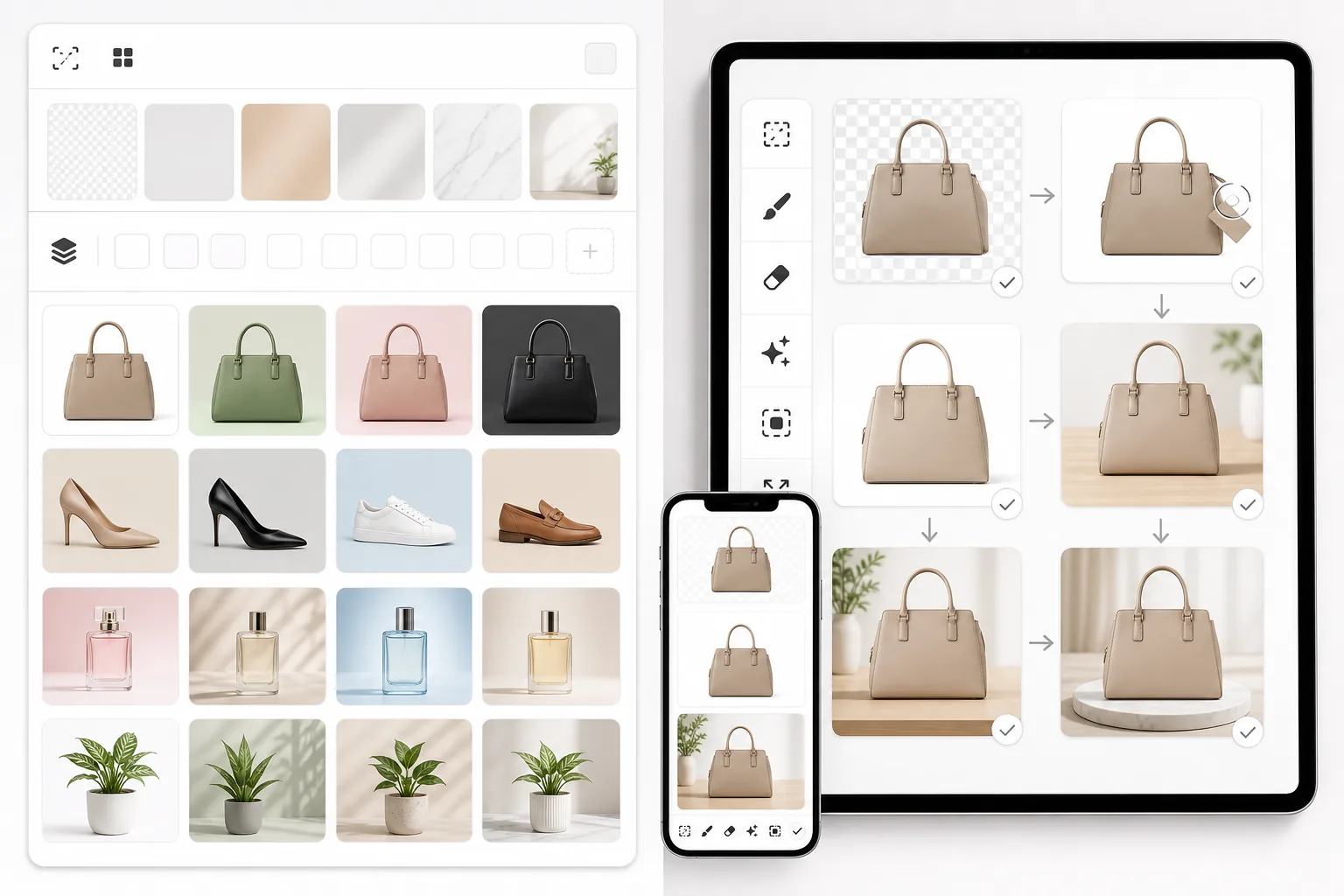
PhotoRoomは背景除去と商品写真テンプレートに特化しています。Magic Eraserはそれらの機能を網羅しつつ、オブジェクト除去、画像補正、生成塗りつぶし、クリエイティブデザインのための強力なAIツールを追加し、Webとモバイルでより多くの編集能力を提供します。
Last updated
Magic Eraserを無料で試すComparison rows are editorial summaries from the latest page review, not a guarantee of current pricing, limits, watermark policy, batch support, speed, or platform availability.
概要
Magic Eraserは、オブジェクト除去、背景除去、画像補正、生成塗りつぶし、AI画像生成、写真修復、画像拡張、デザインツールという8つの専門ツールを備えたAI写真編集ツールです。Web、iOS、Androidで動作します。
PhotoRoomは、背景除去、商品写真、テンプレートベースのデザインに特化したモバイルファーストの写真編集ツールです。洗練された商品画像の作成に役立つため、ECセラーやSNSクリエイターに人気があります。
機能比較
Magic Eraserは、オブジェクト除去、背景除去、画像補正、生成塗りつぶし、AI画像生成、写真修復、画像拡張、デザインツールという8つの専門ツールを備えたAI写真編集ツールです。Web、iOS、Androidで動作します。
PhotoRoomは、背景除去、商品写真、テンプレートベースのデザインに特化したモバイルファーストの写真編集ツールです。洗練された商品画像の作成に役立つため、ECセラーやSNSクリエイターに人気があります。
| Feature | Magic Eraser | PhotoRoom |
|---|---|---|
| 背景除去 | 対応 — 即時AI | 対応 — 中核機能 |
| オブジェクト除去 | 対応 — AIブラシ消しゴム | 限定的 — 基本的なレタッチ |
| AI画像補正 | 対応 — 高解像度化、シャープ化、修復 | 限定的 |
| 生成塗りつぶし | 対応 — プロンプトベースのAI塗りつぶし | 非対応 |
| AIツールの数 | 8つの専門ツール | 背景とテンプレートに特化 |
| Web編集ツール | 対応 — フル機能 | 対応 — モバイルより限定的 |
| テンプレートライブラリ | 対応 — デザインツール付き | 対応 — 充実 |
| 最適な用途 | 総合的なAI写真編集 | 商品写真 + SNS |
Feature rows summarize visible product positioning and should be rechecked against official product pages before purchase, migration, or compliance decisions.
- Last content review May 8, 2026
- PhotoRoom source: official product site (https://www.photoroom.com/)
- Magic Eraser source: https://magiceraser.live/ja/product/magic-eraser
- Pricing, feature availability, platform support, and limits can change; recheck official sources before relying on a buying decision.
PhotoRoomよりもMagic Eraserを選ぶ理由
あらゆる編集作業に対応する豊富なAIツール
PhotoRoomは背景とテンプレートに優れていますが、Magic Eraserは目的に特化した8つのAIツールを提供します。オブジェクトの除去、ぼやけた画像の補正、欠けた部分の生成、古い写真の修復、画像の拡張など、PhotoRoomが提供する範囲を超えた作業がすべて可能です。
より強力なオブジェクト除去機能
写真から人物、看板、電線、その他不要な要素を除去したいですか?Magic EraserのAIオブジェクト除去は中核的な強みであるのに対し、PhotoRoomのレタッチツールはより基本的で範囲が限られています。
フル機能のWeb・モバイル体験
どちらのツールもモバイルで動作しますが、Magic Eraserはブラウザでも同等に強力な体験を提供します。スマートフォンでもデスクでも、同じフルセットのAIツールを利用できます。
より多くの機能を含む競争力のある価格設定
Magic Eraserは競争力のある価格でより多くの編集ツールを提供します。PhotoRoomの料金を支払ったうえでオブジェクト除去や画像補正用の別ツールが必要になるのではなく、すべてが1つのサブスクリプションに含まれています。
よくある質問
背景除去においてMagic EraserはPhotoRoomと比べてどうですか?
+
どちらのツールもAIを使って高品質な背景除去を行います。主な違いは、Magic Eraserが背景除去を8つのAIツールの1つとして含んでいるのに対し、PhotoRoomは背景除去と商品テンプレートを中心に体験を構築している点です。
商品写真撮影においてMagic EraserはPhotoRoomより優れていますか?
+
純粋な商品写真テンプレートと一括背景除去については、PhotoRoomが強力なワークフローを備えています。Magic Eraserは、商品写真のワークフローの一環としてオブジェクト除去、画像補正、生成塗りつぶしも必要な場合に、より適した選択肢です。
Magic EraserはPhotoRoomのようにモバイルで動作しますか?
+
はい。Magic EraserはPhotoRoomと同様に、iOSとAndroidの両方にネイティブアプリがあります。さらにフル機能のWeb編集ツールも利用できるため、機能を損なうことなくデバイス間で切り替えられます。
Magic Eraserでデザインを作成できますか?
+
はい。Magic EraserにはデザインツールとAI画像生成機能が含まれており、写真編集作業と並行してSNSグラフィック、マーケティング素材、商品ビジュアルを作成できます。
どちらのツールがより費用対効果に優れていますか?
+
Magic Eraserは一般的により高い価値を提供します。背景除去やデザイン機能に加えて、オブジェクト除去、補正、生成塗りつぶし、修復、拡張といった幅広いAI編集ツールを、すべて1つのプランで利用できるためです。
PhotoRoomのMagic Eraser機能は、Magic Eraserアプリと比べてどうですか?
+
PhotoRoomは、デザイン&カタログ作成スイートの中にMagic Eraser風のオブジェクト除去機能を備えていて、商品画像を作りながらサッと不要物を消すには十分に使えます。一方、独立アプリのMagic Eraserは除去に特化して作られているので、影のあるオブジェクト、ごちゃごちゃした背景、人物全体といった複雑なシーンでも、消した部分をよりきれいに描き直してくれる傾向があります。しかも無料プランでもフル解像度で書き出せます。テンプレートやカタログツールと一緒に除去機能を使いたいならPhotoRoom、きれいに消すことがメインの目的ならMagic Eraserがおすすめです。
商品写真を一括で処理するのに最適なPhotoRoomの代替アプリは?
+
PhotoRoom自体、テンプレートやバッチ背景処理が充実していてeコマースのカタログ作成には心強い存在です。それでも代替を探すなら、Magic Eraserは無料プランでもフル解像度のままバッチでの背景除去やオブジェクト除去に対応します。一方、Remove.bg(API経由)は大量のシンプルな背景差し替えを最速でこなせます。テンプレート主導のカタログ運用にこだわるならPhotoRoomはやはり手強い存在ですが、バッチ全体で柔軟に除去・編集したいなら、Magic Eraserが最も近い乗り換え先になります。
PhotoRoom以上のものをお探しですか?
Magic Eraserを無料で試して、背景除去、オブジェクト除去、補正、生成塗りつぶしなど、8つのAI搭載写真編集ツールをWebとモバイルで利用しましょう。
Magic Eraserを無料で試す関連するユースケース
プロフェッショナルが実際のワークフローでこれらのツールをどのように活用しているかをご覧ください。
生活感あふれる私物や路上駐車、工事機材が写り込んだ物件写真は、内見意欲を下げてしまいます。Magic Eraserを使えば、Photoshopのスキルがなくても瞬時にきれいな物件写真に仕上がります。
背景がごちゃごちゃした商品写真では、お客様はすぐにスクロールして通り過ぎてしまいます。Magic Eraserなら、プロ品質の商品画像を数秒で作成できます。Photoshopのスキルは不要。アップロードして、不要な部分を消して、すぐに出品しましょう。
旅行写真に知らない人が写り込んでいませんか?自撮りの背景がごちゃごちゃしていませんか?Photoshopで何時間もかける必要はもうありません。Magic Eraserなら不要なオブジェクトの除去、背景のクリーンアップ、各プラットフォーム向けのリサイズがワンタップで完了します。
関連ガイド
このワークフローに関連するガイドや編集コンテンツをさらに確認できます。
他の比較
Magic Eraserが他の写真編集ツールとどう比較されるかをご覧ください。
Canvaは多用途なデザインプラットフォームですが、写真編集ツールはデザイン重視という性質上、二次的なものです。Magic EraserはAIによる写真編集のために専用設計されており、専門的な写真クリーンアップツールを必要とするユーザーに、より優れたオブジェクト除去、背景除去、画質向上、生成塗りつぶしを提供します。
異なる強みを持つ2つの強力なAI写真エディター。Magic Eraserはより幅広いジェネレーティブAIツールを提供し、Photoroomはeコマース商品撮影とバッチ処理に優れています。あなたのワークフローに合うのはどちらか確認しましょう。
主要なAI写真編集ツールをテスト・比較しました。オブジェクト除去から背景置換まで、あなたのワークフローに最適なエディターを見つけましょう。
Canva はレイアウトやソーシャルグラフィックに優れていますが、多くのユーザーはより高速なオブジェクト除去、よりきれいな背景編集、より強力な AI 写真ツールを必要としています。この比較では、画像優先のワークフローにおいて Magic Eraser がどこでより適しているかを示します。
私たちは主要なAI背景ジェネレーターを、除去の品質、置き換えオプション、クリエイティブな柔軟性、使いやすさの観点でテストしました。写真の背景を最も簡単に除去、置き換え、新規生成できるツールをご覧ください。
私たちはトップのAIヘッドショット生成ツールを品質、リアルさ、カスタマイズ性、コストパフォーマンスの観点でテストしました。LinkedIn用のヘッドショット、チーム写真、プロフェッショナルなポートレートのいずれが必要でも、どのツールが最高の結果をもたらすかをご覧ください。