
AI写真編集のために作られたCanva代替ツール
Canvaは多用途なデザインプラットフォームですが、写真編集ツールはデザイン重視という性質上、二次的なものです。Magic EraserはAIによる写真編集のために専用設計されており、専門的な写真クリーンアップツールを必要とするユーザーに、より優れたオブジェクト除去、背景除去、画質向上、生成塗りつぶしを提供します。
Last updated
Magic Eraserを無料で試すComparison rows are editorial summaries from the latest page review, not a guarantee of current pricing, limits, watermark policy, batch support, speed, or platform availability.
概要
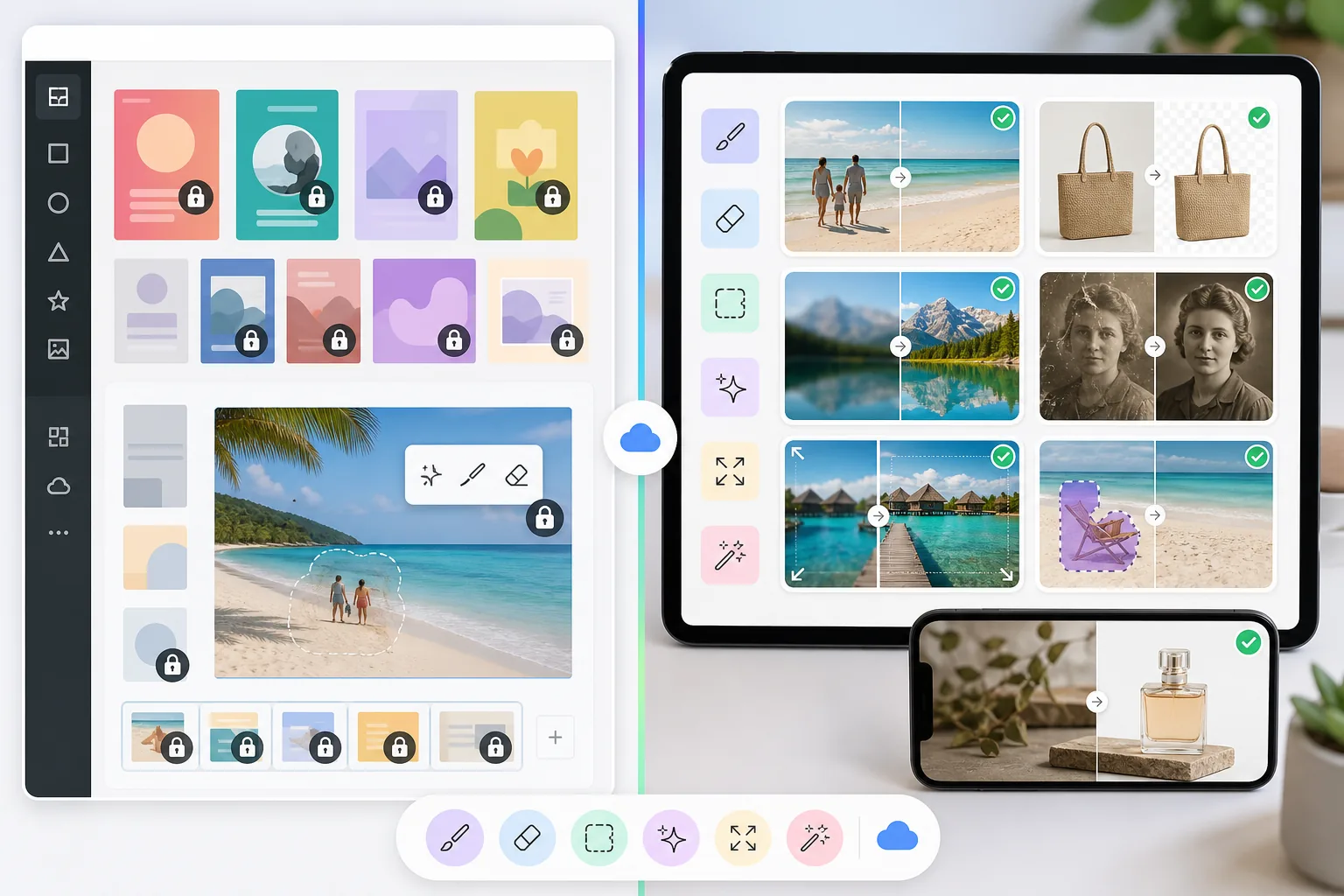
Magic Eraserは、オブジェクト除去、背景除去、画質向上、生成塗りつぶし、画像拡張、写真復元に特化した専用のAI写真エディターです。すべてのツールが、クリーンでプロフェッショナルな写真編集を素早く生み出すために最適化されています。
Canvaは、プレゼンテーション、ソーシャルメディア用グラフィック、動画、ドキュメント、マーケティング素材を作成するための幅広いオンラインデザインプラットフォームです。背景除去などの基本的な写真編集機能を備えていますが、これらはデザイン重視の大きな製品の一部です。
機能比較
Magic Eraserは、オブジェクト除去、背景除去、画質向上、生成塗りつぶし、画像拡張、写真復元に特化した専用のAI写真エディターです。すべてのツールが、クリーンでプロフェッショナルな写真編集を素早く生み出すために最適化されています。
Canvaは、プレゼンテーション、ソーシャルメディア用グラフィック、動画、ドキュメント、マーケティング素材を作成するための幅広いオンラインデザインプラットフォームです。背景除去などの基本的な写真編集機能を備えていますが、これらはデザイン重視の大きな製品の一部です。
| Feature | Magic Eraser | Canva |
|---|---|---|
| オブジェクト除去 | あり — 専用のAIブラシツール | あり — Magic Eraser tool (Pro) |
| 背景除去 | あり — 即時、高精度 | あり — BG Remover (Pro) |
| AI画質向上 | あり — アップスケール、シャープ化、ノイズ除去 | 限定的 — 基本的な調整 |
| 生成塗りつぶし | あり — AIによるインペインティング | あり — Magic Edit(基本) |
| 写真復元 | あり — 古い写真や損傷した写真を修復 | なし |
| 画像拡張 | あり — AIがキャンバスを自然に拡張 | なし |
| デザインテンプレート | あり — 厳選されたテンプレート | あり — 豊富なライブラリ |
| 最適な用途 | AI写真編集とクリーンアップ | グラフィックデザインとプレゼンテーション |
Feature rows summarize visible product positioning and should be rechecked against official product pages before purchase, migration, or compliance decisions.
- Last content review May 8, 2026
- Canva source: official product site (https://www.canva.com/)
- Magic Eraser source: https://magiceraser.live/ja/product/magic-eraser
- Pricing, feature availability, platform support, and limits can change; recheck official sources before relying on a buying decision.
写真編集にCanvaではなくMagic Eraserを選ぶ理由
写真編集のために専用設計されたAI
Magic Eraserのすべてのツールは、写真編集タスクのために設計・学習されています。Canvaがデザインプラットフォーム内の追加機能として写真機能を加えているのに対し、Magic EraserのAIモデルはオブジェクト除去、背景の精度、画質向上に特化しています。
オブジェクト除去とクリーンアップでより優れた結果
Magic Eraserのオブジェクト除去ツールは、このタスクのために特別に学習されたAIを備えた、製品の中核的な強みです。CanvaのMagic Eraser機能は二次的なツールであり、単純なケースでは機能しますが、複雑な除去、反射、細部の再構築には苦戦します。
Canvaにはない高度な機能
Magic Eraserは、損傷した画像のための写真復元、キャンバスを自然に拡張するAIによる画像拡張、プロ仕様のアップスケールを提供します — これらはCanvaがProプランでさえ含んでいない機能です。
あなたのCanvaワークフローを補完
Magic EraserとCanvaは相性が良いです。Magic Eraserで写真をクリーンアップし、向上させ、仕上げてから、洗練された画像をCanvaに取り込んでデザインプロジェクトに使用します。両方のツールの長所を活かせます。
よくある質問
Magic EraserはCanvaの代わりになりますか?
+
厳密にはそうではありません — それぞれ主な目的が異なります。Canvaはグラフィックデザイン、プレゼンテーション、マーケティング素材に優れています。Magic EraserはAI写真編集とクリーンアップに優れています。多くのユーザーは両方のツールを併用することで最良の結果を得ています。
Canvaにオブジェクト除去機能はありますか?
+
はい、Canva Proには基本的なオブジェクト除去のためのMagic Eraser toolが含まれています。ただし、専用ツールほど高性能ではありません。Magic Eraserは複雑な除去でよりクリーンな結果を生み出し、反射や影をより適切に処理し、編集プロセスをより細かく制御できます。
なぜすべてにCanvaを使わないのですか?
+
Canvaは汎用的なデザインツールです。高品質な写真編集が必要な場合 — 複雑なオブジェクトの除去、画像解像度の向上、古い写真の復元、AIによる画像の拡張 — Magic Eraserのような専用ツールが大幅に優れた結果をもたらします。
Magic EraserをCanvaと一緒に使えますか?
+
はい。人気のワークフローは、まずMagic Eraserで写真を編集・クリーンアップし、次に洗練された画像をCanvaに取り込んでデザインレイアウトを作成し、テキスト、ブランディング、その他のデザイン要素を追加することです。
写真編集にはどちらのツールがより手頃ですか?
+
写真編集に限って言えば、すべての機能が写真編集に集中しているため、Magic Eraserの方が優れた価値を提供します。Canva Proはより高価で、写真編集を、写真のクリーンアップと向上が主な目的であれば必要ないかもしれないデザイン機能とまとめて提供しています。
Canvaが提供するものより優れた写真編集が必要ですか?
AIによるオブジェクト除去、背景除去、画質向上、生成塗りつぶしのためにMagic Eraserを無料でお試しください。Canvaと併用するか、単独でプロフェッショナルな写真結果を得られます。
Magic Eraserを無料で試す関連するユースケース
プロフェッショナルが実際のワークフローでこれらのツールをどのように活用しているかをご覧ください。
生活感あふれる私物や路上駐車、工事機材が写り込んだ物件写真は、内見意欲を下げてしまいます。Magic Eraserを使えば、Photoshopのスキルがなくても瞬時にきれいな物件写真に仕上がります。
背景がごちゃごちゃした商品写真では、お客様はすぐにスクロールして通り過ぎてしまいます。Magic Eraserなら、プロ品質の商品画像を数秒で作成できます。Photoshopのスキルは不要。アップロードして、不要な部分を消して、すぐに出品しましょう。
旅行写真に知らない人が写り込んでいませんか?自撮りの背景がごちゃごちゃしていませんか?Photoshopで何時間もかける必要はもうありません。Magic Eraserなら不要なオブジェクトの除去、背景のクリーンアップ、各プラットフォーム向けのリサイズがワンタップで完了します。
関連ガイド
このワークフローに関連するガイドや編集コンテンツをさらに確認できます。
他の比較
Magic Eraserが他の写真編集ツールとどう比較されるかをご覧ください。
PhotoRoomは背景除去と商品写真テンプレートに特化しています。Magic Eraserはそれらの機能を網羅しつつ、オブジェクト除去、画像補正、生成塗りつぶし、クリエイティブデザインのための強力なAIツールを追加し、Webとモバイルでより多くの編集能力を提供します。
異なる強みを持つ2つの強力なAI写真エディター。Magic Eraserはより幅広いジェネレーティブAIツールを提供し、Photoroomはeコマース商品撮影とバッチ処理に優れています。あなたのワークフローに合うのはどちらか確認しましょう。
主要なAI写真編集ツールをテスト・比較しました。オブジェクト除去から背景置換まで、あなたのワークフローに最適なエディターを見つけましょう。
Canva はレイアウトやソーシャルグラフィックに優れていますが、多くのユーザーはより高速なオブジェクト除去、よりきれいな背景編集、より強力な AI 写真ツールを必要としています。この比較では、画像優先のワークフローにおいて Magic Eraser がどこでより適しているかを示します。
私たちは主要なAI背景ジェネレーターを、除去の品質、置き換えオプション、クリエイティブな柔軟性、使いやすさの観点でテストしました。写真の背景を最も簡単に除去、置き換え、新規生成できるツールをご覧ください。
私たちはトップのAIヘッドショット生成ツールを品質、リアルさ、カスタマイズ性、コストパフォーマンスの観点でテストしました。LinkedIn用のヘッドショット、チーム写真、プロフェッショナルなポートレートのいずれが必要でも、どのツールが最高の結果をもたらすかをご覧ください。