
Magic Eraser vs Luminar Neo: quale editor IA si adatta meglio al lavoro quotidiano?
Luminar Neo è potente per i fotografi desktop che vogliono un miglioramento approfondito e controlli creativi. Magic Eraser è costruito per una pulizia più rapida, flussi di lavoro più leggeri e un editing flessibile su web e mobile.
Last updated
Prova Magic Eraser gratisComparison rows are editorial summaries from the latest page review, not a guarantee of current pricing, limits, watermark policy, batch support, speed, or platform availability.
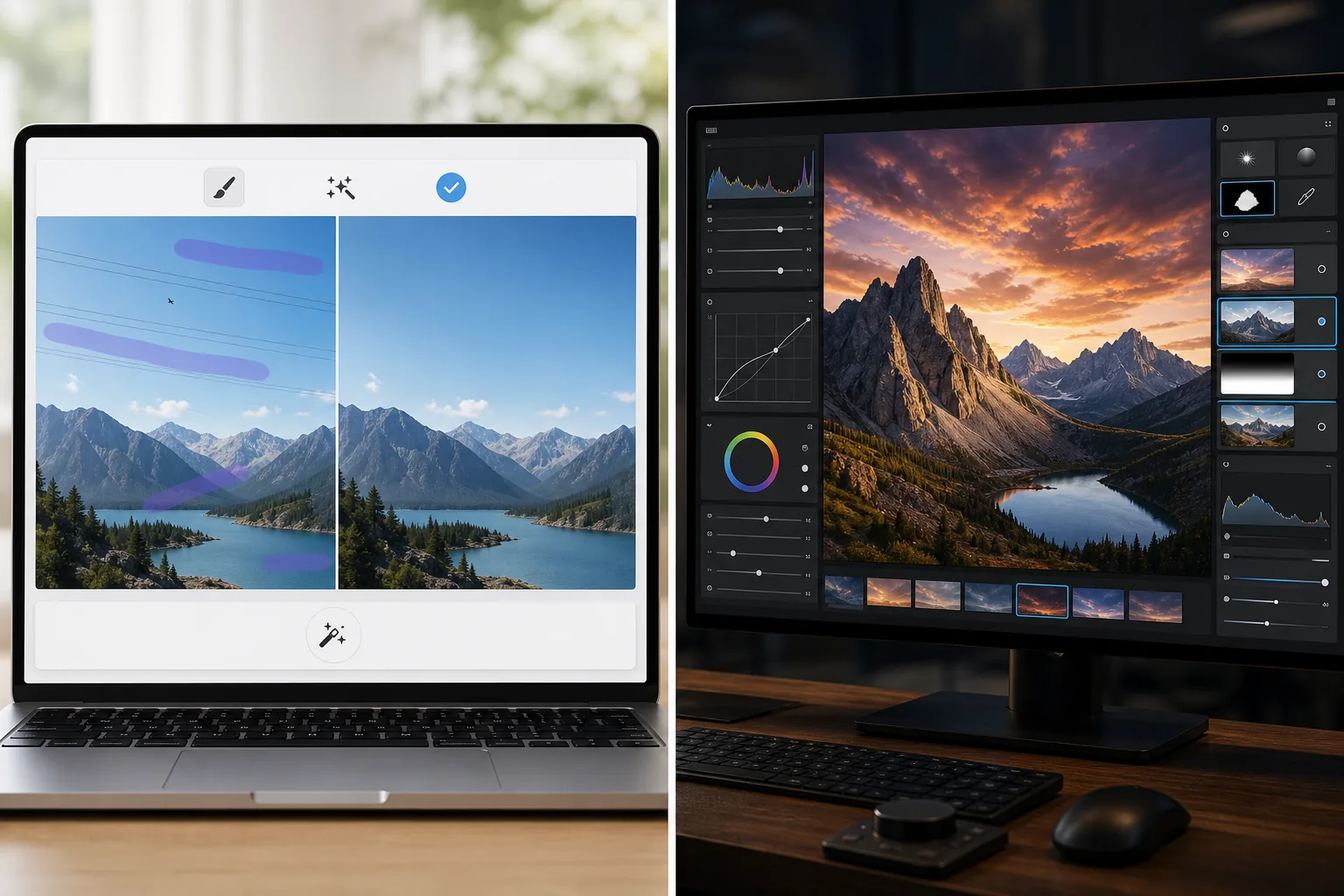
Panoramica
Magic Eraser si concentra su compiti IA pratici: rimuovere distrazioni, cancellare sfondi, migliorare foto e creare rapidamente visual curati da qualsiasi dispositivo.
Luminar Neo è un editor di foto con IA orientato al desktop con miglioramento avanzato, ri-illuminazione, sostituzione del cielo, mascheratura e controlli creativi rivolti ai fotografi.
Confronto delle funzioni
Magic Eraser si concentra su compiti IA pratici: rimuovere distrazioni, cancellare sfondi, migliorare foto e creare rapidamente visual curati da qualsiasi dispositivo.
Luminar Neo è un editor di foto con IA orientato al desktop con miglioramento avanzato, ri-illuminazione, sostituzione del cielo, mascheratura e controlli creativi rivolti ai fotografi.
| Feature | Magic Eraser | Luminar Neo |
|---|---|---|
| Rimozione di oggetti con IA | Sì | Sì |
| Rimozione dello sfondo | Sì | Limitata |
| Ri-illuminazione creativa | No | Sì |
| Miglioramento con IA | Sì | Sì — avanzato |
| Editing web | Sì | No |
| Accesso mobile | Sì | Limitato |
| Ideale per | Modifiche pratiche rapide | Flussi di lavoro desktop dei fotografi |
| Complessità di configurazione | Bassa | Da media ad alta |
Feature rows summarize visible product positioning and should be rechecked against official product pages before purchase, migration, or compliance decisions.
- Last content review June 21, 2026
- Luminar Neo source: official product site (https://skylum.com/luminar)
- Magic Eraser source: https://magiceraser.live/it/product/magic-eraser
- Pricing, feature availability, platform support, and limits can change; recheck official sources before relying on a buying decision.
Confronto dei prezzi
| Plan | Magic Eraser | Luminar Neo |
|---|---|---|
| Livello gratuito | Gratis — modifiche limitate | Prova di 7 giorni |
| Mensile | 9,99 $/mese | 14,95 $/mese |
| Annuale | 4,99 $/mese (fatturato annualmente) | 9,95 $/mese (fatturato annualmente) |
Prezzi a maggio 2026. Verifica ogni fornitore per le tariffe attuali.
Pricing rows are snapshots from review time. Free tiers, subscriptions, trials, export limits, and regional availability can change without notice.
- Last content review June 21, 2026
- Luminar Neo source: official product site (https://skylum.com/luminar)
- Magic Eraser source: https://magiceraser.live/it/product/magic-eraser
- Pricing, feature availability, platform support, and limits can change; recheck official sources before relying on a buying decision.
Perché scegliere Magic Eraser
Più veloce per team non fotografi
I team di marketing, venditori e creatori spesso si preoccupano più della velocità e della coerenza che dei controlli desktop di livello pro. Magic Eraser è ottimizzato per questa realtà.
Flusso di lavoro browser più solido
Luminar Neo è centrato sull'uso desktop. Magic Eraser mantiene l'editing accessibile dal browser e dai dispositivi mobili senza richiedere una configurazione di workstation.
Migliore per lavori orientati alla pulizia
Quando la tua esigenza principale è rimuovere il disordine, pulire i prodotti, correggere foto di annunci o cancellare testo e persone, Magic Eraser ci arriva più velocemente.
Facile da adottare in un team
Magic Eraser offre ai team un flusso di lavoro standard più semplice per lavori ricorrenti di pulizia delle immagini senza una formazione approfondita in un'interfaccia orientata ai fotografi.
Strumenti
Domande frequenti
Luminar Neo è più potente di Magic Eraser?
+
Per la fotografia desktop avanzata e il controllo creativo, sì. Per una pulizia IA rapida e un editing multi-dispositivo più facile, Magic Eraser è spesso la scelta migliore.
Magic Eraser può migliorare le foto come Luminar Neo?
+
Sì. Magic Eraser include strumenti di miglioramento con IA per accentuare i dettagli e migliorare la qualità dell'immagine, anche se Luminar Neo offre un kit di miglioramento professionale più ampio.
Quale strumento è migliore per i team e-commerce?
+
Magic Eraser è spesso migliore per i team e-commerce e marketing perché è più veloce per la pulizia ripetibile, l'editing dello sfondo e la preparazione di immagini pronte per la presentazione.
Luminar Neo funziona nel browser?
+
No. Luminar Neo è principalmente orientato al desktop. Magic Eraser è basato sul browser e disponibile anche su mobile.
Quale editor è più facile per i principianti?
+
Magic Eraser è più facile per i principianti perché è costruito attorno a compiti di editing IA chiari anziché a un flusso di lavoro fotografico più complesso.
Vuoi l'editing IA senza la complessità del desktop?
Prova Magic Eraser gratis e ottieni foto più pulite, correzioni dello sfondo più rapide e visual più nitidi da qualsiasi dispositivo.
Prova Magic Eraser gratisCasi d'uso correlati
Scopri come i professionisti utilizzano questi strumenti nei flussi di lavoro reali.
Le foto degli annunci piene di oggetti personali, auto parcheggiate o materiali di cantiere allontanano gli acquirenti. Magic Eraser usa l'IA per ripulire le foto dei tuoi immobili all'istante — senza bisogno di Photoshop.
Sfondi disordinati e foto prodotto trascurate ti costano vendite ogni giorno. Magic Eraser ti aiuta a creare immagini prodotto professionali in pochi secondi — senza competenze di Photoshop. Carica, cancella le distrazioni e pubblica con sicurezza.
Sconosciuti che rovinano le tue foto di viaggio? Sfondi disordinati che uccidono i tuoi selfie? Basta sprecare ore su Photoshop. Magic Eraser rimuove le distrazioni, pulisce le immagini e adatta le foto a qualsiasi formato — tutto con un tocco.
Guide correlate
Esplora altre guide e contenuti editoriali relativi a questo flusso di lavoro.
Scopri come usare Magic Eraser per rimuovere oggetti, persone, testo e distrazioni dalle foto con risultati AI più puliti.
Scopri come rimuovere persone dalle foto con l'IA in pochi secondi. Guida per foto di viaggio, immobiliari e prodotti.
Guida passo passo per rimuovere filigrane dalle tue foto con l'IA. Quando è appropriato, tecniche e consigli.
Altri confronti
Scopri come Magic Eraser si confronta con altri strumenti di editing fotografico.
Fotor offre un ampio editor fotografico online con modelli e strumenti di bellezza. Magic Eraser si concentra sulla pulizia AI pratica, sulla rimozione dello sfondo, sul miglioramento e sull'editing generativo per flussi di lavoro quotidiani più veloci.
RetouchMe utilizza ritoccatori umani per le modifiche di ritratti e corpo, con risultati consegnati in pochi minuti. Magic Eraser usa l'AI per risultati istantanei nella rimozione di oggetti, nella modifica dello sfondo, nel miglioramento e negli strumenti generativi, offrendoti maggiore controllo e tempi piu rapidi.
AirBrush è un editor per selfie e beauty incentrato sul ritocco dei ritratti e sui filtri. Magic Eraser è un versatile editor fotografico AI creato per la rimozione di oggetti, la rimozione dello sfondo, il miglioramento e l'editing generativo su tutti i tipi di foto.
Abbiamo testato le migliori app di fotoritocco per iPhone per scoprire quali offrono i migliori risultati per l'editing AI, la rimozione di oggetti, il miglioramento e gli effetti creativi. Ecco le nostre scelte per i migliori editor di foto per iPhone di quest'anno.
Abbiamo testato le migliori app di fotoritocco disponibili su Android per confrontare editing AI, rimozione di oggetti, miglioramento e strumenti creativi. Ecco i migliori editor fotografici per Android di quest'anno e come si confrontano.
Meitu è un popolare editor per selfie e bellezza con numerosi filtri per ritratti. Magic Eraser risponde a una gamma più ampia di esigenze di editing — rimozione di oggetti con AI, rimozione dello sfondo, miglioramento delle immagini, riempimento generativo e strumenti creativi — rendendolo la scelta migliore per gli utenti che modificano più di semplici selfie.