
Persiapan Foto Stok
Buat foto Anda diterima oleh agensi stok pada penyerahan pertama. Templat ini menghapus merek dagang, logo, dan elemen bermerek yang memicu penolakan, membersihkan ketidaksempurnaan teknis yang gagal dalam tinjauan kualitas, dan mengekspor file dalam spesifikasi tepat yang dibutuhkan oleh Shutterstock, Adobe Stock, Getty, dan iStock — menghilangkan alasan paling umum foto ditolak dari pustaka stok.
Coba templat ini gratisDesign template preview
Apa yang dilakukan templat ini
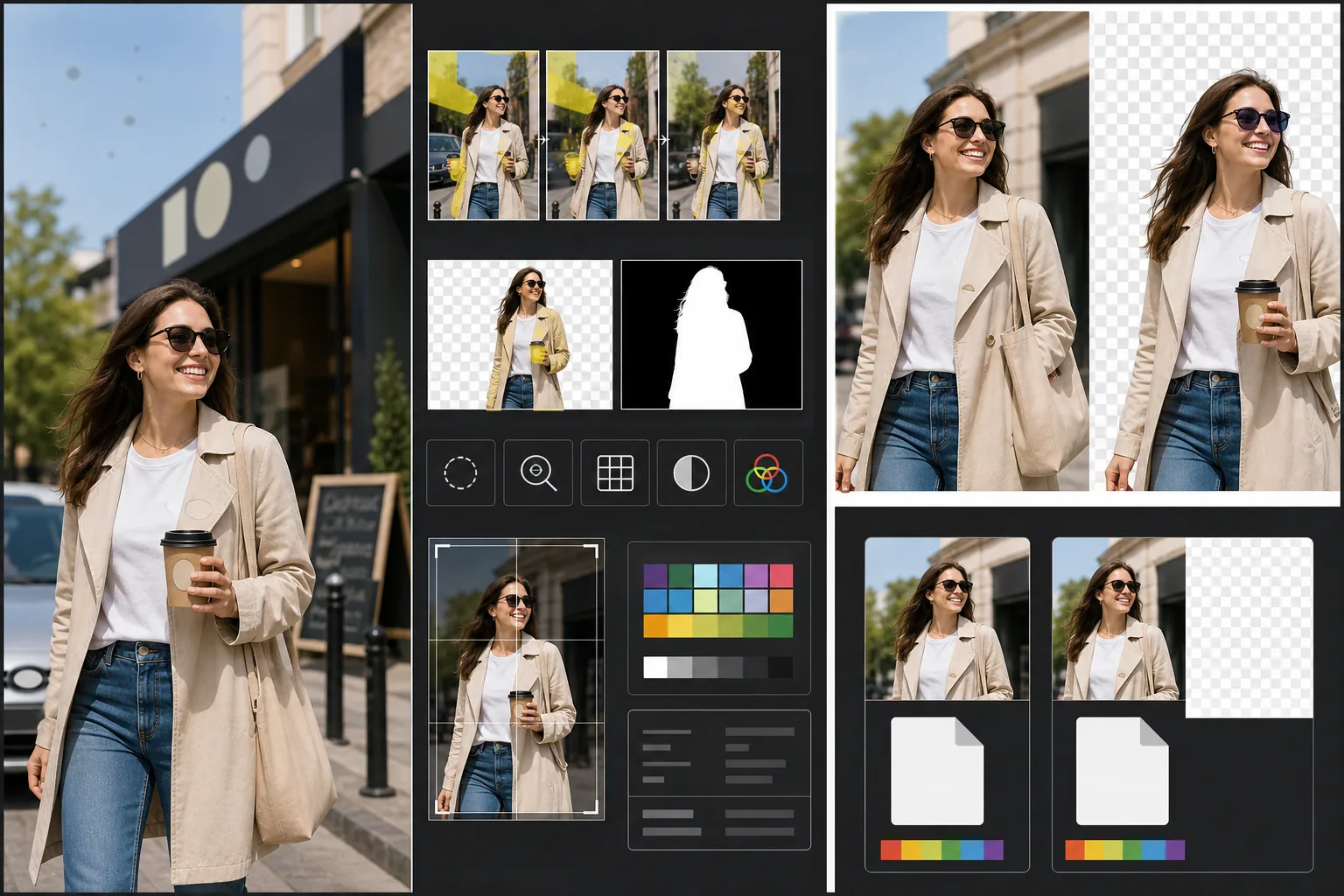
Menangani persyaratan teknis dan hukum spesifik yang menyebabkan penolakan foto stok. Magic Eraser mendeteksi dan menghapus merek dagang, logo merek, label produk, dan papan nama bermerek yang terlihat yang memerlukan rilis properti atau menyebabkan penolakan langsung. Ini mencakup logo pada pakaian, lambang mobil, papan nama toko, dan nama merek pada kemasan. Background Eraser memberikan isolasi yang bersih untuk gambar yang ditujukan untuk penggunaan potongan, menghasilkan baik gambar RGB maupun masker alfa terpisah yang dibutuhkan agensi stok. Pemeriksaan kualitas teknis memverifikasi tingkat noise, ketajaman, aberasi kromatik, dan bintik debu sensor — semuanya pemicu penolakan yang umum — dan AI memperbaiki apa yang bisa diperbaikinya sambil menandai masalah yang perlu pemotretan ulang. Ekspor akhir sesuai dengan spesifikasi agensi untuk format file, profil warna, resolusi, dan penyematan metadata.
Pengaturan templat
| Deteksi merek dagang | Deteksi dan hapus otomatis logo, nama merek, dan label produk yang terlihat |
| Pemeriksaan kualitas teknis | Verifikasi noise, ketajaman, aberasi kromatik, dan debu sensor |
| Masker isolasi | Hasilkan saluran alfa untuk gambar potongan (PNG dengan transparansi) |
| Profil warna | sRGB (dibutuhkan oleh sebagian besar agensi stok) |
| Metadata | Sematkan bidang IPTC untuk judul, deskripsi, dan kata kunci |
| Format keluaran | JPEG kualitas maksimal (level 12) atau TIFF (tanpa kehilangan, disukai Getty) |
Cara menggunakan templat ini
Unggah foto Anda
Unggah foto yang ingin Anda serahkan ke agensi stok. Templat ini menerima file RAW, JPEG, TIFF, dan PNG. Unggah versi kualitas tertinggi yang tersedia — agensi stok mengevaluasi kualitas teknis pada resolusi penuh dan menolak gambar yang menunjukkan artefak kompresi dari penyimpanan berulang.
Hapus merek dagang dan merek
Magic Eraser memindai gambar untuk merek dagang, logo, nama merek, dan label produk yang terlihat. Item yang terdeteksi disorot untuk ditinjau. Penghapusan yang disetujui dijalankan dengan AI merekonstruksi permukaan di balik setiap merek dagang — tenunan kain di bawah logo pakaian, bodi mobil di bawah lambang, permukaan dinding di bawah papan nama toko.
Jalankan pemeriksaan kualitas teknis
Templat menganalisis gambar untuk masalah teknis yang umumnya menyebabkan penolakan agensi stok: noise di area bayangan, ketajaman yang tidak memadai, aberasi kromatik pada tepi berkontras tinggi, bintik debu sensor, dan kesalahan keseimbangan putih. Masalah yang dapat diperbaiki diperbaiki secara otomatis. Masalah yang tidak dapat diperbaiki (seperti blur gerakan parah) ditandai agar Anda tahu sebelum menyerahkan.
Ekspor dengan metadata agensi
Pilih agensi tujuan Anda dan templat mengekspor dalam format dan spesifikasi yang disukai agensi tersebut. Bidang metadata IPTC untuk judul, deskripsi, dan kata kunci dapat disematkan sebelum ekspor. File siap diunggah langsung ke portal kontributor Shutterstock, Adobe Stock, Getty/iStock, atau Alamy.
Tips pro untuk hasil terbaik
- ✓Potret dengan mempertimbangkan merek dagang sejak awal. Meskipun AI menghapus logo secara efektif, adegan dengan lebih sedikit elemen bermerek memerlukan inpainting lebih sedikit dan terlihat lebih alami. Balik label pakaian ke dalam, pilih properti tanpa merek, dan posisikan kamera untuk mengecualikan papan nama toko bila memungkinkan.
- ✓Serahkan pada resolusi tertinggi yang dihasilkan kamera Anda. Agensi stok memberi peringkat hasil pencarian sebagian berdasarkan resolusi — gambar 50 megapiksel muncul di atas gambar 12 megapiksel untuk kueri pencarian yang sama karena pembeli lebih menyukai file yang lebih besar untuk pemotongan yang fleksibel dan penggunaan format besar.
- ✓Sertakan orang dalam foto stok Anda bila memungkinkan. Gambar dengan subjek manusia yang dapat dikenali (dengan rilis model) secara konsisten menghasilkan lebih banyak pendapatan daripada adegan serupa tanpa orang. Retouching kulit templat dikalibrasi untuk menjadi minimal, yang lebih disukai agensi stok daripada kulit yang diedit berlebihan.
Pertanyaan umum
Akankah menghapus lambang mobil terlihat alami?
+
Ya. AI merekonstruksi bodi mobil di balik lambang — menyesuaikan warna cat, pantulan, dan kelengkungan permukaan. Untuk lokasi lambang yang umum (gril depan, bagasi, pusat roda), rekonstruksinya sangat bersih. Penempatan yang tidak biasa atau lambang yang sangat besar mungkin memerlukan sentuhan manual cepat di bagian tepi.
Bisakah ini menghasilkan kata kunci untuk penyerahan saya?
+
Templat menyematkan bidang metadata IPTC tempat Anda dapat memasukkan judul, deskripsi, dan kata kunci. Ini tidak menghasilkan kata kunci secara otomatis — optimasi kata kunci stok adalah keterampilan khusus yang bergantung pada pemahaman Anda tentang cara pembeli mencari, dan kata kunci yang dihasilkan otomatis sering kali melewatkan konsep komersial yang mendorong penjualan.
Agensi mana saja yang didukung ini?
+
Preset ekspor mencakup Shutterstock, Adobe Stock, Getty Images, iStock, Alamy, Dreamstime, dan 500px. Setiap preset mengonfigurasi format file, profil warna, ukuran file maksimum, dan penyematan metadata yang benar untuk persyaratan penyerahan agensi tertentu tersebut.
Buat foto Anda diterima pada penyerahan pertama
Unggah foto dan dapatkan file siap agensi stok dengan merek dagang dihapus, kualitas diverifikasi, dan persyaratan format terpenuhi.
Coba gratisRelated templates
More design templates for your workflow.
Buat logo PNG transparan dengan penyempurnaan tepi yang bersih dan ekspor multi-ukuran untuk ikon web, media cetak, media sosial, dan aplikasi. Bekerja pada foto logo cetak dan file digital.
Hasilkan maket sampul buku yang realistis dengan perspektif 3D, rendering bayangan, dan latar belakang gaya hidup untuk pemasaran penulis dan promosi penerbit.
Rancang sampul podcast yang memenuhi spesifikasi Apple Podcasts dan Spotify dengan penggantian latar belakang, isolasi potret host, dan tata letak siap tipografi.
Mempersiapkan seni digital dan foto untuk pencetakan format besar dengan peningkatan AI, perluasan kanvas, pemeriksaan warna yang akurat, dan ekspor file siap cetak.