
Mockup Sampul Buku
Buat mockup fotorealistis dari sampul buku Anda yang ditempatkan dalam pemandangan gaya hidup, di rak, atau ditampilkan sebagai render 3D mandiri dengan bayangan alami. Templat ini mengambil karya seni sampul datar Anda dan mengubahnya menjadi gambar promosi untuk pengumuman media sosial, situs web penulis, konten Amazon A+, dan paket pers — tanpa perlu perangkat lunak 3D apa pun.
Coba templat ini gratisDesign template preview
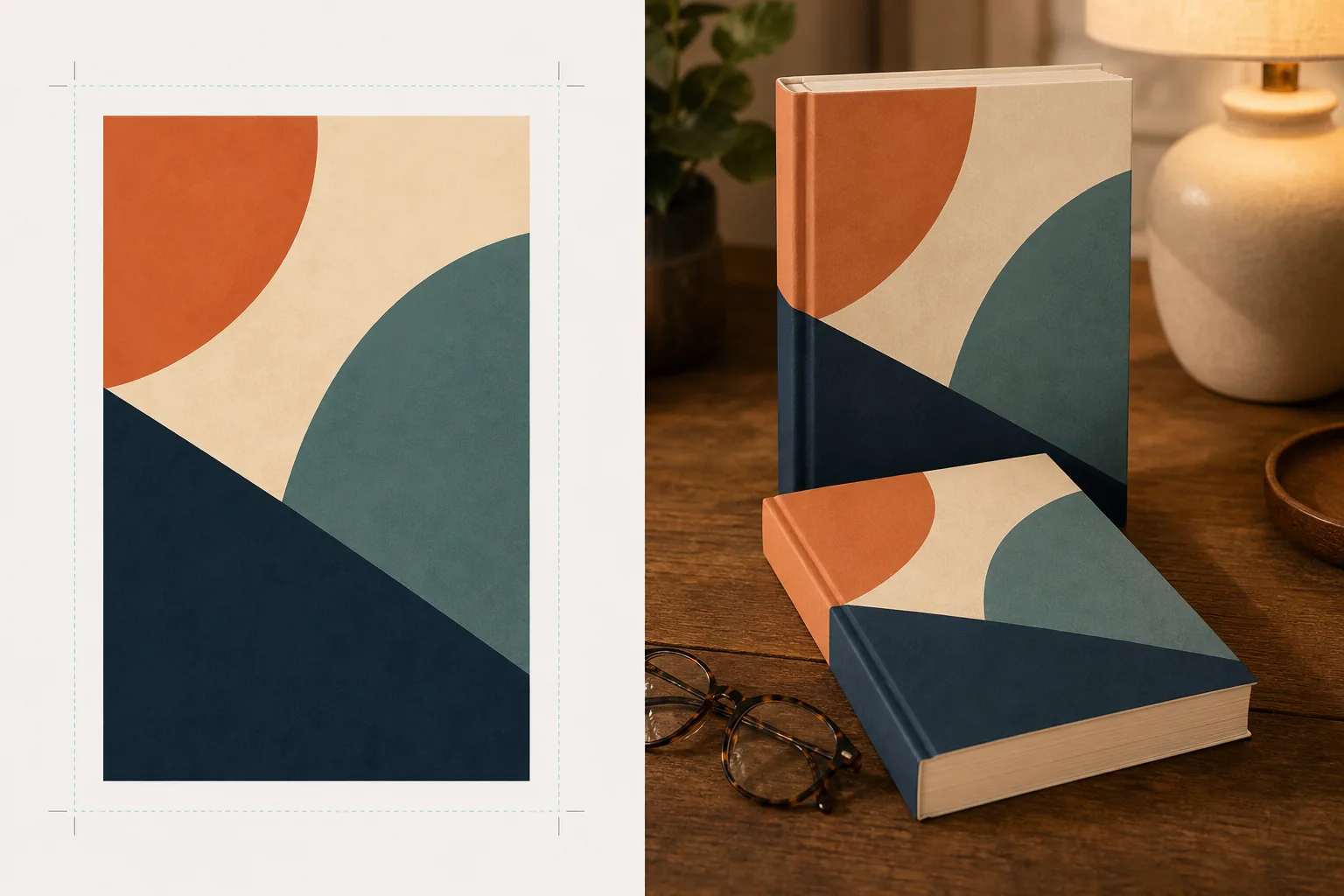
Apa yang dilakukan templat ini
Mengubah desain sampul buku datar menjadi gambar mockup promosi yang terlihat seperti fotografi produk profesional. Unggah karya seni sampul Anda sebagai JPEG atau PNG datar dan templat akan memetakannya ke bentuk buku realistis dengan perspektif, ketebalan halaman, dan lengkungan punggung yang tepat. Mockup kemudian ditempatkan dalam pemandangan gaya hidup — meja kopi dengan kacamata baca, rak toko buku, meja samping tempat tidur dengan cahaya lampu hangat — atau dirender sebagai produk mandiri di latar belakang bersih dengan bayangan alami. Untuk seri atau promosi banyak buku, beberapa sampul dapat disusun dalam satu baris atau ditumpuk dengan perspektif yang konsisten. Arah pencahayaan dan bayangan menyesuaikan dengan lingkungan pemandangan sehingga buku tampak hadir secara fisik alih-alih hasil komposit.
Pengaturan templat
| Format buku | Sampul tipis, sampul keras, atau sampul keras dengan jaket pelindung |
| Tampilan jumlah halaman | Tipis (100 hlm), sedang (250 hlm), tebal (400+ hlm) — memengaruhi lebar punggung dan tepi halaman |
| Jenis pemandangan | Mandiri dengan bayangan, meja kopi, rak buku, meja samping tempat tidur, atau dipegang tangan |
| Sudut perspektif | Menghadap depan, tiga perempat, atau sedikit miring dari atas |
| Resolusi keluaran | 3000×3000px (1:1 sosial) atau 2400×1600px (banner 16:10) |
Cara menggunakan templat ini
Unggah karya seni sampul Anda
Unggah sampul buku Anda sebagai gambar datar — minimal sampul depan. Untuk mockup sampul keras dengan jaket pelindung, Anda juga dapat mengunggah punggung dan sampul belakang. Templat menerima file JPEG, PNG, dan PDF. Dimensi sampul terdeteksi secara otomatis dan proporsi buku diskalakan sesuai dengan itu.
Pilih format buku dan pemandangan
Pilih antara format sampul tipis, sampul keras, atau jaket pelindung. Pilih rentang jumlah halaman agar lebar punggung dan tepi halaman sesuai dengan buku Anda yang sebenarnya. Lalu pilih pemandangan: mandiri dengan bayangan, pengaturan gaya hidup, atau warna latar belakang khusus.
Sesuaikan perspektif dan render
Pilih sudut pandang — menghadap depan untuk kejelasan thumbnail, tiga perempat untuk kedalaman visual, atau miring dari atas untuk postingan sosial datar. Templat merender mockup dengan pencahayaan yang sesuai, tekstur tepi halaman, dan arah bayangan yang cocok dengan pemandangan yang dipilih.
Unduh gambar promosi
Ekspor dalam 1:1 untuk Instagram, 16:9 untuk header Twitter/Facebook, atau dimensi khusus untuk bagian hero situs web Anda. Setiap ekspor menyertakan mockup buku dengan opsi latar belakang transparan sehingga Anda dapat menempatkannya ke dalam tata letak khusus Anda sendiri.
Kiat profesional untuk hasil terbaik
- ✓Unggah sampul Anda pada resolusi tertinggi yang tersedia. Transformasi perspektif 3D mengurangi resolusi tampak pada sisi buku yang menjauh, jadi memulai dengan sumber resolusi tinggi memastikan teks pada punggung dan sampul tetap terbaca.
- ✓Untuk konten Amazon A+, gunakan mockup mandiri di latar belakang putih. Ini memberi buku nuansa fotografi produk premium yang membedakannya dari gambar sampul datar yang sudah ditampilkan di halaman daftar.
- ✓Buat tampilan seri dengan mengunggah semua sampul dalam satu seri. Templat menyusunnya dalam satu baris dengan perspektif dan jarak yang konsisten, yang jauh lebih berdampak secara visual untuk promosi seri dibandingkan menampilkan sampul satu per satu.
Pertanyaan umum
Dapatkah saya membuat mockup e-reader atau tablet yang menampilkan sampul saya?
+
Templat ini berfokus pada mockup buku fisik — format sampul tipis dan sampul keras. Untuk mockup tampilan e-reader atau tablet, Anda akan mengomposit sampul datar ke foto perangkat secara terpisah.
Apakah teks pada punggung akan terbaca?
+
Ya, selama file sampul sumber menyertakan karya seni punggung. Templat membungkus karya seni punggung di sekitar tepi buku dengan perspektif yang cocok dengan sudut sampul depan. Untuk buku tipis (di bawah 150 halaman), punggungnya sempit dan teks kecil mungkin menjadi sulit dibaca pada ukuran tampilan kecil.
Dapatkah saya menggunakan ini untuk promosi buku audio atau podcast?
+
Ya. Format sampul persegi yang digunakan untuk buku audio dan podcast dapat dirender sebagai mockup bergaya kotak CD atau sebagai persegi mandiri dengan bayangan berdimensi, memberinya kehadiran fisik yang tidak dimiliki karya seni sampul datar.
Ubah karya seni sampul Anda menjadi gambar promosi yang memukau
Unggah karya seni sampul datar dan dapatkan mockup buku fotorealistis untuk media sosial, situs web penulis, dan kampanye pemasaran.
Coba gratisRelated templates
More design templates for your workflow.
Buat logo PNG transparan dengan penyempurnaan tepi yang bersih dan ekspor multi-ukuran untuk ikon web, media cetak, media sosial, dan aplikasi. Bekerja pada foto logo cetak dan file digital.
Rancang sampul podcast yang memenuhi spesifikasi Apple Podcasts dan Spotify dengan penggantian latar belakang, isolasi potret host, dan tata letak siap tipografi.
Mempersiapkan seni digital dan foto untuk pencetakan format besar dengan peningkatan AI, perluasan kanvas, pemeriksaan warna yang akurat, dan ekspor file siap cetak.
Siapkan foto untuk penyerahan agensi stok dengan penghapusan merek dagang, pengeditan kepatuhan rilis model, pemeriksaan kualitas teknis, dan persyaratan format khusus agensi.