
Uncover the Image Behind an Emoji
Pelajari cara Tampilkan gambar di balik emoji dengan Magic Eraser. Panduan langkah demi langkah sederhana dengan alat AI gratis. Berfungsi di web, iOS, dan Android.
Last updated
Coba sekarang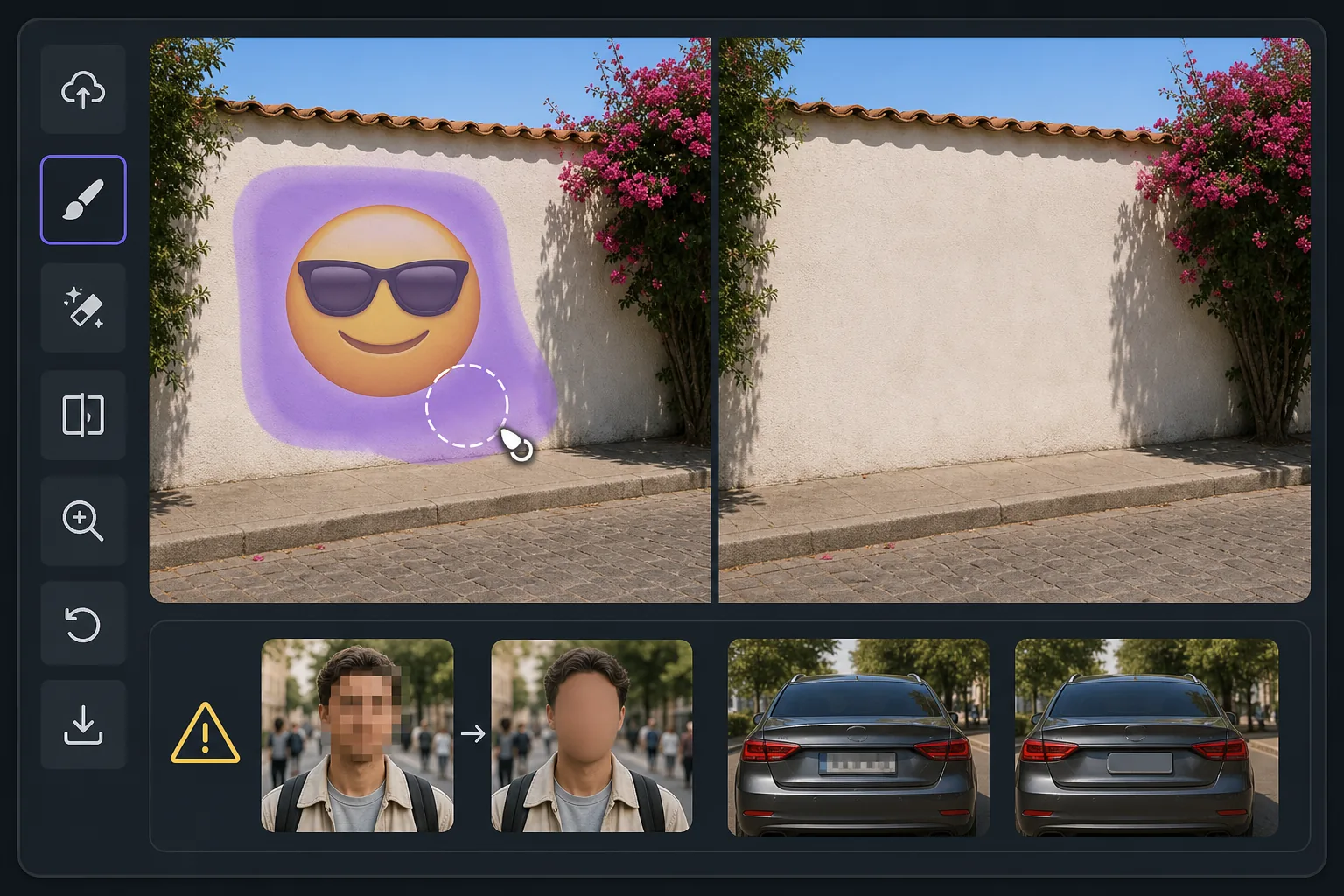
What "uncovering" an emoji really means — Magic Eraser
When someone covers part of a photo with an emoji, sticker, or smiley, the pixels underneath are gone — they were never saved in that file. So no tool, Magic Eraser included, can recover the true original content beneath the emoji. What Magic Eraser can do is far more useful than it sounds: its AI inpainting analyzes the surrounding image — colors, textures, lighting, and patterns — and synthesizes a clean, plausible reconstruction to fill the space the emoji occupied. The result is a seamless, emoji-free photo where the covered area blends naturally with everything around it. If the emoji was hiding a plain wall, a sky, grass, or fabric, the reconstruction is usually convincing because the AI has plenty of context to extend. If the emoji was covering a person's face, license plate, or specific text, the AI will invent something that fits the scene — it cannot reveal who or what was actually there. Going in with that expectation is the difference between being delighted and being disappointed. Magic Eraser works on the web and as a free iOS and Android app, with no watermark on the free tier, so you can try uncovering the area behind an emoji in seconds.
Before you start
Instruksi langkah demi langkah
Start with upload foto. The result preview above and tips below use this guide's existing content; no separate before-and-after proof is assumed.
- 1
Upload foto
Buka Magic Eraser di web, iOS, atau Android. Seret dan lepas foto JPEG, PNG, HEIC, atau WebP Anda. Tidak perlu akun.
- 2
Pilih alat dan area
Pilih alat yang tepat dan tandai area yang akan diproses. AI akan menganalisis dan menerapkan perubahan secara otomatis dalam hitungan detik.
- 3
Download hasil
Pratinjau hasil dan download foto yang telah diedit. Ekspor dalam format PNG atau JPEG berkualitas tinggi.
Paling cocok untuk
- Seeing what a scenic background looks like once an emoji or smiley sticker is lifted off a landscape or skyline photo
- Cleaning up screenshots where an emoji was dropped over a plain wall, sky, or surface and you want the unobstructed view
- Reconstructing simple textures — grass, water, carpet, fabric — that an emoji partially covered
- Removing playful stickers from your own photos so the image reads clean without the cartoon overlay
- Anyone who understands the AI paints a believable fill rather than recovering the literal pixels a face or detail behind the emoji
Tips untuk hasil terbaik
The single most important tip: Magic Eraser reconstructs, it does not recover. If an emoji was deliberately placed to hide someone's identity, a phone number, or sensitive text, removing it will not reveal the real thing — the AI simply paints whatever fits the surrounding scene. Treat results over plain or repeating backgrounds as reliable, and results over faces or specific details as creative guesses. For the most natural reconstruction, give the brush a little extra room around the emoji's edges, work on the highest-resolution copy you have, and run a second pass if any seams or color mismatches remain. Because the free tier on web, iOS, and Android adds no watermark, you can experiment freely until the uncovered area looks right.
Pertanyaan yang sering diajukan
- Apakah fitur Tampilkan gambar di balik emoji gratis?
- Ya, Magic Eraser memungkinkan Anda Tampilkan gambar di balik emoji secara gratis dengan batas harian. Upgrade ke Pro untuk pemrosesan tanpa batas dan ekspor resolusi tinggi.
- Berapa lama waktu yang dibutuhkan untuk Tampilkan gambar di balik emoji?
- Hanya beberapa detik. AI Magic Eraser memproses foto dengan cepat — sebagian besar hasil tersedia segera setelah upload.
- Bisa digunakan di HP?
- Ya, Magic Eraser berfungsi di iOS, Android, dan semua browser web. Anda bisa beralih antar perangkat dengan bebas.
- Apakah kualitas gambar berkurang?
- Tidak, Magic Eraser menjaga kualitas foto asli. AI memproses secara cerdas untuk mempertahankan detail dan ketajaman.