
How to remove reflection from glasses in photos
Pelajari cara How to remove reflection from glasses in photos dengan Magic Eraser. Panduan langkah demi langkah sederhana dengan alat AI gratis. Berfungsi di web, iOS, dan Android.
Last updated
Coba sekarang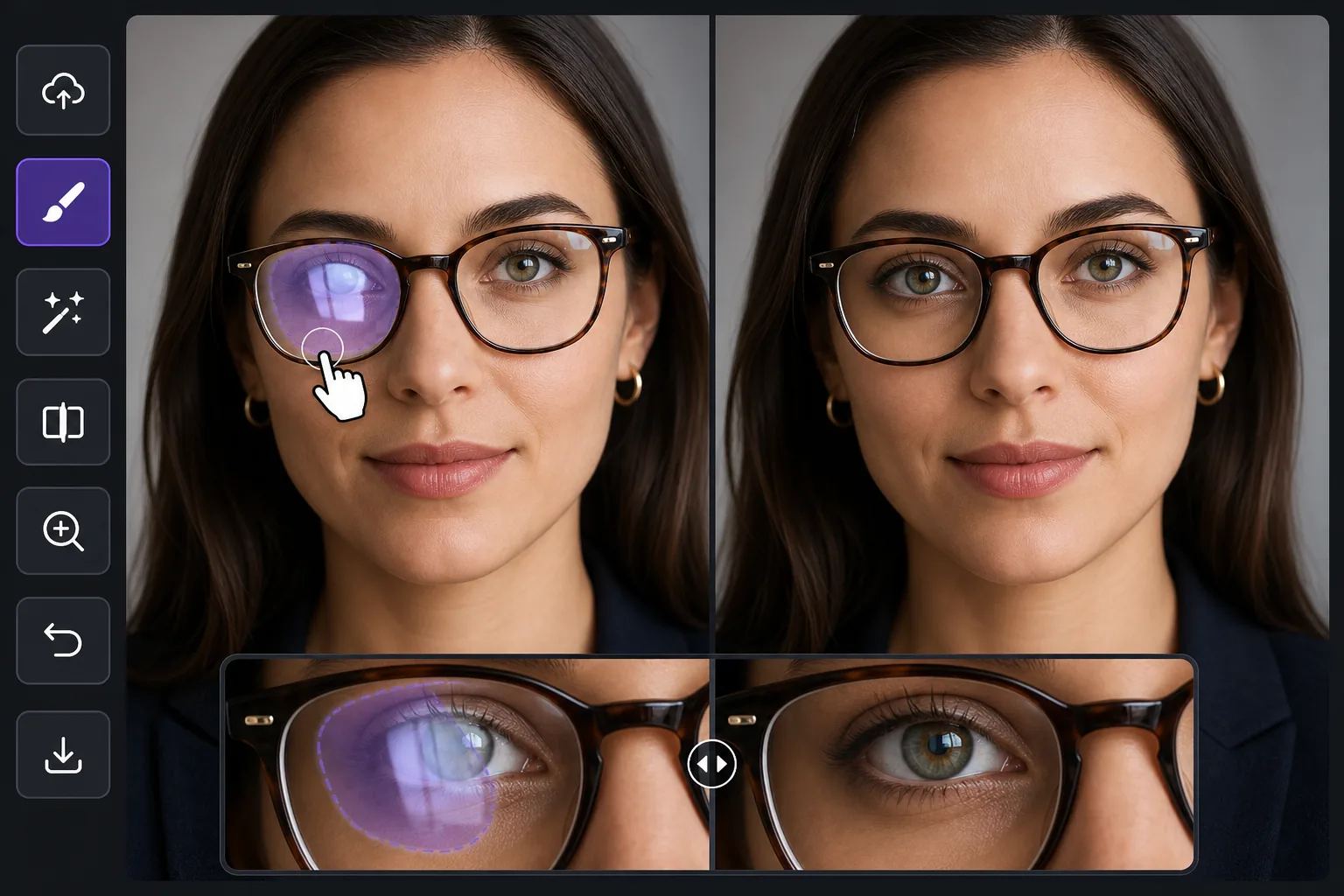
Why glasses glare is harder than ordinary reflection removal — Magic Eraser
Most reflection cleanup happens over a mirror, a window, or a glossy product surface — areas the AI can rebuild as flat, predictable texture. Glasses glare is different because the bright patch sits directly on top of the eyes, the single most important feature in a portrait. Wipe the reflection without care and you flatten the iris, lose a catchlight, or leave one eye looking different from the other. The goal here is not just to remove the white hotspot but to put a believable eye back where the glare was: matching iris color, eyelid line, lashes, and the natural asymmetry of a real face. Magic Eraser synthesizes a plausible reconstruction of the hidden eye from the rest of the face — the visible eye, skin tone, and lighting direction — rather than recovering literal pixels the glare destroyed. That distinction matters: it works beautifully when one eye is clear and only the other is blown out, because the model has a real reference to draw from, and it works on partial glare where part of the eye still shows through the lens.
Before you start
Instruksi langkah demi langkah
Start with upload foto. The result preview above and tips below use this guide's existing content; no separate before-and-after proof is assumed.
- 1
Upload foto
Buka Magic Eraser di web, iOS, atau Android. Seret dan lepas foto JPEG, PNG, HEIC, atau WebP Anda. Tidak perlu akun.
- 2
Pilih alat dan area
Pilih alat yang tepat dan tandai area yang akan diproses. AI akan menganalisis dan menerapkan perubahan secara otomatis dalam hitungan detik.
- 3
Download hasil
Pratinjau hasil dan download foto yang telah diedit. Ekspor dalam format PNG atau JPEG berkualitas tinggi.
Paling cocok untuk
- Headshots and LinkedIn portraits where one lens catches a window and washes out an eye
- Family and group photos where overhead light glares off several pairs of glasses at once
- Selfies and video-call screenshots where the screen or phone reflects in the lenses
- Wedding and event portraits shot under bright venue lighting that hits eyeglass lenses
- Profile and dating-app photos where lens glare hides the subject's eyes and expression
Tips untuk hasil terbaik
Work one eye at a time when both lenses are blown out — clear the lighter side first so the AI has a freshly clean eye to reference for the harder one. Keep your brush inside the lens; painting over the frame or eyebrow gives the model less facial structure to anchor the reconstruction. For mild glare where the iris still shows faintly through the reflection, a tight selection over just the hotspot often preserves the real eye and only fills the bright spot. Remember the result is a synthesized, plausible eye, not the exact eye hidden under the glare, so on important portraits zoom to 100% and confirm the gaze and catchlight read naturally before exporting. If a rebuilt eye looks too symmetrical or glassy, a second pass with a smaller brush usually restores a more natural, slightly imperfect look. When you can, prevent it at capture time by tilting the head down a few degrees or moving the light off-axis — but when the shot is already taken, this is the fastest fix.
Pertanyaan yang sering diajukan
- Apakah fitur How to remove reflection from glasses in photos gratis?
- Ya, Magic Eraser memungkinkan Anda How to remove reflection from glasses in photos secara gratis dengan batas harian. Upgrade ke Pro untuk pemrosesan tanpa batas dan ekspor resolusi tinggi.
- Berapa lama waktu yang dibutuhkan untuk How to remove reflection from glasses in photos?
- Hanya beberapa detik. AI Magic Eraser memproses foto dengan cepat — sebagian besar hasil tersedia segera setelah upload.
- Bisa digunakan di HP?
- Ya, Magic Eraser berfungsi di iOS, Android, dan semua browser web. Anda bisa beralih antar perangkat dengan bebas.
- Apakah kualitas gambar berkurang?
- Tidak, Magic Eraser menjaga kualitas foto asli. AI memproses secara cerdas untuk mempertahankan detail dan ketajaman.