
Remove Glare From Glasses in Photos
Pelajari cara Remove Glare From Glasses in Photos dengan Magic Eraser. Panduan langkah demi langkah sederhana dengan alat AI gratis. Berfungsi di web, iOS, dan Android.
Last updated
Coba sekarang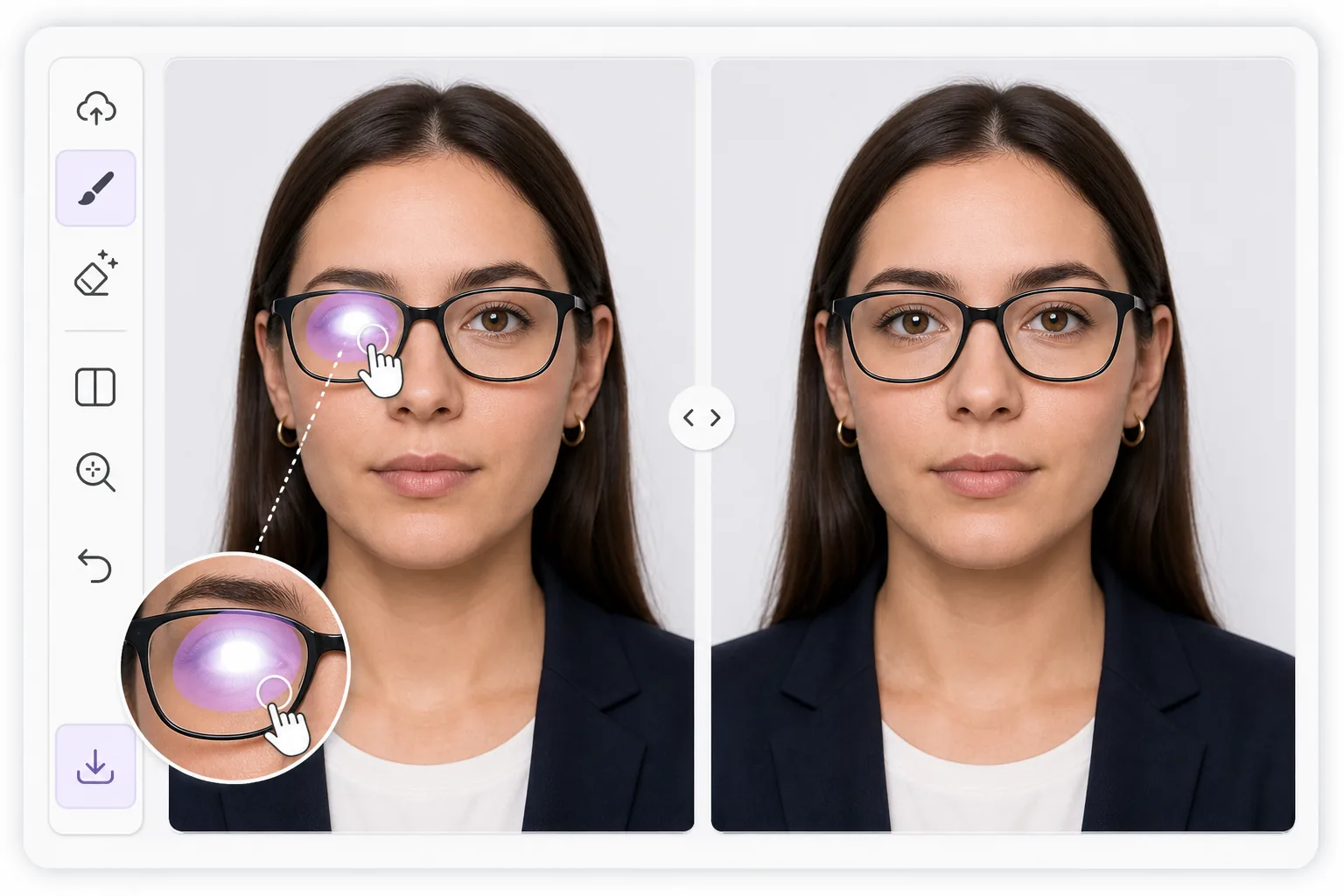
Why lens glare is harder than ordinary glare — Magic Eraser
Reflections on eyeglasses sit directly over the most important part of a portrait: the eyes. A flash, a window, or a ring light leaves a bright patch on the lens that flattens the eye behind it, sometimes erasing the iris or pupil entirely. Unlike glare on a wall or a table, you cannot just smooth it away, because the eye, eyelid, lashes, and lens frame all need to stay believable underneath. Magic Eraser uses AI inpainting to handle this. You brush over the bright spot, and the tool generates a plausible reconstruction of the eye and surrounding skin based on the rest of the face and the second, clearer eye when one is visible. It is honest to say this is synthesis, not recovery of hidden pixels: the original detail behind a blown-out highlight is gone, so the result is the model's best, natural-looking guess. For passport and ID photos that ban reflections, that reconstruction can be the difference between an accepted and a rejected shot, and it works the same way on a casual portrait you just want to look right.
Before you start
Instruksi langkah demi langkah
Start with upload foto. The result preview above and tips below use this guide's existing content; no separate before-and-after proof is assumed.
- 1
Upload foto
Buka Magic Eraser di web, iOS, atau Android. Seret dan lepas foto JPEG, PNG, HEIC, atau WebP Anda. Tidak perlu akun.
- 2
Pilih alat dan area
Pilih alat yang tepat dan tandai area yang akan diproses. AI akan menganalisis dan menerapkan perubahan secara otomatis dalam hitungan detik.
- 3
Download hasil
Pratinjau hasil dan download foto yang telah diedit. Ekspor dalam format PNG atau JPEG berkualitas tinggi.
Paling cocok untuk
- Passport, visa, and ID photos that reject any lens reflection
- Headshots where a ring light or flash leaves a hotspot on one lens
- Family and group portraits where someone's eye is hidden by glare
- LinkedIn and profile pictures that need clear, glasses-on eye contact
- Indoor event photos shot near windows or bright overhead lighting
Tips untuk hasil terbaik
Work one lens at a time and zoom in before brushing. Tight, accurate strokes that cover only the bright patch give the AI more real detail to copy, so the rebuilt eye matches the face. When only one lens has glare, the clear eye acts as a reference and results look most natural. For heavy reflections that wash out the entire lens, expect a fuller synthesized eye and sanity-check iris color, gaze direction, and pupil size against the original. If the first pass looks off, undo and re-brush a slightly smaller area rather than a larger one. For ID shots, confirm the final image still meets the rule of a neutral expression and no visible reflection before you submit it.
Pertanyaan yang sering diajukan
- Apakah fitur Remove Glare From Glasses in Photos gratis?
- Ya, Magic Eraser memungkinkan Anda Remove Glare From Glasses in Photos secara gratis dengan batas harian. Upgrade ke Pro untuk pemrosesan tanpa batas dan ekspor resolusi tinggi.
- Berapa lama waktu yang dibutuhkan untuk Remove Glare From Glasses in Photos?
- Hanya beberapa detik. AI Magic Eraser memproses foto dengan cepat — sebagian besar hasil tersedia segera setelah upload.
- Bisa digunakan di HP?
- Ya, Magic Eraser berfungsi di iOS, Android, dan semua browser web. Anda bisa beralih antar perangkat dengan bebas.
- Apakah kualitas gambar berkurang?
- Tidak, Magic Eraser menjaga kualitas foto asli. AI memproses secara cerdas untuk mempertahankan detail dan ketajaman.