
Alternatif Photoshop yang Lebih Cepat untuk Pengeditan Foto Sehari-hari
Adobe Photoshop memang canggih, tetapi sebagian besar orang hanya menggunakan sebagian kecil fiturnya. Magic Eraser menghadirkan alat pembersih foto yang benar-benar Anda butuhkan — penghapusan objek, penghapusan latar belakang, peningkatan dengan AI, dan generative fill — dalam antarmuka yang lebih sederhana yang berjalan di web dan perangkat seluler tanpa perlu langganan untuk memulai.
Last updated
Coba Magic Eraser gratisComparison rows are editorial summaries from the latest page review, not a guarantee of current pricing, limits, watermark policy, batch support, speed, or platform availability.
Ikhtisar
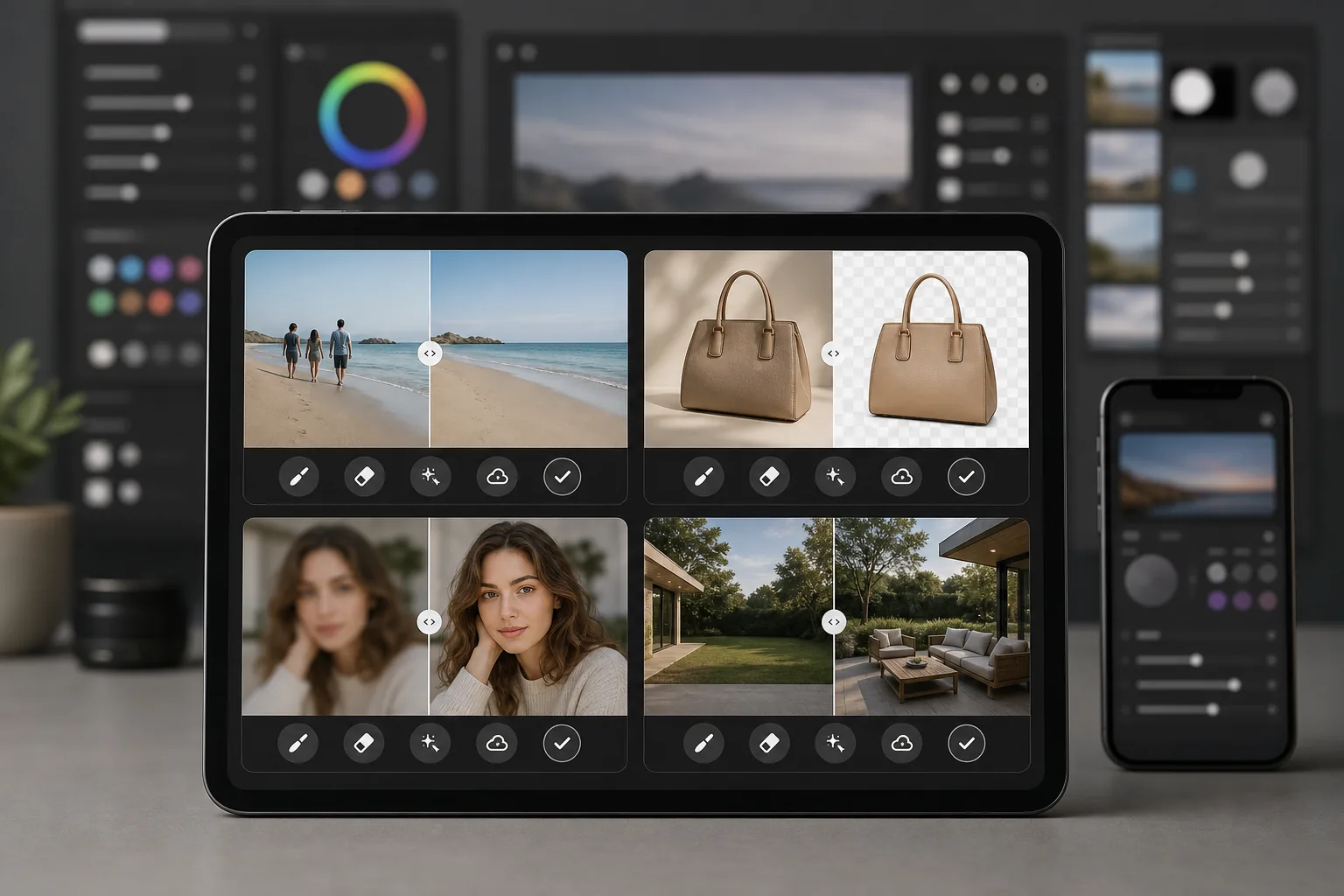
Magic Eraser adalah editor foto bertenaga AI yang dirancang khusus untuk membersihkan foto secara cepat dan praktis. Hapus objek, hapus latar belakang, tingkatkan kualitas gambar, dan isi area yang hilang — semuanya dari peramban atau ponsel Anda tanpa memasang perangkat lunak desktop yang berat.
Adobe Photoshop adalah perangkat pengeditan gambar profesional standar industri dengan layer, mask, compositing, retouching, dan alat AI generatif. Photoshop memerlukan langganan Creative Cloud dan investasi waktu yang besar untuk dipelajari.
Perbandingan Fitur
Magic Eraser adalah editor foto bertenaga AI yang dirancang khusus untuk membersihkan foto secara cepat dan praktis. Hapus objek, hapus latar belakang, tingkatkan kualitas gambar, dan isi area yang hilang — semuanya dari peramban atau ponsel Anda tanpa memasang perangkat lunak desktop yang berat.
Adobe Photoshop adalah perangkat pengeditan gambar profesional standar industri dengan layer, mask, compositing, retouching, dan alat AI generatif. Photoshop memerlukan langganan Creative Cloud dan investasi waktu yang besar untuk dipelajari.
| Feature | Magic Eraser | Adobe Photoshop |
|---|---|---|
| Penghapusan objek | Ya — bertenaga AI, satu sapuan kuas | Ya — content-aware fill, masking manual |
| Penghapusan latar belakang | Ya — instan dengan satu klik | Ya — pilih subjek + penyempurnaan manual |
| Peningkatan dengan AI | Ya — perbesar dan pertajam otomatis | Ya — neural filters |
| Generative fill | Ya — sederhana berbasis prompt | Ya — canggih dengan kontrol layer |
| Kurva belajar | Beberapa menit untuk dipelajari | Berminggu-minggu hingga berbulan-bulan |
| Platform | Web + iOS + Android | Desktop + iPad + web (beta) |
| Harga untuk memulai | Gratis untuk dicoba, tanpa langganan | Memerlukan langganan bulanan |
| Paling cocok untuk | Pembersihan dan peningkatan foto secara cepat | Produksi kreatif profesional |
Feature rows summarize visible product positioning and should be rechecked against official product pages before purchase, migration, or compliance decisions.
- Last content review May 8, 2026
- Adobe Photoshop source: official product site (https://www.adobe.com/products/photoshop.html)
- Magic Eraser source: https://magiceraser.live/id/product/magic-eraser
- Pricing, feature availability, platform support, and limits can change; recheck official sources before relying on a buying decision.
Mengapa Memilih Magic Eraser daripada Photoshop
Dapatkan hasil dalam hitungan detik, bukan jam
Magic Eraser melewatkan kerumitan. Sapukan kuas pada objek untuk menghapusnya, klik untuk menghapus latar belakang, atau ketuk untuk meningkatkan kualitas. Tanpa layer, tanpa mask, tanpa panel yang harus dikonfigurasi — cukup hasil cepat dari AI yang menangani pekerjaan beratnya.
Tanpa perlu langganan untuk memulai
Photoshop memerlukan langganan Creative Cloud sebelum Anda dapat membuka sebuah file. Magic Eraser memungkinkan Anda mencoba setiap alat secara gratis sehingga Anda dapat melihat hasilnya sebelum berkomitmen, dan harganya tetap sederhana ketika Anda memutuskan untuk meningkatkan.
Berfungsi di perangkat apa pun, di mana pun
Edit foto dari peramban, iPhone, atau perangkat Android Anda dengan alat berfitur lengkap yang sama. Tidak ada perangkat lunak berat yang harus dipasang dan tidak ada persyaratan perangkat keras desktop yang harus dipenuhi, sehingga ideal untuk mengedit saat bepergian.
Semua alat pembersih dalam satu tempat
Magic Eraser menggabungkan penghapusan objek, penghapusan latar belakang, peningkatan dengan AI, generative fill, dan banyak lagi ke dalam satu editor yang terfokus. Anda mendapatkan alat sehari-hari yang Anda butuhkan tanpa membayar untuk perangkat kreatif lengkap yang tidak akan pernah Anda manfaatkan sepenuhnya.
Pertanyaan yang Sering Diajukan
Apakah Magic Eraser benar-benar bisa menggantikan Photoshop?
+
Untuk tugas pembersihan foto sehari-hari seperti penghapusan objek, penghapusan latar belakang, dan peningkatan gambar, ya. Jika Anda memerlukan compositing tingkat lanjut, retouching berbasis layer yang detail, atau alat produksi cetak khusus, Photoshop masih menawarkan kedalaman yang lebih.
Apakah Magic Eraser lebih mudah digunakan daripada Photoshop?
+
Jauh lebih mudah. Magic Eraser dirancang agar siapa pun bisa mendapatkan hasil yang terlihat profesional dalam hitungan detik. Tidak ada kurva belajar untuk tugas-tugas dasar — sapukan untuk menghapus, klik untuk meningkatkan, selesai.
Apakah saya perlu memasang sesuatu untuk menggunakan Magic Eraser?
+
Tidak. Magic Eraser berfungsi langsung di peramban web Anda dan juga tersedia sebagai aplikasi seluler untuk iOS dan Android. Tidak ada perangkat lunak desktop yang harus diunduh atau diperbarui.
Bagaimana perbandingan harga Magic Eraser dengan Photoshop?
+
Magic Eraser memungkinkan Anda memulai secara gratis tanpa memerlukan kartu kredit. Photoshop memerlukan langganan Creative Cloud yang dimulai dari sekitar $22.99 per month, yang menjadi biaya tahunan yang besar bahkan jika Anda hanya membutuhkan fitur pengeditan dasar.
Bisakah saya menggunakan Magic Eraser untuk fotografi produk?
+
Ya. Magic Eraser banyak digunakan untuk foto produk e-commerce. Anda dapat menghapus latar belakang, membersihkan gangguan, meningkatkan kualitas gambar, dan memproses banyak foto sekaligus jauh lebih cepat daripada melakukan pekerjaan yang sama di Photoshop.
Siap untuk alternatif Photoshop yang lebih sederhana?
Coba Magic Eraser gratis dan lihat betapa cepatnya pengeditan foto bertenaga AI. Hapus objek, hapus latar belakang, dan tingkatkan gambar dalam hitungan detik — tanpa langganan, tanpa kurva belajar.
Coba Magic Eraser gratisKasus penggunaan terkait
Lihat bagaimana profesional menggunakan alat ini dalam alur kerja nyata.
Foto listing yang penuh barang pribadi, mobil parkir, atau peralatan konstruksi dapat membuat pembeli menjauh. Magic Eraser menggunakan AI untuk membersihkan foto properti Anda secara instan — tanpa perlu keterampilan Photoshop.
Latar belakang buram dan foto produk berantakan membuat Anda kehilangan penjualan setiap hari. Magic Eraser membantu Anda membuat gambar produk yang bersih dan profesional dalam hitungan detik — tanpa perlu keahlian Photoshop. Cukup unggah, hapus gangguan, dan jual dengan percaya diri.
Orang asing merusak foto liburanmu? Latar belakang berantakan mengacaukan selfie-mu? Berhenti buang waktu berjam-jam di Photoshop. Magic Eraser menghapus gangguan, membersihkan jepretan yang berantakan, dan memperluas fotomu agar pas dengan format platform apa pun — semua dalam satu ketukan.
Panduan terkait
Jelajahi lebih banyak panduan terkait alur kerja ini.
Pelajari cara menggunakan Magic Eraser untuk menghapus objek, orang, teks, dan gangguan dari foto dengan hasil edit AI yang lebih bersih.
Pelajari cara menghapus orang dari foto dengan AI dalam hitungan detik. Panduan untuk foto perjalanan, properti, dan produk.
Panduan langkah demi langkah menghapus watermark dari foto Anda dengan AI. Kapan tepat dilakukan, teknik terbaik, dan cara Magic Eraser menanganinya.
Perbandingan lainnya
Lihat bagaimana Magic Eraser dibandingkan dengan alat editing foto lainnya.
Kami menguji dan membandingkan alat pengeditan foto AI teratas agar Anda tidak perlu melakukannya. Dari penghapusan objek hingga penggantian latar belakang, lihat editor mana yang memberikan hasil terbaik untuk alur kerja Anda.
Tried to remove an object or background and hit a Pro paywall in Canva, Adobe Express/Photoshop, or Fotor? Magic Eraser does the same job — object removal, background removal, watermark cleanup, and enhancement — for free. No subscription, and no watermark stamped on your download.
Bandingkan Magic Eraser dengan magic-eraser.io. Lihat fitur, harga, dan kemudahan penggunaan secara berdampingan. Temukan mengapa Magic Eraser adalah pilihan terbaik untuk editing foto AI.
Bandingkan Magic Eraser dengan Pixelcut. Lihat fitur, harga, dan kemudahan penggunaan secara berdampingan. Temukan mengapa Magic Eraser adalah pilihan terbaik untuk editing foto AI.
Adobe Express menggabungkan pengeditan foto di dalam rangkaian desain dan pembuatan konten yang terhubung dengan Adobe Firefly. Magic Eraser dibuat khusus untuk pembersihan foto AI: penghapusan objek, penggantian latar belakang, generative fill, dan peningkatan. Perbandingan ini menunjukkan di mana masing-masing alat paling cocok.
Magic Eraser dan Pixelcut sama-sama menawarkan pengeditan foto bertenaga AI di web, iOS, dan Android dengan tingkat gratis dan tingkat Pro berbayar. Pixelcut sangat condong ke foto produk e-commerce dengan templat. Magic Eraser dibuat khusus untuk tugas pembersihan AI di seluruh rentang pekerjaan foto. Perbandingan ini menunjukkan di mana setiap alat unggul.