
Magic Eraser vs Google Magic Eraser
Bandingkan Magic Eraser dengan Google Magic Eraser. Lihat fitur, harga, dan kemudahan penggunaan secara berdampingan. Temukan mengapa Magic Eraser adalah pilihan terbaik untuk editing foto AI.
Last updated
Coba Magic Eraser gratisComparison rows are editorial summaries from the latest page review, not a guarantee of current pricing, limits, watermark policy, batch support, speed, or platform availability.
Ikhtisar
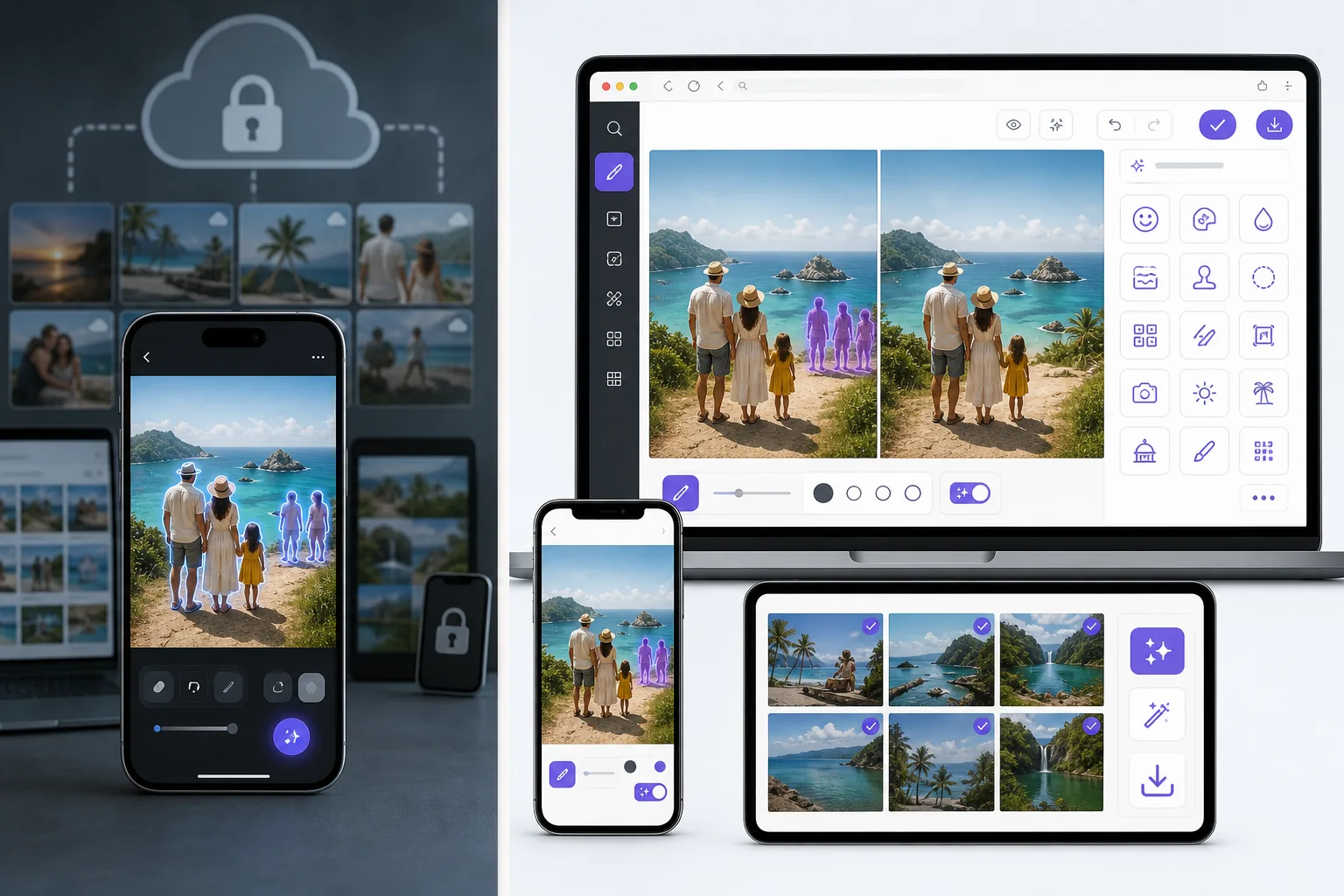
Magic Eraser adalah editor foto AI gratis berbasis web dengan penghapusan objek, penghapusan latar belakang, peningkatan foto, perluasan gambar, AI fill, AI filter, dan pemrosesan batch. Bekerja di perangkat apa pun yang memiliki browser — tanpa instalasi.
Google Magic Eraser is a feature inside Google Photos, available on Pixel phones for everyone and on other devices for Google One subscribers. It removes objects and recolors distractions well, but it lives inside Google Photos rather than as a standalone web tool, and its scope is the Photos editor's feature set.
Perbandingan fitur
Magic Eraser adalah editor foto AI gratis berbasis web dengan penghapusan objek, penghapusan latar belakang, peningkatan foto, perluasan gambar, AI fill, AI filter, dan pemrosesan batch. Bekerja di perangkat apa pun yang memiliki browser — tanpa instalasi.
Google Magic Eraser is a feature inside Google Photos, available on Pixel phones for everyone and on other devices for Google One subscribers. It removes objects and recolors distractions well, but it lives inside Google Photos rather than as a standalone web tool, and its scope is the Photos editor's feature set.
| Feature | Magic Eraser | Google Magic Eraser |
|---|---|---|
| Works without a Pixel phone | Yes — any browser/device | Limited — Pixel, or Google One elsewhere |
| Use in a desktop browser | Yes | Via Google Photos web (subscription) |
| Object / person removal | Yes | Yes |
| Task-specific tools (130+) | Yes — emoji, watermark, sticker, etc. | No — general eraser |
| Generative fill / expand | Yes | Limited |
| Batch processing | Yes | No |
| Sign-in required to start | Yes | Google account required |
| Best for | Anyone, any device, free | Pixel owners in Google Photos |
Feature rows summarize visible product positioning and should be rechecked against official product pages before purchase, migration, or compliance decisions.
- Last content review June 21, 2026
- Google Magic Eraser source: official product site (https://www.google.com/photos/)
- Magic Eraser source: https://magiceraser.live/id/product/magic-eraser
- Pricing, feature availability, platform support, and limits can change; recheck official sources before relying on a buying decision.
Keunggulan Magic Eraser
No Pixel or subscription required
Google's Magic Eraser is free on Pixel phones, but on other devices it needs a Google One subscription. Magic Eraser works free in any browser on any phone or computer — no specific hardware, no subscription to unlock the core eraser.
Task-specific tools, not just a general eraser
Google Magic Eraser is one general object-removal tool. Magic Eraser adds 130+ dedicated removers — emoji, watermark, sticker, date stamp, glare, reflection, and more — each with guidance tuned to that job, plus enhancement and generative fill.
Lives on the open web, not inside one app
Google's feature is part of the Google Photos app and ecosystem. Magic Eraser is a standalone web tool you can open instantly and link to directly, without importing your library into a specific photos service.
Batch and production workflows
For cleaning many photos — a product catalog, an event shoot — Magic Eraser offers batch processing. Google Photos' eraser is a one-image-at-a-time manual edit.
Pertanyaan yang sering diajukan
Apakah Magic Eraser gratis?
+
Ya, Magic Eraser memungkinkan Anda mengedit foto secara gratis dan langsung. Tanpa pendaftaran atau instalasi. Anda bisa upgrade ke paket Pro untuk pemrosesan tanpa batas.
Bagaimana Magic Eraser dibandingkan dengan Google Magic Eraser?
+
Magic Eraser menggabungkan 8 alat AI dalam satu platform — penghapusan objek, penghapusan latar belakang, peningkatan, perluasan, AI fill, AI filter, pembuatan gambar AI, dan desain. Dibandingkan Google Magic Eraser, Magic Eraser menawarkan lebih banyak fitur tanpa perlu menginstal software.
Apakah Magic Eraser bisa digunakan di HP?
+
Ya, Magic Eraser tersedia di iOS, Android, dan web. Anda bisa beralih antar perangkat dengan mudah.
Apakah saya perlu membuat akun?
+
Tidak, Anda bisa langsung mulai mengedit tanpa membuat akun. Cukup buka browser dan mulai.
Siap mencoba Magic Eraser?
Edit foto pertama Anda gratis — tanpa perlu mendaftar.
Coba Magic Eraser gratisKasus penggunaan terkait
Lihat bagaimana profesional menggunakan alat ini dalam alur kerja nyata.
Foto listing yang penuh barang pribadi, mobil parkir, atau peralatan konstruksi dapat membuat pembeli menjauh. Magic Eraser menggunakan AI untuk membersihkan foto properti Anda secara instan — tanpa perlu keterampilan Photoshop.
Latar belakang buram dan foto produk berantakan membuat Anda kehilangan penjualan setiap hari. Magic Eraser membantu Anda membuat gambar produk yang bersih dan profesional dalam hitungan detik — tanpa perlu keahlian Photoshop. Cukup unggah, hapus gangguan, dan jual dengan percaya diri.
Orang asing merusak foto liburanmu? Latar belakang berantakan mengacaukan selfie-mu? Berhenti buang waktu berjam-jam di Photoshop. Magic Eraser menghapus gangguan, membersihkan jepretan yang berantakan, dan memperluas fotomu agar pas dengan format platform apa pun — semua dalam satu ketukan.
Panduan terkait
Jelajahi lebih banyak panduan terkait alur kerja ini.
Pelajari cara menggunakan Magic Eraser untuk menghapus objek, orang, teks, dan gangguan dari foto dengan hasil edit AI yang lebih bersih.
Pelajari cara menghapus orang dari foto dengan AI dalam hitungan detik. Panduan untuk foto perjalanan, properti, dan produk.
Panduan langkah demi langkah menghapus watermark dari foto Anda dengan AI. Kapan tepat dilakukan, teknik terbaik, dan cara Magic Eraser menanganinya.
Perbandingan lainnya
Lihat bagaimana Magic Eraser dibandingkan dengan alat editing foto lainnya.
Cleanup.pictures adalah alat web gratis untuk penghapusan objek secara cepat. Magic Eraser melangkah lebih jauh dengan 8 alat pengeditan bertenaga AI, aplikasi seluler, dan pemrosesan canggih. Lihat perbandingan keduanya.
Dua editor foto AI yang kuat dengan kekuatan berbeda. Magic Eraser menawarkan set alat AI generatif yang lebih luas, sementara Photoroom unggul dalam fotografi produk e-commerce dan pemrosesan batch. Lihat mana yang cocok dengan alur kerja Anda.
Kami menguji dan membandingkan alat pengeditan foto AI teratas agar Anda tidak perlu melakukannya. Dari penghapusan objek hingga penggantian latar belakang, lihat editor mana yang memberikan hasil terbaik untuk alur kerja Anda.
Fotor menawarkan editor foto online yang luas dengan templat dan alat kecantikan. Magic Eraser berfokus pada pembersihan AI yang praktis, penghapusan latar belakang, peningkatan, dan pengeditan generatif untuk alur kerja harian yang lebih cepat.
Snapseed tetap menjadi editor seluler gratis yang populer, tetapi lebih bergantung pada penyesuaian manual dan alat foto tradisional. Magic Eraser menambahkan alur kerja AI modern untuk pengguna yang menginginkan pembersihan dan peningkatan yang lebih cepat dengan usaha yang lebih sedikit.
Pixlr memberi pengguna lingkungan pengeditan berbasis browser klasik dengan lapisan dan efek. Magic Eraser berfokus pada pembersihan, peningkatan, dan pekerjaan latar belakang yang mengutamakan AI bagi pengguna yang menginginkan hasil rapi tanpa antarmuka pengeditan lengkap.