
Magic Eraser vs Photoshop : quel éditeur convient aux workflows plus rapides ?
Photoshop est la référence du secteur pour l'édition d'image approfondie, mais beaucoup n'ont besoin que d'une suppression d'objets rapide, d'arrière-plans nets et de corrections par IA. Magic Eraser se concentre sur ces tâches avec un workflow plus léger, opérant en quelques secondes sur le web et le mobile.
Last updated
Essayer Magic Eraser gratuitementComparison rows are editorial summaries from the latest page review, not a guarantee of current pricing, limits, watermark policy, batch support, speed, or platform availability.
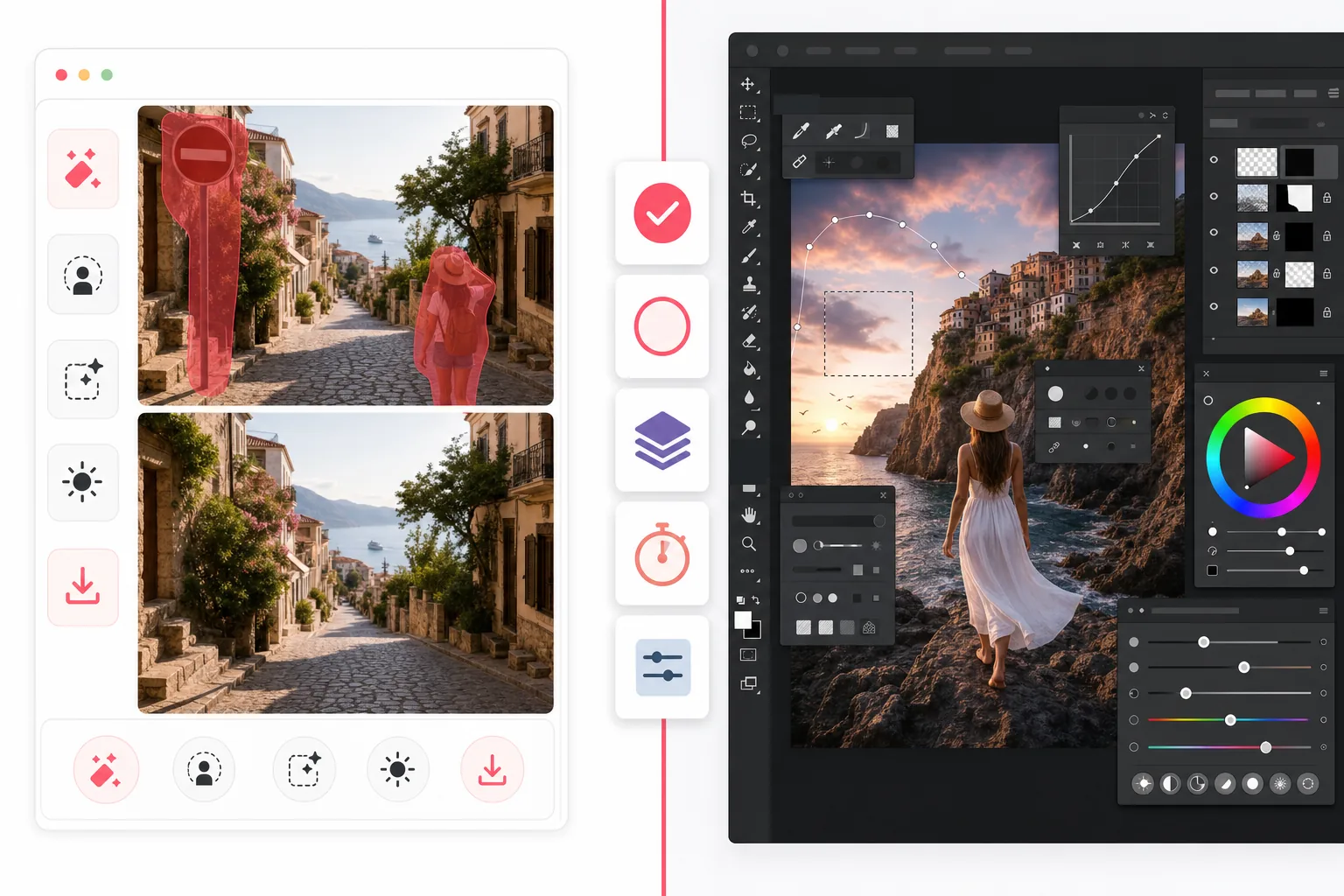
Aperçu
Magic Eraser est un éditeur photo IA conçu pour les tâches de nettoyage rapides : supprimer des personnes, effacer le désordre, remplacer des arrière-plans, améliorer des images floues et combler des zones manquantes, sans courbe d'apprentissage abrupte.
Adobe Photoshop est une suite complète d'édition d'image professionnelle avec calques avancés, masquage, retouche, remplissage génératif et outils de composition conçus pour un contrôle créatif détaillé sur ordinateur et iPad.
Comparaison des fonctionnalités
Magic Eraser est un éditeur photo IA conçu pour les tâches de nettoyage rapides : supprimer des personnes, effacer le désordre, remplacer des arrière-plans, améliorer des images floues et combler des zones manquantes, sans courbe d'apprentissage abrupte.
Adobe Photoshop est une suite complète d'édition d'image professionnelle avec calques avancés, masquage, retouche, remplissage génératif et outils de composition conçus pour un contrôle créatif détaillé sur ordinateur et iPad.
| Feature | Magic Eraser | Adobe Photoshop |
|---|---|---|
| Suppression d'objets | Oui — pinceau IA | Oui — outils sensibles au contenu |
| Suppression d'arrière-plan | Oui — en un clic | Oui — manuel + IA |
| Remplissage génératif | Oui — workflow simplifié | Oui — outils de prompt avancés |
| Courbe d'apprentissage | Adapté aux débutants | Élevée |
| Plateforme | Web + iOS + Android | Bureau + iPad + bêta web |
| Édition par lots | Oui | Oui — plus de configuration |
| Abonnement requis | Non pour commencer | Oui |
| Idéal pour | Retouches rapides du quotidien | Production professionnelle |
Feature rows summarize visible product positioning and should be rechecked against official product pages before purchase, migration, or compliance decisions.
- Last content review May 1, 2026
- Adobe Photoshop source: official product site (https://www.adobe.com/products/photoshop.html)
- Magic Eraser source: https://magiceraser.live/fr/product/magic-eraser
- Pricing, feature availability, platform support, and limits can change; recheck official sources before relying on a buying decision.
Comparaison des tarifs
| Plan | Magic Eraser | Adobe Photoshop |
|---|---|---|
| Offre gratuite | Gratuit — éditions limitées | Essai de 7 jours |
| Mensuel | 9,99 $/mois | 22,99 $/mois |
| Annuel | 4,99 $/mois (facturé annuellement) | 20,99 $/mois (facturé annuellement) |
Tarifs en date de mai 2026. Vérifiez les tarifs actuels auprès de chaque fournisseur.
Pricing rows are snapshots from review time. Free tiers, subscriptions, trials, export limits, and regional availability can change without notice.
- Last content review May 1, 2026
- Adobe Photoshop source: official product site (https://www.adobe.com/products/photoshop.html)
- Magic Eraser source: https://magiceraser.live/fr/product/magic-eraser
- Pricing, feature availability, platform support, and limits can change; recheck official sources before relying on a buying decision.
Pourquoi choisir Magic Eraser
Plus rapide du premier clic à l'export
Magic Eraser supprime le temps de préparation. Ouvrez l'éditeur, surlignez l'élément gênant et laissez l'IA reconstruire la zone sans naviguer dans les calques, les masques ou des menus complexes.
Conçu pour le nettoyage photo pratique
Si votre objectif est de supprimer touristes, panneaux, imperfections, fils, texte ou arrière-plans encombrés, Magic Eraser atteint ce résultat directement, sans vous demander d'apprendre une suite créative complète.
Fonctionne partout
Photoshop brille toujours pour les workflows de bureau approfondis, mais Magic Eraser fonctionne dans un navigateur et sur mobile, ce qui facilite l'édition depuis n'importe où pour les marketeurs, vendeurs, créateurs et équipes.
Moins de friction pour les équipes
Magic Eraser est plus facile à standardiser dans une équipe qui a besoin de retouches rapides et cohérentes pour les photos produits, les visuels sociaux, les fiches et les pubs, sans acheter un logiciel créatif complet pour chacun.
Questions fréquentes
Magic Eraser remplace-t-il Photoshop ?
+
Pour le nettoyage rapide, la suppression d'arrière-plan et les corrections par IA, oui. Pour la composition avancée, le travail de design riche en calques et la retouche professionnelle détaillée, Photoshop offre encore plus de profondeur.
Quel outil est plus facile pour les débutants ?
+
Magic Eraser est bien plus facile pour les débutants, car il est conçu autour de tâches d'édition IA guidées plutôt que d'un espace de travail professionnel complet.
Photoshop offre-t-il un meilleur contrôle ?
+
Oui. Photoshop offre plus de contrôle manuel, surtout pour la retouche et la composition professionnelles. Magic Eraser sacrifie une partie de cette profondeur au profit d'une édition quotidienne bien plus rapide.
Puis-je utiliser Magic Eraser sur mobile ?
+
Oui. Magic Eraser est disponible sur iOS et Android et fonctionne aussi sur le web, vous pouvez donc passer d'un appareil à l'autre sans changer d'outil.
Lequel est meilleur pour les photos produits e-commerce ?
+
Magic Eraser est souvent le choix le plus rapide pour supprimer les arrière-plans, nettoyer les distractions et préparer de grands lots d'images produits. Photoshop est préférable lorsque chaque image nécessite une retouche personnalisée au niveau design.
Besoin de retouches rapides sans la complexité de Photoshop ?
Essayez Magic Eraser gratuitement et nettoyez vos photos en quelques secondes grâce à la suppression d'objets, au nettoyage d'arrière-plan et au remplissage génératif par IA.
Essayer Magic Eraser gratuitementCas d'utilisation associés
Découvrez comment les professionnels utilisent ces outils dans des workflows réels.
Des photos d'annonce encombrées d'effets personnels, de voitures garées ou de matériel de chantier font fuir les acheteurs. Magic Eraser nettoie vos photos de biens en un instant grâce à l'IA — aucune compétence Photoshop requise.
Des photos produits mal cadrées avec des arrière-plans encombrés vous font perdre des ventes chaque jour. Magic Eraser vous permet de créer des images produits professionnelles en quelques secondes — sans compétences Photoshop. Importez, effacez les distractions, et publiez en toute confiance.
Des inconnus qui gâchent vos photos de voyage ? Un arrière-plan en désordre qui ruine vos selfies ? Arrêtez de perdre des heures sur Photoshop. Magic Eraser supprime les distractions, nettoie vos clichés et adapte vos photos à tous les formats — en un clic.
Guides associés
Découvrez d'autres guides et contenus éditoriaux liés à ce workflow.
Apprenez à utiliser Magic Eraser pour supprimer objets, personnes, texte et distractions d’une photo avec un résultat IA plus propre.
Apprenez à supprimer des personnes de vos photos avec l'IA en quelques secondes. Guide pour photos de voyage, immobilier et produits.
Guide pour supprimer les filigranes de vos propres photos avec l'IA. Quand c'est approprié, techniques et utilisation de Magic Eraser.
Autres comparaisons
Découvrez comment Magic Eraser se compare aux autres outils de retouche photo.
Nous avons testé et comparé les meilleurs outils de retouche photo IA pour vous. De la suppression d'objets au remplacement d'arrière-plan, découvrez quel éditeur offre les meilleurs résultats.
Adobe Photoshop est puissant, mais la plupart des gens n'en utilisent qu'une infime partie des fonctionnalités. Magic Eraser propose les outils de nettoyage photo dont vous avez réellement besoin — suppression d'objets, suppression d'arrière-plan, amélioration par IA et remplissage génératif — dans une interface plus simple qui fonctionne sur le web et le mobile, sans abonnement requis pour démarrer.
Tried to remove an object or background and hit a Pro paywall in Canva, Adobe Express/Photoshop, or Fotor? Magic Eraser does the same job — object removal, background removal, watermark cleanup, and enhancement — for free. No subscription, and no watermark stamped on your download.
Comparez Magic Eraser avec magic-eraser.io. Découvrez les fonctionnalités, les prix et la facilité d'utilisation côte à côte. Voyez pourquoi Magic Eraser est le meilleur choix pour la retouche photo IA.
Comparez Magic Eraser avec Pixelcut. Découvrez les fonctionnalités, les prix et la facilité d'utilisation côte à côte. Voyez pourquoi Magic Eraser est le meilleur choix pour la retouche photo IA.
Découvrez les meilleurs Suppresseurs d'emoji pour la retouche photo. Nous avons comparé les fonctionnalités, les prix et les capacités IA pour vous aider à choisir.