
The Free Magic Eraser You Don't Need Pro For
Tried to remove an object or background and hit a Pro paywall in Canva, Adobe Express/Photoshop, or Fotor? Magic Eraser does the same job — object removal, background removal, watermark cleanup, and enhancement — for free. No subscription, and no watermark stamped on your download.
Last updated
Erase free, no ProComparison rows are editorial summaries from the latest page review, not a guarantee of current pricing, limits, watermark policy, batch support, speed, or platform availability.
Overview
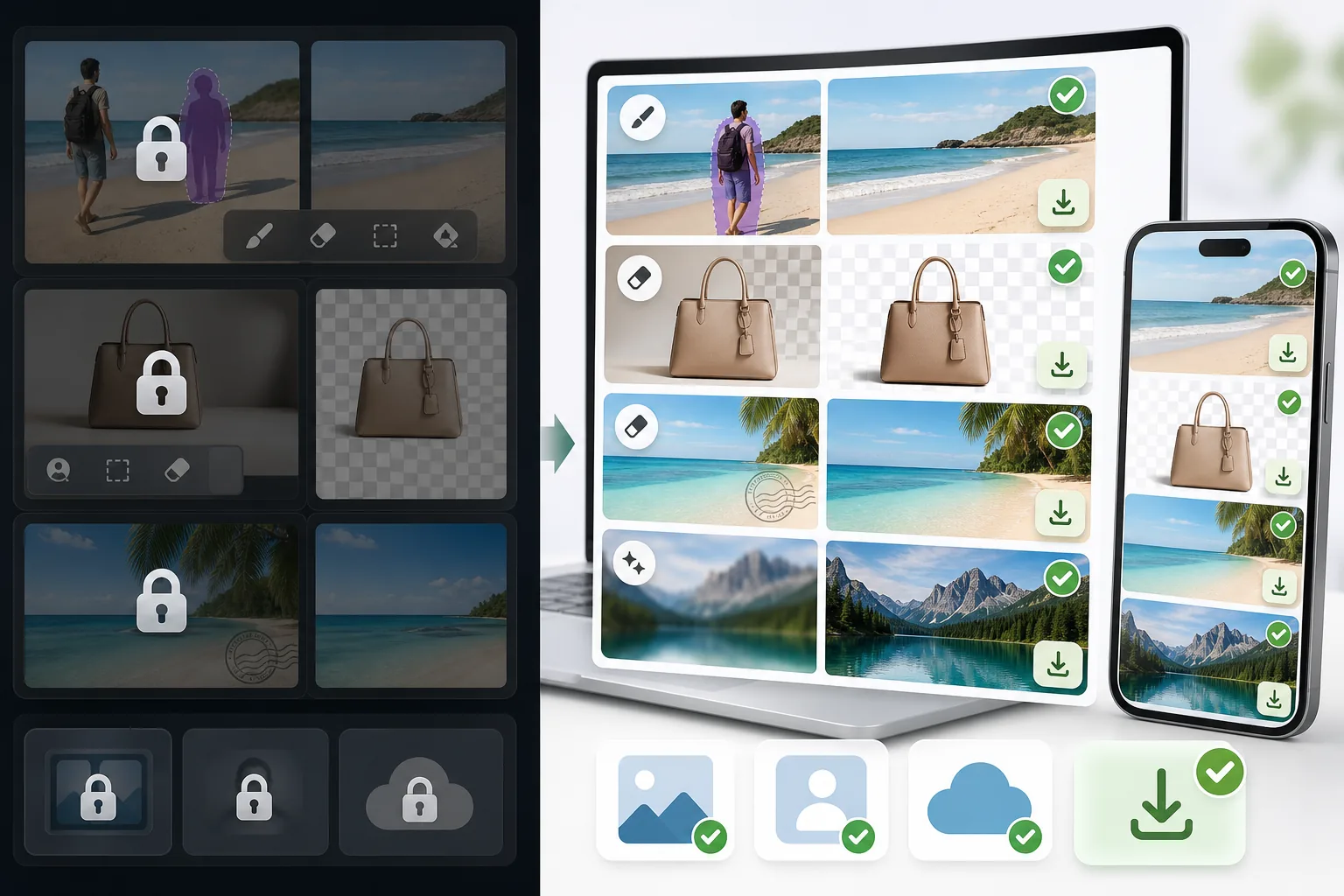
Magic Eraser is a dedicated AI photo editor built around cleanup. Object removal, background removal, watermark and emoji removal, and image enhancement include limited free edits on web and mobile after sign-in, with no watermark added to exported images.
Canva, Adobe (Express and Photoshop), and Fotor are powerful, well-made editors. The catch for many people is that their object and background removal — the exact feature you came for — is often placed behind a Pro or paid tier, so the cleanup step triggers an upgrade prompt before you can export.
Magic Eraser vs Pro-Gated Editors
Magic Eraser is a dedicated AI photo editor built around cleanup. Object removal, background removal, watermark and emoji removal, and image enhancement include limited free edits on web and mobile after sign-in, with no watermark added to exported images.
Canva, Adobe (Express and Photoshop), and Fotor are powerful, well-made editors. The catch for many people is that their object and background removal — the exact feature you came for — is often placed behind a Pro or paid tier, so the cleanup step triggers an upgrade prompt before you can export.
| Feature | Magic Eraser | Others |
|---|---|---|
| Object removal | Yes — free, core feature | Yes — but often behind a Pro / paid tier |
| Background removal | Yes — free | Yes — frequently Pro-gated or limited on free |
| Watermark & emoji removal | Yes — free | Limited or Pro-only |
| Watermark on your export | None | Sometimes added on the free tier |
| Signup required | No — start editing instantly | Usually an account is required |
| Image enhancement | Yes — free | Often Pro-gated |
| Task-specific removal tools | 100+ (emoji, watermark, date stamp, person, sky…) | Typically one general brush, Pro-gated |
| Cost to do the cleanup job | Free | Often requires a paid subscription |
| Platform | Web + iOS + Android | Web + iOS + Android |
Feature rows summarize visible product positioning and should be rechecked against official product pages before purchase, migration, or compliance decisions.
- Last content review June 20, 2026
- Pro-gated editors source: official product site (https://www.canva.com/)
- Magic Eraser source: https://magiceraser.live/fr/product/magic-eraser
- Pricing, feature availability, platform support, and limits can change; recheck official sources before relying on a buying decision.
Why Switch When You Hit the Paywall
The cleanup step is free, not the upgrade prompt
In Canva, Adobe Express/Photoshop, and Fotor, the object- or background-removal action is often what triggers an upgrade screen. In Magic Eraser, that same action is the free core of the product — you remove the object, remove the background, or clean a watermark and export, with no Pro tier standing between you and the result.
No watermark on what you download
Some free tiers let you edit but stamp a watermark on the export, which defeats the point. Magic Eraser never adds a watermark to your image — what you erase is what you download, at full usable quality.
Sign in, use free edits, no card
You don't create an account, start a trial, or enter payment details to do the job. Open Magic Eraser, upload your photo, brush over what you want gone, and save. The whole flow is built to skip the friction those tools put in front of cleanup.
100+ purpose-built removal tools
Instead of one general-purpose brush gated behind Pro, Magic Eraser offers task-specific tools — remove emoji, watermark, date stamp, person, glasses, sky, glare, and more — each tuned for that exact job, and each available with limited free edits after sign-in.
Frequently Asked Questions
Is Magic Eraser really free?
+
Yes. Object removal, background removal, watermark and emoji removal, and enhancement include limited free edits after sign-in, with no watermark added to your export. There is an optional paid plan with higher limits and extras, but the core cleanup tasks people hit paywalls for elsewhere are free here.
Can I remove objects or backgrounds without Canva Pro or Adobe's paid plan?
+
Yes. Magic Eraser is a free alternative for exactly that. Canva, Adobe Express/Photoshop, and Fotor are capable tools, but their object and background removal is often behind a Pro or paid tier. Magic Eraser does the same job for free — so you can finish the edit instead of hitting an upgrade screen.
What's the catch?
+
There's no watermark and sign-in required wall on the core tools. The honest caveat is technical, not commercial: like every AI eraser (including the Pro ones), Magic Eraser reconstructs the area behind whatever you remove, so busy textures or complex backgrounds may need a second pass or light touch-up. Most everyday removals are clean in one go.
Do I have to create an account or enter a credit card?
+
No. You can start editing immediately on the web with sign-in required and no payment details. That's the main difference from the paywalled flows — there's nothing to unlock before you export.
Will there be a watermark on my downloaded image?
+
No. Magic Eraser does not stamp a watermark on your exported image. You download the cleaned photo at full usable quality, free.
Skip the Pro paywall — erase it free
Remove the object, clear the background, or wipe a watermark without a subscription, a signup, or a watermark on your download. Open Magic Eraser and finish the edit you came to do.
Erase free, no ProCas d'utilisation associés
Découvrez comment les professionnels utilisent ces outils dans des workflows réels.
Des photos d'annonce encombrées d'effets personnels, de voitures garées ou de matériel de chantier font fuir les acheteurs. Magic Eraser nettoie vos photos de biens en un instant grâce à l'IA — aucune compétence Photoshop requise.
Des photos produits mal cadrées avec des arrière-plans encombrés vous font perdre des ventes chaque jour. Magic Eraser vous permet de créer des images produits professionnelles en quelques secondes — sans compétences Photoshop. Importez, effacez les distractions, et publiez en toute confiance.
Des inconnus qui gâchent vos photos de voyage ? Un arrière-plan en désordre qui ruine vos selfies ? Arrêtez de perdre des heures sur Photoshop. Magic Eraser supprime les distractions, nettoie vos clichés et adapte vos photos à tous les formats — en un clic.
Guides associés
Découvrez d'autres guides et contenus éditoriaux liés à ce workflow.
Apprenez à utiliser Magic Eraser pour supprimer objets, personnes, texte et distractions d’une photo avec un résultat IA plus propre.
Apprenez à supprimer des personnes de vos photos avec l'IA en quelques secondes. Guide pour photos de voyage, immobilier et produits.
Guide pour supprimer les filigranes de vos propres photos avec l'IA. Quand c'est approprié, techniques et utilisation de Magic Eraser.
Autres comparaisons
Découvrez comment Magic Eraser se compare aux autres outils de retouche photo.
Nous avons testé et comparé les meilleurs outils de retouche photo IA pour vous. De la suppression d'objets au remplacement d'arrière-plan, découvrez quel éditeur offre les meilleurs résultats.
Adobe Photoshop est puissant, mais la plupart des gens n'en utilisent qu'une infime partie des fonctionnalités. Magic Eraser propose les outils de nettoyage photo dont vous avez réellement besoin — suppression d'objets, suppression d'arrière-plan, amélioration par IA et remplissage génératif — dans une interface plus simple qui fonctionne sur le web et le mobile, sans abonnement requis pour démarrer.
Comparez Magic Eraser avec magic-eraser.io. Découvrez les fonctionnalités, les prix et la facilité d'utilisation côte à côte. Voyez pourquoi Magic Eraser est le meilleur choix pour la retouche photo IA.
Comparez Magic Eraser avec Pixelcut. Découvrez les fonctionnalités, les prix et la facilité d'utilisation côte à côte. Voyez pourquoi Magic Eraser est le meilleur choix pour la retouche photo IA.
Adobe Express intègre l'édition photo dans une suite de design et de création de contenu liée à Adobe Firefly. Magic Eraser est conçu spécifiquement pour le nettoyage photo par IA : suppression d'objets, remplacement d'arrière-plan, remplissage génératif et amélioration. Ce comparatif montre où chaque outil convient le mieux.
Magic Eraser et Pixelcut proposent tous deux une édition photo propulsée par l'IA sur le web, iOS et Android, avec des offres gratuites et des offres Pro payantes. Pixelcut penche fortement vers les photos produit e-commerce avec des modèles. Magic Eraser est conçu spécifiquement pour les tâches de nettoyage par IA sur toute la gamme du travail photo. Ce comparatif montre où chaque outil l'emporte.