
L'alternative à Photoshop plus rapide pour la retouche photo quotidienne
Adobe Photoshop est puissant, mais la plupart des gens n'en utilisent qu'une infime partie des fonctionnalités. Magic Eraser propose les outils de nettoyage photo dont vous avez réellement besoin — suppression d'objets, suppression d'arrière-plan, amélioration par IA et remplissage génératif — dans une interface plus simple qui fonctionne sur le web et le mobile, sans abonnement requis pour démarrer.
Last updated
Essayez Magic Eraser gratuitementComparison rows are editorial summaries from the latest page review, not a guarantee of current pricing, limits, watermark policy, batch support, speed, or platform availability.
Aperçu
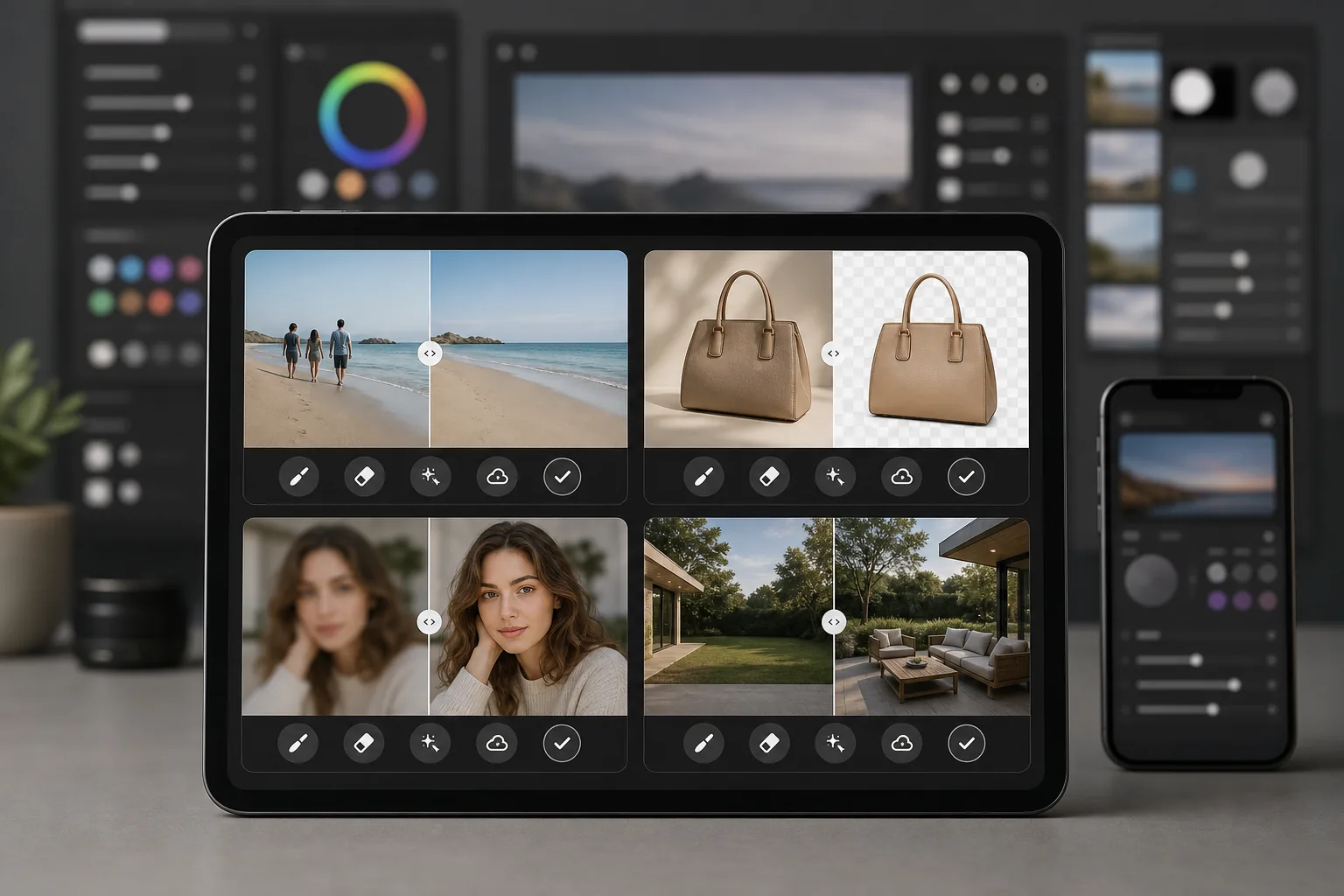
Magic Eraser est un éditeur photo propulsé par l'IA, conçu spécialement pour un nettoyage de photos rapide et pratique. Supprimez des objets, effacez des arrière-plans, améliorez la qualité d'image et comblez les zones manquantes — le tout depuis votre navigateur ou votre téléphone, sans installer de logiciel de bureau lourd.
Adobe Photoshop est la suite professionnelle d'édition d'images de référence dans l'industrie, avec calques, masques, compositing, retouche et outils d'IA générative. Elle nécessite un abonnement Creative Cloud et un investissement de temps important pour la maîtriser.
Comparaison des fonctionnalités
Magic Eraser est un éditeur photo propulsé par l'IA, conçu spécialement pour un nettoyage de photos rapide et pratique. Supprimez des objets, effacez des arrière-plans, améliorez la qualité d'image et comblez les zones manquantes — le tout depuis votre navigateur ou votre téléphone, sans installer de logiciel de bureau lourd.
Adobe Photoshop est la suite professionnelle d'édition d'images de référence dans l'industrie, avec calques, masques, compositing, retouche et outils d'IA générative. Elle nécessite un abonnement Creative Cloud et un investissement de temps important pour la maîtriser.
| Feature | Magic Eraser | Adobe Photoshop |
|---|---|---|
| Suppression d'objets | Oui — propulsée par l'IA, en un coup de pinceau | Oui — remplissage selon le contenu, masquage manuel |
| Suppression d'arrière-plan | Oui — instantanée en un clic | Oui — sélection du sujet + ajustement manuel |
| Amélioration par IA | Oui — agrandissement et netteté automatiques | Oui — filtres neuronaux |
| Remplissage génératif | Oui — simple, basé sur des invites | Oui — avancé avec contrôle des calques |
| Courbe d'apprentissage | Quelques minutes pour apprendre | Des semaines à des mois |
| Plateforme | Web + iOS + Android | Bureau + iPad + web (bêta) |
| Tarif de départ | Gratuit à l'essai, sans abonnement | Abonnement mensuel requis |
| Idéal pour | Nettoyage et amélioration de photos rapides | Production créative professionnelle |
Feature rows summarize visible product positioning and should be rechecked against official product pages before purchase, migration, or compliance decisions.
- Last content review May 8, 2026
- Adobe Photoshop source: official product site (https://www.adobe.com/products/photoshop.html)
- Magic Eraser source: https://magiceraser.live/fr/product/magic-eraser
- Pricing, feature availability, platform support, and limits can change; recheck official sources before relying on a buying decision.
Pourquoi choisir Magic Eraser plutôt que Photoshop
Obtenez des résultats en quelques secondes, pas en quelques heures
Magic Eraser évite la complexité. Passez le pinceau sur un objet pour le supprimer, cliquez pour effacer un arrière-plan ou appuyez pour améliorer la qualité. Aucun calque, aucun masque, aucun panneau à configurer — juste des résultats rapides grâce à une IA qui se charge du travail difficile.
Aucun abonnement requis pour démarrer
Photoshop nécessite un abonnement Creative Cloud avant même de pouvoir ouvrir un fichier. Magic Eraser vous laisse essayer chaque outil gratuitement afin de voir les résultats avant de vous engager, et la tarification reste simple lorsque vous décidez de passer à la version supérieure.
Fonctionne sur n'importe quel appareil, où que vous soyez
Retouchez vos photos depuis votre navigateur, votre iPhone ou votre appareil Android avec les mêmes outils complets. Il n'y a aucun logiciel lourd à installer ni aucune exigence matérielle de bureau à respecter, ce qui le rend idéal pour la retouche en déplacement.
Tous les outils de nettoyage au même endroit
Magic Eraser regroupe la suppression d'objets, la suppression d'arrière-plan, l'amélioration par IA, le remplissage génératif et bien plus dans un seul éditeur ciblé. Vous obtenez les outils du quotidien dont vous avez besoin sans payer pour une suite créative complète que vous n'utiliserez jamais pleinement.
Questions fréquentes
Magic Eraser peut-il vraiment remplacer Photoshop ?
+
Pour les tâches de nettoyage photo quotidiennes comme la suppression d'objets, la suppression d'arrière-plan et l'amélioration d'image, oui. Si vous avez besoin de compositing avancé, de retouche détaillée basée sur les calques ou d'outils spécialisés pour la production d'impression, Photoshop offre encore plus de profondeur.
Magic Eraser est-il plus facile à utiliser que Photoshop ?
+
Nettement plus facile. Magic Eraser est conçu pour que tout le monde puisse obtenir des résultats d'aspect professionnel en quelques secondes. Il n'y a aucune courbe d'apprentissage pour les tâches de base — passez le pinceau pour supprimer, cliquez pour améliorer, c'est fait.
Dois-je installer quelque chose pour utiliser Magic Eraser ?
+
Non. Magic Eraser fonctionne directement dans votre navigateur web et est également disponible sous forme d'application mobile pour iOS et Android. Il n'y a aucun logiciel de bureau à télécharger ou à mettre à jour.
Comment la tarification de Magic Eraser se compare-t-elle à celle de Photoshop ?
+
Magic Eraser vous permet de commencer gratuitement, sans carte de crédit. Photoshop nécessite un abonnement Creative Cloud à partir d'environ $22.99 per month, ce qui représente des coûts annuels importants même si vous n'avez besoin que de fonctions de retouche de base.
Puis-je utiliser Magic Eraser pour la photographie de produits ?
+
Oui. Magic Eraser est largement utilisé pour les photos de produits e-commerce. Vous pouvez supprimer les arrière-plans, éliminer les distractions, améliorer la qualité d'image et traiter des lots de photos bien plus rapidement qu'en effectuant le même travail dans Photoshop.
Prêt pour une alternative plus simple à Photoshop ?
Essayez Magic Eraser gratuitement et découvrez à quel point la retouche photo propulsée par l'IA peut être rapide. Supprimez des objets, effacez des arrière-plans et améliorez vos images en quelques secondes — sans abonnement, sans courbe d'apprentissage.
Essayez Magic Eraser gratuitementCas d'utilisation associés
Découvrez comment les professionnels utilisent ces outils dans des workflows réels.
Des photos d'annonce encombrées d'effets personnels, de voitures garées ou de matériel de chantier font fuir les acheteurs. Magic Eraser nettoie vos photos de biens en un instant grâce à l'IA — aucune compétence Photoshop requise.
Des photos produits mal cadrées avec des arrière-plans encombrés vous font perdre des ventes chaque jour. Magic Eraser vous permet de créer des images produits professionnelles en quelques secondes — sans compétences Photoshop. Importez, effacez les distractions, et publiez en toute confiance.
Des inconnus qui gâchent vos photos de voyage ? Un arrière-plan en désordre qui ruine vos selfies ? Arrêtez de perdre des heures sur Photoshop. Magic Eraser supprime les distractions, nettoie vos clichés et adapte vos photos à tous les formats — en un clic.
Guides associés
Découvrez d'autres guides et contenus éditoriaux liés à ce workflow.
Apprenez à utiliser Magic Eraser pour supprimer objets, personnes, texte et distractions d’une photo avec un résultat IA plus propre.
Apprenez à supprimer des personnes de vos photos avec l'IA en quelques secondes. Guide pour photos de voyage, immobilier et produits.
Guide pour supprimer les filigranes de vos propres photos avec l'IA. Quand c'est approprié, techniques et utilisation de Magic Eraser.
Autres comparaisons
Découvrez comment Magic Eraser se compare aux autres outils de retouche photo.
Nous avons testé et comparé les meilleurs outils de retouche photo IA pour vous. De la suppression d'objets au remplacement d'arrière-plan, découvrez quel éditeur offre les meilleurs résultats.
Tried to remove an object or background and hit a Pro paywall in Canva, Adobe Express/Photoshop, or Fotor? Magic Eraser does the same job — object removal, background removal, watermark cleanup, and enhancement — for free. No subscription, and no watermark stamped on your download.
Comparez Magic Eraser avec magic-eraser.io. Découvrez les fonctionnalités, les prix et la facilité d'utilisation côte à côte. Voyez pourquoi Magic Eraser est le meilleur choix pour la retouche photo IA.
Comparez Magic Eraser avec Pixelcut. Découvrez les fonctionnalités, les prix et la facilité d'utilisation côte à côte. Voyez pourquoi Magic Eraser est le meilleur choix pour la retouche photo IA.
Adobe Express intègre l'édition photo dans une suite de design et de création de contenu liée à Adobe Firefly. Magic Eraser est conçu spécifiquement pour le nettoyage photo par IA : suppression d'objets, remplacement d'arrière-plan, remplissage génératif et amélioration. Ce comparatif montre où chaque outil convient le mieux.
Magic Eraser et Pixelcut proposent tous deux une édition photo propulsée par l'IA sur le web, iOS et Android, avec des offres gratuites et des offres Pro payantes. Pixelcut penche fortement vers les photos produit e-commerce avec des modèles. Magic Eraser est conçu spécifiquement pour les tâches de nettoyage par IA sur toute la gamme du travail photo. Ce comparatif montre où chaque outil l'emporte.