
Best Emoji Remover Tools in 2026: 6 Erasers Ranked
Découvrez les meilleurs Suppresseurs d'emoji pour la retouche photo. Nous avons comparé les fonctionnalités, les prix et les capacités IA pour vous aider à choisir.
Last updated
Essayer Magic Eraser gratuitementComparison rows are editorial summaries from the latest page review, not a guarantee of current pricing, limits, watermark policy, batch support, speed, or platform availability.
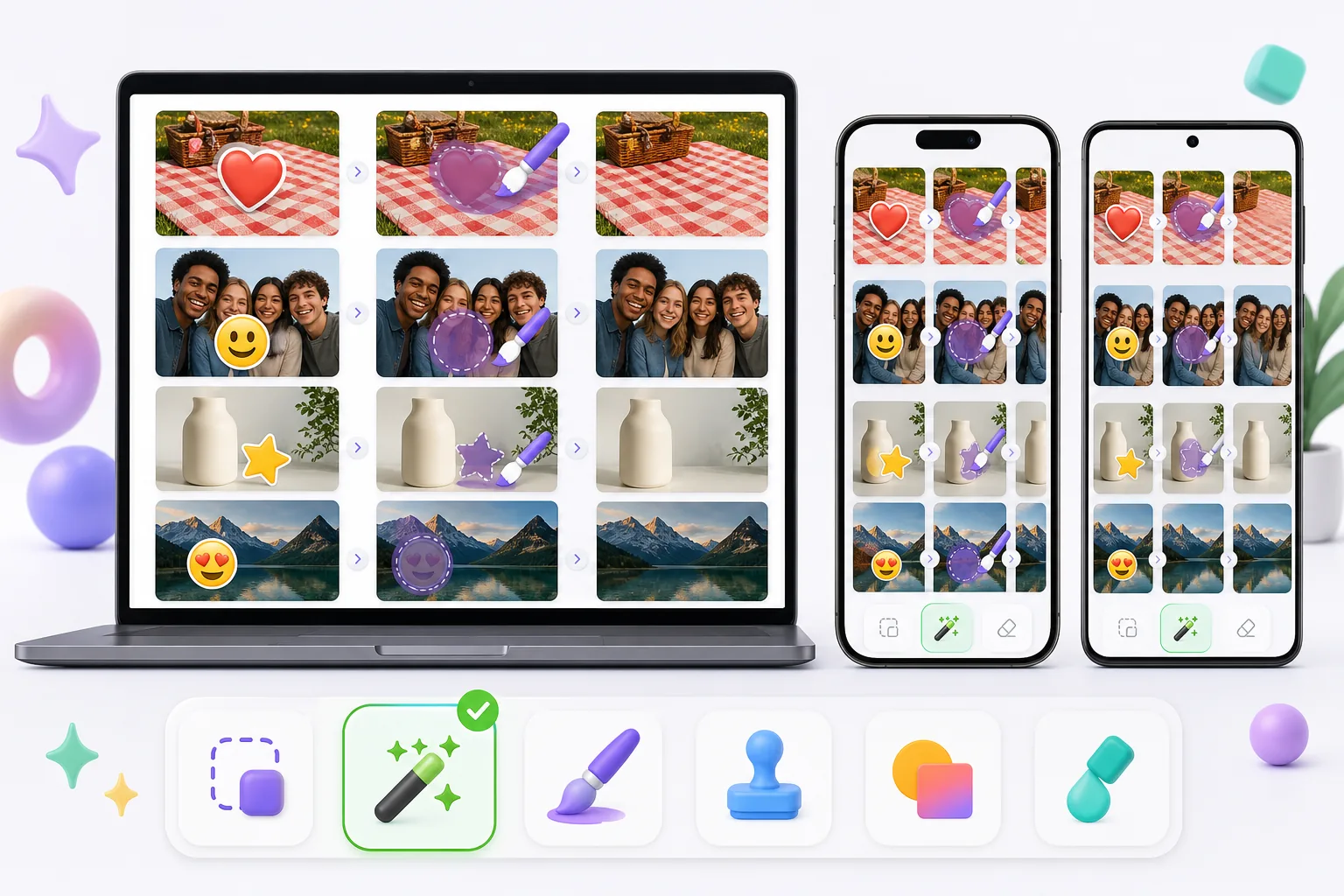
Aperçu
Magic Eraser est un éditeur photo IA gratuit en ligne offrant la suppression d'objets, la suppression d'arrière-plan, l'amélioration de photos, l'expansion d'images, le remplissage IA, les filtres IA et le traitement par lots. Fonctionne sur tout appareil avec un navigateur — aucune installation requise.
Other capable emoji removers exist, and the best one for you depends on the photo. Pixelcut, Picsart, and MyEdit pair object/emoji removal with broader editing suites; Cleanup.pictures is a simple web eraser; Snapseed's healing tool can patch small emoji on a phone. Quality, free limits, and watermark policies vary between them, so it's worth matching the tool to whether the emoji sits on plain background, skin, or a face.
Comparaison des fonctionnalités
Magic Eraser est un éditeur photo IA gratuit en ligne offrant la suppression d'objets, la suppression d'arrière-plan, l'amélioration de photos, l'expansion d'images, le remplissage IA, les filtres IA et le traitement par lots. Fonctionne sur tout appareil avec un navigateur — aucune installation requise.
Other capable emoji removers exist, and the best one for you depends on the photo. Pixelcut, Picsart, and MyEdit pair object/emoji removal with broader editing suites; Cleanup.pictures is a simple web eraser; Snapseed's healing tool can patch small emoji on a phone. Quality, free limits, and watermark policies vary between them, so it's worth matching the tool to whether the emoji sits on plain background, skin, or a face.
| Feature | Magic Eraser | Others |
|---|---|---|
| Free tier for emoji removal | Yes — free to start after sign-in | Often limited or trial-gated |
| No watermark on export | No watermark | Some add a watermark on the free plan |
| AI reconstruction behind the emoji | Generative inpainting rebuilds the area | Ranges from AI fill to simple clone/blur |
| Works on mobile and web | Web + iOS + Android, same engine | Many are mobile-only or web-only |
| Handles emoji over faces and busy backgrounds | Reconstructs backgrounds well; faces are AI-estimated | Varies; small/plain areas handled best |
| Remove several emoji at once (batch on one image) | Brush all, erase in one pass | Often one-at-a-time |
| Guidance for emoji-specific cases | 11 emoji how-tos (iPhone, screenshot, face, story) | General object-removal docs |
Feature rows summarize visible product positioning and should be rechecked against official product pages before purchase, migration, or compliance decisions.
- Last content review June 20, 2026
- Magic Eraser source: https://magiceraser.live/fr/product/magic-eraser
- Pricing, feature availability, platform support, and limits can change; recheck official sources before relying on a buying decision.
Avantages de Magic Eraser
Built for emoji, not just objects
Beyond a general eraser, Magic Eraser has a dedicated emoji-removal tool and 11 emoji-specific how-tos — covering iPhone photos, screenshots, Instagram stories, group shots, and emoji over faces. That focus means the workflow is tuned for the exact cases people hit: heart-eyes stickers, smiley censors, and promo stamps burned into saved images.
AI rebuilds what the emoji hid
An emoji flattens into the file, so the pixels behind it are gone. Instead of blurring or clone-stamping, Magic Eraser's generative AI reads the surrounding skin tone, pattern, and texture and synthesizes a plausible fill. On repetitive backgrounds — grass, fabric, walls, sky — the result is often seamless, which is where simpler erasers tend to smear.
Free, no watermark
Emoji removal runs on the free tier: upload, brush over the emoji, export the cleaned photo at no cost and with no watermark or account required. Some other tools gate exports behind a sign-up or stamp a watermark on free output, which defeats the point of cleaning up a photo to share.
Same tool on phone and desktop
Magic Eraser works in any mobile browser and as native iOS and Android apps, so you can erase emoji straight from your camera roll or screenshots — then switch to the desktop web version for larger images or finer brushing. The AI and results are identical across devices, with a 4.9 rating from 559,700 reviews.
Questions fréquentes
Magic Eraser est-il gratuit ?
+
Oui, Magic Eraser vous permet d'éditer des photos gratuitement et immédiatement. Aucune inscription ni installation requise. Vous pouvez passer au plan Pro pour un traitement illimité.
Comment Magic Eraser se compare-t-il à Suppresseurs d'emoji ?
+
Magic Eraser combine 8 outils IA sur une seule plateforme — suppression d'objets, suppression d'arrière-plan, amélioration, expansion, remplissage IA, filtres IA, génération d'images IA et design. Par rapport à Suppresseurs d'emoji, Magic Eraser offre plus de fonctionnalités sans installation de logiciel.
Magic Eraser fonctionne-t-il sur mobile ?
+
Oui, Magic Eraser est disponible sur iOS, Android et le web. Vous pouvez passer d'un appareil à l'autre sans changer d'outil.
Dois-je créer un compte ?
+
Non, vous pouvez commencer à éditer immédiatement sans créer de compte. Ouvrez simplement votre navigateur et commencez.
Prêt à essayer Magic Eraser ?
Éditez votre première photo gratuitement — sans inscription.
Essayer Magic Eraser gratuitementCas d'utilisation associés
Découvrez comment les professionnels utilisent ces outils dans des workflows réels.
Des photos d'annonce encombrées d'effets personnels, de voitures garées ou de matériel de chantier font fuir les acheteurs. Magic Eraser nettoie vos photos de biens en un instant grâce à l'IA — aucune compétence Photoshop requise.
Des photos produits mal cadrées avec des arrière-plans encombrés vous font perdre des ventes chaque jour. Magic Eraser vous permet de créer des images produits professionnelles en quelques secondes — sans compétences Photoshop. Importez, effacez les distractions, et publiez en toute confiance.
Des inconnus qui gâchent vos photos de voyage ? Un arrière-plan en désordre qui ruine vos selfies ? Arrêtez de perdre des heures sur Photoshop. Magic Eraser supprime les distractions, nettoie vos clichés et adapte vos photos à tous les formats — en un clic.
Guides associés
Découvrez d'autres guides et contenus éditoriaux liés à ce workflow.
Apprenez à utiliser Magic Eraser pour supprimer objets, personnes, texte et distractions d’une photo avec un résultat IA plus propre.
Apprenez à supprimer des personnes de vos photos avec l'IA en quelques secondes. Guide pour photos de voyage, immobilier et produits.
Guide pour supprimer les filigranes de vos propres photos avec l'IA. Quand c'est approprié, techniques et utilisation de Magic Eraser.
Autres comparaisons
Découvrez comment Magic Eraser se compare aux autres outils de retouche photo.
Nous avons testé et comparé les meilleurs outils de retouche photo IA pour vous. De la suppression d'objets au remplacement d'arrière-plan, découvrez quel éditeur offre les meilleurs résultats.
Photoshop est la référence du secteur pour l'édition d'image approfondie, mais beaucoup n'ont besoin que d'une suppression d'objets rapide, d'arrière-plans nets et de corrections par IA. Magic Eraser se concentre sur ces tâches avec un workflow plus léger, opérant en quelques secondes sur le web et le mobile.
Adobe Photoshop est puissant, mais la plupart des gens n'en utilisent qu'une infime partie des fonctionnalités. Magic Eraser propose les outils de nettoyage photo dont vous avez réellement besoin — suppression d'objets, suppression d'arrière-plan, amélioration par IA et remplissage génératif — dans une interface plus simple qui fonctionne sur le web et le mobile, sans abonnement requis pour démarrer.
Tried to remove an object or background and hit a Pro paywall in Canva, Adobe Express/Photoshop, or Fotor? Magic Eraser does the same job — object removal, background removal, watermark cleanup, and enhancement — for free. No subscription, and no watermark stamped on your download.
Comparez Magic Eraser avec magic-eraser.io. Découvrez les fonctionnalités, les prix et la facilité d'utilisation côte à côte. Voyez pourquoi Magic Eraser est le meilleur choix pour la retouche photo IA.
Comparez Magic Eraser avec Pixelcut. Découvrez les fonctionnalités, les prix et la facilité d'utilisation côte à côte. Voyez pourquoi Magic Eraser est le meilleur choix pour la retouche photo IA.