
Photographier et Retoucher des Produits Artisanaux : Guide du Créateur pour Vendre Plus en Ligne
Apprenez à photographier et retoucher des produits artisanaux pour Etsy, Amazon Handmade et Shopify. Supprimez les arrière-plans, corrigez l'éclairage, améliorez les détails de texture et créez des fiches cohérentes qui transforment les visiteurs en acheteurs.
SEO & Growth
Vérifié par Magic Eraser Editorial ·
Sommaire
- Pourquoi la photographie de produits artisanaux est particulièrement exigeante
- Créer des arrière-plans propres qui vendent
- Précision des couleurs et texture : les détails qui concluent la vente
- Nettoyage des photos : supprimer les distractions sans enlever le caractère
- Mise en ligne multi-plateforme à partir d'une seule retouche
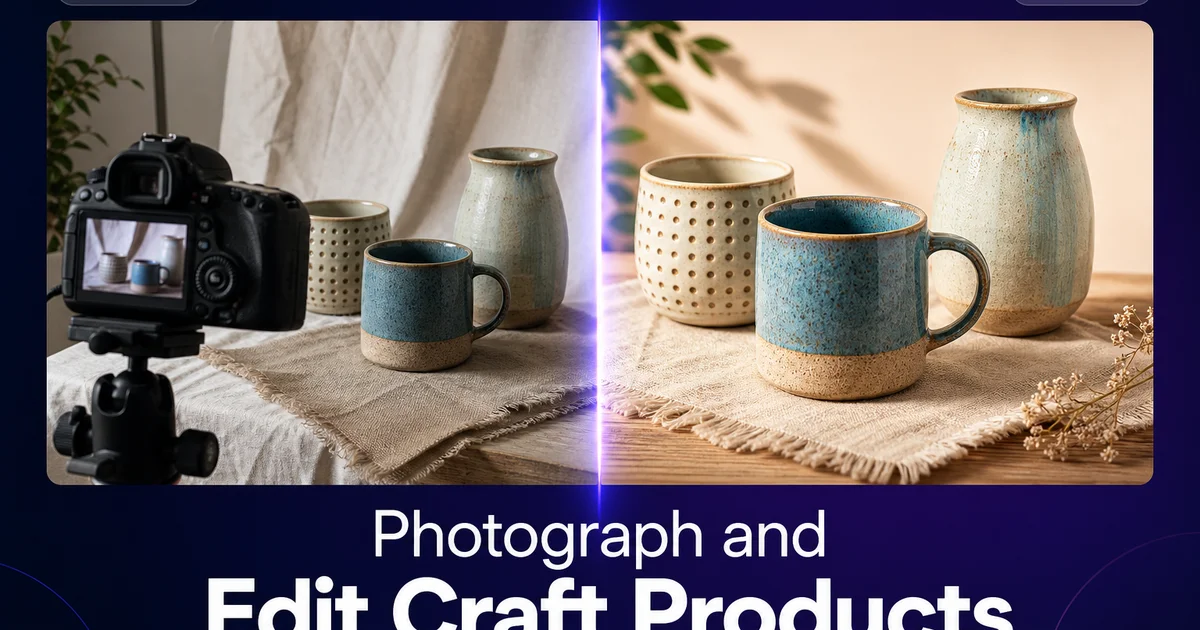
Les produits artisanaux portent une histoire. La sélection des matériaux, les heures de travail qualifié, les variations uniques qui rendent chaque pièce incomparable. Mais lorsqu'un acheteur potentiel découvre votre produit sur Etsy, Amazon Handmade ou votre boutique Shopify, cette histoire est entièrement racontée par les photographies. Ils ne peuvent pas sentir le poids d'une tasse en céramique, passer leurs doigts sur le grain d'un bol en bois tourné à la main, ni voir la profondeur des couleurs d'une écharpe teinte à la main. Vos photos doivent partager tout cela. Elles doivent le faire dans les deux secondes avant que l'acheteur ne fasse défiler jusqu'à l'annonce suivante.
Le marché de l'artisanat est plus concurrentiel que jamais. Rien qu'Etsy héberge des millions de vendeurs actifs. Les produits qui sont mis en favoris, ajoutés aux paniers et achetés ont toujours un point commun : d'excellentes photographies. Pas nécessairement des photographies coûteuses — de nombreux vendeurs populaires prennent leurs photos avec un smartphone près d'une fenêtre — mais des images propres, bien éclairées et riches en détails qui rendent le produit aussi beau à l'écran qu'en main.
L'AI photo editing réduit considérablement l'écart entre une simple photo de téléphone et une photo produit experte. Vous pouvez supprimer les arrière-plans encombrés, corriger un éclairage incohérent, accentuer les détails de texture qui rendent les produits faits main spéciaux et créer une marque visuelle cohérente dans toute votre boutique. Tout cela sans équipement photographique expert ni compétences avancées en retouche. Ce guide couvre l'ensemble du flux de travail, de la prise de vue à la mise en ligne.
- La suppression d'arrière-plan crée des images de fiche propres et cohérentes qui répondent aux normes visuelles d'Etsy, Amazon Handmade et Shopify.
- L'AI color correction garantit que les couleurs de la laine, du tissu, du bois, de la céramique et de la résine sont photographiées avec précision — réduisant les retours causés par les différences de couleur.
- L'accentuation des textures révèle la qualité artisanale qui différencie les produits faits main des alternatives produites en masse.
- La suppression d'objets nettoie les particules de poussière, les fils errants et les imperfections d'arrière-plan sans altérer le produit lui-même.
- Une retouche cohérente dans toute votre boutique crée une marque harmonieuse qui semble professionnelle et renforce la confiance des acheteurs.
- Une retouche rapide permet de photographier et de mettre en ligne de nouveaux produits le jour même où ils sont terminés.
- L'exportation multi-plateforme vous permet de créer des images optimisées pour Etsy, Instagram, Pinterest et votre site Web à partir d'un seul master retouché.
Pourquoi la photographie de produits artisanaux est particulièrement exigeante
Les produits artisanaux présentent des défis photographiques que les articles produits en masse n'ont pas. Chaque pièce est légèrement différente — et ces différences sont des atouts, pas des défauts. Un bol en céramique tourné à la main présente des variations subtiles dans l'épaisseur de l'émail. Une écharpe tricotée possède la texture organique de la laine travaillée à la main. Une cuillère en bois sculptée montre le motif du grain et les marques d'outil qui prouvent qu'elle a été fabriquée à la main. La photographie doit capturer ces détails clairement tout en présentant le produit de manière attrayante. Trop de retouche efface le caractère artisanal ; trop peu laisse l'image sembler amateur.
La diversité des matériaux ajoute de la complexité. Un vendeur artisanal peut proposer des produits en laine, tissu, bois, métal, céramique, verre, résine, cuir et papier. Chacun avec des propriétés réfléchissantes, des couleurs et des textures différentes. Les céramiques émaillées brillantes reflètent les sources de lumière. Le noyer foncé absorbe la lumière et cache les détails. La résine translucide nécessite un rétroéclairage pour montrer la profondeur des couleurs. Une seule configuration de prise de vue et une seule approche de retouche fonctionnent rarement pour tous les matériaux d'une gamme de produits diversifiée.
La plupart des vendeurs artisanaux travaillent depuis des ateliers à domicile. Une pièce libre, une table de cuisine, un garage-atelier — sans éclairage expert ni fonds professionnels. Les photos qui en résultent reflètent ces conditions : une température de couleur incohérente due à des sources lumineuses mélangées, des arrière-plans encombrés montrant l'atelier derrière le produit. Des ombres qui cachent précisément les détails que les acheteurs ont besoin de voir. L'AI editing comble l'écart entre les conditions d'un atelier domestique et une présentation experte.
- Les variations artisanales sont des atouts — la photographie doit les capturer sans les effacer.
- La diversité des matériaux implique des propriétés réfléchissantes, des couleurs et des besoins d'éclairage différents selon les produits.
- Les conditions d'atelier domestique produisent un éclairage incohérent, des arrière-plans encombrés et des détails cachés.
- Le défi de la retouche est de paraître professionnel tout en préservant le caractère artisanal authentique.
Créer des arrière-plans propres qui vendent
Les arrière-plans propres sont le facteur le plus important dans la photographie de produits artisanaux. Le manuel du vendeur Etsy souligne que le produit doit être le point focal clair de chaque image de fiche. Le moyen le plus simple d'y parvenir est un fond simple et sans encombrement. Le blanc est la norme par défaut pour les images principales des fiches. Il correspond au langage visuel du commerce électronique et garantit que le produit se lit clairement en miniature dans les résultats de recherche.
Utilisez Background Eraser pour isoler votre produit de ce contre quoi vous l'avez photographié. Un fond en carton-plume, une table en bois, un établi d'atelier. L'AI trace autour des formes irrégulières faites main avec précision : le bord irrégulier d'une céramique modelée à la main, les franges d'un textile tissé, la forme organique d'une pièce en bois sculpté. Placez le produit isolé sur un fond blanc pur pour votre image de fiche principale, et sur des fonds stylisés — une surface assortie, une couleur de marque, un cadre de vie — pour vos images de galerie secondaires.
Pour les articles à plat comme les estampes, autocollants, patchs et articles en tissu, la photographie verticale contre une surface propre suivie d'un remplacement d'arrière-plan produit les résultats les plus nets. Pour les articles tridimensionnels, photographiez sous un léger angle descendant pour montrer la profondeur et la forme, puis remplacez l'arrière-plan. La clé est la cohérence — lorsque chaque produit de votre boutique repose sur le même fond propre avec un éclairage similaire, la page de la boutique semble organisée et experte.
Précision des couleurs et texture : les détails qui concluent la vente
La précision des couleurs est la première cause de retours sur les places de marché artisanales. Un acheteur commande une écharpe qu'il voyait vert sauge et en reçoit une qui tire davantage sur l'olive. Une tasse en céramique qui semblait bleu cobalt à l'écran arrive bleu marine. Ces décalages surviennent à cause d'une balance des blancs incorrecte dans la photo d'origine, d'un étalonnage d'écran incohérent, ou des décalages de couleur introduits par l'éclairage artificiel. Vous ne pouvez pas contrôler l'écran de l'acheteur, mais vous pouvez garantir que vos photos sources sont aussi précises que possible.
AI Enhance corrige la balance des blancs et l'exposition en un seul passage, supprimant la dominante jaune chaude des lampes de bureau tungstène et la dominante bleue froide de la lumière d'une fenêtre exposée au nord. Il normalise les couleurs pour que le vert sauge soit perçu comme du vert sauge dans des conditions neutres. Appliquez la même correction à chaque produit d'une collection pour que les couleurs soient cohérentes entre elles. Les acheteurs qui commandent plusieurs articles d'une même gamme s'attendent à ce qu'ils soient assortis.
L'accentuation des textures est tout aussi importante pour les produits artisanaux car la texture est votre avantage concurrentiel face aux options produites en masse. La variation subtile de surface de l'argile tournée à la main, la définition des points dans le tricot et le crochet, la direction du grain en menuiserie, la profondeur des couches de résine. Ces détails témoignent du savoir-faire et de la qualité. AI Enhance les met en valeur en augmentant le micro-contraste et la netteté sans créer l'aspect dur et trop accentué qui donne l'impression que les photos sont retouchées.
- Les décalages de couleur sont la première cause de retours — une balance des blancs précise dans les photos sources réduit considérablement ce problème.
- L'AI color correction normalise les conditions d'éclairage pour que les couleurs des produits soient rendues avec précision dans différents environnements.
- L'accentuation des textures révèle les détails de savoir-faire qui justifient le prix artisanal face aux alternatives produites en masse.
- Une correction cohérente dans une gamme de produits garantit une harmonie des couleurs lorsque les acheteurs commandent plusieurs articles.
Nettoyage des photos : supprimer les distractions sans enlever le caractère
La distinction entre nettoyer une photo et nettoyer le produit est essentielle pour les vendeurs artisanaux. Utilisez Magic Eraser sur les distractions photographiques : les particules de poussière sur l'arrière-plan, les fils errants de la table de coupe, une trace de doigt sur un émail céramique brillant, un morceau de ruban adhésif maintenant le fond, ou le bord d'un réflecteur visible dans le cadre. Ce sont des artefacts du processus photographique, pas des caractéristiques du produit.
N'utilisez pas les outils de retouche pour supprimer les caractéristiques du produit artisanal lui-même. Le léger déséquilibre du bord d'un pot tourné à la main, la variation de couleur d'une laine teinte à la main, les coups de pinceau visibles sur une pièce peinte, les marques d'outil sur une surface sculptée à la main. Ce sont des preuves du travail artisanal et c'est pourquoi les acheteurs choisissent le fait main plutôt que le fabriqué en usine. Les supprimer serait malhonnête et éliminerait les qualités mêmes qui justifient un prix premium.
Pour les photos de style de vie où vous mettez en scène le produit avec des accessoires — une tasse sur une table en bois à côté d'un livre, une écharpe drapée sur une chaise — utilisez Magic Eraser pour nettoyer les éléments indésirables qui se sont glissés dans le cadre sans supprimer la mise en scène intentionnelle. L'agencement des accessoires doit sembler organisé et intentionnel ; la retouche doit simplement retirer ce qui n'a pas sa place.
Mise en ligne multi-plateforme à partir d'une seule retouche
Les vendeurs artisanaux vendent souvent sur plusieurs plateformes à la fois : Etsy, Amazon Handmade, Shopify, Instagram Shop, Pinterest et les foires artisanales avec des supports imprimés. Chaque plateforme a des dimensions d'image optimales et des caractéristiques d'affichage différentes. La retouche source est la même pour toutes.
Commencez par un master retouché en pleine résolution à la plus haute qualité que votre appareil photo produit. À partir de ce master, exportez les versions dont chaque plateforme a besoin : un recadrage carré de 2000x2000 pour l'image principale de la fiche Etsy, un carré de 1080x1080 pour les publications de la grille Instagram, un format vertical de 1000x1500 pour les épingles Pinterest, une bannière paysage pour votre page d'accueil Shopify, et une version haute résolution pour le catalogue imprimé ou la signalétique de foire artisanale. Avoir un master propre et bien retouché signifie que vous n'aurez jamais besoin de retoucher à nouveau pour une nouvelle plateforme.
Automatisez ce processus d'exportation par lots. Lorsque vous terminez une série de production de 10 nouveaux produits, photographiez et retouchez les 10 en une seule session, puis exportez l'ensemble complet des versions adaptées à chaque plateforme pour chacun. Cette efficacité est ce qui permet à un artisan solo de maintenir une présence experte multi-plateforme sans passer plus de temps sur les photos que sur la fabrication des produits eux-mêmes.
- Retouchez une fois en pleine résolution, puis exportez des tailles spécifiques à chaque plateforme pour Etsy, Instagram, Pinterest, Shopify et l'impression.
- Photographiez et retouchez les séries de production par lots en une seule session pour une efficacité maximale.
- Un standard visuel cohérent sur toutes les plateformes renforce la reconnaissance de la marque et la confiance des acheteurs.
- Les artisans solo peuvent maintenir une présence professionnelle multi-plateforme sans externaliser la photographie.
How to do it
- 1
Set up a simple shooting area with natural light
Place a table near a large window for soft, diffused daylight. Use a white posterboard or a sheet of craft paper as a sweep background. Prop it against the wall and curve it onto the table so there is no visible horizon line. This simple setup produces clean images that need minimal editing.
- 2
Capture multiple angles and detail shots
Photograph each product from the front, at a 45-degree angle, from directly above for flat-lay items. Include close-up detail shots that show texture, stitching, material quality, and any handmade character. Buyers on Etsy and craft marketplaces want to see the item from every perspective before purchasing.
- 3
Remove the background for a clean marketplace listing
Use Background Eraser to isolate the product from the posterboard or table setup. Place it on a pure white background for marketplace listings or a styled background that matches your brand aesthetic. Clean, consistent backgrounds are the visual standard on Etsy, Amazon Handmade, and Shopify storefronts.
- 4
Enhance color, texture, and detail
Run each image through AI Enhance to correct color temperature, boost the natural vibrancy of materials — yarn, fabric, wood, resin, clay, leather — and sharpen surface texture. Handmade products sell on texture and material quality, so these details need to be visible and accurate.
- 5
Clean up imperfections in the photo, not the product
Use Magic Eraser to remove dust specks, stray threads on the background, fingerprints on glossy surfaces, and any table or prop elements that crept into the frame. Do not remove the handmade character of the product. Slight variations, tool marks, and natural material patterns are selling points, not flaws.
- 6
Export sized versions for each sales channel
Save the master file at full resolution. Export a square crop for Etsy and Instagram, a landscape crop for your Shopify banner, and a Pinterest-optimized tall format. Consistent, expert product photography across every channel drives sales and builds your craft brand.
Sources
- Etsy Seller Handbook: Photography — Etsy
- Handmade Business Market Trends — Grand View Research
- Product Photography Tips for Online Sellers — Shopify