
Flux de travail photo du podcasteur : couvertures, graphiques invités, actualisation par saison
Le podcasting est un média particulièrement pauvre en visuel qui vit ou meurt grâce à ses surfaces visuelles. La pochette est la surface la plus consultée de chaque marque de podcast, affichée entre 56 et 100 px dans le flux où les nouveaux auditeurs décident d'y accéder en moins d'une seconde. L'ensemble graphique de support par épisode (carrés Instagram, histoires, TikTok, couvertures d'audiogrammes YouTube, images en ligne de newsletter par courrier électronique) est l'endroit où la croissance de l'émission se produit entre les épisodes. Magic Eraser gère la pile visuelle complète du podcasteur : 3 000 × 3 000 pochettes, bibliothèques de portraits d'hôtes, graphiques invités par épisode, actualisations de l'IA par saison, ensembles graphiques pris en charge - sans concepteur parmi le personnel, sur l'ordinateur portable ou le téléphone avec lequel vous enregistrez les épisodes.
La pochette est la surface la plus consultée et le livrable de lancement le moins discuté
Apple Podcasts et Spotify affichent les pochettes en trois tailles : 3 000 × 3 000 sur la page de destination de l'émission, 1 024 × 1 024 sur les répertoires de la tablette et 56 à 100 px dans le flux et les résultats de recherche. La vignette du flux de 56 à 100 px est la surface décisive : les nouveaux auditeurs passent 0,5 à 1,5 seconde à analyser les résultats de recherche, et la pochette doit télégraphier le genre et le ton dans cette fenêtre. La plupart des lancements de podcasts reportent le livrable de la pochette à la fin (« nous découvrirons l'art après avoir enregistré les trois premiers épisodes »), ce qui signifie que l'art est réalisé sous pression par une personne non formée au positionnement de produit. Le résultat est un art indifférencié par défaut de genre qui n’aide pas les auditeurs à décider d’exploiter. Le coût d’opportunité s’accumule pour chaque impression de recommandation que l’émission reçoit pendant toute sa durée de vie.
Les portraits des hôtes sont réutilisés pendant des années et vieillissent sans que personne ne s'en aperçoive
Les podcasteurs commandent généralement une photo d'un hôte au lancement et utilisent la même photo pour la pochette, le site Web de l'émission, la section À propos de LinkedIn, chaque article de presse, chaque apparition sur le réseau de podcast et chaque échange invité-hôte sur d'autres émissions. Deux à trois ans plus tard, la photo est sensiblement désynchronisée par rapport à l'apparence actuelle de l'hôte, au style actuel et aux conventions visuelles actuelles de la plate-forme - mais elle est partout, sa mise à jour nécessite donc de modifier 30 à 80 surfaces simultanément. La bonne approche consiste à commander dès le départ une bibliothèque principale de photos de tête (4 à 6 angles en une seule session ciblée) et à exécuter des actualisations de qualité de couleur AI Filter chaque saison afin que l'identité visuelle reste fraîche sans nouvelles prises de vue constantes.
Les graphiques invités par épisode doivent être expédiés avant la mise en ligne de l'épisode, et 90 à 180 minutes de temps de conception par épisode ne sont pas durables.
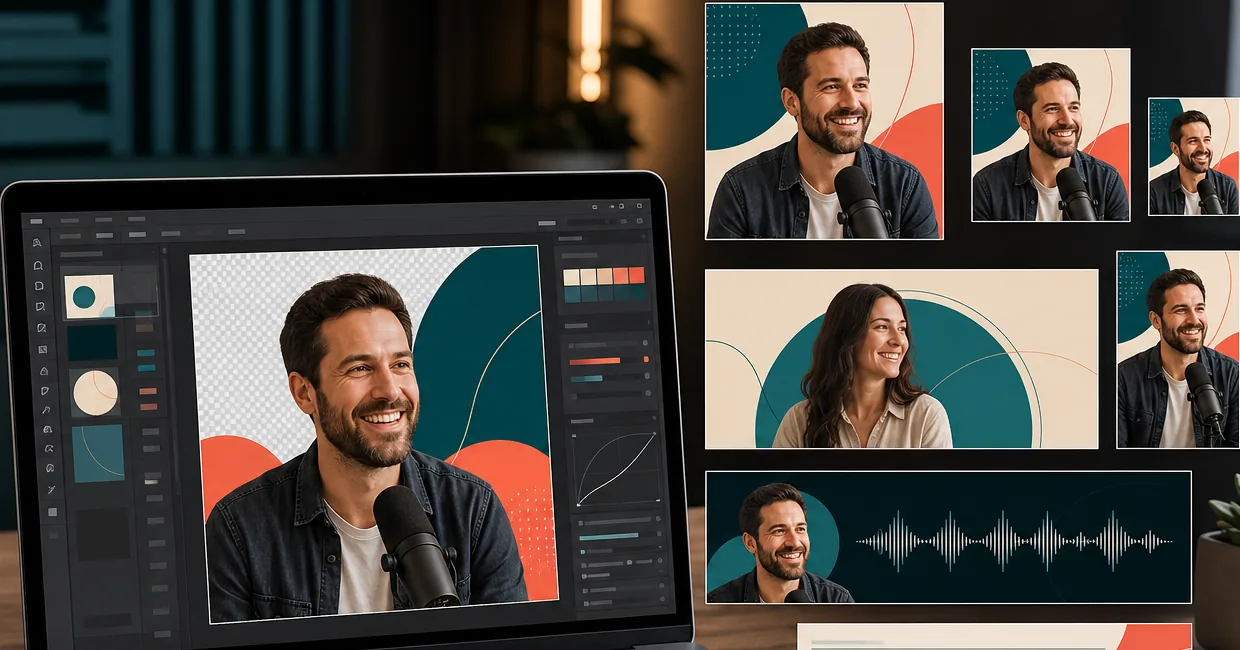
Un podcast hebdomadaire typique avec un format invité fort nécessite 4 à 8 surfaces graphiques de support par épisode : carré Instagram (1080 × 1080) mettant en vedette l'invité, vertical Stories/TikTok (1080 × 1920), couverture d'audiogramme YouTube (1920 × 1080), héros en ligne de newsletter par courrier électronique (1200 × 600) et cartes de partage de plate-forme pour X / LinkedIn / Pinterest. Chaque surface nécessite que la photo de l'invité soit préparée (échange d'arrière-plan, qualité de couleur cohérente correspondant à la marque de l'émission), le titre de l'épisode superposé dans le modèle de typographie de l'émission et une identité visuelle cohérente sur toutes les surfaces. La production manuelle de cet ensemble dure 90 à 180 minutes par épisode, ce que la plupart des émissions ne peuvent pas maintenir à une cadence hebdomadaire. L'ensemble de support est donc ignoré et l'émission s'appuie entièrement sur les algorithmes de la plate-forme pour la découverte au lieu d'aggraver la promotion croisée sociale.
L'actualisation par saison signale que l'algorithme est "toujours en cours", mais les reprises ne sont pas réalistes pour les budgets des créateurs.
Les émissions qui ont duré plus de 2 à 3 saisons ont besoin d'une actualisation de la pochette : la perception des auditeurs de « cette émission est-elle toujours active » et les signaux algorithmiques autour de la « nouvelle création » favorisent tous deux les pochettes récemment mises à jour par rapport aux créations héritées obsolètes. Mais commander une nouvelle séance photo par saison coûte entre 300 et 800 $ et 4 à 6 heures d'animation par saison, ce qui est irréaliste pour la majorité des podcasts qui ne sont pas pris en charge par le réseau. Le flux de travail d'actualisation de l'IA (même photo principale + qualité de filtre AI différente + couleur d'arrière-plan différente + petite actualisation de la typographie) produit une pochette actualisée visuellement distincte sans nouvelle prise de vue - suffisamment fraîche pour l'algorithme et l'auditeur, sans le budget et le temps d'un nouveau tournage par saison.
Comment Magic Eraser s'adapte au flux de travail visuel du podcasteur
Construisez la bibliothèque principale de portraits d'hôtes avant le lancement (ou avant l'actualisation de la prochaine saison)
Passez une séance photo ciblée de 30 à 45 minutes à produire la bibliothèque source principale - 2 à 3 photos d'hôte (regard direct de face pour les couvertures et les profils de plate-forme, angle de trois quarts pour les sections À propos du site Web de l'émission, sourire décontracté si le ton de l'émission le prend en charge), 2 à 3 compositions d'objets stylisés (le microphone, l'accessoire de sujet, l'icône visuelle associée à votre émission) et 1 à 2 prises de vue de scène atmosphériques si votre émission utilise des images narratives. Photographiez même sous la lumière naturelle d'une fenêtre, contre un mur propre. Background Eraser gérera les échanges d'arrière-plan en aplats de couleur de marque, AI Enhance gérera la netteté et la mise à l'échelle. À partir de cette bibliothèque de 5 à 8 photos, le flux de travail de l'IA produit chaque variation de couverture, chaque graphique par épisode, chaque actualisation par saison et chaque recadrage de promotion sociale pour toute la durée de vie de l'émission.
Expédiez la pochette 3 000 × 3 000 qui réussit le test des vignettes 100 × 100
Ouvrez la photo principale la plus forte dans Magic Eraser. Background Eraser remplace l'arrière-plan d'origine par une couleur de marque unie (saturation adaptée à votre genre : couleurs primaires à haute saturation pour la comédie et la culture pop, tons terreux sourds pour la narration et les commentaires sérieux, arrière-plans sombres avec un spot à source de lumière unique pour le vrai crime, blanc pur ou crème pour les interviews et les émissions d'experts). AI Remplissez les peintures si la source n'est pas déjà carrée. AI Enhance passe à une résolution nette de 3 000 × 3 000. Ajoutez une typographie de titre sans empattement de 80 à 100 points (3 à 5 mots maximum, couleur à contraste élevé). Avant d'exporter, redimensionnez mentalement la composition à 100 × 100 — si le sujet, le signal de genre et la forme du titre en tant que texte ne sont pas tous lisibles, recomposez avec un cadrage plus centré et réexportez. Téléchargez en pleine qualité sur Apple Podcasters et Spotify pour Podcasters ; les deux plates-formes gèrent le sous-échantillonnage.
Exécutez des graphiques invités par épisode par lots via le flux de travail IA
Pour chaque épisode, préparez la photo de l'invité via le même flux de travail que les portraits de l'hôte : Background Eraser remplace l'arrière-plan d'origine de l'invité (qui n'est généralement pas aligné sur la marque) par une couleur unie cohérente de la marque, AI Enhance récupère et affine (les photos fournies par les invités sont souvent de qualité appareil photo de téléphone), AI Filter applique le préréglage de qualité de couleur de l'émission. À partir de cette seule photo d'invité préparée, produisez par lots l'ensemble complet de support : carré Instagram (1 080 × 1 080) avec superposition du titre de l'épisode et du nom de l'invité, Stories/TikTok vertical (1 080 × 1 920) avec la peinture AI Fill s'étendant jusqu'au portrait, couverture de l'audiogramme YouTube (1 920 × 1 080) avec peinture AI Fill s'étendant au paysage, héros en ligne de newsletter par courrier électronique (1 200 × 600) et cartes de partage de plate-forme. pour X (1 200 × 675), LinkedIn (1 200 × 627) et Pinterest (1 000 × 1 500). Durée totale par épisode : 15 à 30 minutes contre 90 à 180 minutes manuellement.
Actualisez la pochette chaque saison sans refaire la prise de vue
Lorsque l'émission entre dans une nouvelle saison (généralement tous les 8 à 13 épisodes pour les émissions sérialisées, tous les 12 mois pour les émissions monologues à feuilles persistantes), extrayez la même photo de l'animateur principal de la bibliothèque. Appliquez un préréglage de qualité de couleur différent du filtre AI (plus chaud pour une saison sur le thème de l'été, plus frais pour l'hiver, plus saturé pour une saison optimiste, plus sourd pour une saison sérieuse ou d'investigation). Appliquez une couleur de fond Background Eraser différente de la palette conforme à la marque ( alternez entre 2 et 4 couleurs au fil des saisons pour que la marque reste reconnaissable tandis que la couverture reste fraîche). Appliquer un petit rafraîchissement typographique (ajustement du poids des polices, indicateur de saison, mise à jour des couleurs). Réexportez à 3 000 × 3 000, re-téléchargez, et l'émission se lit comme « produite activement » à la fois par l'algorithme et par l'auditeur, sans le budget et le temps d'un nouveau tournage.
Maintenir la continuité visuelle sur tous les formats (flux principal + épisodes bonus + séries spéciales)
Les spectacles multiformats bénéficient d'un système visuel qui maintient la continuité de la marque tout en différenciant chaque format. Le flux principal utilise la couleur principale de la marque et le portrait principal de l'hôte. Les épisodes bonus utilisent une couleur d'accent secondaire de la palette de marque avec le même portrait d'hôte. Les épisodes de séries spéciales utilisent un traitement de composition distinct (motif de fond différent, cadrage différent) avec la même photo principale afin que les auditeurs puissent distinguer les formats dans leur liste d'épisodes sans que l'émission perde son identité visuelle. La sauvegarde des préréglages de Magic Eraser permet à l'hôte de sauvegarder les préréglages des séries principales/bonus/spéciales et de les appliquer de manière cohérente dans toute la bibliothèque d'épisodes de l'émission.
Préparez les images du site Web de l'émission et du profil de plate-forme à partir de la même bibliothèque.
Au-delà des plateformes de podcast elles-mêmes, les podcasteurs ont besoin d'images pour le site Web de l'émission (photo du héros, portrait de l'animateur de la section À propos, vignettes de la liste des épisodes), de profils de plateforme (en-tête LinkedIn, profil Twitter/X, image bio Instagram), de graphiques promotionnels d'apparition d'invités pour d'autres émissions sur lesquelles l'animateur apparaît et d'articles de presse. À partir de la même bibliothèque principale, AI Fill applique les couleurs à chaque rapport hauteur/largeur requis, Background Eraser maintient la cohérence des couleurs de la marque, AI Filter applique la note de l'émission. La discipline d'une seule bibliothèque-pouvoirs-tout maintient l'identité visuelle de l'hôte cohérente sur toutes les surfaces où l'émission apparaît - pages de destination de l'émission, apparitions d'invités, créneaux de conférenciers, articles de presse - sans que chaque surface nécessite sa propre séance photo dédiée.
Foire aux questions
Quelle est la configuration minimale viable d'une pochette pour le lancement d'un nouveau podcast ?
+
Commencez par la séance de portrait principal de l'hôte : 30 à 45 minutes, même sous la lumière naturelle d'une fenêtre, produisant 4 à 6 photos à la tête de l'hôte et 2 à 3 compositions d'objets. Coût total du matériel source : un téléphone ou un reflex numérique, un éclairage de fenêtre, un mur propre (Background Eraser se chargera de l'échange), une heure de prise de vue ciblée. À partir de cette bibliothèque de 6 à 9 photos, le flux de travail de l'IA produit la pochette de lancement de 3 000 × 3 000 et l'ensemble graphique de support pour les 10 à 15 premiers épisodes - suffisamment pour expédier le lancement avec une pochette de lancement solide et la discipline promotionnelle par épisode qui complète la découverte. Coût total : les 30 à 45 minutes de photographie source plus le niveau gratuit de Magic Eraser ou 29,99 $/an Premium. Comparé à l'embauche d'un concepteur pour la pochette (200-800 $) plus un package graphique par épisode (50-150 $ par épisode × 10 épisodes = 500-1 500 $), le flux de travail de l'IA fait la différence entre le lancement et l'attente du budget.
Comment choisir le bon cours de composition pour le genre de mon émission ?
+
Auditez les 30 meilleures émissions de votre genre sur Apple Podcasts. Dans le top 200 des classements, les compositions de couverture sont regroupées en quatre classes : émissions d'interviews (portrait d'un seul animateur centré sur un fond uni de la couleur de la marque), émissions narratives (compositions de mise en scène atmosphérique avec hiérarchie axée sur les types), émissions de monologues (iconographie d'objet stylisée - microphone, machine à écrire, tasse à café) et émissions de co-animation (duos de deux portraits divisés ou silhouettes assorties). Choisissez le cours qui correspond au format de votre émission : une émission narrative sur un crime réel avec un animateur illustré joyeux se lit comme une comédie dans le fil, et une émission monologue commentée avec deux portraits se lit comme une interview. Le flux de travail de l'IA vous permet de produire un exemple solide dans 2 à 3 classes différentes de la même bibliothèque principale et de choisir par genre plutôt que de vous engager à l'aveugle.
À quelle fréquence dois-je actualiser la pochette ?
+
Pour les émissions actives multi-saisons : toutes les 1 à 2 saisons pour un rafraîchissement visuel complet (nouvelle qualité de couleur + nouvelle palette d'arrière-plan + petite mise à jour de la typographie de la même bibliothèque principale) et tous les 24 à 36 mois pour une nouvelle séance photo principale si l'apparence de l'animateur ou le ton de l'émission a sensiblement évolué. Pour les monologues permanents ou les émissions d'expertise sans barrières de saison : tous les 12 à 18 mois pour l'actualisation basée sur l'IA. Le signal d'actualisation plus tôt est une baisse mesurable du taux d'utilisation des impressions de flux ou un commentaire d'enquête auprès des auditeurs sur la couverture qui semble datée. Le flux de travail de l'IA rend le cycle de rafraîchissement suffisamment peu coûteux pour que privilégier un rafraîchissement plus fréquent soit la valeur par défaut opérationnelle la plus sûre.
Puis-je préparer des photos d'invités que les invités ont fournies eux-mêmes, même si la qualité de la source est médiocre ?
+
Oui, c'est l'un des flux de travail les plus courants pour les podcasteurs. Les invités fournissent généralement des photos prises avec l'appareil photo de leur téléphone, de qualité variable (faible luminosité, arrière-plans décontractés, netteté variable). Le flux de travail de l'IA gère la récupération : AI Enhance affine et met à l'échelle la source basse résolution, Background Eraser remplace l'arrière-plan décontracté par une couleur cohérente avec la marque, le pinceau Magic Eraser supprime toute distraction ou encombrement d'arrière-plan et AI Filter applique le préréglage de qualité de couleur de l'émission pour une cohérence visuelle. Le résultat est une photo d'invité qui se lit comme étant alignée sur la marque sans que l'invité ait à commander sa propre séance photo en studio. Pour les invités de haut niveau dont les portraits professionnels existants sont déjà disponibles, utilisez la photo fournie et appliquez uniquement le passe-couleur pour préserver la marque de l'invité.
Dois-je faire quelque chose de spécial pour les émissions distribuées sur YouTube ainsi que sur les plateformes audio ?
+
Oui. Les téléchargements compagnons YouTube pour les podcasts utilisent une vignette 1920 × 1080 (aspect 16:9, différent de la pochette du podcast 1:1), et l'algorithme YouTube récompense la discipline des vignettes qui est distincte des conventions de couverture de la plate-forme de podcast. Préparez les miniatures des compagnons YouTube en tant que livrable distinct par épisode : AI Fill peint la photo de l'hôte ou de l'invité au format 16: 9, Background Eraser passe à un arrière-plan saturé de + 30 à 50 % pour une visibilité du flux YouTube en mode sombre, AI Filter applique un niveau de couleur plus contrasté que la couverture de la plate-forme audio, et la superposition de texte sans empattement en gras de 80 à 100 points porte le crochet de 3 à 5 mots. Pour les émissions dont l'audience YouTube se chevauche considérablement, la miniature YouTube et la couverture de la plateforme audio sont des produits différents avec des objectifs d'optimisation différents et ne doivent pas être réutilisés 1:1.
Qu’en est-il des audiogrammes pour la promotion basée sur des clips ?
+
Les audiogrammes (le court clip audio + l'animation de forme d'onde + la toile de fond de la pochette de l'épisode) sont produits dans des outils d'audiogramme dédiés (Headliner, Wavve, Descript), mais la toile de fond de la pochette et les cadres statiques de la carte de titre sont des livrables Magic Eraser. Préparez les fonds d'audiogramme en 1920 × 1080 horizontal ou 1080 × 1920 vertical en fonction de la plate-forme cible (1920 × 1080 pour YouTube et Twitter, 1080 × 1920 pour Instagram Reels / TikTok / Stories). À partir de la photo de la bibliothèque principale, AI Fill applique les peintures à l'aspect cible, AI Filter applique la qualité de couleur de l'émission, Background Eraser préserve la cohérence des couleurs de la marque et un bloc de superposition de carte de titre statique réserve de l'espace pour l'animation de forme d'onde de l'outil d'audiogramme. Plus la toile de fond est propre, plus la forme d’onde est lisible pour les petites tailles de flux sociaux.
Comment cela s’adapte-t-il aux émissions prises en charge par le réseau avec plusieurs producteurs et animateurs ?
+
Pour les émissions multi-hôtes et les émissions prises en charge par le réseau (académies, réseaux de podcasts, maisons de production multi-émissions), créez une bibliothèque principale partagée couvrant tous les hôtes avec le même traitement d'arrière-plan Background Eraser et le même préréglage de marque AI Filter. Chaque actif en aval (illustration de couverture, graphiques d'épisode, audiogrammes, promotion sociale) fait référence à la bibliothèque partagée, de sorte que l'identité visuelle reste cohérente quel que soit l'hôte présenté dans quel épisode. Le partage prédéfini de Magic Eraser sur le plan d'équipe gère la phase de cohérence ; les décisions éditoriales (quel animateur dirige quel épisode, quel invité est présenté) appartiennent à l'équipe de production. Pour les réseaux diffusant 3 à 12 émissions, la discipline de la bibliothèque partagée et la variation de qualité de couleur par émission produisent l'identité visuelle du réseau sans nécessiter un designer par émission.
Expédiez des pochettes de podcast et des graphiques par épisode sans designer
Magic Eraser prépare la pile visuelle complète du podcasteur : une pochette de 3 000 × 3 000 qui réussit le test de vignettes de 100 × 100, des ensembles de graphiques invités par épisode sur 4 à 8 surfaces en 15 à 30 minutes, des actualisations de l'IA par saison sans nouvelles prises de vue et des images de profil de plate-forme à partir d'une bibliothèque principale partagée. Niveau gratuit sur le Web, iOS et Android.
Essayez Magic Eraser gratuitementCas d'utilisation associés
Découvrez comment les professionnels utilisent ces outils dans des workflows réels.
Des photos d'annonce encombrées d'effets personnels, de voitures garées ou de matériel de chantier font fuir les acheteurs. Magic Eraser nettoie vos photos de biens en un instant grâce à l'IA — aucune compétence Photoshop requise.
Des photos produits mal cadrées avec des arrière-plans encombrés vous font perdre des ventes chaque jour. Magic Eraser vous permet de créer des images produits professionnelles en quelques secondes — sans compétences Photoshop. Importez, effacez les distractions, et publiez en toute confiance.
Des inconnus qui gâchent vos photos de voyage ? Un arrière-plan en désordre qui ruine vos selfies ? Arrêtez de perdre des heures sur Photoshop. Magic Eraser supprime les distractions, nettoie vos clichés et adapte vos photos à tous les formats — en un clic.
Comparaisons associées
Découvrez comment Magic Eraser se compare à des outils similaires.
TouchRetouch est une application mobile payante populaire pour supprimer objets et imperfections. Magic Eraser propose l'édition IA gratuite sur tout appareil sans installation. Comparez les fonctionnalités, prix et facilité d'utilisation.
Cleanup.pictures est un outil web gratuit pour supprimer rapidement des objets. Magic Eraser propose 8 outils d'édition IA, des applications mobiles et un traitement avancé. Découvrez la comparaison.
remove.bg est le leader du marché pour la suppression d'arrière-plan, avec une API puissante et des intégrations Photoshop et Figma. Magic Eraser va plus loin avec huit outils IA — suppression d'objets, remplissage génératif, amélioration IA et design — réunis dans un seul éditeur.
Deux puissants éditeurs photo IA avec des forces différentes. Magic Eraser propose un ensemble plus large d'outils IA génératifs, tandis que Photoroom excelle en photographie e-commerce et traitement par lots. Découvrez lequel vous convient.
Guides associés
Découvrez d'autres guides et contenus éditoriaux liés à ce workflow.
Apprenez à utiliser Magic Eraser pour supprimer objets, personnes, texte et distractions d’une photo avec un résultat IA plus propre.
Apprenez à supprimer des personnes de vos photos avec l'IA en quelques secondes. Guide pour photos de voyage, immobilier et produits.
Guide pour supprimer les filigranes de vos propres photos avec l'IA. Quand c'est approprié, techniques et utilisation de Magic Eraser.