
Comment Créer des Photos Style Cinémagraphe avec l'IA — Magic Eraser
Créez des photos style cinemagraph captivantes où un élément bouge tandis que le reste demeure immobile. Guide pas à pas avec l'IA couvrant l'isolation du mouvement, la création de boucles sans couture et l'optimisation pour le web, les réseaux sociaux et l'email marketing.

Product Marketing
Vérifié par Magic Eraser Editorial ·
Sommaire
- Pourquoi les cinemagraphs captent et retiennent l'attention mieux que les images statiques ou les vidéos
- Sélectionner les photos sources qui produisent des effets style cinemagraph convaincants
- Masking et limites du mouvement : obtenir des transitions sans couture
- Optimiser le contenu style cinemagraph pour les plateformes web, réseaux sociaux et email
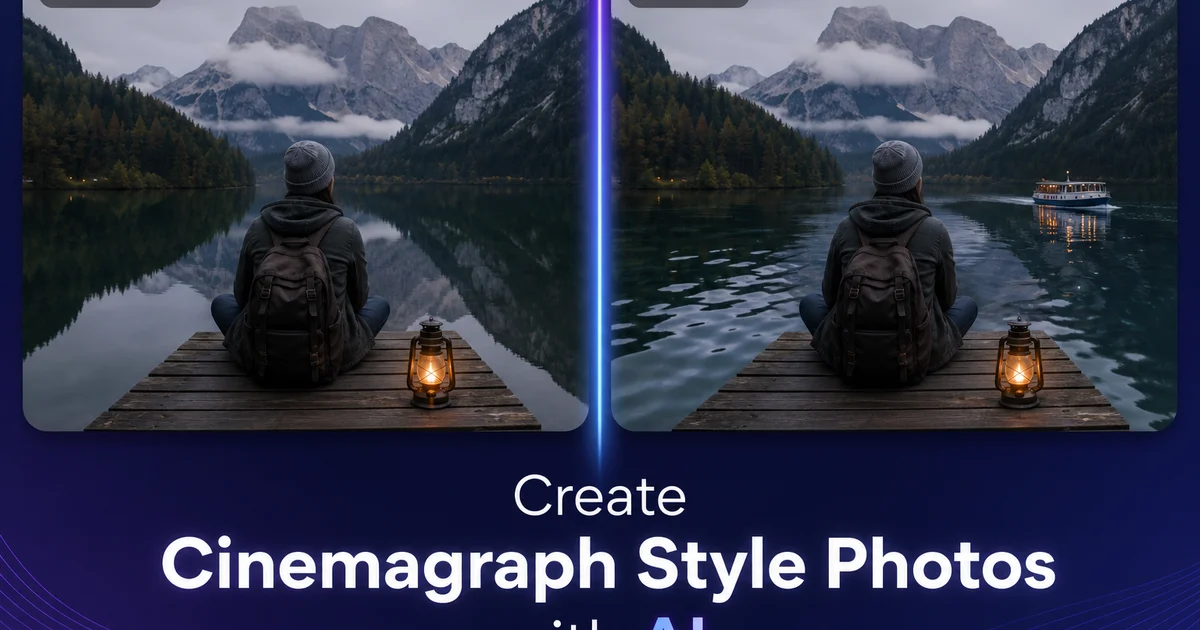
Les cinemagraphs occupent un espace fascinant entre la photographie et la vidéo. Ce sont des images où la majeure partie du cadre est parfaitement immobile tandis qu'un seul élément isolé bouge dans une boucle régulière et captivante. Une tasse de café dont la vapeur s'élève perpétuellement. Un portrait où seuls les cheveux du sujet bougent sous une brise invisible. Un paysage urbain où un seul drapeau flotte sur une ligne d'horizon autrement figée. L'effet est immédiatement saisissant car il brise l'attente du spectateur selon laquelle une photographie est complètement statique, créant un moment de surprise cognitive qui retient l'attention bien plus longtemps qu'une photo fixe ou une vidéo complète. Inventé par les photographes Kevin Burg et Jamie Beck en 2011, le format cinemagraph est devenu un outil puissant pour les annonceurs, les spécialistes du marketing sur les réseaux sociaux et les artistes numériques cherchant à créer un contenu immanquable.
La création de cinemagraphs traditionnels nécessite de filmer une vidéo sur trépied, d'importer le clip dans un logiciel de montage, de sélectionner l'image unique qui servira de base fixe, de masquer minutieusement la région où le mouvement doit apparaître et de créer une boucle sans couture à partir des images vidéo dans ce masque. Le processus exige des compétences en montage vidéo, une compréhension du masking et du compositing, ainsi qu'un investissement en temps considérable par image — souvent trente minutes à plusieurs heures selon la complexité de la frontière du mouvement. La boucle doit être parfaitement continue, ce qui signifie que l'élément en mouvement doit passer en douceur de sa dernière image à sa première sans saut ni à-coup visible, ce qui nécessite souvent un travail supplémentaire de fusion d'images et de réglage de la vitesse.
Les outils alimentés par l'AI permettent désormais de créer des effets style cinemagraph à partir d'une seule photographie fixe plutôt que d'un clip vidéo. AI Filter peut identifier les candidats naturels au mouvement dans une photo — vapeur, eau, tissu, cheveux, flammes, nuages — et appliquer une simulation de mouvement basée sur la physique à ces régions tout en gardant le reste du cadre parfaitement statique. Le résultat capture l'impact visuel d'un cinemagraph traditionnel sans les besoins de capture vidéo, de montage ou d'alignement de boucle. Ce guide explique comment sélectionner les bonnes photos sources, isoler les régions de mouvement, appliquer des effets de mouvement convaincants et optimiser vos images style cinemagraph pour un engagement maximal sur le web, les réseaux sociaux et les plateformes email.
- L'AI identifie les candidats naturels au mouvement dans les photos fixes — vapeur, eau, tissu, cheveux, flammes — et applique une simulation de mouvement basée sur la physique aux régions sélectionnées.
- Un masking précis des bords entre les éléments mobiles et statiques élimine les coutures visibles qui brisent l'illusion du cinemagraph.
- La subtilité de l'intensité du mouvement est la caractéristique déterminante — les cinemagraphs captivent par la retenue, non par un mouvement dramatique.
- La création de cinemagraph à partir d'une seule photo élimine le besoin de capture vidéo, de tournage sur trépied et d'alignement complexe de boucle dans un logiciel de montage.
- Des exports optimisés pour les bannières web, les réseaux sociaux et l'email marketing atteignent les audiences sur tous les canaux numériques.
Pourquoi les cinemagraphs captent et retiennent l'attention mieux que les images statiques ou les vidéos
La puissance psychologique des cinemagraphs vient de la rupture d'attente. Lorsqu'un spectateur rencontre ce qui semble être une photographie, son cerveau la classe comme statique — un seul instant figé. Dès qu'il remarque qu'un élément bouge, la classification s'effondre. Le cerveau doit réévaluer l'image, en prêtant davantage attention pour déterminer ce qui bouge et ce qui est immobile, comment le mouvement se rapporte aux éléments statiques et si l'image est une photo, une vidéo ou quelque chose d'autre. Ce processus de réévaluation prolonge le temps que le spectateur passe à regarder l'image, ce qui est la mesure fondamentale que les annonceurs et les créateurs de contenu cherchent à maximiser dans les environnements numériques où l'attention est rare.
Les recherches de la plateforme Think with Google montrent systématiquement que le contenu interactif et animé produit des mesures d'engagement plus élevées que les options statiques. Les cinemagraphs bénéficient de cet avantage du mouvement tout en évitant la barrière d'engagement de la vidéo. Un spectateur n'a pas besoin de décider de regarder une vidéo, d'ajuster le volume ou d'attendre le chargement. Le cinemagraph délivre son impact de mouvement instantanément et en continu, attrapant la vision périphérique du spectateur pendant qu'il fait défiler la page et récompensant un examen plus attentif par la découverte de l'élément mobile unique. Les campagnes d'email marketing utilisant des cinemagraphs rapportent des taux de clics bien supérieurs à celles utilisant des images statiques. Le mouvement attire l'œil vers la zone d'appel à l'action avant même que le spectateur ne traite consciemment le contenu.
La retenue des cinemagraphs est paradoxalement ce qui les rend plus engageants qu'une vidéo complète. Une vidéo où tout bouge répartit l'attention du spectateur sur l'ensemble du cadre. Rien ne se démarque car tout bouge. Un cinemagraph concentre l'attention du spectateur sur l'élément mobile unique précisément parce qu'il est entouré d'immobilité. Le mouvement devient un point focal aussi puissant que la couleur, le contraste ou la taille — les outils de composition sur lesquels les photographes s'appuient habituellement. Les créateurs de cinemagraphs expérimentés positionnent l'élément de mouvement au point focal prévu de la composition, utilisant le mouvement lui-même comme un outil de hiérarchie visuelle qui guide l'œil du spectateur exactement là où se trouve le message.
- La rupture d'attente — du mouvement dans une image apparemment statique — force le cerveau à réévaluer, prolongeant le temps de visionnage bien au-delà de ce qu'une photo fixe atteint.
- Les cinemagraphs délivrent un impact de mouvement instantané sans la barrière d'engagement de la vidéo — pas de bouton de lecture, de réglage de volume ou d'attente de chargement.
- Les campagnes email avec des cinemagraphs rapportent des taux de clics plus élevés car le mouvement attire l'œil vers la zone d'appel à l'action avant le traitement conscient du contenu.
- La retenue concentre l'attention sur l'élément mobile unique — le mouvement devient un outil de point focal aussi puissant que la couleur ou le contraste dans la hiérarchie de composition.
Sélectionner les photos sources qui produisent des effets style cinemagraph convaincants
La qualité la plus importante d'une photo source pour cinemagraph est une distinction claire entre les éléments statiques et dynamiques dans le cadre. Le spectateur doit immédiatement comprendre quel élément est censé bouger et lesquels sont censés être figés. Une scène de café où la vapeur s'élève d'une tasse fonctionne parce que la distinction est évidente : la table, la tasse, la soucoupe et l'arrière-plan sont tous des objets naturellement statiques, et la vapeur est un élément naturellement dynamique. Une scène de rue animée où vous figez tous les piétons sauf un fonctionne parce que la figure mobile unique se détache de la foule figée. L'illusion échoue lorsque la distinction n'est pas claire. Si les spectateurs ne peuvent pas dire si un élément est intentionnellement figé ou fait simplement partie d'une photo fixe, l'effet cinemagraph n'a aucun impact.
La qualité de l'éclairage est bien plus importante pour les cinemagraphs que pour les photos standard, car la partie statique du cadre sera examinée longuement. Dans une photo normale, l'œil du spectateur parcourt le cadre rapidement, passant au maximum quelques secondes avant de passer à autre chose. Dans un cinemagraph, la boucle de mouvement captivante maintient le spectateur à regarder l'image pendant dix, vingt, voire trente secondes — assez longtemps pour remarquer chaque imperfection d'éclairage, dominante de couleur et défaut de composition. Les photos sources pour cinemagraphs doivent avoir un éclairage de qualité professionnelle : bien exposées, balance des blancs correcte, sans hautes lumières brûlées ni ombres écrasées dans les zones qui resteront statiques.
Le cadrage compositionnel doit soutenir l'élément de mouvement comme le point focal clair. La règle des tiers, les lignes directrices, le contraste des couleurs et l'espace négatif doivent tous attirer l'œil vers la région où le mouvement apparaîtra. Un portrait où l'élément mobile est les cheveux du sujet doit cadrer le sujet avec les cheveux occupant une position compositionnellement forte, pas coupés au bord ou enfouis dans un arrière-plan chargé. Un paysage où l'élément mobile est une cascade doit composer le cadre avec la cascade à un point d'emphase visuelle. Si l'élément de mouvement est compositionnellement insignifiant, le spectateur risque de ne pas le découvrir du tout, et le cinemagraph est perçu comme une photo fixe ordinaire.
- Une distinction claire entre les éléments statiques et dynamiques est essentielle — le spectateur doit immédiatement comprendre quelle partie bouge et laquelle reste figée.
- La qualité de l'éclairage reçoit un examen plus attentif car les boucles de cinemagraph maintiennent le regard des spectateurs sur le cadre fixe bien plus longtemps qu'une photo normale.
- Le cadrage compositionnel doit positionner l'élément de mouvement à un point d'emphase visuelle — la règle des tiers, les lignes directrices ou le contraste des couleurs doivent y guider l'œil.
- Si l'élément de mouvement est compositionnellement insignifiant, les spectateurs risquent de ne jamais le découvrir et le cinemagraph est perçu comme une photo fixe ordinaire.
Masking et limites du mouvement : obtenir des transitions sans couture
La frontière entre les parties mobiles et statiques d'un cinemagraph est l'endroit où l'illusion réussit ou échoue. Une couture visible — un bord dur où le mouvement s'arrête brusquement, un scintillement le long de la limite du masque, ou un désalignement entre les régions mobiles et statiques — brise instantanément la magie et transforme un effet captivant en une photo manifestement manipulée. Le masque doit suivre précisément la limite naturelle de l'élément de mouvement, avec des bords adoucis pour créer une transition progressive plutôt qu'une coupure abrupte. AI Filter gère cela en analysant les propriétés structurelles et texturales de la région frontalière et en appliquant un adoucissement à largeur variable basé sur le type d'élément de mouvement.
Différents types de mouvement nécessitent différentes stratégies de masking. L'eau a des limites assez bien définies — le bord d'un ruisseau, la surface d'une piscine, le contour d'un jet de fontaine — qui peuvent être masquées avec un adoucissement modéré. La vapeur et la fumée n'ont pas de limites définies : elles se dissipent dans l'air environnant avec des bords doux et irréguliers qui nécessitent un adoucissement large et doux pour paraître naturels. Les cheveux et les tissus ont des limites complexes et emmêlées avec des mèches ou des fils individuels qui nécessitent une précision de masking au niveau de la mèche. AI Filter applique différents profils d'adoucissement à chaque type de mouvement : bords durs pour les limites de l'eau, adoucissement gaussien large pour la fumée et la vapeur, et matting basé sur la fréquence pour les cheveux et les tissus qui préserve la visibilité des mèches et fils individuels.
Le masque doit également tenir compte du mouvement lui-même. L'élément mobile peut occuper une région légèrement différente dans chaque image de la boucle d'animation. Un drapeau flottant au vent occupe plus d'espace horizontal au sommet de chaque vague qu'à la position centrale. La vapeur qui s'élève se dilate et se répand en montant. Le masque doit englober toute l'étendue du mouvement sans s'étendre si loin dans la région statique que des éléments figés semblent faire partie de la zone mobile. AI Filter résout ce problème en calculant l'enveloppe de mouvement — la surface totale que l'élément mobile occupera sur l'ensemble de la boucle — et en définissant la limite du masque au bord de l'enveloppe avec un adoucissement approprié.
- Un adoucissement à largeur variable basé sur le type de mouvement prévient les coutures visibles — bords durs pour les limites de l'eau, adoucissement gaussien pour la fumée, matting alpha pour les cheveux et les tissus.
- Le masque doit englober toute l'enveloppe de mouvement — la surface totale que l'élément occupe pendant toute la boucle d'animation — sans s'étendre dans la zone statique.
- L'AI détecte les propriétés structurelles et texturales à la frontière pour appliquer automatiquement des profils d'adoucissement appropriés pour chaque type de mouvement.
- Une précision de masking au niveau de la mèche pour les cheveux et les tissus préserve la visibilité des mèches individuelles tout en isolant leur mouvement de l'arrière-plan figé.
Optimiser le contenu style cinemagraph pour les plateformes web, réseaux sociaux et email
Les besoins techniques pour la diffusion de cinemagraphs varient considérablement selon la plateforme. Choisir le mauvais format ou niveau de compression peut ruiner l'effet que vous avez travaillé à créer. Pour les réseaux sociaux comme Instagram et Facebook, une courte vidéo en boucle au format MP4 produit la meilleure qualité car ces plateformes gèrent la vidéo nativement avec une lecture accélérée par le matériel. La boucle doit durer de deux à cinq secondes avec une transition sans couture de la dernière image à la première. Exportez à la résolution recommandée par la plateforme — souvent 1080 pixels sur le côté le plus court — avec un débit binaire suffisamment élevé pour préserver les détails subtils du mouvement. Le mouvement des cinemagraphs est souvent délicat, et une compression vidéo agressive peut introduire des artefacts qui rendent le mouvement saccadé ou pixelisé.
Pour les bannières web et les sections hero, vous faites face à un compromis entre la qualité visuelle et la performance de chargement de la page. Le format WebP animé offre le meilleur rapport compression-qualité pour les cinemagraphs sur le web, produisant des fichiers bien plus petits que des GIF équivalents tout en maintenant un mouvement fluide et une bonne reproduction des couleurs. Si vous devez utiliser le format GIF pour la compatibilité, limitez la palette de couleurs au minimum nécessaire et réduisez la fréquence d'images à dix ou douze images par seconde. Le mouvement des cinemagraphs est suffisamment subtil pour que des fréquences d'images plus basses restent convaincantes tout en réduisant considérablement la taille du fichier. Réglez toujours la boucle sur infini et assurez-vous que la première et la dernière image sont identiques pour éviter un saut visible au point de boucle.
L'email marketing présente l'environnement le plus contraint car les clients email ont une prise en charge variable des formats animés. Apple Mail et la plupart des clients email web prennent en charge le GIF animé, ce qui en fait le format le plus fiable pour les cinemagraphs dans les emails. Outlook pour Windows n'anime pas les GIF, affichant seulement la première image. Concevez donc votre cinemagraph avec une première image qui fonctionne comme une image statique forte par elle-même. Gardez la taille du fichier GIF sous un mégaoctet pour les emails afin d'éviter un chargement lent sur les connexions mobiles, ce qui peut nécessiter de réduire les dimensions à 600 pixels de large et de limiter l'animation au nombre minimum d'images nécessaire pour une boucle convaincante. Malgré ces contraintes, même un petit cinemagraph compressé surpasse une image statique en termes de taux de clic car le mouvement attire l'œil lors du défilement rapide dans une boîte de réception.
- Les réseaux sociaux fonctionnent mieux avec une vidéo en boucle MP4 à une résolution de 1080 pixels — la gestion native de la vidéo offre une lecture fluide accélérée par le matériel.
- Le WebP animé offre le meilleur rapport compression-qualité pour les bannières web et les sections hero, surpassant significativement le GIF en taille de fichier à qualité visuelle égale.
- Les cinemagraphs pour email doivent utiliser le format GIF pour une compatibilité maximale avec les clients, avec la première image conçue comme une image autonome forte pour les clients qui n'activent pas l'animation.
- L'optimisation de la taille du fichier est cruciale — moins d'un mégaoctet pour les emails, une compression appropriée pour les performances web — car le mouvement subtil des cinemagraphs est ruiné par les artefacts de compression.
How to do it
- 1
Choose a photo with a clear static subject and an element that implies motion
The best source photos for cinemagraph-style effects combine a mostly still scene with one element that naturally suggests movement. Steam rising from a coffee cup, hair blowing in wind, water flowing in a fountain, curtains shifting near a window, or leaves rustling in a tree. The static portions of the frame must be genuinely still and well-composed. Any unintentional movement in the frozen areas will break the illusion. Photos with strong compositional anchors like architecture, furniture, or stationary people work best as the frozen foundation.
- 2
Identify and mask the motion region using AI selection tools
Use AI Filter to select the specific area where you want motion to appear. The AI can detect natural motion candidates. Flowing water, rising smoke, flickering flames, waving fabric — and suggest mask boundaries that follow the edges of the moving element. Refine the mask to include only the area that should appear animated while excluding the surrounding static scene. Precise masking at the boundary between moving and still elements is critical because any visible seam breaks the cinemagraph illusion.
- 3
Apply subtle motion simulation to the selected region
AI Filter applies directional motion processing to the masked area, creating the impression of gentle steady movement within a still frame. For water, this means a flowing ripple pattern. For steam and smoke, an upward drift. For fabric and hair, a gentle lateral oscillation. The motion intensity should be subtle. Cinemagraphs are defined by their restraint, with most of the frame perfectly still and only a small portion showing delicate movement. Excessive motion turns the effect from mesmerizing into unwanted.
- 4
Clean up the static portions with Magic Eraser and AI Enhance
Ensure the frozen portions of the frame are pristine by using Magic Eraser to remove any unwanted elements. Stray objects, blemishes, or debris — that would draw attention away from the motion element. Then run AI Enhance on the static areas to sharpen details and optimize contrast, creating a crisp, expert foundation that makes the subtle motion element even more striking by contrast.
- 5
Export and optimize the final cinemagraph-style image for your platform
For static platforms like websites and email, export as a high-quality still that captures the most visually appealing frame of the motion suggestion. For platforms that support animated formats, export as a looping GIF or short video with seamless loop points where the motion element returns to its starting position. Compress properly for the target platform. Web banners need small file sizes while social media posts can afford higher quality. Test the loop on your target platform to ensure smooth playback without visible stuttering.
Sources
- Cinemagraphs: The Art of the Living Photograph — Cinemagraphs.com
- Motion in Still Images: Perceptual and Computational Approaches — arXiv
- The Impact of Motion and Interactivity on Digital Advertising Engagement — Think with Google