
Retouche photo IA pour prothésistes ongulaires — Magic Eraser
Comment les prothésistes ongulaires utilisent la retouche photo IA pour les photos de portfolio, la correction des couleurs, la suppression d'arrière-plan et le marketing sur les réseaux sociaux. Guide pratique pour construire un portfolio de nail art expert avec des outils IA.
SEO & Growth
Vérifié par Magic Eraser Editorial ·
Sommaire
- Pourquoi la précision des couleurs détermine si les photos de portfolio d'ongles convertissent en réservations
- Suppression et remplacement d'arrière-plan pour un branding de portfolio cohérent
- Techniques d'amélioration des détails pour la photographie macro de nail art
- Construire un système de contenu pour les réseaux sociaux qui évolue sans s'épuiser
- Optimiser les images de portfolio d'ongles pour la découverte sur Google et Pinterest
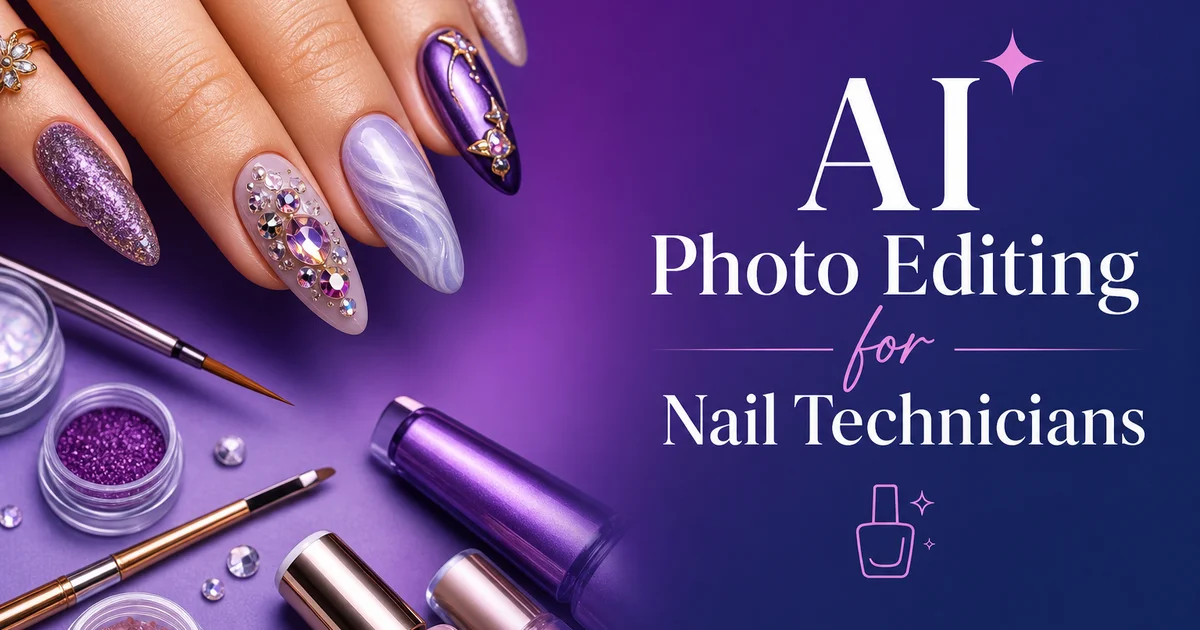
Les prothésistes ongulaires vivent et meurent par leur portfolio visuel. Les clients potentiels parcourent les galeries Instagram, les tableaux Pinterest et les photos de la fiche Google Business pour évaluer le niveau de compétence, l'éventail esthétique et le souci du détail d'une prothésiste avant même de prendre rendez-vous. Une seule photo floue, à la couleur peu fidèle ou au fond encombré, peut faire perdre des réservations car elle signale soit un manque de professionnalisme, soit pire encore — que le travail réel des ongles n'est peut-être pas aussi précis que celui de concurrentes dont les photos paraissent soignées. L'écart entre la qualité du nail art sur les mains de la cliente et la qualité de la photo qui le représente en ligne est un défi persistant pour les prothésistes indépendantes qui ne disposent ni d'éclairage de studio, ni d'appareils photo professionnels, ni d'heures pour retoucher chaque image dans Photoshop.
Les outils de retouche photo par IA comblent cet écart en automatisant les parties les plus chronophages et techniquement exigeantes de la post-production photographique des ongles. La suppression de l'arrière-plan remplace les décors de salon indésirables par des fonds propres et professionnels en quelques secondes, au lieu des vingt minutes nécessaires pour détourer manuellement une main aux extensions complexes. La correction des couleurs garantit que le vernis rose corail de la photo ressemble réellement au rose corail choisi par la cliente, plutôt qu'au saumon délavé que les smartphones produisent souvent sous l'éclairage fluorescent des salons. L'amélioration des détails affine les micro-éléments du nail art. Motifs peints à la main, accents de feuille métallisée, paillettes individuelles — sans donner à la peau environnante un aspect artificiellement retouché.
Ce guide couvre l'ensemble du flux de travail assisté par IA pour les prothésistes ongulaires, de la prise de la photo initiale à la retouche jusqu'à l'export d'images optimisées pour chaque plateforme où les clients découvrent les artistes ongulaires. Les techniques s'appliquent que vous travailliez en salon, que vous louiez un poste ou que vous exploitiez un service mobile. L'objectif est de produire des images de qualité portfolio à partir de chaque séance cliente sans ajouter beaucoup de temps à votre flux de travail ni exiger d'équipement coûteux au-delà d'un smartphone correct.
- Les réservations des prothésistes ongulaires sont presque entièrement déterminées par la qualité du portfolio visuel — les clients évaluent la compétence, la diversité du style et la précision à partir des photos avant même de contacter une prothésiste.
- La suppression d'arrière-plan par IA remplace les environnements de salon encombrés par des fonds professionnels propres en quelques secondes, éliminant le processus de détourage manuel de vingt minutes pour les formes d'ongles complexes.
- La correction des couleurs est essentielle en photographie d'ongles car les teintes de vernis rouges et roses sont les plus sujettes à la distorsion sous l'éclairage fluorescent des salons, et une couleur inexacte érode la confiance des clients.
- L'amélioration des détails par IA affine sélectivement les éléments fins du nail art comme les motifs peints à la main, les accents métallisés et les paillettes sans sur-traiter la texture de la peau environnante.
- Le dimensionnement d'export propre à chaque plateforme — carré pour le fil Instagram, vertical pour les Stories et TikTok, format haut pour Pinterest — garantit un affichage optimal des images partout où les clients naviguent.
Pourquoi la précision des couleurs détermine si les photos de portfolio d'ongles convertissent en réservations
La couleur est l'attribut visuel le plus important en photographie d'ongles. Les clients choisissent leur prothésiste en partie sur la compétence et en partie sur l'esthétique de couleur spécifique qu'ils voient dans le portfolio. Nudes minimalistes aux tons chauds, acryliques néon vifs, gels aux tons de pierres précieuses profonds, ou palettes pastel saisonnières. Lorsque les couleurs de vos photos de portfolio ne représentent pas fidèlement les teintes réelles du vernis, deux problèmes surviennent. D'abord, les clientes arrivent en attendant la teinte exacte vue en ligne et sont déçues quand la vraie couleur diffère. Cela nuit à la satisfaction et aux réservations répétées. Ensuite, votre portfolio n'attire pas les bonnes clientes. Si des corails chauds sont photographiés comme des roses froids, vous attirez des clientes recherchant un travail aux tons froids alors que votre force réside dans les palettes chaudes.
Les appareils photo de smartphone introduisent une imprécision des couleurs via la balance des blancs automatique qui tente de neutraliser tout éclairage présent. Sous les lampes de bureau au tungstène chaud courantes dans les postes de manucure, l'appareil refroidit la balance des blancs pour compenser. Cela retire la chaleur des couleurs des ongles et transforme les rouges riches en mauve terne. Sous l'éclairage fluorescent froid du plafond, l'appareil se réchauffe, poussant les bleus vers le violet et les verts vers le jaune. L'éclairage mixte — lampe de bureau chaude plus plafonnier froid — produit les pires résultats car l'appareil ne peut compenser deux températures de couleur contradictoires à la fois, produisant souvent des images aux dominantes colorées différentes selon les parties d'une même main.
La correction des couleurs par IA traite ces problèmes en analysant l'image à la recherche de points de référence connus. Teinte de la peau, zones de fond blanches ou grises, régions d'ombre neutres — et en calculant les ajustements nécessaires de température de couleur et de teinte pour produire un rendu fidèle. L'IA n'applique pas simplement un filtre générique. Elle évalue les conditions d'éclairage spécifiques de chaque image et applique des corrections calibrées sur ces conditions. Pour la photographie d'ongles en particulier, cela signifie que la correction préserve les différences subtiles entre teintes de vernis similaires. La distinction entre un nude chaud et un nude froid, ou entre un rouge bleuté et un rouge orangé — que les filtres génériques aplatissent souvent en un même résultat corrigé.
- Des couleurs de portfolio inexactes attirent des clientes mal assorties qui attendent une teinte ne correspondant pas à votre travail réel, nuisant à la satisfaction et au taux de réservations répétées.
- La balance des blancs automatique du smartphone introduit des décalages de couleur systématiques sous l'éclairage au tungstène, fluorescent et mixte des salons, qui déforment le plus gravement les teintes de vernis rouges et roses.
- La correction des couleurs par IA calcule des ajustements propres à l'éclairage à partir de la teinte de la peau et des points de référence du fond, plutôt que d'appliquer des filtres génériques uniformes.
- Une correction précise préserve les différences subtiles entre teintes de vernis similaires que les clientes choisissent spécifiquement — nude chaud contre nude froid, rouge bleuté contre rouge orangé.
Suppression et remplacement d'arrière-plan pour un branding de portfolio cohérent
Un arrière-plan cohérent dans tout votre portfolio d'ongles est l'une des stratégies de branding visuel les plus simples et efficaces dont disposent les prothésistes indépendantes. Lorsque chaque image de votre grille Instagram ou de votre page portfolio présente le même ton de fond propre, la grille se lit comme une collection cohérente et soignée plutôt qu'un assortiment aléatoire de clichés pris à des moments et dans des conditions différents. Cette cohérence visuelle signale le professionnalisme aux clients potentiels avant même qu'ils examinent le nail art en détail. Les arrière-plans de portfolio d'ongles les plus efficaces sont des couleurs unies et sobres. Gris doux, beige chaud, rose poudré ou blanc froid — qui laissent la couleur du nail art être l'élément visuel dominant de chaque image.
Supprimer les arrière-plans de salon est surtout important parce que les postes de manucure sont par nature des environnements encombrés. Même un poste rangé contient des outils visibles, des flacons de produits, des bords de lampe UV, des serviettes et d'autres clientes en arrière-plan. Tous se disputent l'attention visuelle avec le nail art que vous tentez de mettre en valeur. La suppression manuelle de l'arrière-plan autour de mains aux longues extensions, au nail art 3D complexe ou aux finitions chromées est très fastidieuse car l'IA doit tracer des contours complexes où les pointes dépassent le bout des doigts et où les finitions réfléchissantes créent des bords ambigus entre l'ongle et le fond. La suppression d'arrière-plan par IA gère ces défis automatiquement, détectant la main et les ongles comme sujet de premier plan et les séparant proprement du fond en quelques secondes.
Après la suppression, choisir le bon arrière-plan de remplacement complète le rendu professionnel. Les couleurs unies sont les plus sûres — choisissez une ou deux couleurs signature qui complètent vos styles de nail art les plus fréquents et utilisez-les de façon constante. Certaines prothésistes utilisent une rotation saisonnière : gris froid en hiver, crème chaude au printemps, sauge douce en été, mauve poudré en automne. Évitez les fonds à motifs chargés, les textures visibles et les dégradés qui rivalisent avec le nail art. Si vous voulez un intérêt visuel subtil, un dégradé radial très doux de votre couleur de fond vers une teinte légèrement plus claire ou plus foncée de la même nuance ajoute de la profondeur sans distraction. Le fond doit être invisible au sens où les spectateurs ne le remarquent jamais consciemment — ils ne voient que les ongles.
- Des couleurs de fond cohérentes dans toute votre grille de portfolio créent un branding visuel cohérent qui signale le professionnalisme avant que les clients examinent les designs individuels de nail art.
- Les arrière-plans des postes de salon contiennent un encombrement visuel inévitable — outils, flacons, lampes UV, serviettes — qui se dispute l'attention avec le nail art mis en valeur.
- La suppression d'arrière-plan par IA gère les contours complexes autour des longues extensions, des éléments de nail art 3D et des finitions chromées réfléchissantes, extrêmement fastidieux à détourer manuellement.
- Des fonds unis et sobres en une ou deux couleurs signature laissent le nail art être l'élément visuel dominant — évitez les motifs, textures et dégradés chargés qui distraient.
Techniques d'amélioration des détails pour la photographie macro de nail art
Le nail art opère à une échelle où la différence entre une bonne photo et une excellente photo réside dans la netteté du micro-détail. Un motif floral peint à la main peut contenir des pétales de deux millimètres seulement. Les ongles en poudre chromée changent de couleur sur un dégradé visible uniquement à courte distance. Chaque facette de strass capte la lumière sous des angles précis qui créent l'effet scintillant que les clientes veulent voir. Les transferts de plaque de stamping ont des largeurs de trait inférieures à un millimètre. Lorsque ces détails sont flous ou légèrement troubles sur la photo. Ce qui arrive souvent avec les smartphones en mise au point rapprochée — le nail art paraît moins précis qu'il ne l'est, et le talent de la prothésiste est dévalorisé par la qualité de l'image plutôt que mis en valeur.
L'amélioration des détails par IA fonctionne différemment des filtres d'accentuation traditionnels qui augmentent uniformément le contraste des bords sur toute l'image. L'IA identifie différentes régions de l'image — surface de l'ongle, peau, fond — et applique l'amélioration adaptée à chacune. Sur la surface de l'ongle, elle augmente la netteté des bords du design, renforce la visibilité des paillettes et particules métallisées. Elle clarifie les motifs de reflet sur les finitions gel et chromées. Sur la peau autour des ongles, elle applique une accentuation minimale ou nulle pour éviter un aspect texturé artificiel qui rendrait la peau rugueuse ou sur-traitée. Cette approche sélective est essentielle car le même niveau d'accentuation qui fait ressortir les détails du nail art rendrait les pores et les ridules durs et peu flatteurs.
Pour les images publiées en gros plans recadrés sur les réseaux sociaux, commencez l'amélioration par IA à intensité moyenne et examinez les résultats aux dimensions exactes en pixels que la plateforme affichera. Instagram affiche les images du fil à environ 1080 pixels de large. Si votre photo originale fait 4000 pixels de large et que vous recadrez pour ne montrer que les ongles, le recadrage peut ne faire que 1500 pixels de large, qui est ensuite réduit à 1080 pixels. À cette taille d'affichage, des détails fins qui paraissaient nets dans la retouche pleine résolution peuvent apparaître flous. Augmenter légèrement l'intensité de l'amélioration IA pour les images destinées à un fort recadrage compense la perte de détail survenant lors de la réduction et de la compression de la plateforme. Prévisualisez toujours à la taille d'affichage réelle avant de publier.
- Les micro-détails du nail art — pétales de deux millimètres, lignes de stamping submillimétriques, paillettes individuelles — nécessitent une accentuation ciblée pour mettre en valeur la précision réelle de la prothésiste.
- L'amélioration par IA affine sélectivement les surfaces des ongles tout en gardant la texture de la peau naturelle, évitant l'aspect dur et sur-traité que crée une accentuation uniforme.
- La poudre chromée, le top coat gel et les finitions réfléchissantes nécessitent une amélioration spécialisée qui clarifie les motifs de reflet plutôt que d'augmenter simplement le contraste des bords.
- Les images destinées à un fort recadrage sur les réseaux sociaux nécessitent une intensité d'amélioration légèrement supérieure pour compenser la perte de détail lors de la réduction et de la compression par la plateforme.
Construire un système de contenu pour les réseaux sociaux qui évolue sans s'épuiser
Les comptes de réseaux sociaux de prothésistes les plus performants publient en permanence. Souvent une fois par jour sur Instagram et plusieurs fois par semaine sur d'autres plateformes — ce qui signifie que chaque séance cliente doit produire au moins une image de qualité portfolio. Sans un flux de retouche efficace, cette demande de contenu épuise vite les prothésistes. Soit elles passent leurs soirées à retoucher des photos au lieu de se reposer, soit elles cessent de publier régulièrement et perdent l'élan algorithmique qui développait leur audience. La retouche photo par IA comprime le temps de post-production par image de quinze à vingt minutes de retouche manuelle à deux ou trois minutes de traitement IA guidé, rendant la publication quotidienne tenable parallèlement à un planning client chargé.
Un système de contenu pratique pour prothésistes fonctionne ainsi. Pendant chaque séance, prenez trois à cinq photos des ongles finis. Un plan à plat vu du dessus, un plan en angle montrant le relief, et un ou deux gros plans de détail des éléments de design les plus complexes. Cela prend moins de deux minutes. En fin de journée ou entre les clientes, traitez par lot les images du jour dans Magic Eraser : supprimez les fonds, corrigez les couleurs, améliorez les détails et exportez des versions au format de chaque plateforme. Avec l'assistance de l'IA, traiter cinq images d'une seule cliente prend cinq à huit minutes. Avec cinq séances par jour, vous produisez vingt-cinq images potentielles de portfolio par semaine, soit largement assez de contenu pour publier quotidiennement sur plusieurs plateformes tout en ne sélectionnant que vos meilleurs travaux.
Traiter la retouche par lot est plus efficace que retoucher les images une par une car vous pouvez appliquer des réglages cohérents à des images similaires. Si trois clientes avaient des sets aux tons roses photographiés sous le même éclairage, la correction des couleurs qui fonctionne pour l'une fonctionne probablement pour les trois. La même couleur de fond et le même niveau d'amélioration maintiennent la cohérence visuelle. Exportez un lot au format carré Instagram, dupliquez et recadrez au format vertical Stories, et réexportez au format haut Pinterest. Cette approche à la chaîne transforme la création de contenu d'un fardeau créatif en un processus mécanique répétable qui prend un temps prévisible et produit des résultats cohérents, que vous vous sentiez créativement inspirée ou non ce jour-là.
- La retouche par IA comprime la post-production par image de quinze à vingt minutes de travail manuel à deux ou trois minutes, rendant la publication quotidienne sur les réseaux sociaux tenable avec un planning client chargé.
- Une routine de prise de trois à cinq photos par cliente — plan à plat, plan en angle et gros plans de détail — prend moins de deux minutes et produit la matière première de plusieurs publications optimisées par plateforme.
- Le traitement par lot d'images similaires avec des réglages cohérents est nettement plus rapide que la retouche une par une et produit des résultats de portfolio visuellement plus cohérents.
- Séparer la capture du contenu de la retouche crée un système répétable qui tourne sur un investissement de temps prévisible plutôt que d'exiger de l'énergie créative pour chaque publication.
Optimiser les images de portfolio d'ongles pour la découverte sur Google et Pinterest
Les prothésistes ongulaires acquièrent une grande partie de leurs nouvelles clientes via la recherche visuelle. Des clientes cherchant sur Google Images de l'inspiration pour des designs d'ongles ou parcourant des tableaux Pinterest de styles de nail art. Optimiser vos images de portfolio pour la découverte sur ces plateformes étend la portée de chaque photo au-delà de vos abonnés actuels, vers le bassin bien plus large de personnes cherchant activement des services d'ongles. Les améliorations clés sont le nommage des fichiers image, le texte alternatif. Des dimensions d'image correspondant à ce que ces plateformes font remonter dans les résultats. Un fichier image nommé coral-ombre-almond-nails-spring-2026.webp avec un texte alternatif descriptif performe nettement mieux en recherche visuelle que IMG_4872.jpg sans métadonnées.
Pinterest est la plateforme de recherche visuelle la plus importante pour les prothésistes car elle fonctionne comme un moteur de découverte d'inspiration beauté. Les utilisateurs cherchent des styles d'ongles spécifiques. Ongles cercueil, French, ongles chromés, nail art saisonnier — et Pinterest fait remonter les images correspondant à ces requêtes. Optimiser pour Pinterest signifie créer des images au format vertical haut qui domine le fil Pinterest, inclure des mots-clés pertinents de style d'ongles dans les descriptions d'épingles. Publier en permanence pour bâtir une autorité thématique sur le contenu de nail art. La retouche photo par IA simplifie cela en permettant la création rapide de recadrages verticaux optimisés pour Pinterest à partir des mêmes images sources utilisées pour Instagram, sans nécessiter de séances photo séparées pour chaque plateforme.
La fiche Google Business est l'autre canal visuel essentiel pour les prothésistes locales. Quand des clientes potentielles cherchent des salons d'ongles près d'elles, les fiches GBP avec de belles galeries photo se classent plus haut et reçoivent plus de clics que celles avec peu de photos ou des photos de faible qualité. Téléversez vos images de portfolio retouchées par IA sur votre GBP au moins chaque semaine. Ajouter de nouvelles photos aide à garder votre fiche Google Business à jour et peut rassurer les clientes potentielles sur l'activité de l'entreprise. Assurez-vous que chaque image téléversée a un nom de fichier descriptif et que vos catégories GBP sont correctement définies, afin que Google associe vos photos de nail art à des requêtes locales pertinentes comme salon d'ongles près de moi ou ongles acryliques à suivi du nom de votre ville.
- Des noms de fichiers image et textes alternatifs descriptifs — coral-ombre-almond-nails-spring-2026 contre IMG_4872 — améliorent nettement la visibilité dans les résultats de recherche visuelle de Google Images et Pinterest.
- Pinterest fonctionne comme le principal moteur de découverte visuelle pour l'inspiration nail art, rendant les formats d'image verticaux hauts et les descriptions d'épingles riches en mots-clés essentiels à l'acquisition de clientes.
- Des téléversements hebdomadaires d'images de portfolio retouchées par IA sur la fiche Google Business signalent une activité en cours et peuvent soutenir la visibilité locale pour les requêtes de salons d'ongles.
- Créer des recadrages optimisés par plateforme à partir d'une seule image source retouchée par IA — carré pour Instagram, vertical pour Pinterest, standard pour GBP — maximise la portée de chaque photo sans séances séparées.
How to do it
- 1
Photograph the nail art under controlled lighting conditions
Position the client's hand against a clean, neutral background. A white foam board or matte gray card works well — and use a ring light or two soft diffused lights placed at forty-five-degree angles to minimize harsh shadows on the nail surface. Shoot with a macro-capable lens or your phone's macro mode to capture fine detail in the nail art. Take multiple shots at slightly different angles because gel and polish finishes create specular highlights that shift with camera position. Having several options lets you choose the frame where reflections enhance rather than obscure the design. Avoid overhead fluorescent lighting which introduces a green color cast that distorts polish colors, mainly reds and pinks.
- 2
Upload to Magic Eraser and remove background distractions
Open the selected image in Magic Eraser and use the background removal tool to isolate the hand and nails from the surrounding setting. Salon backgrounds — even carefully arranged ones — often contain visual clutter like product bottles, towel edges. Equipment that pulls attention away from the nail art. Replacing the background with a solid color or soft gradient that complements the polish palette directs the viewer's eye to the nails. Choose background colors that create contrast with the polish. Warm-toned nails pop against cool blue-gray backgrounds, while cool-toned nails stand out against warm blush or cream backgrounds.
- 3
Correct color accuracy so polish shades match the real product
Use the AI color boost tool to correct any color shifts introduced by your lighting setup. Nail polish colors are the primary selling point and clients will be disappointed if the color they chose based on your portfolio photos does not match the actual shade. The AI analyzes the image and adjusts white balance and color temperature to produce accurate hues. Pay particular attention to red and pink polish shades which are most susceptible to color distortion under artificial lighting. To glitter and chrome finishes where color accuracy depends on correctly rendering the metallic or reflective particles. Compare the corrected image to the actual nails on screen to verify fidelity before posting.
- 4
Enhance detail and sharpness to showcase fine nail art elements
Apply the AI boost tool at medium intensity to sharpen fine details like thin line work, stamping patterns. Individual glitter particles without introducing noise artifacts. Nail art often includes micro-details — tiny hand-painted flowers, foil fragments, rhinestone facets — that smartphone cameras can blur slightly. The AI sharpening selectively enhances edges within the nail area while keeping skin texture natural rather than over-processed. For images that will be viewed as close-up crops on social media, increase sharpening slightly because platform compression reduces fine detail. Starting sharper compensates for that quality loss.
- 5
Export optimized versions for each social media platform
Create platform-specific exports from the edited image. For Instagram feed posts, export a square crop at 1080 by 1080 pixels centered on the nails with some hand visible for context. For Instagram Stories and TikTok, export a vertical 1080 by 1920 crop. Add the solid background above and below the hand if needed rather than cropping into the nail art. For Pinterest, export a two-to-three vertical ratio that performs best in the Pinterest feed. For your Google Business Profile, export at 720 by 720 minimum. Save the full-resolution edited image as your archive copy for future portfolio use. Consistent export sizing across your portfolio creates a professional, cohesive visual feed that builds client trust.
Sources
- The Impact of Visual Content on Consumer Decision-Making in Beauty Services — Journal of Business Research
- Color Accuracy in Digital Photography for Cosmetic Applications — Journal of Cosmetic Science
- Social Media Marketing Strategies for Small Beauty Businesses — Journal of Interactive Advertising