
Retouche photo IA pour souffleurs de verre — Magic Eraser
Comment les souffleurs de verre utilisent la retouche photo IA pour les portfolios de galerie, la vente en ligne et les soumissions d'exposition. Améliorez la couleur et la transparence du verre, supprimez les arrière-plans d'atelier et mettez en valeur la forme sculpturale.

Content Lead
Vérifié par Magic Eraser Editorial ·
Sommaire
- Pourquoi le verre est le matériau artisanal le plus difficile à photographier et comment l'IA aide
- Capturer et améliorer la couleur, la transparence et la structure interne
- Les défis de suppression d'arrière-plan spécifiques au verre et aux matériaux translucides
- Construire une présence en ligne professionnelle et développer une photographie prête pour la galerie
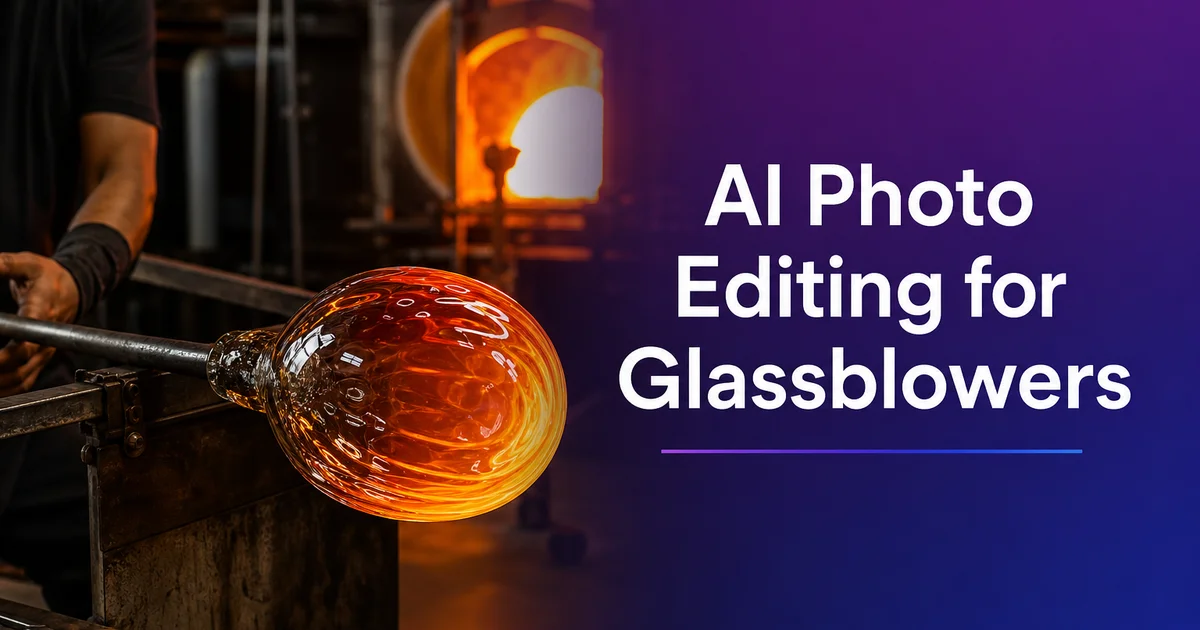
L'art du verre compte parmi les médiums les plus difficiles à photographier fidèlement. Les qualités essentielles du matériau — transparence, luminosité, profondeur de couleur, réfraction. Les structures internes complexes visibles à travers ses parois — sont toutes des propriétés de la lumière transmise, ce qui signifie que l'expérience visuelle de tenir une pièce de verre devant une fenêtre ou de la voir illuminée sur l'étagère d'une galerie est, par essence, différente de ce qu'un appareil photo capte avec un flash frontal standard ou la lumière ambiante d'une pièce. Un vase en verre soufflé qui rayonne d'un rouge rubis saturé en contre-jour peut apparaître comme une masse sombre, trouble et brunâtre sur une photo prise au téléphone sous les néons de l'atelier. Combler cet écart entre l'expérience visuelle réelle et la représentation photographique est le défi central de la photographie du verre.
La plupart des verriers travaillent dans des hot shops, parmi les environnements les moins propices à la photographie du monde de l'artisanat. L'espace de travail principal s'organise autour d'un four fonctionnant à plus de 1 100 degrés Celsius, avec des cannes de cueillage, des cannes à souffler, des pontils. Les outils sont disposés pour un accès ergonomique pendant le travail physiquement exigeant du verre en fusion. Il n'y a pas de coin propre pour la photographie de produit. Les surfaces sont recouvertes de poussière de verre, les outils occupent chaque plan horizontal, et l'éclairage est conçu pour la sécurité et la visibilité pendant le travail du verre plutôt que pour la précision photographique. Lorsqu'une pièce sort de l'arche de recuisson et doit être documentée, le verrier improvise souvent une installation sur la surface dégagée la plus proche, avec la lumière disponible.
Les outils d'édition photo par IA répondent aux défis optiques spécifiques de la photographie du verre d'une manière que les éditeurs photo génériques ne peuvent atteindre. La suppression d'arrière-plan gère les bords translucides et transparents qui rendent le verre singulièrement difficile à isoler. Le rehaussement de la couleur et de l'exposition restitue la qualité lumineuse que le verre en contre-jour révèle en personne mais que les appareils sous-exposent. L'accentuation des détails fait apparaître les structures internes. Les couches de couleur, les motifs de bulles et le travail de cannes — qui définissent la complexité et le savoir-faire de la pièce. Ensemble, ces outils transforment des clichés d'atelier pris à la hâte en présentations de qualité galerie qui transmettent la beauté réelle et la sophistication technique de l'œuvre.
- Background Eraser gère les bords translucides et transparents propres au verre, en préservant les effets de réfraction et les variations de couleur des bords tout en remplaçant les arrière-plans d'atelier.
- Le rehaussement par IA restitue la saturation lumineuse des couleurs du verre en contre-jour que les appareils photo de téléphone sous-exposent, rendant au cobalt, au rubis et à l'ambre leur véritable intensité visuelle.
- L'accentuation des détails internes révèle les bulles emprisonnées, les motifs de cannes colorées, les variations d'épaisseur des parois et la géométrie des surfaces facettées qui définissent la qualité du savoir-faire.
- Magic Eraser supprime les empreintes digitales, la poussière de meulage, les résidus de polissage et les marques de four qui deviennent ostensiblement gênants en photographie rapprochée du verre.
- Une qualité d'image cohérente sur les canaux galerie, place de marché et réseaux sociaux présente le verrier comme un artiste d'atelier sérieux, prêt pour une représentation professionnelle.
Pourquoi le verre est le matériau artisanal le plus difficile à photographier et comment l'IA aide
Le verre contredit pratiquement toutes les hypothèses que les systèmes d'exposition et de mise au point automatiques d'un appareil photo formulent sur leurs sujets. Les appareils supposent que les sujets sont des surfaces opaques qui réfléchissent la lumière — le verre la transmet. Les appareils supposent que les sujets ont des bords cohérents. Les bords du verre vont de totalement transparents à opaques selon l'épaisseur et l'angle de vue. Les appareils supposent que le sujet est l'élément le plus marquant du cadre. Avec le verre, l'arrière-plan visible à travers l'objet peut perturber à la fois l'autofocus et la mesure d'exposition. Ces incompatibilités fondamentales font que photographier le verre avec un téléphone en mode automatique produit toujours de piètres résultats, quelle que soit la qualité du verre lui-même.
Les photographes de verre experts résolvent ces problèmes avec des techniques spécialisées : prise de vue en contre-jour avec des panneaux de lumière diffuse, des arrière-plans en dégradé qui créent des bords visibles sur les objets transparents, des fonds noirs ou blancs qui définissent le contour du verre par contraste. Un bracketing d'exposition soigneux qui capture à la fois les hautes lumières les plus vives et les zones colorées les plus profondes. Ces techniques exigent un matériel, un espace et une expertise dont la plupart des verriers d'atelier ne disposent pas. Une séance de photographie de produit professionnelle pour une candidature en galerie peut coûter des centaines de dollars et nécessiter le transport de pièces de verre fragiles jusqu'à un studio photo. Peu pratique pour documenter régulièrement la production d'un atelier en activité.
Les outils d'édition par IA comblent l'écart entre la photographie d'atelier improvisée et les résultats professionnels. Background Eraser relève le défi de la transparence en comprenant que les bords du verre ne sont pas des frontières nettes mais des dégradés d'opacité qui doivent être préservés plutôt qu'accentués. AI Enhance traite le problème d'exposition en restituant couleur et détail dans les zones sous-exposées tout en maîtrisant les hautes lumières brûlées. Magic Eraser règle la question de la propreté de surface en supprimant la poussière et les empreintes que les photographes experts évitent avec des gants et de l'air comprimé dans des studios contrôlés. L'effet cumulé, ce sont des photos de téléphone qui approchent la qualité des séances en studio professionnel. Pas identiques, mais suffisantes pour les portfolios de galerie, les annonces sur les places de marché et le marketing sur les réseaux sociaux.
- Le verre contredit les hypothèses des appareils sur l'opacité, les bords cohérents et la prééminence du sujet, produisant des résultats systématiquement médiocres en mode automatique quelle que soit la qualité du verre.
- La photographie professionnelle du verre exige des panneaux en contre-jour, des arrière-plans en dégradé, le bracketing d'exposition et des environnements contrôlés dont la plupart des verriers d'atelier manquent.
- Background Eraser préserve les bords à opacité graduée du verre au lieu d'appliquer une isolation à frontière nette, maintenant la qualité translucide essentielle à ce médium.
- Combinés, les outils d'IA comblent l'écart entre les clichés d'atelier improvisés et la photographie professionnelle, produisant des résultats suffisants pour les galeries, les places de marché et les réseaux sociaux.
Capturer et améliorer la couleur, la transparence et la structure interne
La couleur est le principal argument de vente de la plupart des verres d'art. Une reproduction fidèle des couleurs en photographie est non négociable pour la vente en ligne. Un collectionneur qui choisit entre deux vases en verre soufflé fondera sa décision en grande partie sur la couleur. La profondeur du cobalt, la chaleur de l'ambre, la complexité d'une transition du rubis à l'or. Si la photo ne restitue pas fidèlement ces couleurs, soit la vente n'a pas lieu. Parce que la couleur paraît peu attrayante — soit elle aboutit à un retour — parce que la couleur ne correspond pas aux attentes de l'acheteur. AI Enhance traite les deux problèmes de couleur les plus courants en photographie du verre : la sous-exposition qui assombrit et désature les couleurs. La dominante colorée des éclairages fluorescents ou mixtes qui décale les teintes de leur apparence réelle.
La transparence et la structure interne sont ce qui distingue le verre soufflé à la main des options moulées ou pressées. Ce sont les qualités le plus souvent perdues dans la photographie amateur. Lorsque vous tenez une pièce de verre soufflé devant la lumière, vous pouvez voir l'épaisseur des parois varier là où le verrier a façonné la forme, les motifs en spirale des cannes de couleur emprisonnées dans la matrice du verre, la distribution organique des bulles d'air intentionnelles. La distorsion optique créée par les surfaces courbes qui plie et étire la vue à travers le verre. Ces qualités internes ne sont visibles que lorsque la lumière traverse le matériau. Ce sont elles que les collectionneurs paient au prix fort. Le rehaussement par IA met ces détails de lumière transmise au premier plan sur des photos qui ont pu être prises avec un contre-jour insuffisant, restituant la complexité interne que les conditions de prise de vue d'origine n'avaient pas captée.
Le verre sculptural — les pièces appréciées avant tout pour leur forme tridimensionnelle plutôt que pour leur couleur ou leur transparence — nécessite une approche de rehaussement différente qui met l'accent sur la texture de surface, les qualités réfléchissantes et la présence volumétrique. Le verre coulé, le verre thermoformé et le verre travaillé à froid présentent souvent des surfaces mates, dépolies ou polies qui interagissent avec la lumière de manière à définir le caractère sculptural de la pièce. Le rehaussement par IA pour le verre sculptural se concentre sur l'accentuation des détails de surface, l'amélioration du contraste entre les différentes finitions au sein d'une même pièce. En veillant à ce que la forme tridimensionnelle se lise clairement sur la photographie bidimensionnelle. L'objectif est de transmettre le poids physique et la présence de l'objet. C'est la priorité inverse de la légèreté lumineuse que vise à transmettre la photographie de verre soufflé fonctionnel.
- AI Enhance corrige la sous-exposition et la dominante colorée qui font apparaître le cobalt profond comme un bleu marine terne et l'ambre chaud comme un brun boueux sur les photos de téléphone.
- Le rehaussement de la structure interne restitue les variations d'épaisseur des parois, les motifs de cannes colorées, la répartition des bulles et les distorsions optiques visibles uniquement en lumière transmise.
- Le verre sculptural exige des priorités de rehaussement différentes — mettre en avant la texture de surface, les qualités réfléchissantes et la présence volumétrique plutôt que la couleur et la transparence.
- Une reproduction fidèle des couleurs est non négociable pour la vente en ligne, où les collectionneurs choisissent entre les pièces avant tout d'après la profondeur et le caractère de la couleur du verre.
Les défis de suppression d'arrière-plan spécifiques au verre et aux matériaux translucides
Le verre représente le défi de suppression d'arrière-plan le plus exigeant techniquement en photographie de produit, car la limite de l'objet n'est pas une ligne fixe mais un dégradé continu d'opacité. Un vase en verre soufflé possède des parois fines totalement transparentes où l'arrière-plan apparaît clairement à travers le verre, des zones plus épaisses semi-transparentes où l'arrière-plan est visible mais déformé, des zones opaques où le verre coloré bloque entièrement la vue. Des zones de transition où ces trois états se mêlent. Une suppression d'arrière-plan standard qui trace un contour net autour de l'objet produit des résultats qui ressemblent à un trou en forme de verre découpé dans l'arrière-plan plutôt qu'à un véritable objet en verre posé devant un nouveau fond. La qualité translucide qui rend le verre beau est précisément ce qui le rend difficile à isoler.
La suppression d'arrière-plan par IA aborde la transparence du verre par une approche différente du masquage à frontière nette. Au lieu de générer un masque binaire qui classe chaque pixel comme sujet ou arrière-plan, l'IA génère une carte d'opacité continue. Un masque doux où chaque pixel a une valeur de transparence comprise entre totalement opaque et totalement transparent. Le verre coloré totalement opaque reçoit un masque plein. Le verre fin totalement transparent reçoit un masque qui conserve les effets de bord du verre. Réfraction, couleur des bords, reflet de surface — tout en laissant le nouvel arrière-plan transparaître à la bonne intensité. Les zones semi-transparentes reçoivent des valeurs de masque intermédiaires qui fondent naturellement le verre et l'arrière-plan. Le résultat préserve la transparence essentielle du médium tout en séparant proprement le verre de son décor d'origine.
L'arrière-plan de remplacement lui-même importe davantage pour le verre que pour les objets opaques, car il sera visible à travers les zones transparentes de la pièce. Un fond blanc pur derrière du verre transparent produit un rendu lumineux et aéré qui met en valeur la couleur et la luminosité. Idéal pour les présentations en galerie et les places de marché où l'on apprécie une esthétique épurée. Un fond en dégradé qui passe du clair en haut à un peu plus sombre en bas apporte un contexte tonal subtil qui ancre visuellement la pièce. Un fond sombre derrière du verre transparent crée une présentation feutrée et dramatique qui met en valeur la lumière interne du verre. Particulièrement efficace pour les pièces aux couleurs profondes, où le contraste entre le verre lumineux et l'environnement sombre fait ressortir la profondeur et la saturation de la couleur.
- Les limites du verre sont des dégradés d'opacité continus — et non des lignes fixes — qui exigent des masques doux plutôt qu'une isolation à frontière nette pour préserver la qualité translucide du médium.
- L'IA génère des cartes d'opacité continues qui appliquent un masquage complet aux zones opaques, une transparence partielle aux zones semi-transparentes et un masquage minimal aux bords de verre transparent.
- Le choix de l'arrière-plan importe davantage pour le verre que pour les objets opaques, car la couleur de remplacement transparaît dans les zones transparentes et influe sur la couleur et l'ambiance perçues de la pièce.
- Les fonds blancs mettent en valeur la luminosité pour les galeries, les fonds en dégradé apportent un contexte d'ancrage, et les fonds sombres créent des présentations dramatiques pour les pièces aux couleurs profondes.
Construire une présence en ligne professionnelle et développer une photographie prête pour la galerie
Pour les verriers d'atelier qui passent des foires artisanales et des galeries locales à la vente en ligne et à une représentation en galerie à l'échelle nationale, la qualité photographique est le facteur le plus déterminant de cette transition. Les propriétaires de galeries qui examinent les candidatures d'artistes jugent le travail avant tout d'après les photos. Ils ne peuvent pas visiter chaque atelier, et les photos doivent indiquer si le travail mérite l'investissement d'un mur ou d'une étagère de galerie. Un portfolio de candidature à l'éclairage incohérent, aux arrière-plans encombrés. Des couleurs inexactes signalent un artiste qui n'est pas prêt pour une représentation experte, quelle que soit la qualité réelle du travail du verre. Les outils d'édition par IA hissent la photographie de portfolio au standard professionnel qu'attendent les directeurs de galerie, permettant aux verriers de concourir pour une représentation sur la qualité de leur art plutôt que sur celle de leur matériel photographique.
Les plateformes de vente en ligne sont devenues un canal de revenus majeur pour les artistes verriers d'atelier. Chaque plateforme a des normes photographiques qui influent sur la visibilité dans les recherches et la conversion des acheteurs. L'algorithme de recherche d'Etsy favorise les annonces aux arrière-plans propres et aux couleurs fidèles. Les sites de galeries attendent des collections présentées de façon uniforme, créant une expérience de navigation cohérente. Le format axé sur le visuel d'Instagram récompense la photographie de verre qui capte les qualités lumineuses du médium d'une manière qui arrête l'utilisateur en plein défilement. Chaque plateforme exige des formats d'image et des rapports d'aspect légèrement différents. Des approches de présentation différentes, mais toutes partagent le besoin fondamental d'une couleur fidèle, d'une présentation propre et d'un détail suffisant pour que les acheteurs évaluent le savoir-faire. Le traitement par lots avec l'IA permet à une seule séance de produire des visuels optimisés pour chaque plateforme d'un seul coup.
Documenter le processus aux côtés de l'œuvre achevée renforce grandement la présence en ligne d'un verrier. Le spectacle visuel saisissant du soufflage du verre. La matière en fusion incandescente, l'interaction physique dynamique entre l'artiste et le médium, la transformation d'une masse informe en vase achevé — crée un contenu puissant qui suscite l'engagement du public et un lien émotionnel avec l'œuvre. Les photos et vidéos de processus prises dans le hot shop atteignent rarement les standards de qualité de la photographie de produit, mais l'édition par IA peut combler cet écart : nettoyer les arrière-plans juste assez pour qu'ils paraissent intentionnels, rehausser les couleurs vives du verre en fusion. Supprimer les éléments indésirables qui rivalisent avec l'action centrale. Un fil qui alterne images de produit soignées et contenu de processus retouché raconte une histoire complète qui transforme les abonnés en acheteurs.
- La photographie de candidature en galerie doit communiquer un professionnalisme abouti — l'édition par IA hisse les clichés d'atelier au standard qu'attendent les directeurs de galerie pour leurs décisions de représentation d'artistes.
- Chaque plateforme en ligne a des normes photographiques propres qui influent sur la visibilité et la conversion, mais toutes exigent une couleur fidèle, une présentation propre et un détail de savoir-faire suffisant.
- Le traitement par lots avec l'IA produit, à partir d'une seule séance, des visuels optimisés par plateforme, servant simultanément les sites de galeries, Etsy, Instagram et d'autres canaux.
- La documentation du processus au hot shop suscite l'engagement du public et un lien émotionnel — l'édition par IA nettoie ces images dynamiques tout en préservant leur énergie authentique.
How to do it
- 1
Photograph glass pieces with backlighting to capture transparency and color
Position glass pieces on a light table or in front of a diffused light source so that light passes through the material and reveals its color, clarity, and internal structure. Glasswork derives its visual appeal from transmitted light. The way colors glow when illuminated from behind, the visibility of internal patterns and bubbles, and the interplay between transparent and opaque areas. Front-lit glass looks flat and dead compared to back-lit glass that showcases the medium's key luminous quality. Capture multiple angles to show the piece's form, a detail shot to reveal internal patterns. A profile view to show wall thickness and rim finish.
- 2
Remove studio backgrounds to create clean gallery-quality presentations
Use Background Eraser to isolate glass pieces from the hot shop, studio, or improvised photography setup. Glass presents unique background removal challenges because its edges are often transparent or semi-transparent, allowing the background to show through the object itself. Background Eraser handles these translucent boundaries by keeping the glass edge qualities. The color shift where thick glass meets thin, the distortion of background elements seen through the glass, and the refraction effects at curved surfaces — while replacing the actual background with a clean field.
- 3
Enhance color saturation and internal detail for accurate material representation
Apply AI Enhance to bring out the color depth and internal complexity that make glass art strong. Phone cameras often underexpose backlit glass, rendering rich cobalt as dull navy and ruby red as muddy brown. Boost recovers the true saturation and luminosity of colored glass while bringing out internal details. Trapped air bubbles, color transitions between layered canes, the swirling patterns of blown glass, and the sharp optical edges of faceted or cut surfaces.
- 4
Remove hot shop dust, fingerprints, and surface marks
Use Magic Eraser to clean up the inevitable surface contamination from studio glass photography. Glass surfaces show every fingerprint, dust particle, water spot, and grinding mark at photographic magnification. Hot shop settings add grinding dust, polishing compound residue, and kiln shelf marks to the mix. These artifacts are minor in person but become prominently unwanted in close-up photographs, undermining the pristine quality that buyers and collectors expect from finished glass art.
- 5
Export for gallery websites, online marketplaces, and social media at optimal sizes
Save final images at full resolution for gallery websites and portfolio use, then create platform-optimized versions for each sales and marketing channel. Glass art photography benefits from large display sizes that let viewers appreciate internal detail, so focus on high-resolution exports. For social media, choose crops that showcase the most visually striking aspect of each piece. The color glow of backlit glass, the complexity of internal patterning, or the sculptural form of the overall piece. Consistent lighting and background treatment across your entire collection builds the visual coherence that expert galleries and collectors expect.
Sources
- Photographing Glass: Techniques for Transparent and Reflective Objects — B&H Photo — Explora
- Marketing Handmade Glass: Online Sales Strategies for Studio Artists — Glass Art Society
- Product Photography for Artisan Crafts and Handmade Goods — Etsy Seller Handbook