
Retouche Photo IA pour Organisateurs d'Événements : Créez des Récaps et Portfolios Époustouflants
Découvrez comment les organisateurs d'événements utilisent la retouche photo IA pour supprimer l'encombrement des lieux, corriger l'éclairage mixte et créer des galeries récapitulatives et des images de portfolio impeccables en minutes au lieu d'heures.

Product Marketing
Vérifié par Magic Eraser Editorial ·
Sommaire
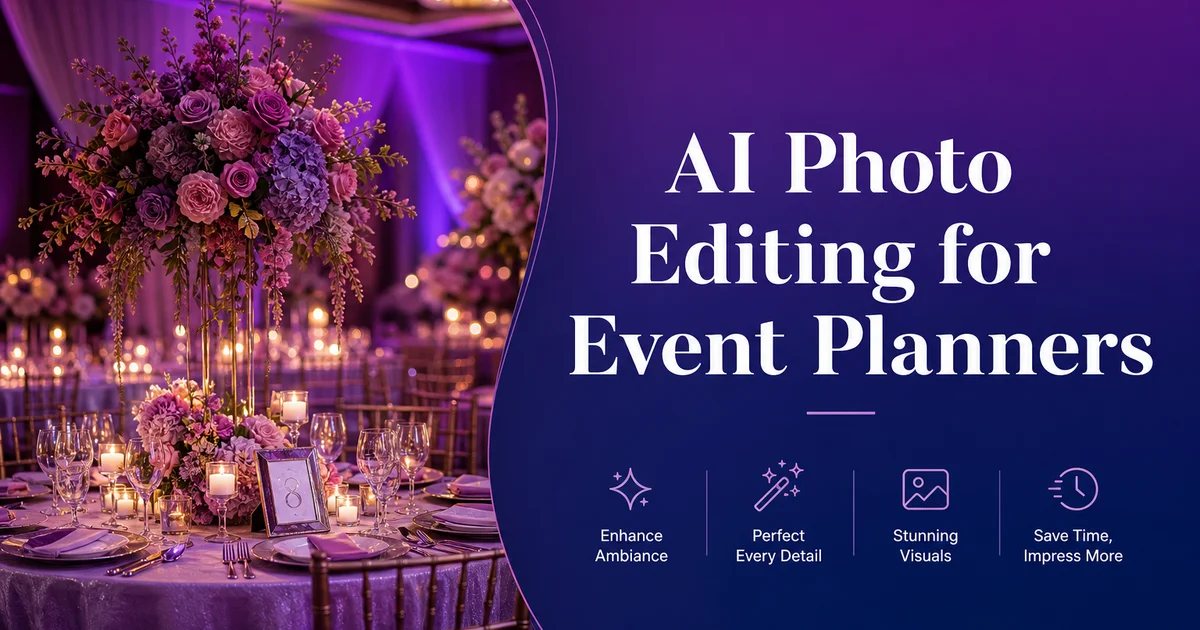
Les organisateurs d'événements vivent et meurent par leur portfolio visuel. Chaque réception de mariage, gala d'entreprise, lancement de produit et collecte de fonds caritative est une occasion de présenter votre vision créative. Mais les photos brutes correspondent rarement à ce à quoi ressemblait l'événement en personne. Des panneaux de sortie luisent au-dessus de compositions florales soigneusement arrangées. Des câbles électriques serpentent sur les pistes de danse. Le personnel de restauration apparaît à l'arrière-plan de la première danse des mariés. L'éclairage du lieu qui paraissait magique à l'œil nu se photographie comme un fouillis incohérent de zones chaudes et d'ombres froides.
Selon Allied Market Research, l'industrie mondiale de l'événementiel continue de croître rapidement, et la concurrence entre organisateurs signifie que votre portfolio en ligne et votre présence sur les réseaux sociaux sont souvent le premier — et parfois le seul — point de contact qu'un client potentiel voit avant de décider de demander une proposition. Les recherches d'Eventbrite confirment que le contenu visuel est le facteur le plus influent du marketing événementiel, les photos d'événement de haute qualité générant bien plus d'engagement que les récapitulatifs uniquement textuels.
Les outils de retouche photo IA comblent l'écart entre l'apparence réelle de votre événement et ce que l'appareil photo a capturé. Au lieu de passer des heures sur Photoshop à nettoyer les clichés du lieu ou de payer un retoucheur pour traiter des centaines d'images récapitulatives, vous pouvez supprimer les distractions, corriger l'éclairage et créer des images prêtes pour le portfolio en quelques minutes. Ce guide passe en revue les défis spécifiques auxquels font face les organisateurs d'événements et les flux de travail IA qui y répondent.
- La suppression d'objets par IA élimine les panneaux de sortie, les câbles électriques, le matériel de restauration et autres distractions du lieu sur les photos d'événement en quelques secondes.
- Le remplacement d'arrière-plan isole les intervenants, les invités VIP et les moments clés des arrière-plans encombrés pour des séquences de temps forts soignées.
- La correction colorimétrique par IA normalise l'éclairage mixte du lieu — éclairages tungstène, projecteurs LED de scène, photographie au flash — en une galerie cohérente.
- Le traitement par lots permet aux organisateurs de retoucher plus de 200 photos récapitulatives en une seule après-midi au lieu de passer des jours en retouche manuelle.
- Une qualité visuelle cohérente sur Instagram, LinkedIn, le portfolio de votre site web et les présentations récapitulatives clients renforce la crédibilité de votre marque.
- Un délai de traitement rapide signifie que vous pouvez publier les temps forts de l'événement le jour même sur les réseaux sociaux pendant que l'événement fait encore parler de lui.
Pourquoi les photos brutes d'événements correspondent rarement à l'expérience réelle
Les événements sont conçus pour l'œil humain, pas pour le capteur de l'appareil photo. Un organisateur passe des semaines à choisir les couleurs d'éclairage, les compositions florales, les textures de linge. Des dressages de table qui créent une atmosphère particulière lorsqu'on les vit en personne. Mais les appareils photo exposent pour des moyennes — la scène lumineuse est surexposée tandis que le salon cocktail tamisé devient sombre. Un objectif grand angle capture le superbe centre de table et le panneau de sortie de secours derrière lui avec la même netteté.
L'éclairage mixte est le plus grand défi à lui seul. Un gala d'entreprise typique peut comporter des lustres tungstène chauds, un éclairage de scène LED bleu froid, des éclairages violets sur les murs et les smartphones des invités déclenchant leur flash. Chaque photo prise dans ce cadre présente une dominante de couleur différente selon la source lumineuse qui domine. Le résultat est une galerie où la même nappe blanche apparaît dorée sur une photo, bleue sur la suivante et correctement blanche sur une troisième.
L'encombrement du lieu aggrave le problème. Quelle que soit la minutie avec laquelle vous planifiez les lignes de vue, les nécessités pratiques s'imposent : stations de matériel audiovisuel, retours de scène pour les intervenants, multiprises sous les tables d'honneur, plateaux de service empilés près de l'entrée de la cuisine et armoires d'extincteurs sur les murs. Ces éléments sont invisibles pour les invités qui profitent de l'événement mais immédiatement visibles sur les photos. Principalement dans les plans larges qui montrent toute l'étendue de votre travail de conception.
- Les appareils photo exposent pour une lumière moyenne, perdant l'atmosphère nuancée que l'éclairage d'ambiance et les bougies créent en personne.
- Les sources lumineuses mixtes créent des dominantes de couleur incohérentes entre des photos prises à quelques minutes d'intervalle dans la même salle.
- L'infrastructure du lieu — matériel audiovisuel, multiprises, panneaux de sortie, équipement incendie — apparaît dans chaque plan large.
- Les smartphones des invités déclenchant leur flash ajoutent des pics de lumière imprévisibles aux moments spontanés.
Supprimer les distractions du lieu avec la suppression d'objets par IA
La suppression d'objets est la retouche au plus fort impact pour les organisateurs d'événements. Un seul passage par Magic Eraser peut transformer une photo de lieu encombrée en une vitrine digne d'un portfolio de votre travail de conception. La clé est de savoir quoi supprimer et quoi conserver.
Commencez par les éléments qui détournent l'attention de votre conception : panneaux de sortie au-dessus des portes, câbles électriques visibles le long des murs ou sur les sols, caisses de matériel audiovisuel empilées dans les coins, matériel de restauration garé près des entrées de service. Toute signalétique temporaire qui ne faisait pas partie de la conception de votre événement. Passez la brosse sur chaque élément et l'IA reconstruit le mur, le sol ou l'arrière-plan derrière lui. Pour les grandes suppressions comme une pile de chaises le long d'un mur, travaillez par sections. Supprimez d'abord les chaises, puis nettoyez les artefacts éventuels sur la surface du mur reconstruite.
Pour les photos spontanées d'invités, supprimez les petites distractions qui détournent l'attention de l'instant : le bras d'un serveur entrant dans le cadre, le téléphone d'un invité brandi au premier plan, une boisson renversée sur la table ou une serviette froissée par terre. Ces micro-retouches prennent 10 à 15 secondes chacune et font passer la photo d'un instantané banal à un moment que vous pouvez présenter dans un diaporama récapitulatif.
Une règle importante : supprimez les distractions du décor, mais ne modifiez pas l'événement lui-même. Supprimer un panneau de sortie consiste à corriger une limitation du lieu. Supprimer des chaises vides pour faire paraître l'assistance plus nombreuse est une fausse représentation. Votre portfolio doit présenter votre talent de conception, pas une version fictive de l'événement.
Corriger l'éclairage mixte dans toute votre galerie d'événement
La cohérence des couleurs dans une galerie d'événement est ce qui distingue les récapitulatifs d'allure professionnelle des amas de photos amateurs. Lorsqu'un client ouvre votre présentation récapitulative ou fait défiler votre grille Instagram, chaque photo doit donner l'impression d'appartenir au même événement. Même si les clichés individuels ont été pris dans des conditions d'éclairage radicalement différentes.
AI Enhance gère les trois défis d'éclairage d'événement les plus courants. Pour les scènes à dominante chaude comme les dîners aux chandelles et les salles de bal éclairées au tungstène, il atténue la dominante orange et restaure fidèlement les couleurs du linge, des teints et des fleurs. Pour les scènes à dominante froide comme les scènes éclairées aux LED et les espaces de conférence, il réchauffe légèrement l'image et corrige la dominante bleue sur les teints qui rend les intervenants peu flatteurs. Pour les scènes mixtes où plusieurs sources lumineuses se disputent, il identifie la source dominante et normalise les dominantes secondaires.
Traitez toute votre galerie d'événement en un seul lot plutôt que de corriger les photos individuellement. Cela garantit que l'IA applique des ajustements cohérents à l'ensemble. Après le passage par lots, examinez la galerie comme une séquence et effectuez des ajustements ciblés sur les valeurs aberrantes. Souvent les clichés de cérémonie les plus sombres et les moments de scène les plus lumineux. Deux passages produisent une galerie où chaque photo présente une température de couleur et une exposition cohérentes, donnant à votre travail de conception une apparence homogène, quel que soit l'endroit du lieu où chaque cliché a été pris.
- Traitez ensemble toutes les photos de l'événement par lots afin qu'AI Enhance applique une correction colorimétrique cohérente à l'ensemble.
- Scènes à forte dominante tungstène : l'IA supprime les dominantes orange et restaure fidèlement les couleurs du linge et des fleurs.
- Scènes à forte dominante LED : l'IA corrige les dominantes bleues qui rendent les teints peu flatteurs sur scène.
- Examinez la galerie corrigée comme une séquence et ajustez les valeurs aberrantes — généralement les extrêmes les plus sombres et les plus lumineux.
Construire votre portfolio et votre présence sur les réseaux sociaux
Votre portfolio d'événements est votre principal outil de vente. Les clients potentiels évaluent votre esthétique de conception, votre souci du détail et l'étendue de votre expérience entièrement à partir des photos que vous présentez. La retouche IA garantit que chaque image de votre portfolio représente votre travail sous son meilleur jour. Libre des limitations du lieu qui échappaient à votre contrôle.
Pour les réseaux sociaux, la rapidité compte autant que la qualité. Publier les temps forts de l'événement le soir même. Pendant que les participants partagent encore leurs propres photos et taguent votre lieu — cela capte la fenêtre d'engagement maximal. La retouche IA rend cela possible en réduisant le délai de retouche de jours à heures. Un organisateur peut sélectionner 10 images phares pendant la dernière heure de l'événement, les retoucher sur le trajet du retour en voiture. Publier un carrousel Instagram soigné avant minuit.
Créez un modèle de retouche cohérent pour votre marque. Choisissez un étalonnage qui reflète votre esthétique. Chaleureux et romantique pour les organisateurs de mariages, épuré et professionnel pour les organisateurs de conférences, vibrant et énergique pour les événements musicaux. Appliquez cet étalonnage comme dernière étape après la suppression d'objets et la correction de l'éclairage. Lorsque chaque événement de votre portfolio partage une tonalité visuelle cohérente, les clients comprennent immédiatement votre style et se présélectionnent avant même de vous contacter.
- Les publications sur les réseaux sociaux le jour même captent le pic d'engagement pendant que les participants partagent et taguent encore.
- Un étalonnage cohérent sur l'ensemble de votre portfolio communique votre esthétique de conception en un coup d'œil.
- Exportez aux résolutions adaptées à chaque plateforme : 1080x1080 pour Instagram, 1920x1080 pour LinkedIn et les présentations.
How to do it
- 1
Capture raw event photos during setup and live moments
Photograph every phase of your event: the empty venue during setup, table arrangements, decor details, keynote speakers, candid guest interactions, and the dance floor. Shoot in burst mode for live moments and bracket exposures in mixed-lighting ballrooms so you have the best starting material for edits.
- 2
Remove distracting elements from venue photos
Open your venue and decor photos in Magic Eraser and brush over exit signs, electrical cords, catering equipment in the background, stacked chairs along walls, and any staff members caught mid-setup. The AI reconstructs the wall, floor, or backdrop behind each removed object so the venue looks pristine.
- 3
Clean up or replace backgrounds in highlight shots
Use Background Eraser to isolate speakers, couples, or VIP guests from cluttered event backgrounds. Replace the background with a clean gradient, a branded event backdrop, or a softly blurred version of the venue. This creates polished hero images for recap decks and social posts.
- 4
Correct lighting and color across mixed venue conditions
Run all photos through AI Enhance to normalize the wildly different lighting conditions found at events. Warm tungsten uplighting, cool LED stage washes, dim cocktail-hour ambiance, and harsh flash photography. One pass balances exposure and color temperature so every photo in your recap gallery looks cohesive.
- 5
Create consistent social media and portfolio assets
Select your best 15-20 images and batch-process them with consistent color grading through AI Enhance. Remove any remaining distractions with Magic Eraser. Export at platform-right resolutions — 1080x1080 for Instagram grid, 1920x1080 for LinkedIn and recap displays, and full resolution for your portfolio.
Sources
- 2025 Global Event Industry Report — Allied Market Research
- The Power of Visual Content in Event Marketing — Eventbrite
- Social Media Marketing for Events: 2025 Guide — Social Tables