
Retouche Photo par IA pour les Programmes de Garderie et de Maternelle : Supports d'Inscription, Réseaux Sociaux et Communications aux Parents
Comment les établissements de garde d'enfants utilisent la retouche photo par IA pour créer des supports d'inscription percutants, du contenu engageant pour les réseaux sociaux et des communications professionnelles aux parents tout en protégeant la vie privée des enfants et en respectant les exigences de consentement.

Product Marketing
Vérifié par Magic Eraser Editorial ·
Sommaire
- L'approche axée sur la confidentialité de la photographie en garde d'enfants
- Résoudre le problème d'éclairage fluorescent qui afflige chaque établissement de garde d'enfants
- Du contenu pour les réseaux sociaux qui fidélise les familles actuelles et en attire de nouvelles
- Des supports d'inscription qui rivalisent pour l'attention dans un marché de garde d'enfants concurrentiel
- Communications aux parents et documentation quotidienne avec protection de la vie privée
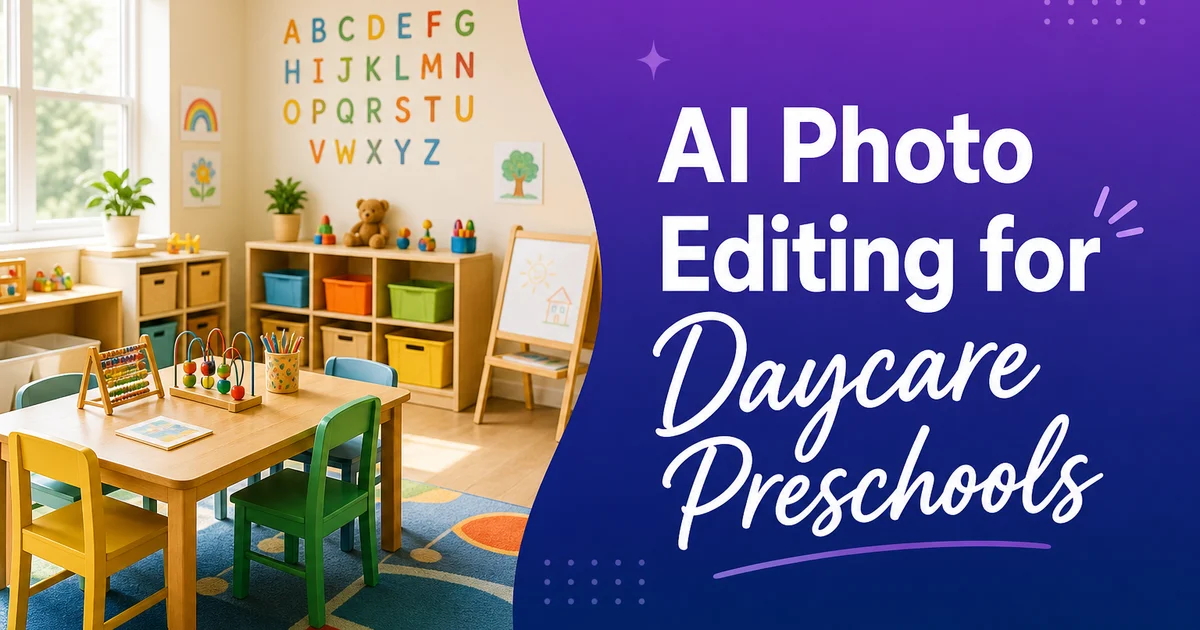
Les établissements de garde d'enfants font face à un défi photographique unique qu'aucune autre catégorie de petite entreprise ne partage : leur contenu visuel le plus percutant implique des mineurs dont la vie privée doit être soigneusement protégée. Un restaurant peut photographier sa salle à manger. Un salon de coiffure peut présenter son travail. Une garderie ou une maternelle doit gérer les formulaires de consentement photographique, les réglementations sur la vie privée et la sensibilité tout à fait compréhensible des parents concernant l'apparition des images de leurs enfants dans les supports marketing. Le résultat est que de nombreux établissements de garde d'enfants évitent complètement la photographie — laissant leur site web et leurs réseaux sociaux visuellement déserts — ou se limitent à des photos stériles de salles vides qui ne parviennent pas à transmettre la chaleur et l'énergie du programme.
Les outils de retouche photo par IA offrent une voie médiane pratique. Ils permettent aux opérateurs de structures de garde d'enfants de travailler avec les photos dont ils disposent — souvent des clichés rapides pris pendant la journée par des membres du personnel occupés — et de les transformer en supports marketing professionnels tout en répondant aux contraintes de confidentialité qui régissent le secteur. Magic Eraser supprime les informations personnellement identifiables des arrière-plans. Background Eraser isole les décors et les aménagements d'activités sans nécessiter la présence visible d'enfants. AI Enhance corrige l'éclairage fluorescent agressif qui fait ressembler chaque établissement de garde à une salle d'attente d'hôpital sur les photos brutes.
Ce guide couvre les façons spécifiques dont les centres de garde et les programmes de maternelle utilisent la retouche photo par IA pour leurs trois principaux besoins de communication visuelle : les supports marketing d'inscription qui attirent de nouvelles familles, le contenu pour les réseaux sociaux qui maintient l'engagement des familles actuelles et les communications aux parents qui documentent les activités quotidiennes du programme. Chaque cas d'utilisation a ses propres considérations de confidentialité et besoins de retouche, et les outils IA y répondent efficacement sans que l'établissement ait besoin d'engager un photographe professionnel ou de former le personnel aux logiciels de retouche photo manuels.
- Background Eraser isole les environnements de classe et les aménagements d'activités sans montrer d'enfants identifiables.
- Magic Eraser supprime les noms, les tableaux d'allergies et les informations personnelles visibles dans les arrière-plans des photos de classe.
- AI Enhance corrige l'éclairage fluorescent pour révéler l'environnement chaleureux et coloré que les parents recherchent dans les photos de l'établissement.
- L'amélioration par lot normalise la qualité des photos entre les différentes salles et les membres du personnel pour des supports d'inscription cohérents.
- La suppression sélective du désordre montre un établissement organisé sans dénaturer l'environnement actif de la classe.
L'approche axée sur la confidentialité de la photographie en garde d'enfants
Le consentement photographique en garde d'enfants n'est pas une formalité. C'est une exigence légale et éthique qui façonne chaque aspect de la manière dont un établissement peut utiliser la photographie dans son marketing. La plupart des programmes recueillent des formulaires de consentement lors de l'inscription, précisant si l'image d'un enfant peut être utilisée sur le site web de l'établissement, les réseaux sociaux, les supports imprimés ou les communications internes. Certains parents consentent à tous les usages ; certains ne consentent qu'à l'usage interne ; certains refusent totalement toute utilisation photographique. Une seule photo de classe publiée sur Instagram incluant un enfant dont la famille a refusé peut créer une violation grave de la confiance, une responsabilité juridique potentielle et des dommages durables à la réputation de l'établissement dans une communauté où le bouche-à-oreille détermine les inscriptions.
Ce paysage du consentement signifie que les établissements de garde d'enfants ont souvent des photos qu'ils ne peuvent pas utiliser telles quelles parce qu'un ou deux enfants dans le cadre n'ont pas le consentement pour cet usage particulier. Par le passé, les options étaient limitées : ne pas utiliser la photo, la recadrer maladroitement, ou appliquer un effet de flou d'aspect clinique qui attire l'attention sur le fait que des visages sont cachés. Les outils IA offrent de meilleures options. Background Eraser peut isoler le décor — la table d'art couverte de chefs-d'œuvre de peinture au doigt, la tour de blocs dans l'espace construction, les jardinières de la classe en plein air — sans inclure aucun enfant. Magic Eraser peut supprimer des éléments spécifiques identifiant les enfants non consentants sans détruire la composition globale.
La stratégie photographique axée sur la confidentialité la plus efficace combine la prise de vue intentionnelle avec la retouche par IA. Photographiez les aménagements d'activités avant ou après leur utilisation par les enfants : le poste d'art disposé avec peintures et pinceaux, la table sensorielle remplie de matériaux, la cuisine de jeu dramatique garnie d'aliments fictifs. Ces photos montrent la richesse du programme sans aucun souci de confidentialité. Utilisez ensuite AI Enhance pour rendre ces clichés de préparation chaleureux et attrayants plutôt que mis en scène. Le résultat est une bibliothèque photo entièrement conforme à la confidentialité, visuellement percutante et représentant authentiquement l'offre du programme.
- Les formulaires de consentement photographique varient selon les familles — une seule publication non conforme peut engendrer une responsabilité juridique et éroder la confiance.
- Background Eraser isole les environnements et les matériaux sans inclure d'enfants dans le cadre.
- Photographier les aménagements d'activités avant ou après utilisation crée du contenu conforme à la confidentialité montrant la richesse du programme.
- L'amélioration par IA donne aux photos d'aménagement une sensation chaleureuse et vivante plutôt que vide et mise en scène.
Résoudre le problème d'éclairage fluorescent qui afflige chaque établissement de garde d'enfants
Entrez dans n'importe quel centre de garde ou classe de maternelle et observez l'éclairage : des tubes fluorescents au plafond ou des panneaux LED qui projettent une lumière plate et froide sur tout l'espace. Cet éclairage est fonctionnel — il fournit une illumination uniforme pour les activités et répond aux exigences du code du bâtiment pour les espaces de garde d'enfants — mais il est terrible pour la photographie. Les photos prises sous éclairage fluorescent ont une dominante verte ou blanc-bleu qui rend les meubles en bois chaleureux gris, les jouets aux couleurs primaires ternes et les teints de peau maladifs. L'environnement coloré et bienveillant que les parents découvrent lors d'une visite en personne ne se traduit pas à la caméra dans ces conditions.
AI Enhance corrige cette dominante colorée en analysant les conditions d'éclairage de la photo et en ajustant la balance des blancs pour produire des couleurs d'apparence naturelle. Les bruns chaleureux des étagères en bois réapparaissent. Les rouges, bleus et jaunes vifs des matériaux de classe ressortent avec la vivacité qu'ils ont en réalité. Les teints de peau dans les photos consenties passent de la pâleur verdâtre de l'éclairage fluorescent aux tons sains et naturels que les parents voient au moment du dépôt et de la récupération. Cette seule correction transforme l'impression visuelle de l'établissement, d'institutionnel à accueillant.
Le composant de correction d'exposition d'AI Enhance est tout aussi important pour les espaces de garde d'enfants. Les salles de classe ont souvent un mélange d'éclairage au plafond et de lumière de fenêtre, créant des zones de luminosité différente. Le coin lecture près de la fenêtre peut être magnifiquement éclairé tandis que le coin éloigné avec l'espace déguisement est sombre. Une photo exposée pour la zone claire laisse le coin sombre sous-exposé. Une photo exposée pour la zone sombre surexpose la fenêtre. AI Enhance équilibre ces zones d'exposition de sorte que la classe entière soit visible et bien éclairée dans la photo, montrant aux parents toute l'étendue de l'environnement d'apprentissage plutôt que la moitié disparaissant dans l'obscurité.
- L'éclairage fluorescent et par panneaux LED crée une dominante verte ou blanc-bleu dans toutes les photos de l'établissement.
- La correction des couleurs restaure les tons bois chaleureux et les couleurs vives des jouets que les parents voient lors des visites en personne.
- Les zones d'éclairage mixte — fenêtres versus plafond — créent des problèmes d'exposition que l'amélioration par IA résout.
- La correction transforme les photos de l'établissement d'un aspect institutionnel à chaleureux et accueillant.
Du contenu pour les réseaux sociaux qui fidélise les familles actuelles et en attire de nouvelles
Les réseaux sociaux sont le principal canal marketing pour la plupart des établissements de garde d'enfants. Les parents recherchent des programmes en consultant leur présence sur Facebook et Instagram avant de planifier une visite. Les familles actuelles restent engagées grâce aux publications quotidiennes ou hebdomadaires montrant ce que font leurs enfants. Le défi est de produire ce contenu en permanence — une publication tous les un ou deux jours — avec le temps limité et les compétences photographiques disponibles du personnel de garde qui se concentre principalement sur le soin des enfants, pas sur la création de contenu marketing.
La retouche photo par IA réduit la friction entre la capture d'un moment et sa publication. Un enseignant voit les enfants construire une structure de blocs impressionnante et prend une photo rapide au téléphone. La photo a un éclairage plafond agressif, un arrière-plan encombré de casiers et sacs à dos, et un tableau de noms visible sur le mur derrière la structure. Sans outils de retouche, cette photo est soit publiée telle quelle avec ses problèmes de confidentialité et de qualité, soit elle rejoint le rouleau de photos du téléphone et n'est jamais utilisée. Avec les outils IA, l'enseignant ou le directeur peut améliorer l'éclairage, supprimer le désordre de fond et le tableau de noms, et obtenir une image publiable en moins d'une minute.
La constance compte plus que la perfection pour les réseaux sociaux de garde d'enfants. Les parents n'attendent pas de la photographie de qualité studio de la part de la maternelle de leur enfant — ils attendent des aperçus authentiques de la vie quotidienne du programme. Mais il y a une différence significative entre une photo sombre, sous éclairage fluorescent avec des informations personnelles visibles et une photo chaleureuse, bien exposée où l'activité est clairement le point focal. L'amélioration par IA élève chaque photo à un niveau de qualité de base qui semble professionnel sans sembler surproduit — exactement l'esthétique que les réseaux sociaux de garde d'enfants devraient viser.
- Les réseaux sociaux sont le principal canal de recherche pour les parents qui évaluent les programmes de garde d'enfants.
- La retouche par IA réduit le temps entre la capture d'un moment en classe et la publication d'un post respectueux de la vie privée.
- La constance de la qualité compte plus que la perfection — les parents attendent de l'authenticité, pas du poli.
- Un niveau de qualité de base atteint grâce à l'amélioration par IA semble professionnel sans sembler surproduit.
Des supports d'inscription qui rivalisent pour l'attention dans un marché de garde d'enfants concurrentiel
Dans les marchés concurrentiels de garde d'enfants — zones urbaines, banlieues aisées, régions à forte participation parentale au marché du travail — les familles visitent souvent trois à cinq programmes avant de prendre une décision d'inscription. La présentation visuelle des supports marketing de l'établissement joue un rôle majeur dans la sélection des programmes retenus pour les visites. Un site web avec des photos sombres et encombrées de classes suggère un programme désorganisé. Une brochure avec des photos lumineuses et chaleureuses d'espaces d'apprentissage bien aménagés suggère une conception intentionnelle et un fonctionnement professionnel. La corrélation entre la qualité des photos et la qualité perçue du programme n'est pas juste, mais elle est réelle.
Les brochures d'inscription, les galeries de sites web et les supports de visite virtuelle puisent des photos de tout l'établissement — chaque classe, l'espace extérieur, la cuisine, l'entrée, la salle de sieste. Ces photos sont rarement prises lors d'une seule séance coordonnée. Elles s'accumulent sur des mois, prises par différents membres du personnel avec différents téléphones dans différentes conditions d'éclairage. Sans normalisation, la collection résultante paraît incohérente et non intentionnelle. AI Enhance traite par lot l'ensemble complet pour produire une exposition uniforme, une température de couleur et des niveaux de contraste cohérents sur toutes les photos, créant une identité visuelle cohésive qui suggère une gestion soigneuse et une attention aux détails.
Les photos spécifiques qui déterminent les décisions d'inscription sont celles qui aident les parents à imaginer leur enfant dans l'espace. Des photos de zones d'activités montrant des matériaux riches et des aménagements attrayants. Des espaces extérieurs avec des éléments naturels visibles et des équipements adaptés à l'âge. Des coins lecture confortables et des ateliers d'art bien organisés. Ce sont les images qui convertissent un visiteur du site web en réservation de visite. La retouche par IA garantit que ces photos clés présentent l'espace à son meilleur visuel — éclairage chaleureux, composition claire, pas de désordre indésirable — afin que la qualité de l'environnement du programme transparaisse dans chaque image qu'un parent potentiel voit.
- Les familles sélectionnent généralement trois à cinq programmes en se basant en partie sur la présentation visuelle avant de visiter.
- Une qualité photo incohérente entre les salles et les saisons suggère une gestion désorganisée de l'établissement.
- L'amélioration par lot par IA normalise toutes les photos de l'établissement selon un standard visuel cohésif.
- Les photos d'aménagements d'activités qui aident les parents à imaginer leur enfant dans l'espace stimulent les réservations de visites.
Communications aux parents et documentation quotidienne avec protection de la vie privée
Au-delà du marketing, les établissements de garde d'enfants utilisent la photographie pour les communications quotidiennes aux parents. Des applications comme Brightwheel, HiMama et Tadpoles transmettent des photos et des mises à jour aux familles tout au long de la journée. Ces communications internes ont des paramètres de confidentialité différents du marketing public, mais elles nécessitent tout de même de l'attention. Une photo envoyée à une famille ne devrait pas mettre en évidence l'enfant d'une autre famille, même sur une plateforme interne. Le personnel doit être attentif à ce qui apparaît en arrière-plan des photos de documentation, surtout dans les classes à consentement mixte où certaines familles ont refusé même le partage de photos en interne.
Magic Eraser aide le personnel à nettoyer rapidement les photos de documentation pour un partage approprié. Si une photo de documentation de classe inclut un enfant non consentant en arrière-plan, le membre du personnel peut supprimer cet enfant avant d'envoyer la photo aux autres familles. Si une photo du projet artistique d'un enfant inclut le casier étiqueté au nom d'un autre enfant en arrière-plan, cette information d'identification peut être effacée en quelques secondes. Ces retouches rapides font la différence entre une photo sûre à partager et une qui pourrait créer une violation du consentement.
AI Enhance améliore la qualité de ces photos de documentation quotidiennes afin que les parents reçoivent des images qui transmettent réellement ce à quoi ressemblait la journée de leur enfant. Une photo sombre et floue d'un enfant en train de peindre dit très peu au parent. Une photo améliorée avec un éclairage corrigé et une netteté améliorée montre la concentration sur le visage de l'enfant, les couleurs qu'il a choisies et le travail qu'il a produit. Ces photos de documentation améliorées renforcent la confiance des parents dans la qualité et le niveau d'engagement du programme. Elles deviennent des souvenirs précieux que les familles conservent longtemps après que leur enfant est passé à l'école élémentaire.
- Les applications de communication quotidienne avec les parents exigent la même vigilance en matière de confidentialité que les supports marketing publics.
- Magic Eraser supprime les enfants non consentants et les informations d'identification des photos de documentation.
- Les photos de documentation améliorées transmettent l'expérience de l'enfant plus efficacement que les clichés bruts et sombres.
- Des photos quotidiennes de haute qualité renforcent la confiance des parents et deviennent des souvenirs familiaux précieux.
How to do it
- 1
Use Background Eraser to isolate activity setups and classroom environments without showing identifiable children
Many childcare facilities need marketing photos that show their spaces and activities without displaying identifiable children whose parents may not have consented to public image use. Background Eraser lets you isolate the classroom setting. The art station, the reading nook, the outdoor play structure — by removing backgrounds and replacing them with clean, neutral contexts. Alternatively, photograph the setups when children are not present and use AI Enhance to make the empty room look warm and inviting rather than sterile.
- 2
Remove personal information visible in classroom photos before posting to social media
Classroom photos frequently contain visible personal information in the background. Children's names on cubbies, attendance charts, allergy lists, family photos on display, and artwork with names written by teachers. Before using any classroom photo for marketing or social media, scan the background for these privacy-sensitive elements and use Magic Eraser to remove them. This protects children's privacy and keeps the facility in compliance with its own photo consent policies and applicable regulations like COPPA.
- 3
Enhance indoor photos taken under fluorescent lighting to show accurate warm colors
Childcare facilities are often lit by fluorescent or LED panel lighting that casts a green or blue-white color temperature. Photos taken under this lighting make colorful classrooms look washed out and institutional rather than warm and engaging. AI Enhance corrects the white balance to produce colors that match the actual look of the room. Warm wood tones, vivid primary colors on toys and materials, and natural skin tones in any photos where children appear with parental consent. This correction transforms an institutional-looking photo into one that conveys the warm, nurturing setting parents are looking for.
- 4
Create consistent visual assets for enrollment brochures by normalizing photo quality across rooms and seasons
Enrollment brochures and website galleries pull photos from across the facility. The infant room, the toddler room, the preschool classroom, the outdoor playground — often taken by different staff members at different times with different phones. The resulting photo set looks inconsistent in exposure, color, and quality. Run the entire set through AI Enhance to normalize the lighting and color across all photos, creating a cohesive visual display that looks intentional rather than cobbled together from a year's worth of random snapshots.
- 5
Remove clutter and daily mess from facility photos without misrepresenting the environment
A working childcare classroom is messy by nature. Art supplies out, snack crumbs on tables, coats on the floor, toys scattered across activity areas. Marketing photos need to show the facility looking organized and inviting. Removing every trace of activity would misrepresent the setting. Use Magic Eraser selectively to remove unwanted clutter. A stack of delivery boxes in the corner, a maintenance cart left in the hallway, adult personal items on counters — while leaving age-right materials and child-sized furniture that honestly represent what the space looks like during a typical day.
Sources
- Children's Online Privacy Protection Act (COPPA) Compliance Guidelines — Federal Trade Commission
- Best Practices for Photographing Children in Educational Settings — National Association for the Education of Young Children
- Visual Marketing for Childcare Programs: A Guide for Directors — U.S. Department of Health and Human Services