
Retouche Photo par IA pour les Brasseries Artisanales — Magic Eraser
Découvrez comment les brasseries artisanales utilisent la retouche photo par IA pour la photographie de taproom, l'art des canettes et étiquettes, les fiches Untappd et le marketing sur les réseaux sociaux. Des flux de travail pratiques pour les propriétaires de brasseries et les gérants de taproom.

Product Marketing
Vérifié par Magic Eraser Editorial ·
Sommaire
Les brasseries artisanales dépendent du marketing visuel plus que presque toute autre catégorie de petite entreprise. Chaque nouvelle sortie nécessite du contenu pour les réseaux sociaux. Chaque événement en taproom nécessite des images promotionnelles. Chaque étiquette de canette et de bouteille est une œuvre d'art de marque qui doit être bien photographiée pour les fiches Untappd, les plateformes de commande en ligne et Instagram. Pourtant, la plupart des brasseries fonctionnent avec des budgets marketing minuscules. Le gérant du taproom ou un coordinateur de réseaux sociaux à temps partiel gère la photographie avec un smartphone entre deux tâches, et non un photographe professionnel avec un studio équipé.
L'Association des Brasseurs rapporte que l'image de marque visuelle est l'un des différenciateurs les plus puissants sur le marché de la bière artisanale. Des milliers de brasseries se disputent l'attention dans des taprooms bondés et des fils de réseaux sociaux encore plus encombrés. La grille Instagram d'une brasserie est un véritable portfolio que les visiteurs potentiels parcourent avant de décider où passer leur soirée. Les données de Craft Brewing Business montrent que les brasseries avec une photographie de réseaux sociaux cohérente et de haute qualité obtiennent un engagement et une fréquentation de taproom mesurables plus élevés que celles publiant des photos de téléphone non retouchées.
Les outils de retouche photo par IA répondent aux défis spécifiques auxquels les brasseries font face. Les taprooms sont sombres et éclairés à la lumière chaude, ce qui altère les couleurs et adoucit les détails. Les arrière-plans sont encombrés d'équipements de bar, d'autres clients et de désordre opérationnel. Les produits doivent paraître attrayants sur Untappd où une seule image représente la bière de façon permanente. Magic Eraser nettoie les arrière-plans encombrés, AI Enhance corrige l'éclairage du taproom et affine les détails des étiquettes. AI Fill crée des contextes promotionnels saisonniers sans nécessiter de décors physiques. Ce guide couvre des flux de travail pratiques qu'une équipe de brasserie peut exécuter quotidiennement avec un investissement de temps minimal.
- Magic Eraser supprime le désordre du taproom — verres d'autres clients, cartons empilés, équipement de bar en désordre — tout en préservant l'atmosphère authentique de l'espace.
- AI Enhance corrige la dominante de couleur chaude de l'éclairage du taproom afin que la couleur de la bière soit fidèlement représentée sur Untappd et les réseaux sociaux.
- AI Fill place les produits dans des contextes saisonniers et promotionnels pour les sorties limitées et les événements sans changements de décor physiques.
- Un traitement photo cohérent sur tous les produits crée une marque visuelle harmonieuse qui renforce l'esthétique de la grille Instagram et la présence sur Untappd.
- Une seule photo prise au smartphone, traitée via le flux de travail à trois outils, produit des images adaptées aux réseaux sociaux, Untappd, menus et supports imprimés simultanément.
La photographie de taproom qui capture l'ambiance sans le désordre
Le taproom est votre atout visuel le plus puissant — c'est l'expérience que vous vendez, pas seulement la bière. Les clients qui choisissent entre des brasseries un vendredi soir parcourent Instagram et les photos Google pour l'ambiance du taproom avant de consulter la carte des bières. Les photos qui montrent le caractère de votre espace — le comptoir du bar, les poignées de tireuse, l'éclairage, l'énergie de la foule — génèrent plus de visites que des photos de produits isolés sur fond blanc. Mais les vrais taprooms sont en désordre, et n'importe quelle photo grand angle inclut des éléments indésirables qui nuisent à la qualité professionnelle de l'image.
Magic Eraser vous permet de nettoyer une photo de taproom sans la stériliser. Supprimez le bretzel à moitié mangé et la serviette froissée du bar, effacez la pile de cartons de livraison visible derrière les tireuses. Nettoyez le client flou qui est entré dans le bord du cadre. L'IA reconstruit la surface du bar, le mur ou l'étagère qui se trouvait derrière l'objet supprimé, maintenant l'aspect authentique de l'espace. Le résultat est une photo qui ressemble à votre meilleure soirée — tout est à sa place, l'éclairage est parfait — plutôt qu'un instantané aléatoire d'un mardi après-midi.
Photographiez pendant l'heure dorée avant le service du soir, lorsque la lumière naturelle à travers les fenêtres complète l'éclairage intérieur. Cela vous donne la meilleure image de base. Des tons naturels plus chauds, des ombres plus douces et suffisamment de lumière ambiante pour que l'appareil photo du téléphone ne pousse pas l'ISO à des niveaux de bruit excessifs. Prenez au moins trois versions de chaque prise : un plan large d'ensemble, un plan moyen centré sur les tireuses ou un produit vedette, un plan serré de détail d'un verre ou d'une canette. Traitez les trois avec Magic Eraser pour le nettoyage et vous obtenez une histoire visuelle complète à partir d'une seule séance de cinq minutes.
- Les photos d'ambiance de taproom génèrent plus de visites que les photos de produits isolés — les clients veulent voir l'expérience, pas seulement la bière.
- Utilisez Magic Eraser pour supprimer les distractions comme les cartons de livraison, les objets de bar en désordre et les passants flous, tout en préservant l'atmosphère authentique du taproom.
- Photographiez pendant l'heure dorée avant le service pour obtenir la meilleure lumière naturelle et le moins de bruit de l'appareil photo du téléphone.
- Prenez des plans larges, moyens et serrés à chaque séance pour créer une histoire visuelle complète en seulement cinq minutes.
Photographie de produits pour les canettes, bouteilles et fiches Untappd
Chaque bière que vous brassez a besoin d'au moins une photo de produit soignée. Sur Untappd — où des millions d'amateurs de bière artisanale découvrent, évaluent et enregistrent des bières — l'image du produit est la première chose que les utilisateurs voient. Une photo de téléphone sombre et floue à côté de la photo nette et bien éclairée d'une canette concurrente signale immédiatement une qualité inférieure, quel que soit le goût réel de la bière. Le guide de photographie de boissons de Shopify souligne que les images de produits sont le facteur le plus influent dans les décisions d'achat en ligne et d'engagement pour les boissons.
Vous n'avez pas besoin d'une boîte à lumière ni d'un appareil photo professionnel. Placez la canette ou la bouteille sur le bar avec l'étiquette face à l'objectif, assurez une lumière uniforme de face ou de côté (une fenêtre fonctionne parfaitement). Prenez la photo de face pour la lisibilité de l'étiquette. Passez l'image dans AI Enhance pour corriger la température de couleur. L'éclairage du taproom tire souvent vers le chaud, faisant paraître les ales dorées ambrées et les étiquettes claires jaunâtres. L'IA restaure une représentation fidèle des couleurs pour que la bière et l'étiquette apparaissent comme en réalité. Elle affine également le texte et les illustrations de l'étiquette que les conditions sombres de prise de vue au téléphone adoucissent.
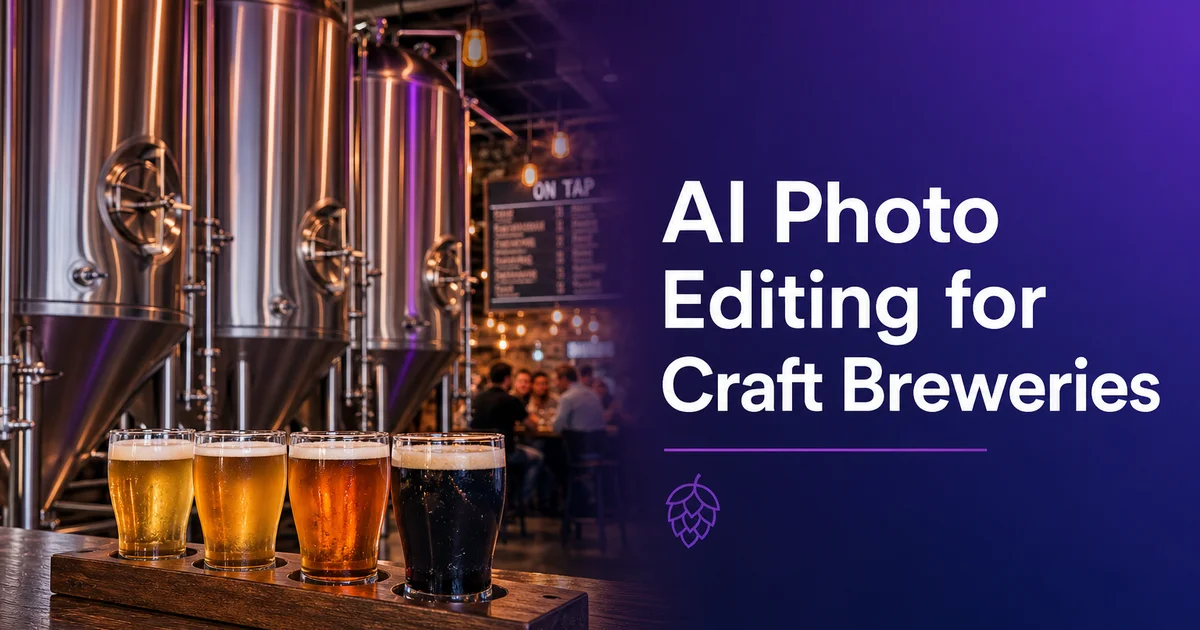
Pour les bières servies en dégustation ou en coffrets variés, photographiez toute la gamme ensemble. Disposez les verres ou canettes en ligne avec un espacement régulier, photographiez en légère plongée pour un angle dynamique. Traitez l'image avec Magic Eraser pour nettoyer les distractions d'arrière-plan. Ces photos de gamme fonctionnent parfaitement comme publications carrousel sur Instagram et comme image principale pour les annonces de nouvelles sorties. Elles montrent l'étendue de votre offre en un seul cadre.
- Chaque bière a besoin d'au moins une photo de produit soignée pour Untappd, où l'image est la première impression principale pour des millions d'amateurs de bière artisanale.
- AI Enhance corrige la dominante chaude du taproom pour que les ales dorées ne paraissent pas ambrées et les étiquettes claires ne semblent pas jaunâtres.
- Positionnez l'étiquette face à l'objectif et utilisez la lumière latérale ou frontale d'une fenêtre pour un texte d'étiquette le plus net possible sans boîte à lumière.
- Les photos de dégustations et de gammes font d'excellents carrousels Instagram et annonces de sorties qui présentent toute votre gamme en une seule image.
Sorties saisonnières et promotions d'événements avec AI Fill
Les brasseries artisanales fonctionnent au rythme des saisons. Stouts d'hiver, sours de printemps, bières de blé d'été, ales de récolte d'automne — et chaque sortie nécessite un contenu promotionnel frais. Construire des décors physiques pour chaque campagne saisonnière est irréaliste quand on brasse, sert et gère une entreprise en même temps. AI Fill vous permet de créer des images promotionnelles contextuellement adaptées en générant des arrière-plans qui correspondent au thème saisonnier. Placez votre stout d'hiver devant une scène chaleureuse au coin du feu, votre IPA de session estivale sur une terrasse ensoleillée, ou votre spéciale vieillie en fût pour l'anniversaire dans un cadre de cave.
Le flux de travail est simple. Prenez une photo de produit propre sur n'importe quel fond, puis utilisez AI Fill pour remplacer l'arrière-plan par une scène saisonnière. Comme le produit lui-même n'est pas modifié, l'art de l'étiquette et la couleur de la bière restent photographiquement fidèles — seul le contexte change. Cela signifie qu'une seule séance de photos de produit fournit le matériel source pour plusieurs promotions saisonnières tout au long de l'année. Photographiez chaque nouvelle sortie une fois au moment de la mise en canette — vous avez l'image de base pour tous les besoins marketing de cette sortie.
Pour les événements en taproom — soirées quiz, musique live, prises de tireuse, fêtes de fin d'année — AI Fill peut également améliorer les vraies photos d'événements en étendant ou modifiant les arrière-plans. Si le groupe joue devant un mur nu, AI Fill peut ajouter des éléments d'ambiance sans rendre l'image artificielle. La clé est la subtilité : l'arrière-plan généré doit compléter le sujet réel, pas le submerger. Utilisez ces photos d'événements améliorées pour la promotion d'événements futurs sur Facebook et Instagram, établissant un modèle de contenu événementiel de haute qualité qui crée l'anticipation pour les dates à venir.
- AI Fill crée des contextes promotionnels saisonniers — coin du feu pour les stouts, terrasse ensoleillée pour les ales d'été — sans construction de décors physiques.
- Une seule photo de produit fournit l'image de base pour plusieurs campagnes saisonnières tout au long du cycle de vie de la bière.
- Les photos d'événements bénéficient d'une amélioration d'arrière-plan qui ajoute de l'atmosphère aux murs nus et aux décors épurés.
- Gardez les arrière-plans générés subtils et complémentaires — le produit et les éléments réels du taproom doivent rester le point focal.
Construire un système de marque visuelle sur toutes les plateformes
La cohérence est ce qui distingue les marques de brasseries qui paraissent professionnelles de celles qui paraissent amateurs sur les réseaux sociaux. Quand chaque photo de votre grille Instagram a été traitée via le même flux de travail — Magic Eraser pour le nettoyage, AI Enhance pour la correction des couleurs et la netteté — le résultat est une identité visuelle cohérente qui communique la qualité de la marque avant même qu'un seul mot ne soit lu. L'Association des Brasseurs note que la cohérence visuelle entre les plateformes est l'un des signaux les plus forts de maturité de marque dans l'univers de la bière artisanale.
Créez une checklist de traitement simple que tout membre de l'équipe peut suivre. Étape un : importer la photo et passer Magic Eraser sur les éléments indésirables. Étape deux : appliquer AI Enhance pour la correction de l'éclairage et des couleurs. Étape trois : recadrer aux ratios spécifiques à chaque plateforme (carré pour la grille Instagram, 4:5 pour les miniatures Instagram Reels, 16:9 pour les événements Facebook). Étape quatre : enregistrer dans la médiathèque partagée avec une convention de nommage cohérente — date, nom de la bière, type de prise de vue. Cette checklist prend moins de deux minutes par image et garantit que chaque photo respecte le même standard de qualité, quel que soit celui qui l'a prise ou traitée.
Distribuez les mêmes images traitées sur toutes les plateformes où votre brasserie est présente. La photo d'étiquette la plus nette va sur Untappd comme image permanente de la bière. La photo d'ambiance du taproom va sur Instagram et Google Business Profile. La photo de produit propre va sur la page de liste des bières de votre site web et sur la plateforme de commande en ligne. Les images traitées sont également prêtes pour l'impression — cartes de poignées de tireuse, chevalets de table, flyers d'événements et menus saisonniers. Une séance photo, un flux de traitement, et chaque canal marketing dispose du contenu visuel dont il a besoin.
- Traiter chaque photo via le même flux de travail en trois étapes crée une grille Instagram cohérente et une identité de marque homogène sur toutes les plateformes.
- Une simple checklist — Magic Eraser, AI Enhance, recadrage par plateforme — prend moins de deux minutes par image et standardise la qualité entre les membres de l'équipe.
- Nommez les fichiers de manière cohérente avec la date, le nom de la bière et le type de prise de vue pour une médiathèque partagée consultable accessible à tout membre de l'équipe.
- Les mêmes images traitées servent simultanément Untappd, Instagram, Google Business Profile, la liste des bières du site web, la commande en ligne et les supports imprimés.
How to do it
- 1
Photograph cans and bottles in the taproom for authentic context
Set your products on the bar or a tap handle station and photograph them in natural taproom lighting. Take multiple angles — straight-on for label visibility, three-quarter for depth, and overhead for flight arrangements. These authentic settings perform better than studio shots for social media because they convey the taproom experience customers want.
- 2
Clean up taproom backgrounds with Magic Eraser
Taproom photos in time include unwanted elements. Other customers' half-finished glasses, napkins, stacked boxes in the background, or cluttered bar equipment. Use Magic Eraser to remove these distractions while keeping the taproom atmosphere. The goal is a clean shot that still feels like your space, not a sterile studio image.
- 3
Enhance lighting and color accuracy with AI Enhance
Taprooms are often dim with warm-toned lighting that shifts the colors in your photos. AI Enhance corrects the color temperature so that your beer's actual hue is accurately represented. Important because customers on Untappd and social media judge a beer partly by its color. The tool also sharpens label text and logo details that dim lighting softens.
- 4
Use AI Fill to create seasonal and promotional backgrounds
For seasonal releases, limited editions, and event promotions, use AI Fill to place your products in contextually right settings. A winter stout can be set against a snowy scene, a summer wheat beer against a sunny patio. This creates variety in your content calendar without requiring physical set changes or props for every seasonal campaign.
- 5
Build a consistent image library for Untappd, social media, and print
Process all product photos through the same workflow. Magic Eraser for cleanup, AI Enhance for color and lighting — so every image in your library has a consistent look. Upload the cleanest can and bottle shots to Untappd where they serve as the permanent reference image for your beers. Use the wider taproom shots for Instagram and Facebook. The highest-resolution versions for tap handle cards, menus, and printed promotional materials.
Sources
- The Role of Visual Branding in Craft Beer Marketing — Brewers Association
- Social Media Strategies for Craft Breweries: A Data-Driven Analysis — Craft Brewing Business
- Product Photography Best Practices for Beverage Brands — Shopify