
Retouche photo par IA pour les céramistes : mettre en valeur la poterie et la céramique
Conseils experts en photographie de produits pour les céramistes et potiers utilisant la retouche photo par IA. Améliorez les détails des émaux, les textures de l'argile, les marques de cuisson et l'éclairage des surfaces courbes pour la vente en ligne et la présentation de portfolio.

Content Lead
Vérifié par Magic Eraser Editorial ·
Sommaire
- Pourquoi les émaux céramiques comptent parmi les surfaces les plus difficiles à photographier avec précision
- Stratégies d'éclairage et correction par IA pour les formes céramiques courbes
- Correction colorimétrique des types d'émaux courants pour une représentation fidèle à l'écran
- Optimisation des images céramiques pour Etsy, les galeries et les présentations de portfolio
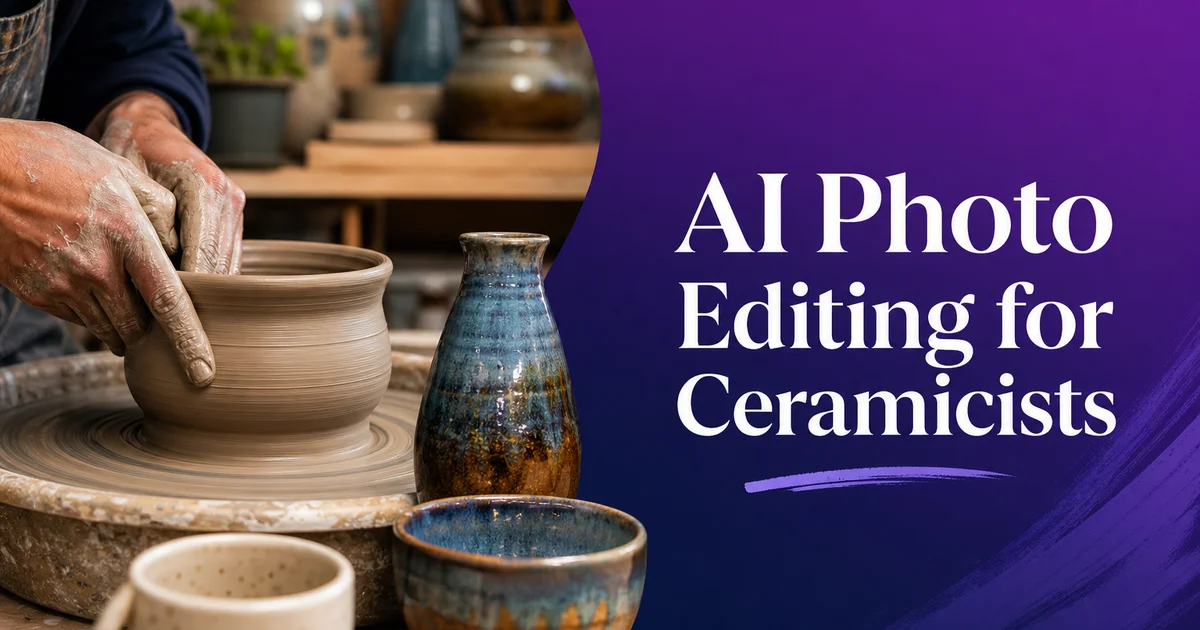
Vendre de la céramique en ligne présente un défi fondamental qu'aucun autre artisanat ne rencontre avec la même intensité : les qualités qui rendent une pièce de céramique artisanale spéciale. Le poids tactile, la surface de l'émail qui change de couleur selon l'angle de vue, l'irrégularité subtile d'une forme tournée à la main, la chaleur de l'argile dans la main — sont toutes vécues à travers l'interaction physique, et les photographies doivent d'une manière ou d'une autre transmettre ces qualités aux acheteurs qui ne peuvent pas prendre la pièce et la tourner dans leurs mains. Un mug qui est un plaisir à tenir, avec une anse qui s'adapte parfaitement, un pied qui repose solidement sur une table, et un émail qui passe du bleu cobalt sur l'épaule au brun de fer au pied. Ce mug peut sembler tout à fait quelconque dans une photographie plate et mal éclairée qui comprime sa forme tridimensionnelle en une image bidimensionnelle et déforme les couleurs de son émail en quelque chose de méconnaissable.
La plupart des céramistes sont des potiers d'atelier experts en argile, en chimie des émaux. En gestion de four mais qui ont une expérience limitée en photographie de produits et un budget nul pour des séances photo professionnelles. L'écart entre la qualité du travail et la qualité de sa présentation photographique est souvent énorme. Un potier qui a passé des années à développer un émail signature et à perfectionner sa technique de tournage photographiera son travail fini en le tenant devant une fenêtre et en prenant une photo au téléphone, produisant une image avec une température de couleur mixte provenant de sources lumineuses concurrentes, des éléments d'arrière-plan indésirables, une exposition inégale qui surexpose les reflets brillants tout en perdant les détails dans les ombres. Des décalages de couleur qui font ressembler leur céladon soigneusement développé à de l'avocat. Ces images ne se contentent pas d'échouer à vendre — elles déforment activement le travail et portent atteinte à la réputation du potier.
Les outils de retouche photo par IA fournissent l'intelligence de post-traitement qui transforme une capture adéquate en imagerie de qualité exposition. Background Eraser isole proprement la poterie du désordre de l'atelier, gérant les silhouettes complexes incluant anses, becs verseurs et couvercles avec précision. AI Enhance révèle les détails d'émail que l'appareil photo a capturés mais que l'éclairage plat ne met pas en valeur. Les formations cristallines, les ruptures de couleur, les textures de surface et la profondeur des émaux translucides. La correction colorimétrique calibrée pour les surfaces céramiques garantit que les céladons, les rouges de cuivre, les bleus de cobalt. Les verts de cendre de bois affichent leurs véritables couleurs de cuisson plutôt que l'approximation déformée du capteur de l'appareil photo. Ce guide couvre le flux de travail complet de photographie et de retouche pour les céramistes, de la configuration de l'éclairage d'atelier à l'exportation optimisée par plateforme pour Etsy, les galeries et les sites web de portfolio.
- Background Eraser trace précisément les silhouettes céramiques complexes — anses, becs verseurs, couvercles et formes sculpturales organiques — isolant les pièces de l'environnement de l'atelier en quelques secondes.
- AI Enhance révèle sélectivement les détails d'émail, y compris les formations cristallines, les ruptures de couleur sur les arêtes, les motifs de micro-craquelure et la profondeur des émaux translucides sur les corps d'argile.
- La correction colorimétrique calibrée pour les émaux céramiques restaure l'apparence réelle de cuisson des céladons, des rouges de cuivre, des noirs tenmoku et d'autres types d'émaux que les capteurs d'appareils photo déforment systématiquement.
- La correction d'éclairage des surfaces courbes compense les points chauds et les zones mortes inhérents à la photographie de formes céramiques arrondies sous les configurations d'éclairage de studio.
- L'optimisation d'exportation multi-plateforme produit des images de portfolio haute résolution, des photos de produits adaptées aux places de marché et des recadrages pour les réseaux sociaux centrés sur les détails d'émail les plus visuellement attrayants.
Pourquoi les émaux céramiques comptent parmi les surfaces les plus difficiles à photographier avec précision
Les émaux céramiques présentent un sujet particulièrement difficile pour la photographie car ils combinent plusieurs comportements optiques au sein d'une seule surface. Un émail brillant de haute température est essentiellement une fine couche de verre fusionnée au corps céramique. Il est à la fois réflectif, réfractif et transmissif. La lumière frappant une surface émaillée se reflète partiellement sur la surface de verre (créant des reflets spéculaires), se réfracte partiellement à travers la couche de verre (où elle interagit avec les colorants et les cristaux en suspension). Elle se transmet partiellement au corps d'argile en dessous (où elle se reflète sur le corps opaque et revient à travers le verre). Ce comportement optique multicouche signifie que la couleur et l'apparence de l'émail dépendent fortement de l'angle d'éclairage, de l'angle de vue. Et des conditions de lumière ambiante d'une manière que les surfaces plates et opaques ne connaissent pas.
Les émaux mats présentent des défis différents : ils diffusent la lumière de manière diffuse plutôt que de créer des réflexions spéculaires. Cela les rend plus faciles à photographier sans points chauds mais plus difficiles pour transmettre leur qualité tactile. La surface douce et veloutée d'un émail mat bien formulé. Une qualité que les potiers appellent onctueuse — apparaît dans les photographies comme simplement non réfléchissante, dépouillant la qualité sensorielle qui rend les émaux mats attrayants en personne. Les surfaces texturées comme les émaux volcaniques, les émaux rampants. Et les émaux cristallins ajoutent une autre dimension de complexité car leur intérêt visuel dépend de micro-ombres créées par le relief de surface qui nécessite un éclairage directionnel soigneusement contrôlé pour être révélé. Sous un éclairage diffus plat qui élimine les ombres pour une photographie de produit propre, ces émaux texturés perdent la variation de surface dramatique qui les rend spéciaux.
AI Enhance répond à ces défis en analysant la surface céramique et en appliquant des ajustements ciblés qui révèlent les qualités d'émail que l'appareil photo a capturées mais que le traitement standard masque. Pour les émaux brillants, il équilibre l'exposition entre les reflets spéculaires et la couleur d'émail plus profonde visible dans les zones non réfléchissantes, empêchant les taches blanches surexposées qui dominent les photos d'émail mal traitées. Pour les émaux mats, il renforce la texture de surface subtile qui transmet la qualité tactile, rendant la micro-rugosité qui crée la sensation onctueuse visible dans la photographie. Pour les émaux texturés, il augmente sélectivement le contraste des caractéristiques de relief de surface, faisant ressortir les formations cristallines, les motifs de rampement. Et les bulles volcaniques contre le champ d'émail environnant.
- Les émaux brillants combinent réflexion, réfraction et transmission dans un système optique multicouche qui rend leur apparence fortement dépendante de l'angle d'éclairage et de vue.
- Les émaux mats perdent leur qualité tactile onctueuse en photographie — AI Enhance révèle la micro-texture de surface qui transmet la sensation veloutée qui rend les émaux mats attrayants.
- Les émaux texturés comme les cristallins, les rampants et les volcaniques nécessitent un éclairage directionnel pour l'impact visuel. Le rehaussement par IA augmente sélectivement le contraste du relief de surface pour compenser l'éclairage plat de studio.
- Chaque type d'émail reçoit une amélioration spécifique à sa surface plutôt qu'un simple renforcement de netteté générique, préservant le caractère matériel qui distingue la céramique artisanale de la production industrielle.
Stratégies d'éclairage et correction par IA pour les formes céramiques courbes
Les surfaces courbes de la poterie tournée créent des défis d'éclairage que les produits plats ne présentent pas. Lorsqu'un mug cylindrique ou un bol arrondi est éclairé d'un côté, la face la plus proche de la lumière reçoit une illumination complète tandis que le côté opposé tombe dans l'ombre, avec une bande de reflet lumineux courant le long de la courbe là où l'angle de surface correspond à l'angle de réflexion. Cette illumination inégale est physiquement exacte mais photographiquement problématique. La bande de reflet surexpose en blanc, masquant les détails d'émail dans la zone la plus lumineuse, tandis que le côté ombré devient assez sombre pour perdre complètement la couleur d'émail et la texture de surface. La plage tonale du reflet à l'ombre sur une surface céramique courbe dépasse souvent la plage dynamique des capteurs d'appareils photo, forçant les photographes à choisir entre conserver les hautes lumières et conserver les ombres.
Les photographes céramistes experts résolvent ce problème avec des configurations multi-éclairage, des réflecteurs. Et des tentes lumineuses qui enveloppent l'illumination autour de la forme courbe depuis plusieurs angles. Une configuration experte typique utilise une lumière principale diffusée à travers un grand softbox, un carton réflecteur ou une lumière secondaire pour relever le côté ombré, et une lumière d'arrière-plan pour séparer la pièce de son fond. Un arrangement à trois lumières que la plupart des potiers d'atelier n'ont ni l'équipement ni l'espace pour créer. Le mappage tonal et l'équilibrage d'exposition d'AI Filter peuvent compenser des configurations plus simples à lumière unique ou à lumière de fenêtre en relevant sélectivement les zones d'ombre et en récupérant les détails des hautes lumières, produisant l'effet d'illumination uniforme d'une configuration multi-éclairage à partir d'une capture à source unique.
L'intérieur des récipients présente un défi supplémentaire. Les bols, les tasses et les vases ont des surfaces intérieures souvent émaillées avec des couleurs ou des textures différentes de l'extérieur, et les acheteurs veulent voir les deux. Mais éclairer l'intérieur d'un récipient tout en illuminant l'extérieur nécessite soit de photographier d'en haut — ce qui sacrifie la vue de profil de la forme — soit d'utiliser un éclairage intérieur secondaire qui crée ses propres problèmes d'ombres et de reflets. AI Enhance peut sélectivement éclaircir et clarifier les surfaces intérieures visibles d'un récipient dans une photo de produit standard à angle trois-quarts, révélant la couleur d'émail et la texture intérieures qui apparaîtraient autrement comme un vide sombre, permettant à une seule image de montrer à la fois le caractère intérieur et extérieur.
- Les surfaces céramiques courbes créent des plages tonales qui dépassent la plage dynamique des capteurs — le mappage tonal par IA récupère les hautes lumières surexposées et relève simultanément les détails des ombres.
- Les configurations à lumière unique et à lumière de fenêtre sont transformées pour approximer l'illumination uniforme des arrangements multi-éclairage professionnels grâce à l'équilibrage sélectif de l'exposition.
- Les intérieurs des récipients sont sélectivement éclaircis pour révéler la couleur d'émail et la texture intérieures à partir de photos de produits standard à angle trois-quarts sans sacrifier l'éclairage extérieur.
- Les corrections combinées produisent des images où la couleur d'émail et les détails de surface sont visibles sur toute la forme courbe, du reflet le plus lumineux aux zones d'ombre les plus profondes.
Correction colorimétrique des types d'émaux courants pour une représentation fidèle à l'écran
Les émaux céladon comptent parmi les surfaces céramiques les plus notoirement difficiles à photographier avec précision. Un véritable céladon — l'émail translucide vert jade qui est l'un des accomplissements suprêmes des traditions céramiques chinoises et coréennes — affiche une couleur bleu-vert délicate d'une profondeur extraordinaire, comme si l'on regardait dans une eau peu profonde. Mais les capteurs d'appareils photo décalent toujours le céladon vers le jaune-vert ou le gris-vert, éliminant la composante bleue qui donne au céladon sa beauté froide distinctive. Sous éclairage fluorescent, le céladon se photographie en gris pur. Sous éclairage tungstène chaud, il vire à l'olive. Le profil de correction céladon de l'IA restaure l'équilibre bleu-vert que l'œil humain perçoit en personne, ajustant la teinte, la saturation. Et la luminance pour correspondre à l'apparence caractéristique du céladon à réduction de fer sous la lumière naturelle du jour.
Les émaux rouges de cuivre présentent le problème inverse de décalage colorimétrique : les appareils photo tendent à pousser les rouges de cuivre vers l'orange, perdant le sous-ton violet froid qui distingue un véritable rouge de cuivre d'un rouge de fer. La différence est extrêmement importante pour les collectionneurs. Les émaux rouges de cuivre sont obtenus par cuisson en réduction où le monoxyde de carbone arrache l'oxygène des molécules d'oxyde de cuivre dans l'émail, produisant des particules de cuivre colloïdales qui diffusent la lumière pour créer le rouge. Cette chimie produit un rouge avec un sous-ton bleu-violet caractéristique visible aux bords où l'émail s'amincit. C'est la marque d'un authentique rouge de cuivre cuit en réduction. L'IA reconnaît les caractéristiques de l'émail rouge de cuivre et corrige la couleur pour préserver ce sous-ton bleu-violet et la transition graduelle de couleur du rouge profond dans les zones épaisses au rose pâle ou transparent là où l'émail est le plus mince sur les arêtes et les textures.
Les céramiques cuites au bois avec des émaux de cendre nécessitent leur propre approche de correction colorimétrique car les couleurs sont intrinsèquement variables et imprévisibles. Une seule pièce cuite au bois peut afficher une douzaine de couleurs différentes là où différentes quantités de cendre de bois se sont déposées et fondues sur la surface de l'argile. Des verts olive, des jaunes ambrés, des gris-bleus, des oranges rouillés et des bruns profonds peuvent tous coexister sur un seul récipient. Les capteurs d'appareils photo tendent à comprimer cette variété de couleurs en une gamme plus étroite, faisant paraître la pièce plus uniformément brune ou grise qu'elle ne l'est réellement. La correction colorimétrique par IA pour les céramiques cuites au bois élargit la gamme de couleurs pour montrer l'étendue complète de la variation d'émail de cendre, garantissant que l'éclair vert olive d'un côté et les marques de feu hidasuki orange de l'autre sont tous deux représentés avec précision dans leurs teintes distinctes.
- La correction céladon restaure l'équilibre bleu-vert que les appareils photo décalent vers le jaune-vert ou le gris, reproduisant la qualité translucide de jade visible sous la lumière naturelle du jour.
- La correction rouge de cuivre préserve le sous-ton bleu-violet caractéristique et le comportement d'amincissement aux bords qui distingue le rouge de cuivre cuit en réduction des rouges à base de fer.
- La correction d'émail de cendre de cuisson au bois élargit la gamme de couleurs comprimée pour montrer l'étendue complète de la variation naturelle — verts, ambrés, bleus, oranges et bruns — sur une seule pièce.
- Chaque profil de correction d'émail est basé sur la chimie et le comportement optique du type d'émail spécifique plutôt que sur un ajustement colorimétrique générique, garantissant une représentation fidèle au matériau.
Optimisation des images céramiques pour Etsy, les galeries et les présentations de portfolio
Etsy est la principale place de marché pour les céramistes d'atelier. L'expérience de navigation axée sur le visuel de la plateforme signifie que vos photographies sont votre outil de vente le plus important. Les résultats de recherche Etsy affichent de petites images miniatures où la première impression détermine si un acheteur clique sur votre annonce. Pour les miniatures, les images céramiques les plus efficaces montrent la pièce isolée sur un fond propre avec une définition de silhouette forte. La forme distinctive de la pièce doit se lire clairement en petite taille, et la couleur de l'émail doit être visible même dans une miniature de 300 pixels. Background Eraser combiné avec AI Enhance produit les photos de produits propres et détaillées qui performent bien dans les résultats de recherche Etsy, avec l'avantage supplémentaire d'un traitement de fond cohérent sur l'ensemble de votre boutique qui crée un look de marque professionnel et cohérent.
Les soumissions de galeries et les candidatures aux expositions jurées exigent un standard différent. Les directeurs de galeries et les jurés évaluent les images à des tailles plus grandes et recherchent à la fois la qualité technique du travail céramique et la qualité technique de la photographie elle-même. De mauvaises images sont interprétées comme la preuve d'une pratique artistique moins sérieuse, indépendamment de la qualité réelle du travail. Les images pour les galeries doivent être prises à la résolution la plus élevée disponible, avec une attention méticuleuse à l'éclairage, à la fidélité des couleurs et à la composition. La retouche par IA pour les soumissions de galeries doit être subtile — améliorer les détails et corriger les couleurs sans créer un aspect manifestement retouché. L'objectif est des images qui semblent avoir été prises par un photographe céramiste professionnel dans un studio photo dédié. C'est exactement ce que les corrections de l'IA accomplissent lorsqu'elles sont appliquées avec retenue.
Votre site web de portfolio personnel sert à la fois de canal de vente et de référence professionnelle. Les acheteurs sérieux, les propriétaires de galeries et les collectionneurs visiteront votre site web pour évaluer la profondeur et la cohérence de votre corpus d'œuvres avant de s'engager dans des achats ou des partenariats d'exposition. Les images de portfolio doivent être organisées par série ou corpus d'œuvres, avec un éclairage, un traitement colorimétrique et une présentation de fond cohérents au sein de chaque groupe. La retouche par IA est principalement précieuse ici pour maintenir la cohérence visuelle entre des images prises à différents moments, sous différentes conditions d'éclairage et avec différents équipements photo. Le traitement par lots avec des paramètres cohérents d'AI Enhance et de correction colorimétrique garantit que les pièces de la même famille d'émail apparaissent dans leur véritable relation chromatique. Un acheteur parcourant votre collection de céladons voit les variations subtiles entre les pièces comme elles apparaîtraient sur une étagère de galerie plutôt que comme des différences de couleur arbitraires causées par des conditions de photographie variables.
- Les miniatures Etsy nécessitent des silhouettes propres avec une définition de forme forte et une couleur d'émail visible en petite taille — Background Eraser et AI Enhance produisent des photos de produits professionnelles et cohérentes.
- Les soumissions de galeries exigent une amélioration subtile qui renforce les détails et la fidélité des couleurs sans créer un aspect manifestement retouché qui compromet le sérieux artistique perçu.
- Les sites web de portfolio bénéficient d'un traitement IA cohérent sur des images prises à différents moments, maintenant les relations chromatiques entre les pièces au sein de la même famille d'émail.
- Chaque plateforme s'adresse à des publics différents — les acheteurs occasionnels d'Etsy, les jurés professionnels de galeries. Les collectionneurs sérieux — et l'approche de retouche doit être calibrée en fonction du contexte de visualisation et des attentes de chacun.
How to do it
- 1
Photograph your ceramics with attention to glaze detail and form
Set up your ceramic piece on a clean surface using soft diffused lighting that reveals the three-dimensional form without creating harsh reflections on glazed surfaces. Ceramics photography is uniquely challenging because pottery combines multiple surface types in a single object. Glossy glazed areas that reflect light like mirrors, matte unglazed sections that absorb light, textured surfaces that create micro-shadows, and curved forms that require careful light wrapping to avoid hot spots and dead zones. Shoot from multiple angles to capture the overall form, the interior if it is a vessel, any decorative detail on the surface. The foot or base which shows the clay body and kiln marks that knowledgeable buyers inspect. Use a turntable for consistent multi-angle product shots and a macro lens for glaze texture details.
- 2
Remove studio clutter and replace backgrounds with Background Eraser
Use Background Eraser to isolate the ceramic piece from your studio setting. Most potters photograph work on their studio shelves or kiln shelves surrounded by other pots, glazing materials. Workshop equipment that distracts from the piece being sold. The AI precisely traces the ceramic silhouette including complex shapes like handles, spouts, lids. Organic sculptural forms, separating the piece cleanly from its background. Replace with a clean gradient that complements the glaze color palette, a neutral gray or white for marketplace listings, or a natural surface like weathered wood or linen that adds warmth without competing with the ceramic surface.
- 3
Enhance glaze detail, texture, and color accuracy with AI Enhance
Run AI Enhance on the isolated ceramic piece to bring out the full beauty of the glaze surface. Ceramic glazes are among the most complex surfaces to photograph because their visual appeal often depends on subtle effects. Crystalline formations within the glaze, color breaks where the glaze thins over edges and texture, micro-crazing patterns, crawling and beading effects, and the depth of translucent glazes where you can see through the glass surface to the clay body beneath. AI Enhance analyzes the ceramic surface and selectively increases the visibility of these glaze details, boosting contrast in areas of subtle texture variation and enhancing the apparent depth of the glaze layer without over-saturating the colors or creating artificial-looking sharpening halos.
- 4
Correct glaze colors to match their true fired appearance
Use AI Filter's color correction tools to ensure the glaze colors display accurately on screen. Ceramic glazes produce colors through complex chemistry involving metallic oxides fired at extreme temperatures. Copper reds, cobalt blues, iron celadons, manganese purples, and wood ash greens each have distinctive color qualities that camera sensors routinely distort. Celadon glazes that appear as ethereal blue-green in person often photograph as murky gray-green. Copper red glazes shift toward orange. Tenmoku blacks lose their subtle brown undertones. The AI identifies common glaze types and applies calibrated color correction that restores the true hue, saturation, and warmth that each glaze type displays when viewed in person under natural light.
- 5
Export optimized images for your website, Etsy, and social media platforms
Save the final images at multiple resolutions optimized for different sales channels. High-resolution images for your portfolio website should preserve every glaze detail and texture nuance at zoom level, allowing serious buyers and collectors to inspect the surface quality closely. Medium-resolution images for marketplace listings on Etsy, Artfyre, or your own Shopify store should balance file size with enough detail to show glaze quality and form. Social media crops should focus on the most visually strong detail. A crystalline glaze surface, a dramatic crawl pattern, or the interplay of glaze and bare clay at the foot — to capture attention and drive traffic to the full listing. Include both isolated product shots and lifestyle images showing the piece in use or in a styled setting.
Sources
- Photographing Ceramics: A Guide for Potters and Ceramic Artists — Ceramic Arts Network
- Product Photography for Handmade Goods: Lighting Curved Surfaces — B&H Photo — Explora
- Color-Accurate Reproduction of Ceramic Glazes in Digital Imaging — Journal of the American Ceramic Society