
Eliminar un objeto de fondo de una foto
Elimina un objeto de fondo de tus fotos en segundos con Magic Eraser. La IA reconstruye automáticamente el fondo. Gratis en iOS, Android y la web.
Última actualización
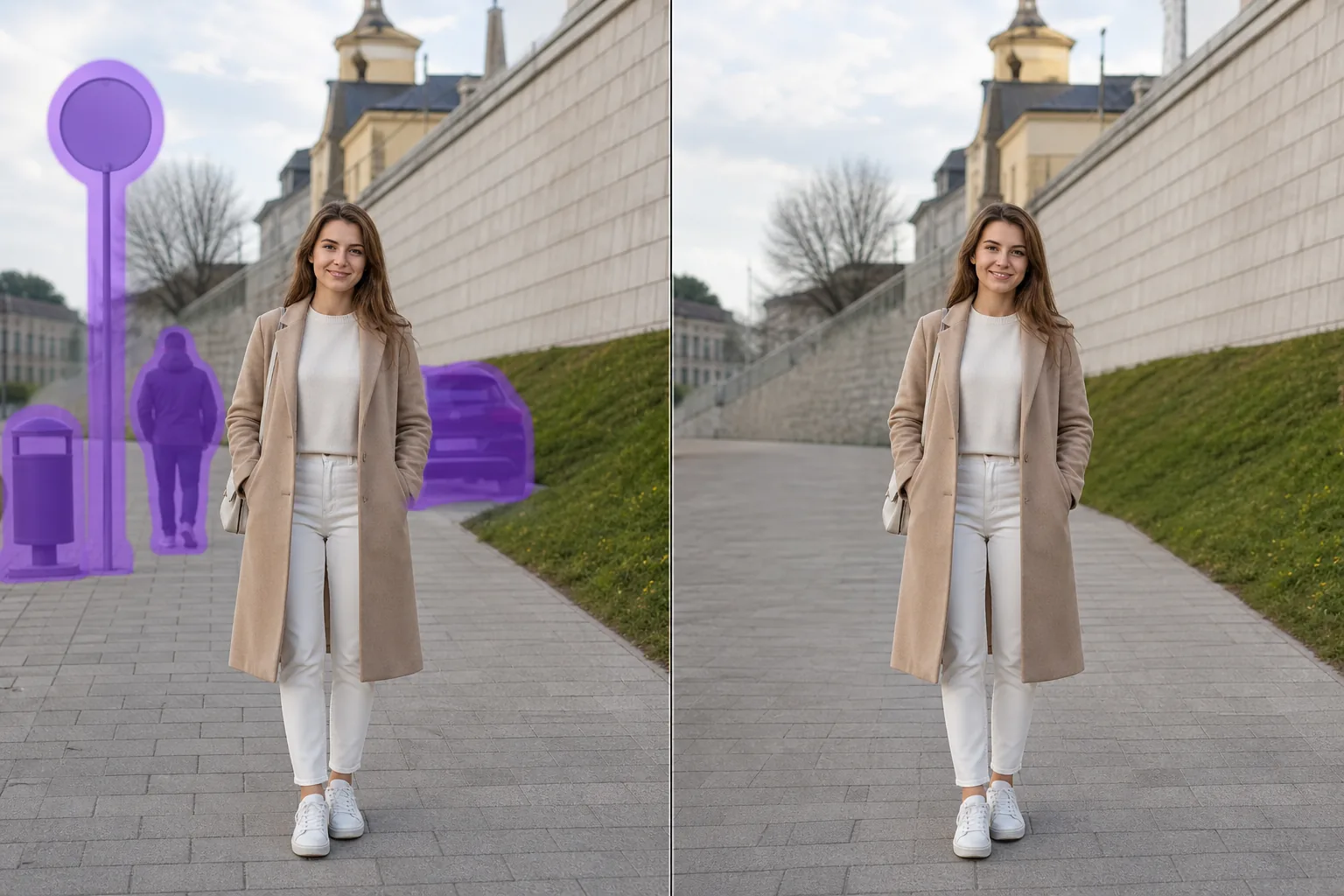
Cómo funciona la eliminación de un objeto de fondo con IA
Elimina un objeto de fondo de tus fotos en segundos con Magic Eraser. La IA reconstruye automáticamente el fondo. Gratis en iOS, Android y la web. Abre Magic Eraser en la web, iOS o Android y carga la foto con un objeto de fondo que deseas eliminar. Compatible con JPEG, PNG y WebP. Pinta sobre un objeto de fondo que quieres eliminar. Usa un pincel ligeramente más grande que el objeto para que la IA genere bordes más limpios. La IA reconstruye el fondo en segundos. Revisa el resultado, retoca si es necesario y exporta a resolución completa.
Instrucciones paso a paso
- 1
Sube tu foto
Abre Magic Eraser en la web, iOS o Android y carga la foto con un objeto de fondo que deseas eliminar. Compatible con JPEG, PNG y WebP.
- 2
Pinta sobre el área
Pinta sobre un objeto de fondo que quieres eliminar. Usa un pincel ligeramente más grande que el objeto para que la IA genere bordes más limpios.
- 3
Borra y descarga
La IA reconstruye el fondo en segundos. Revisa el resultado, retoca si es necesario y exporta a resolución completa.
Ideal para
- Abre Magic Eraser en la web, iOS o Android y carga la foto con un objeto de fondo que deseas eliminar. Compatible con JPEG, PNG y WebP.
- Pinta sobre un objeto de fondo que quieres eliminar. Usa un pincel ligeramente más grande que el objeto para que la IA genere bordes más limpios.
- La IA reconstruye el fondo en segundos. Revisa el resultado, retoca si es necesario y exporta a resolución completa.
- ¿Es gratis eliminar un objeto de fondo de una foto?
- ¿Cuánto tiempo tarda en eliminar un objeto de fondo?
- ¿Funciona en el móvil?
- ¿Se preserva la calidad de la imagen?
Notas importantes
Normalmente solo unos segundos. La IA procesa el área pintada y reconstruye el fondo casi al instante. No. La IA preserva la resolución y calidad original de tu foto. El área reconstruida coincide con la iluminación, color y textura del entorno.
Preguntas frecuentes
- ¿Es gratis eliminar un objeto de fondo de una foto?
- Sí. El plan gratuito de Magic Eraser incluye la eliminación de un objeto de fondo con límites de uso diarios. Premium ($29.99/año) elimina los límites y desbloquea exportaciones en alta resolución.
- ¿Cuánto tiempo tarda en eliminar un objeto de fondo?
- Normalmente solo unos segundos. La IA procesa el área pintada y reconstruye el fondo casi al instante.
- ¿Funciona en el móvil?
- Sí. Magic Eraser funciona en iOS, Android y navegadores web. Puedes eliminar un objeto de fondo desde cualquier dispositivo.
- ¿Se preserva la calidad de la imagen?
- No. La IA preserva la resolución y calidad original de tu foto. El área reconstruida coincide con la iluminación, color y textura del entorno.