
Restaurant Menu Photo
Turn phone photos of your dishes into menu-board and delivery-app-ready images. This template enhances food color vibrancy, cleans up messy plating backgrounds, isolates dishes for app thumbnails, and outputs at the exact dimensions DoorDash, UberEats, and Grubhub require — no food photographer needed.
Try this template freeFood & Beverage template preview
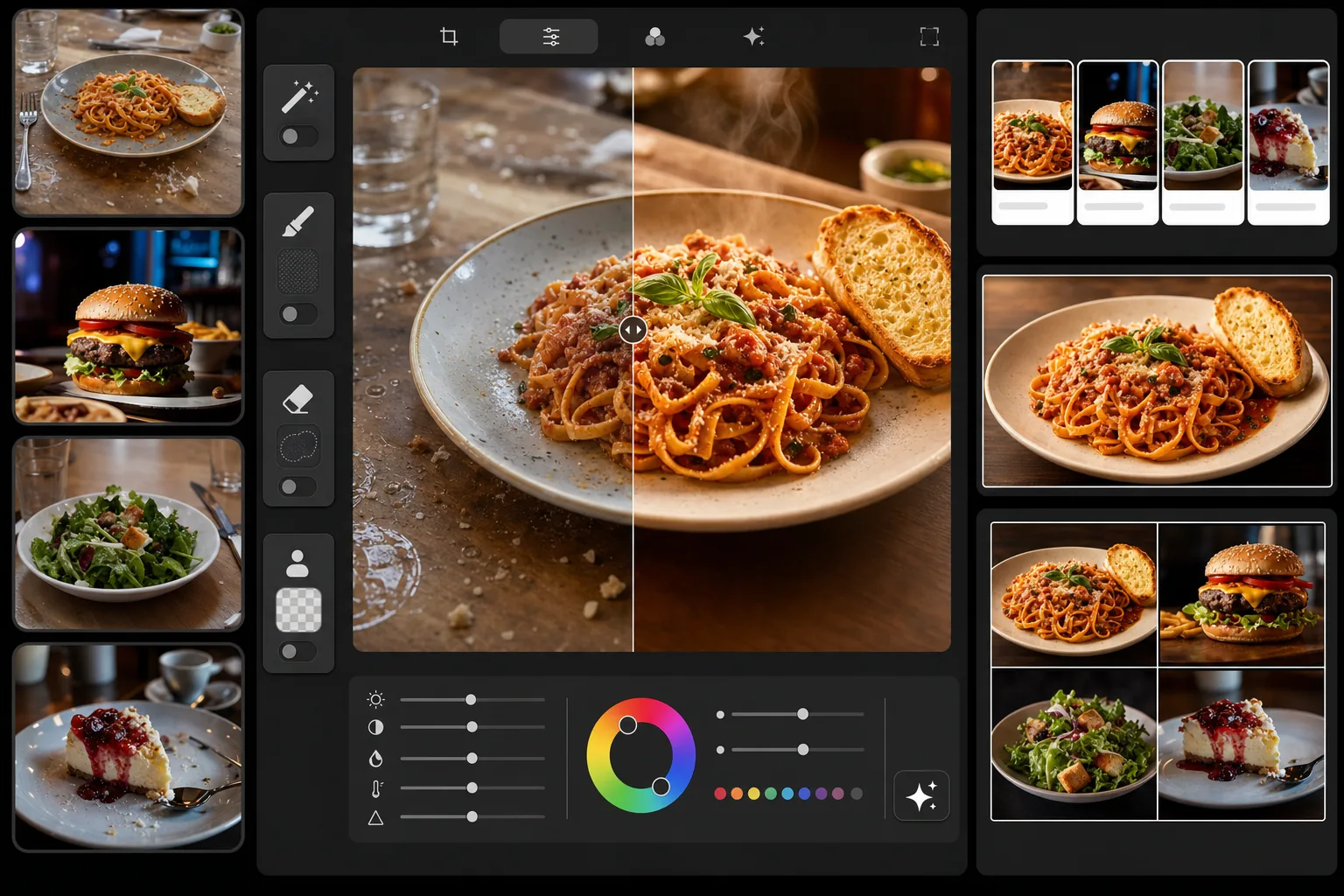
What this template does
Transforms casual food photos into professional menu-quality images. The template boosts the warm, appetizing color tones that make food photography effective — deepening reds in sauces, warming bread crusts to golden, and making greens look fresh. Magic Eraser removes messy table elements, fingerprints on plates, and stray crumbs. Background Eraser isolates dishes for clean delivery-app thumbnails. The output is sized for digital menu boards, printed menus, and every major food-delivery platform.
Template settings
| Color vibrancy | Food-optimized (+15% warm saturation, reds/yellows/greens) |
| Output size (delivery apps) | 1200×800px (3:2 landscape, DoorDash/UberEats standard) |
| Output size (menu board) | 1920×1080px (16:9 digital menu display) |
| White balance | 5200K warm daylight (counters cool restaurant LED lighting) |
| Background option | Clean isolation or dark surface (#2C2C2C) for dramatic plating |
| File format | JPEG 88% quality (fast loading on delivery apps) |
How to use this template
Photograph your dish
Take a photo from a 45-degree angle or directly overhead. Use the brightest available light — near a window during daytime is ideal. Turn off the restaurant's warm overhead lights if possible, as they add heavy orange casts that are harder to correct than natural light.
Clean up the scene
Magic Eraser removes table clutter, stray crumbs, fingerprints on plates, condensation rings, and any kitchen equipment visible in the background. For delivery-app thumbnails, Background Eraser isolates the dish entirely from the table surface.
Enhance food colors
AI Enhance applies food-specific color grading: sauces look richer, bread and pastry crusts get a warm golden tone, greens appear fresh and vibrant, and cheese develops an appetizing melt sheen. The enhancement is calibrated to look appetizing without appearing artificially saturated.
Export for your platform
Choose the delivery-app preset (1200×800px for DoorDash, UberEats, Grubhub), the digital menu board preset (1920×1080px), or a custom size for your printed menu. Each export is compressed for fast loading on the target platform.
Pro tips for best results
- ✓Photograph dishes within 90 seconds of plating. Steam, sauce sheen, and ice integrity degrade quickly. The template can enhance colors but cannot add back melted ice or absorbed sauce.
- ✓Use a slightly damp paper towel to wipe the plate rim clean before shooting. Magic Eraser can remove sauce smears, but a clean rim in the original photo gives the most polished result.
- ✓For delivery-app thumbnails, the overhead (flat-lay) angle works best because the square/landscape crop shows the full dish. The 45-degree angle is better for menu boards and printed menus where you want to show height and layers.
- ✓Shoot multiple menu items on the same surface with the same lighting so your entire menu has a consistent look. Delivery apps display all your items in a grid, and visual consistency signals professionalism to customers.
Common questions
What dimensions do delivery apps require?
+
DoorDash recommends 1200×800px minimum in landscape (3:2 ratio). UberEats requires at least 320×320px but recommends 1200×800px for best display quality. Grubhub uses a similar landscape format. The template's delivery-app preset outputs at 1200×800px, which meets or exceeds all three platforms' requirements.
Will the food look unrealistically enhanced?
+
The color grading is calibrated specifically for food photography — it enhances the natural appetizing qualities of dishes without making them look artificially saturated or neon. The result looks like a well-lit food photo, not a filtered Instagram post.
Can I use the same photo for my menu board and delivery apps?
+
The template supports multiple export presets from one uploaded image. Export at 1920×1080px for your digital menu board and at 1200×800px for delivery apps. The cropping adjusts for each format while keeping the dish centered and well-framed.
Make every dish on your menu look its best
Upload your food photos and get delivery-app and menu-board-ready images in seconds. No food photographer or styling skills required.
Try it freeRelated templates
More food & beverage templates for your workflow.